Install StreamAlive for your PowerPoint slides
Learn more

AI implementation Training for operations teams
StreamAlive helps 9x the audience engagement in your Virtual Instructor-led Trainings (VILT) directly inside your powerpoint presentation.
Make your instructor-led AI implementation training more fun with polls, word clouds, spinner wheels and more
Works inside your existing PowerPoint presentation
Install the StreamAlive app for PowerPoint and see your slides come to life as people participate in your interactions
AI generates audience interactions for you
Let our AI scan your presentation and automatically come up with relevant questions based on the content. Or spend two hours coming up with your own questions, your choice!
Built to work with MS Teams and Zoom
Native apps for Teams and Zoom so you never have to leave your existing workflows
No QR Codes
Chat-powered interactions means your audience doesn’t need to scan QR codes or look at another screen to participate. They just type in the chat!

Quickly approved by your IT team
StreamAlive’s apps for Teams and Zoom means that they have been through rigorous quality assurance and client safety reviews. You’ll find everything an IT team needs to approve the app within the organization within your StreamAlive account.

So, youve got the task of conducting AI implementation training for your operations team and youre thinking, how can I make my session engaging and fun? Fear not, were going to jazz it up with some amazing features from StreamAlive!
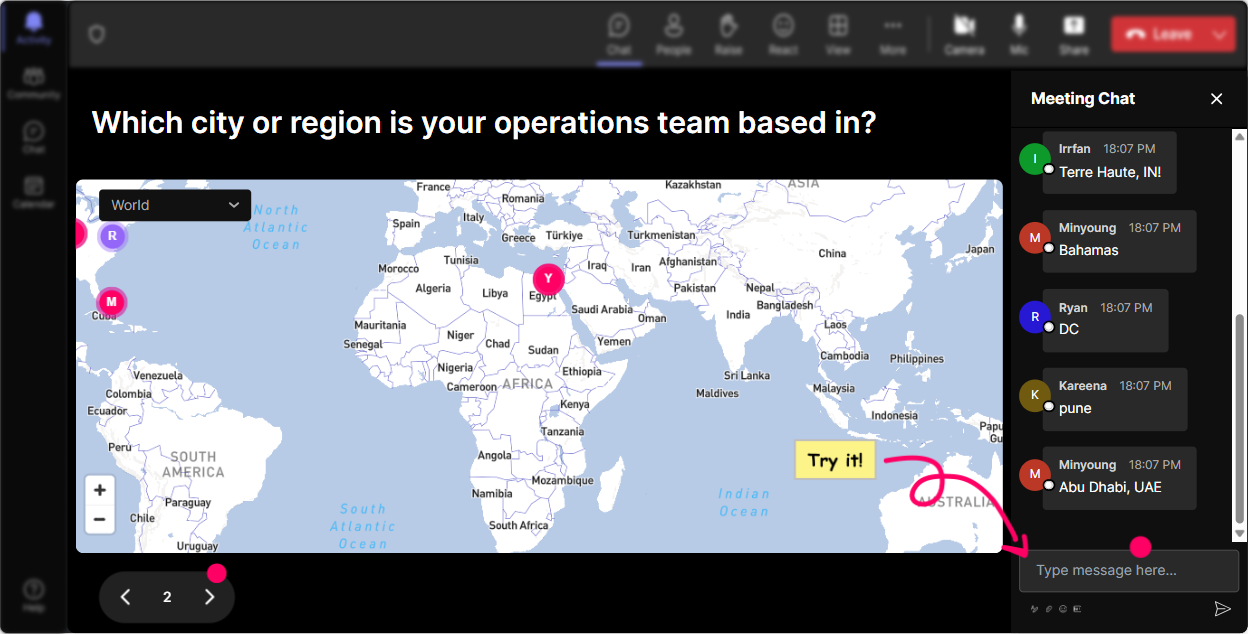
Unleash the Magic of Maps
Kick-off your session with Magic Maps. Ask your folks "Hey, where on this planet are you joining us from?" and watch in amazement as their locations pop up on an interactive map. Not only will this break the ice, but youll also set the stage for a lively session.
Gauge the Room with Ratings
Right off the bat, lets run a Rating Poll: "How comfortable are you with AI implementation right now?" Its a surefire way to see where everybodys at with their knowledge on AI and tailor your training accordingly!

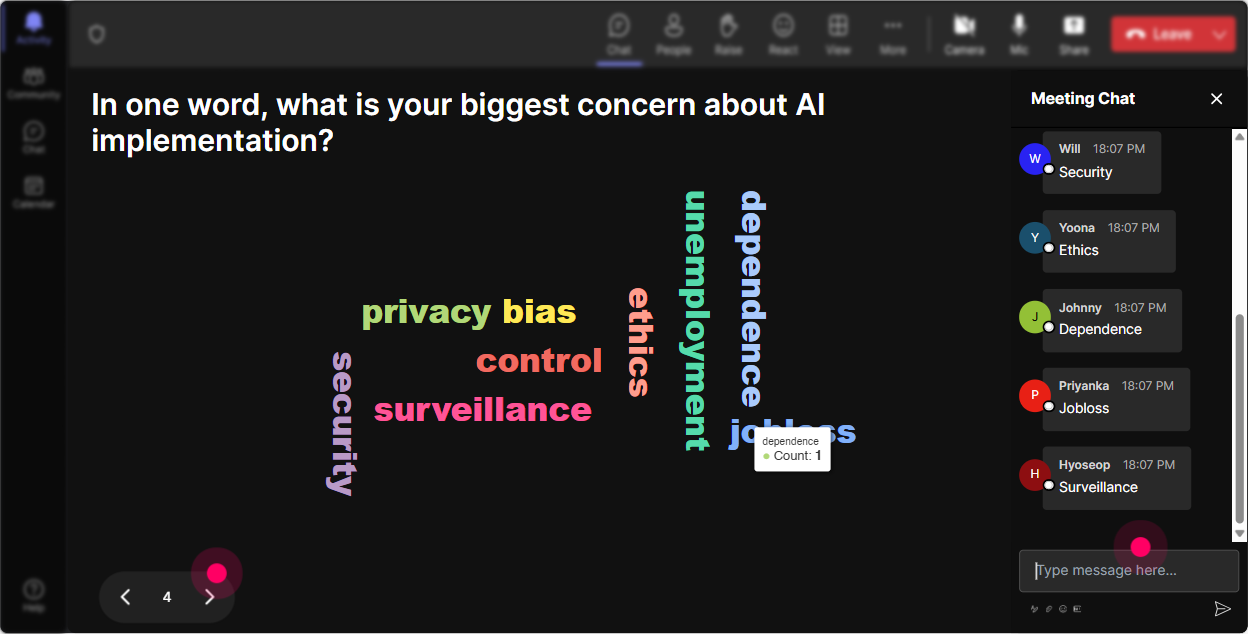
Paint the Picture with Word Clouds
Pop a question like, "Whats one word to describe your thoughts on AI at work?" and create a Word Cloud. This is awesome for getting a quick pulse check-excited, nervous, curious-its all going to show up, bigger and bolder for the most common reactions.
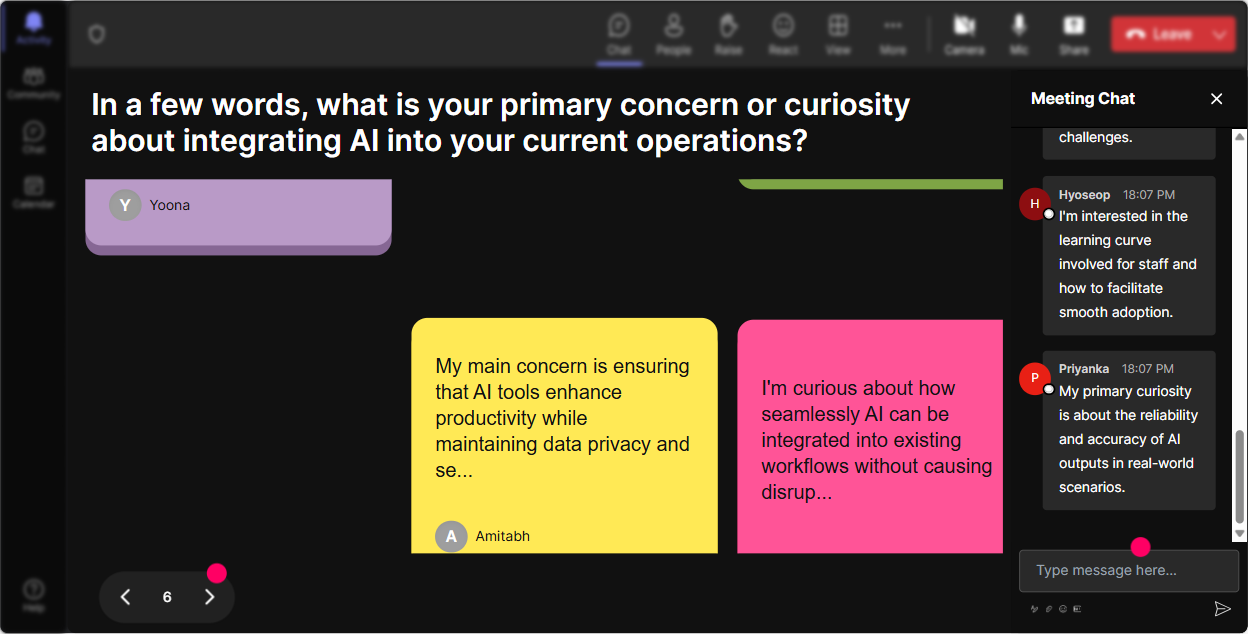
Make Ideas Pop with Talking Tiles
Heres a scenario: "How will AI change your daily job tasks?" Let everyone type in their thoughts, and watch those ideas reincarnate as vibrant Talking Tiles, dynamically piling up Tetris-style on your screen. Your teams insights won't just be heard; they'll be seen!
Choose It with Polls
Want to dive deeper into AI? Use a Poll to find out: "What AI topic are you most eager to learn about today-Data Analysis, Automation, or Machine Learning?" Its a great way to steer the session where your audience wants it to go.

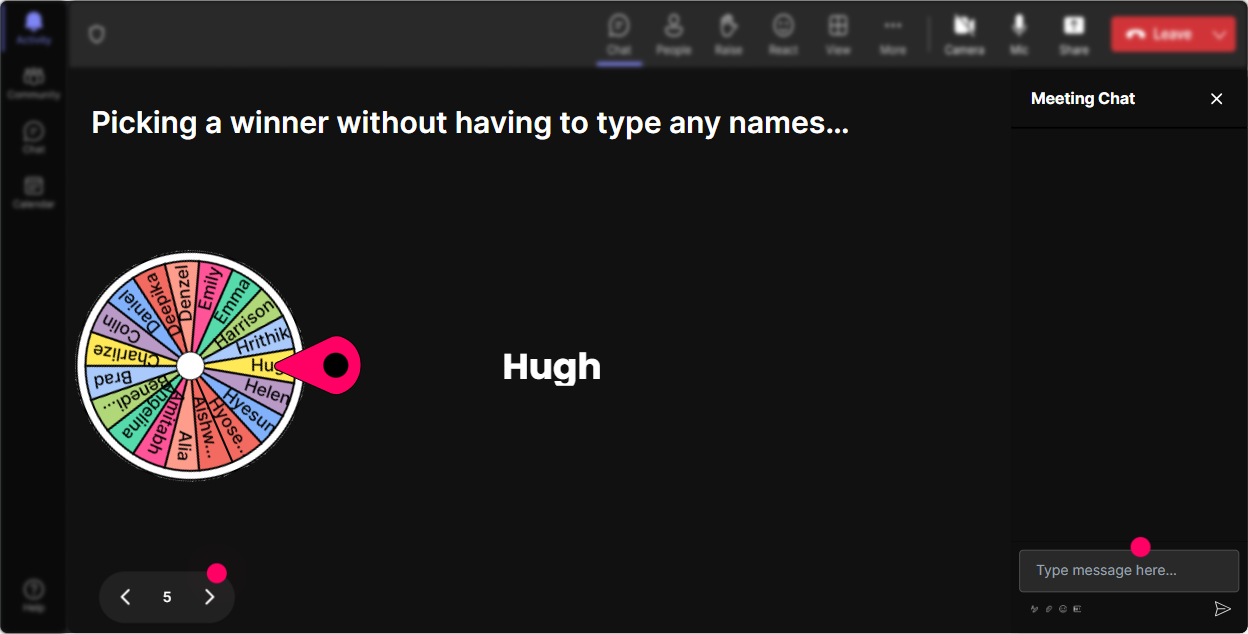
Spin the Wheel of Participation
Time to liven things up! Say you want someone to share their views. Spin the Spinner Wheel to randomly choose a speaker and keep everyone on their toes. It gives everyone an equal chance to speak up.
Let Ideas Clash with Quizzes
Time for a quick knowledge check-"Which of these isnt an AI application?" Conduct a Quiz to test their knowledge. Reveal answers live; its an exciting mix of learning and competition!

Gauge the Room with Ratings
Right off the bat, lets run a Rating Poll: "How comfortable are you with AI implementation right now?" Its a surefire way to see where everybodys at with their knowledge on AI and tailor your training accordingly!
Streamline Questions with Q&A
Have a bunch of questions streaming in? StreamAlive cleverly picks them up directly from the chat into the Q&A section. No need to jumble around different boxes anymore. Its all right there for you to address.

Understanding with Analytics
Once your impactful session wraps up, dive into StreamAlives analytics. Itll show you what parts kept your audience hooked and highlight your biggest fans. Easy peasy to share this goldmine of data with your team via email, too.

Use StreamAlive in all your training sessions
StreamAlive isn’t just for
AI implementation
training,
it can also be used for any instructor-led training session directly inside your PowerPoint presentation.
Explore similar traingin ideas: unlocking the potential of StreamAlive
See how StreamAlive transforms live training with engaging events and interactive sessions across industries, directly inside your PowerPoint presentation.

Interactions in action
(it's free)

.svg.png)


