Install StreamAlive for your PowerPoint slides
Learn more

Learning Organizations Training for L&D Leaders
StreamAlive helps 9x the audience engagement in your Virtual Instructor-led Trainings (VILT) directly inside your powerpoint presentation.
Make your instructor-led Learning Organizations training more fun with polls, word clouds, spinner wheels and more
Works inside your existing PowerPoint presentation
Install the StreamAlive app for PowerPoint and see your slides come to life as people participate in your interactions
AI generates audience interactions for you
Let our AI scan your presentation and automatically come up with relevant questions based on the content. Or spend two hours coming up with your own questions, your choice!
Built to work with MS Teams and Zoom
Native apps for Teams and Zoom so you never have to leave your existing workflows
No QR Codes
Chat-powered interactions means your audience doesn’t need to scan QR codes or look at another screen to participate. They just type in the chat!

Quickly approved by your IT team
StreamAlive’s apps for Teams and Zoom means that they have been through rigorous quality assurance and client safety reviews. You’ll find everything an IT team needs to approve the app within the organization within your StreamAlive account.

Youve been asked to run an instructor-led session on Learning Organizations for L&D Leaders-and you want it to feel alive, not like another slide parade. The easiest win? Get people talking early, often, and on purpose. Here are simple, trainer-friendly ideas using StreamAlive to keep engagement high (like, chat is constantly moving high).
1) Magic Maps: Start with whos in the room? (without it being boring)
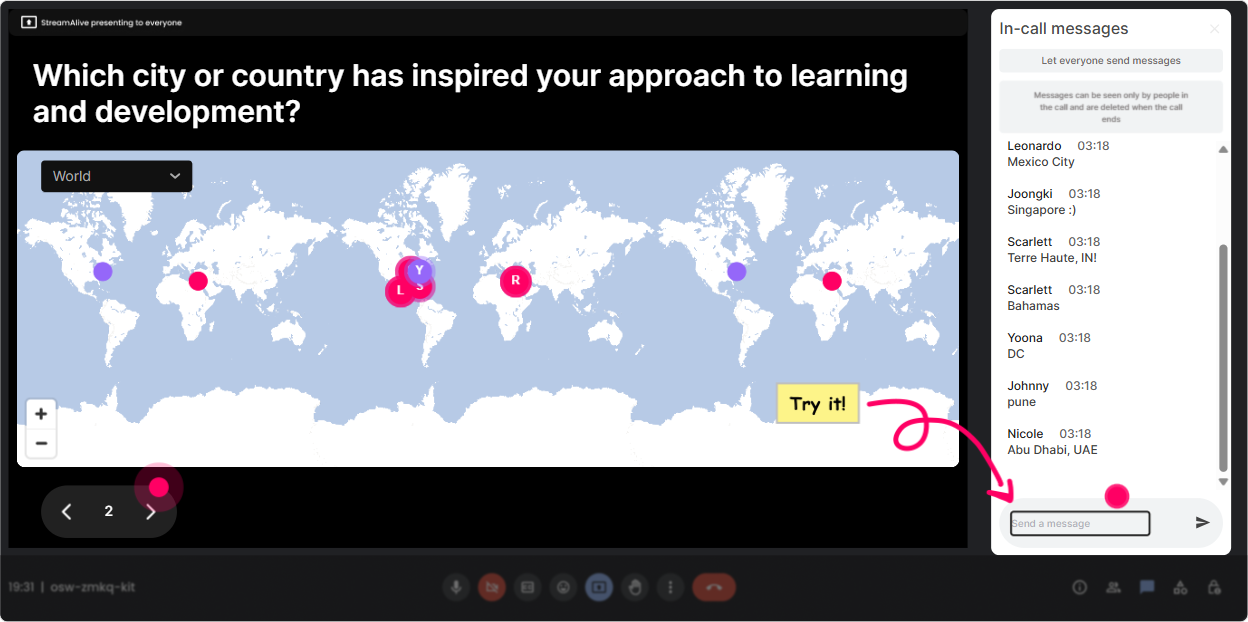
That classic opener-Where are you joining from?-still works if you make it visual. With StreamAlives Magic Maps, locations typed in chat instantly pop onto a live world map, which gives you instant energy and a shared moment. How to use it in a Learning Organizations session: - Icebreaker with relevance: Where are you joining from-and whats ONE thing your organization is trying to learn/get better at right now? (They type the location, then add the learning focus as a follow-up in chat.) - Culture check opener: If your company was known globally for learning excellence, which city would you host the Learning Organization HQ in? - Peer networking nudge: Who else is joining from the same region? Say hi in chat-tell them what industry youre in. Trainer tip: If youve got a global group, call out clusters: Wow, big cluster in Singapore-whats happening in L&D over there right now? It creates instant conversation without you forcing it.
2) Rating Polls: Do a fast confidence check before you teach anything
Rating Polls are perfect when you want a quick pulse check but dont want to waste 5 minutes. People answer with a number in chat, and you instantly see the distribution. Ways to use Rating Polls for Learning Organizations: - Baseline confidence: On a scale of 110, how confident are you that your org is a true learning organization today? - Reality check: Rate how safe people feel speaking up in your org (1 = not safe, 10 = very safe). - After a key concept: After that example, how clear is the difference between training culture and learning culture (110)? Trainer tip: When you see a spread (like lots of 3s and 8s), use it: Okay, Im seeing both ends. Lets hear from a 3-whats missing? And an 8-whats working? Thats instant peer learning.

3) Wonder Words (Word Cloud): Turn feelings and beliefs into something you can teach from
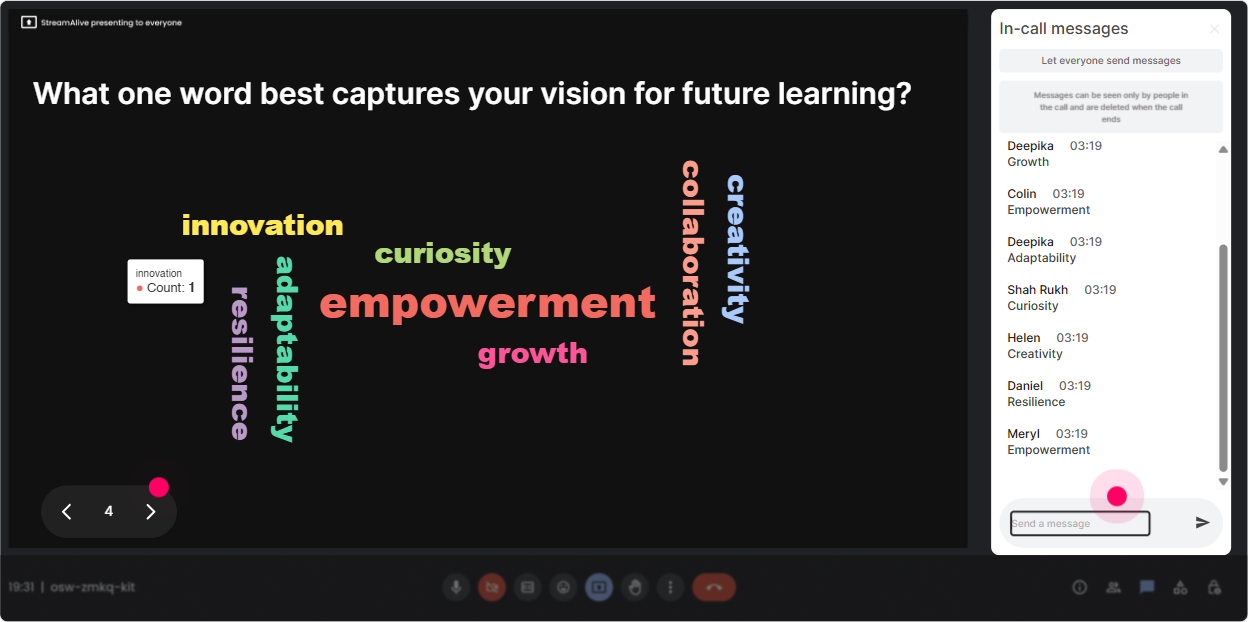
Word clouds are gold when you want quick, emotional, honest input-without asking people to write paragraphs. Ask for 12 words, and StreamAlive builds the cloud live so everyone can see what the group is thinking. Try these in your Learning Organizations ILT: - Emotional temperature check: In 12 words, how do you feel about becoming a learning organization? (Excited? Overwhelmed? Skeptical?) - Barrier reveal: Whats the BIGGEST blocker to learning in your org? 12 words. (Time, managers, workload, silos) - Definition test: When you hear Learning Organization, what word pops up first? Trainer tip: When one word grows huge (like time), youve got your storyline: Great-then everything we do today needs to solve the TIME problem. Lets build around that.
4) Talking Tiles: Get real stories and real challenges on the screen (fast)
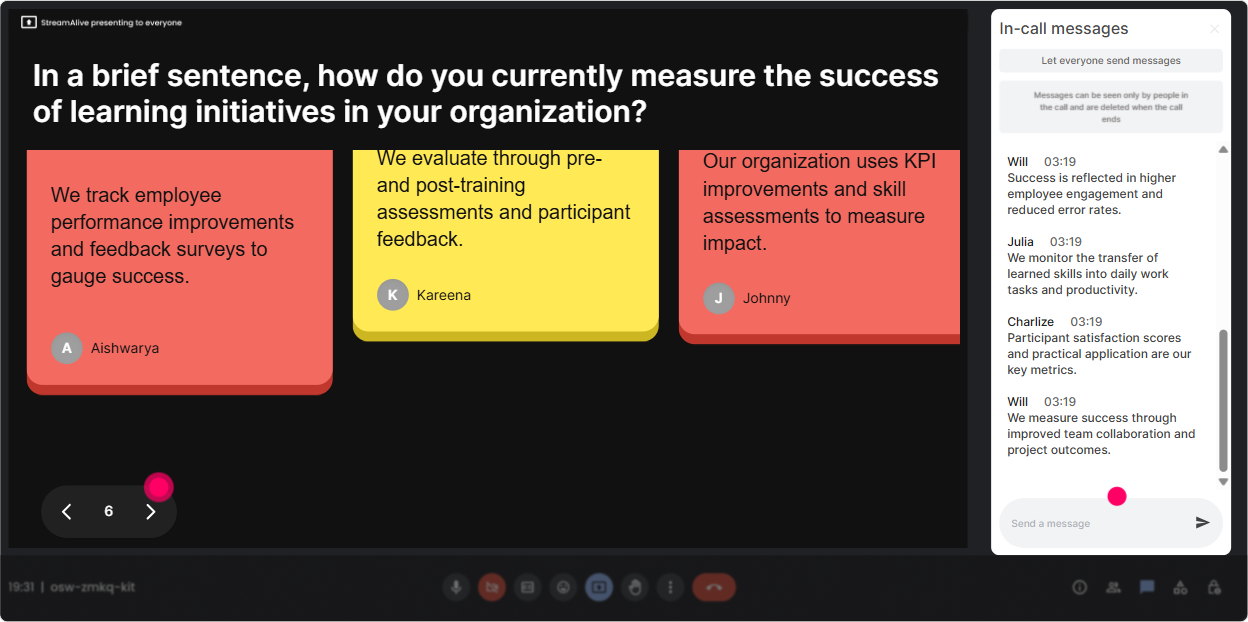
Sometimes you want more than one-word answers. Talking Tiles lets longer chat responses drop onto the screen like tiles-so it feels like a living brainstorm, not a silent room. Use it to pull practical L&D leader insights: - Role impact: Where does learning organization show up in your job-what changes if you get this right? - Real-world examples: Describe one moment when learning actually happened at work (not in a course). What made it possible? - Pain points: Whats one learning habit your org says it values but doesnt actually support? Trainer tip: Let tiles run for 3060 seconds, then pause and cluster verbally: Im seeing themes: manager support, time, and cross-team learning. Lets tackle those one by one.
5) Power Polls: Let the audience pick the agenda (and theyll pay attention to it)
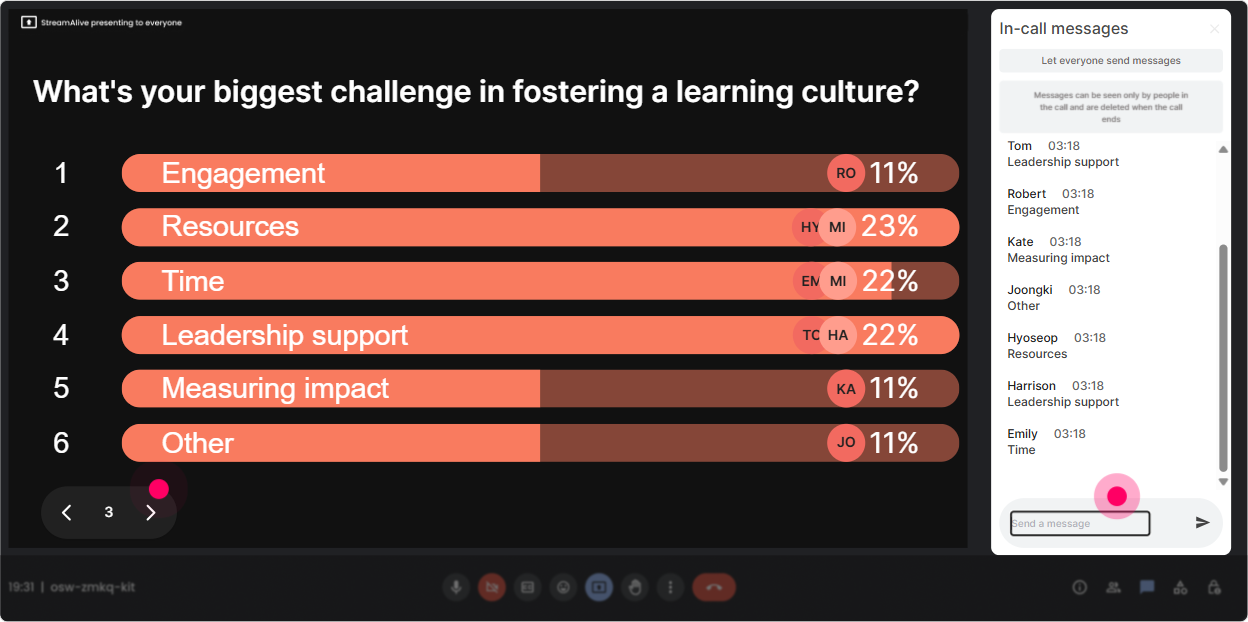
If you want engagement to jump, give them a choice and show the results live. Power Polls are perfect for what do you want to focus on? moments-especially with L&D leaders who have strong opinions. Poll ideas for Learning Organizations training: - Focus selection: Whats the hardest part of building a learning organization in your company? 1) Leadership buy-in 2) Time/workload 3) Manager capability 4) Knowledge sharing across silos 5) Measuring impact - Resource allocation: If you could fix ONE thing this quarter, what would it be? (list options) - Learning strategy: Which lever moves the needle most in your org right now? (coaching, systems, communities, incentives, tools) Trainer tip: Use the poll result as permission: You voted-so were spending extra time on manager capability. People stay engaged because they helped steer.
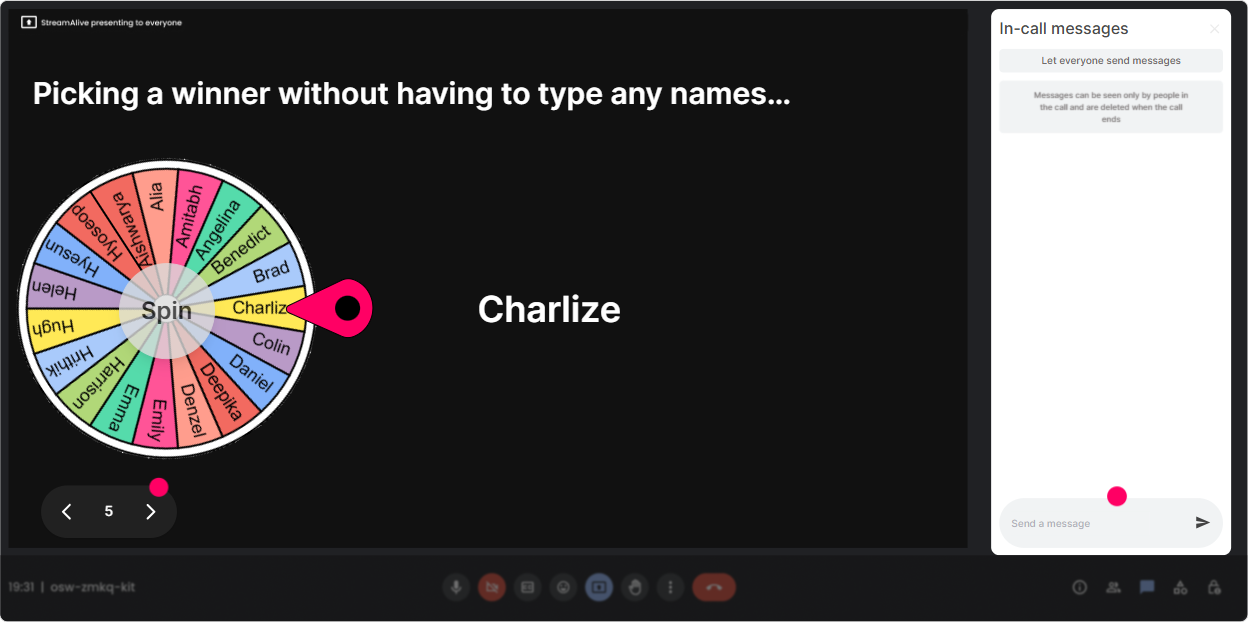
6) Winner Wheel: Make participation feel fun (and get more voices in the room)
Not everyone jumps into chat naturally. The Winner Wheel gives a light, playful reason to participate-without you calling people out awkwardly. You can spin from people who commented during an interaction. How to use it in this session: - Pick a case contributor: Drop one challenge youre facing with learning culture. Im going to spin the wheel and well workshop one together. - Reward participation: Everyone who shared an example gets into the spin-winner gets bragging rights (or a small prize). - Volunteer without the silence: Instead of anyone want to share?, type ME in chat and Ill spin for our next voice share. Trainer tip: Keep it kind: if someone wins but doesnt want to speak, let them pass. The point is energy, not pressure.
7) Quiz: Quick knowledge checks that dont feel like school
Quizzes are perfect for busting myths and keeping attention sharp. StreamAlive Quiz lets you ask a multiple-choice question, then reveal the correct answer when youre ready. Use quizzes to make Learning Organizations concepts stick: - Myth-buster: Which is the best example of a learning organization behavior? A) More mandatory training B) Faster feedback loops and reflection C) Bigger content library D) Annual engagement survey - Systems thinking check: Which practice best supports continuous improvement? A) Blame-free retrospectives B) More approvals C) Individual performance ranking only D) One-size-fits-all training plans Trainer tip: Dont just reveal the answer-ask: If you picked A or C, what made it feel right? Thats where the learning happens.

2) Rating Polls: Do a fast confidence check before you teach anything
Rating Polls are perfect when you want a quick pulse check but dont want to waste 5 minutes. People answer with a number in chat, and you instantly see the distribution. Ways to use Rating Polls for Learning Organizations: - Baseline confidence: On a scale of 110, how confident are you that your org is a true learning organization today? - Reality check: Rate how safe people feel speaking up in your org (1 = not safe, 10 = very safe). - After a key concept: After that example, how clear is the difference between training culture and learning culture (110)? Trainer tip: When you see a spread (like lots of 3s and 8s), use it: Okay, Im seeing both ends. Lets hear from a 3-whats missing? And an 8-whats working? Thats instant peer learning.
8) Q&A: Stop losing great questions in the chat scroll
In live sessions, questions fly by and you end up saying, Sorry, I missed that. StreamAlives Q&A (Quick Questions) pulls audience questions from chat and lists them clearly so you can actually manage them. Ways to run Q&A in your Learning Organizations session: - Parking lot style: As we go, drop your questions in chat. Ill grab them from the Q&A list at the end of each section. - Theme-based Q&A: Ask anything about measurement, leadership, or culture-then well answer the top themes first. - Panel-style (if you have guests): Post your question and who its for: Leadership, L&D, or Managers. Trainer tip: Tell them exactly when youll answer questions (ex: every 15 minutes). It reduces interruptions AND increases trust.

9) Analytics: Prove what worked, then make the next session even better
After the session, StreamAlive Analytics shows you what actually drove engagement-minute by minute-and which interactions got people active. This is huge for L&D leaders who need to show impact, not just deliver content. How to use analytics for Learning Organizations ILT: - Spot engagement peaks: People lit up during the manager capability section-lets expand that next time. - Replay interaction results: Use reports to capture poll outcomes like Top blockers to learning culture and share them with stakeholders. - Identify top participants (your champions): Find your Fantastic Fans-these are often your change agents for learning culture. - Share easily: Send interaction and engagement reports via email to your team or drop insights into your Teams channel. Trainer tip: Use analytics to improve your run-of-show: keep what sparked chat, tighten what didnt, and youll steadily build more engaging sessions every time.

Use StreamAlive in all your training sessions
StreamAlive isn’t just for
Learning Organizations
training,
it can also be used for any instructor-led training session directly inside your PowerPoint presentation.
Explore similar traingin ideas: unlocking the potential of StreamAlive
See how StreamAlive transforms live training with engaging events and interactive sessions across industries, directly inside your PowerPoint presentation.

Interactions in action
(it's free)

.svg.png)


