Install StreamAlive for your PowerPoint slides
Learn more

Power Skills Focus Training for Training Agencies
StreamAlive helps 9x the audience engagement in your Virtual Instructor-led Trainings (VILT) directly inside your powerpoint presentation.
Make your instructor-led Power Skills Focus training more fun with polls, word clouds, spinner wheels and more
Works inside your existing PowerPoint presentation
Install the StreamAlive app for PowerPoint and see your slides come to life as people participate in your interactions
AI generates audience interactions for you
Let our AI scan your presentation and automatically come up with relevant questions based on the content. Or spend two hours coming up with your own questions, your choice!
Built to work with MS Teams and Zoom
Native apps for Teams and Zoom so you never have to leave your existing workflows
No QR Codes
Chat-powered interactions means your audience doesn’t need to scan QR codes or look at another screen to participate. They just type in the chat!

Quickly approved by your IT team
StreamAlive’s apps for Teams and Zoom means that they have been through rigorous quality assurance and client safety reviews. You’ll find everything an IT team needs to approve the app within the organization within your StreamAlive account.

Youve been asked to run a Power Skills Focus instructor-led training for a training agency-and you want it to feel alive, not like another slide marathon. The easiest win? Build moments where people *do* something every few minutes. Heres how StreamAlive helps you keep energy high (and participation way up) without adding extra work for you.
1) Magic Maps: Put your trainers on the map (literally)
This is your easiest everyone talks in the first 60 seconds move. Instead of asking Where are you joining from? and getting a messy chat stream, Magic Maps turns it into a live visual that instantly feels interactive. How to use it in Power Skills Focus training (Training Agencies edition): - Warm-up location check: Where are you delivering training from today? (people drop city/country, you get an instant world map) - Build relevance fast: Where are your learners usually based? (great if they train across regions/cultures) - Tie it to the topic: If you could run your *dream* training session anywhere on earth, where would it be? Trainer tip: If youre about to talk about communication styles or stakeholder management, call out a few clusters on the map and say, Cool-lets keep time zones and cultural context in mind as we talk power skills. It makes the session feel custom right away.

2) Rating Polls: Quick confidence check (and instant pacing help)
Rating Polls are your pulse check tool-super fast, zero awkwardness, and you immediately know whether you need to slow down, speed up, or give more examples. How to use it in Power Skills Focus training: - At the start: Rate your confidence in teaching Power Skills (1 = not confident yet, 10 = I could teach this tomorrow). - Before a role-play: How ready do you feel to handle a tough learner or pushback? (110) - After an activity: How useful was that technique for your real sessions? (110) Trainer tip: If the average is low, dont apologize-celebrate it. Perfect. Thats why were here. Lets make this practical. People feel seen and you look in control.

3) Wonder Words (Word Cloud): Get the rooms vibe in one question
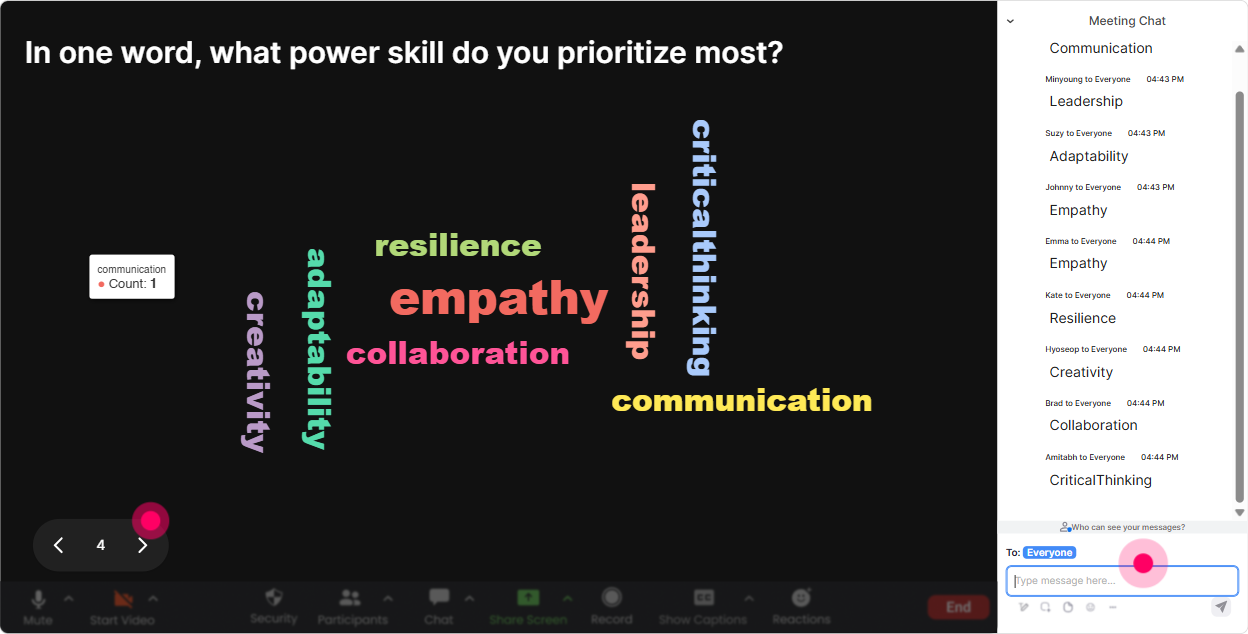
Word Clouds are amazing for emotions, assumptions, and quick crowd-sourcing. You ask a short question, everyone answers in 12 words, and the group immediately sees whats most common. How to use it in Power Skills Focus training: - Set the tone: Power Skills training feels ____ right now. (exciting, overwhelming, overdue, unclear, etc.) - Diagnose the real need: One power skill your clients ask for most? (communication, leadership, conflict, feedback) - Reflect on outcomes: One word you want learners to say after your session? (confident, clear, capable, motivated) Trainer tip: When a big word appears (like feedback or confidence), point at it and go: Alright, this is the headline. Lets make sure we nail this today. That moment alone boosts buy-in.
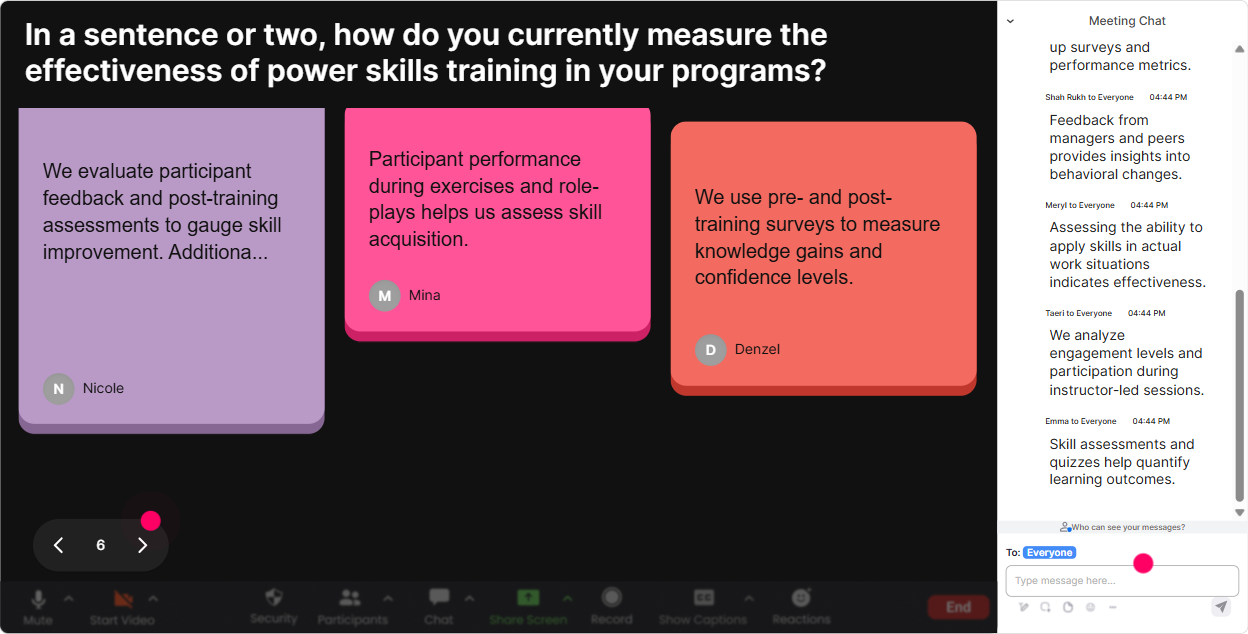
4) Talking Tiles: Turn experiences into a live brainstorm wall
Talking Tiles is perfect when you want longer, real answers-without the chaos of everyone unmuting. Responses drop onto the screen like tiles, so the group sees ideas building in real time. How to use it in Power Skills Focus training: - Make it practical: Whats one moment where power skills made (or broke) a training session for you? - Surface real challenges: Whats your biggest struggle when teaching soft skills to technical teams? - Make it about impact: How does stronger communication show up in your learners day-to-day work? Trainer tip: Use the tiles to spot patterns and say, Im seeing a theme: handling pushback, getting participation, and tough conversations. Lets tackle those first. Now your agenda feels co-created.
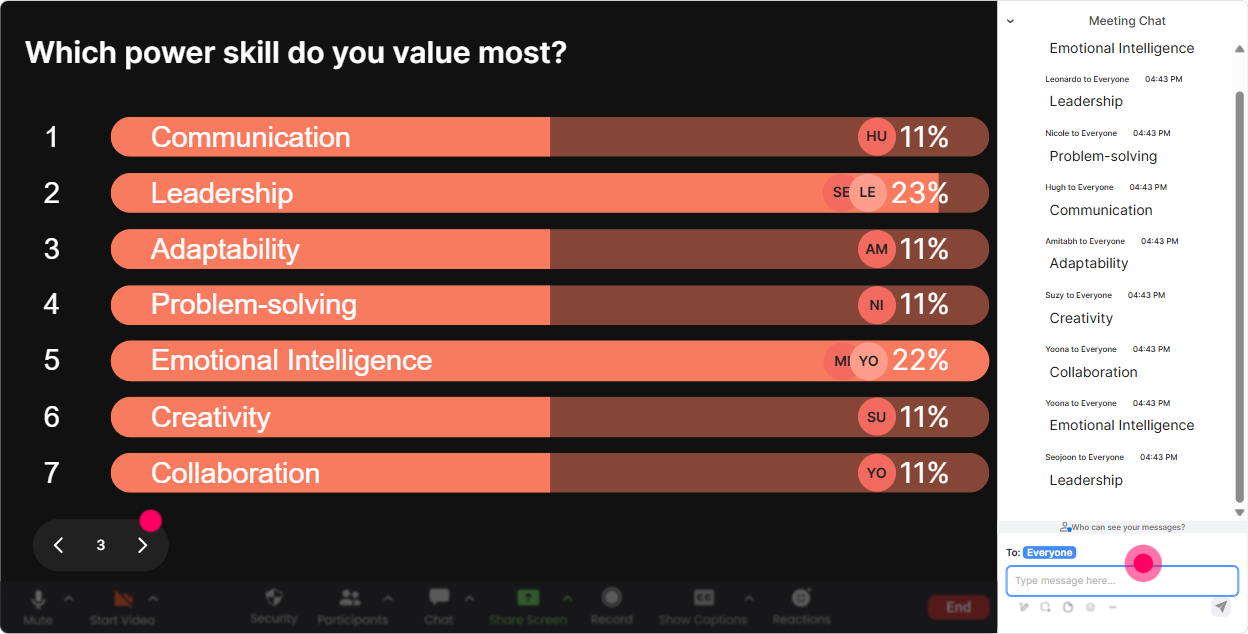
5) Power Polls: Let the audience choose the direction (and feel ownership)
Power Polls are for decision moments-where you want the group to pick what matters most. Its also a slick way to keep attention because people want to see what wins. How to use it in Power Skills Focus training: - Pick the focus area: What should we prioritize today? 1) Coaching conversations 2) Giving feedback 3) Handling conflict 4) Executive presence - Choose practice format: How do you want to practice this? 1) Role-play 2) Case study 3) Group brainstorm 4) Solo reflection + share - Understand the room: What kind of learners do you train most? 1) Frontline 2) Managers 3) Senior leaders 4) Mixed groups Trainer tip: Run a poll right before a big section. Even if you planned to cover everything, you can say, Well cover all, but well start with what you voted for. It instantly boosts engagement.
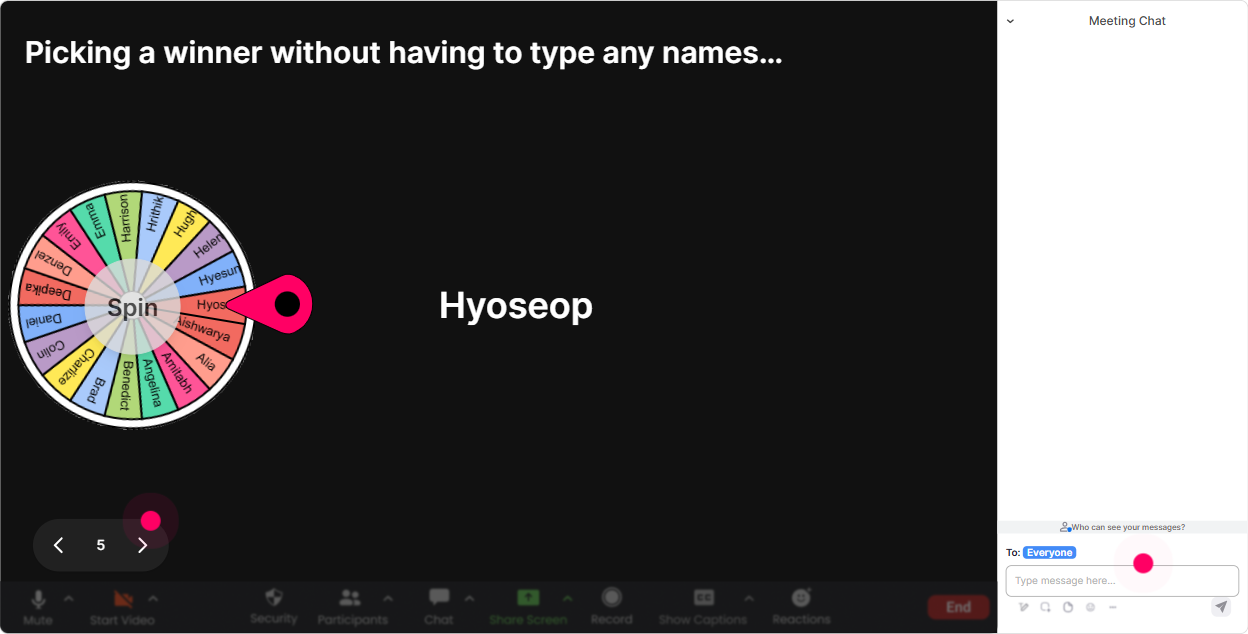
6) Winner Wheel (Spinner Wheel): Get volunteers without the awkward silence
Weve all had that moment: Who wants to volunteer? and suddenly everyone turns into a statue. Winner Wheel fixes that by making participation feel fair, light, and fun. How to use it in Power Skills Focus training: - Pick a speaker: Lets hear a real example-type ME if youre willing to share a tricky learner situation. Spin the wheel from those who typed ME. - Debrief an activity: Drop DONE when youve finished the script. Ill spin the wheel to choose who reads theirs. - Reward participation: Im spinning the wheel for someone whos been active in chat-quick shoutout and a small prize. Trainer tip: Always give an opt-in word (ME / IN / VOLUNTEER). That keeps it safe, but still gets you plenty of voices.
7) Quiz: Quick knowledge checks that dont kill the vibe
Quiz is how you check understanding without sounding like youre testing people. Its fast, visual, and works great for core concepts in Power Skills (where people *think* they know it, but the details matter). How to use it in Power Skills Focus training: - Concept check: Which is the best example of behavioral feedback? A) Youre unprofessional. B) You always mess this up. C) In todays meeting, you interrupted twice; it made it hard to finish the point. (correct) D) Try to be better next time. - Coaching vs. telling: Whats the best first move in a coaching conversation? A) Give advice B) Ask a clarifying question (correct) C) Escalate D) End the conversation Trainer tip: After revealing the correct answer, ask: What made that one correct? That small follow-up turns a quiz into real learning.

2) Rating Polls: Quick confidence check (and instant pacing help)
Rating Polls are your pulse check tool-super fast, zero awkwardness, and you immediately know whether you need to slow down, speed up, or give more examples. How to use it in Power Skills Focus training: - At the start: Rate your confidence in teaching Power Skills (1 = not confident yet, 10 = I could teach this tomorrow). - Before a role-play: How ready do you feel to handle a tough learner or pushback? (110) - After an activity: How useful was that technique for your real sessions? (110) Trainer tip: If the average is low, dont apologize-celebrate it. Perfect. Thats why were here. Lets make this practical. People feel seen and you look in control.
8) Q&A: Catch every question without drowning in the chat
In live training, questions fly by-especially when youre screen-sharing, teaching, and watching reactions. StreamAlives Q&A pulls questions from chat and organizes them so you dont miss the good stuff. How to use it in Power Skills Focus training: - Park-and-answer: Drop your questions anytime-StreamAlive will capture them. Ill do a Q&A pit stop every 15 minutes. - Sensitive topics: If youre dealing with conflict, feedback, or a political stakeholder situation, ask it in chat-no need to unmute. - Role-play coaching: Ask your toughest learner pushback question-like something a participant would challenge you with. Trainer tip: When you answer one question, show the next 23 in the list and say, I see these coming up next. People feel reassured their question wont be ignored.

9) Analytics: Know what landed, what dipped, and who your superfans are
After the session, Analytics is where you stop guessing and start improving on purpose. You can see engagement minute-by-minute, replay chat activity, review interaction results, and spot your most engaged participants. How to use it in Power Skills Focus training (especially for agencies): - Improve your run-of-show: If engagement dips during a theory-heavy section, youll know exactly where to add an interaction next time. - Prove value to stakeholders: Share interaction results and engagement moments with your internal team or clients-great for heres what participants cared about. - Identify advocates: Find your Fantastic Fans (the most engaged folks). If you run cohorts, these are your future champions, referrals, or co-facilitators. Trainer tip: Use the interaction reports like a mini debrief for yourself: Which question got the most responses? Which activity sparked discussion? Thats how you steadily build a session that feels more and more magnetic-and gets that 9x engagement effect over time.

Use StreamAlive in all your training sessions
StreamAlive isn’t just for
Power Skills Focus
training,
it can also be used for any instructor-led training session directly inside your PowerPoint presentation.
Explore similar traingin ideas: unlocking the potential of StreamAlive
See how StreamAlive transforms live training with engaging events and interactive sessions across industries, directly inside your PowerPoint presentation.

Interactions in action
(it's free)

.svg.png)


