Install StreamAlive for your PowerPoint slides
Learn more

Facilitation Training for L&D Leaders
StreamAlive helps 9x the audience engagement in your Virtual Instructor-led Trainings (VILT) directly inside your powerpoint presentation.
Make your instructor-led Facilitation training more fun with polls, word clouds, spinner wheels and more
Works inside your existing PowerPoint presentation
Install the StreamAlive app for PowerPoint and see your slides come to life as people participate in your interactions
AI generates audience interactions for you
Let our AI scan your presentation and automatically come up with relevant questions based on the content. Or spend two hours coming up with your own questions, your choice!
Built to work with MS Teams and Zoom
Native apps for Teams and Zoom so you never have to leave your existing workflows
No QR Codes
Chat-powered interactions means your audience doesn’t need to scan QR codes or look at another screen to participate. They just type in the chat!

Quickly approved by your IT team
StreamAlive’s apps for Teams and Zoom means that they have been through rigorous quality assurance and client safety reviews. You’ll find everything an IT team needs to approve the app within the organization within your StreamAlive account.

Youve been asked to run a Facilitation instructor-led training for L&D Leaders-and you want it to feel alive, not like another slide marathon. The trick is simple: get them doing things every few minutes, not just listening. Here are practical ways to do that using StreamAlive so your session stays high-energy from start to finish.
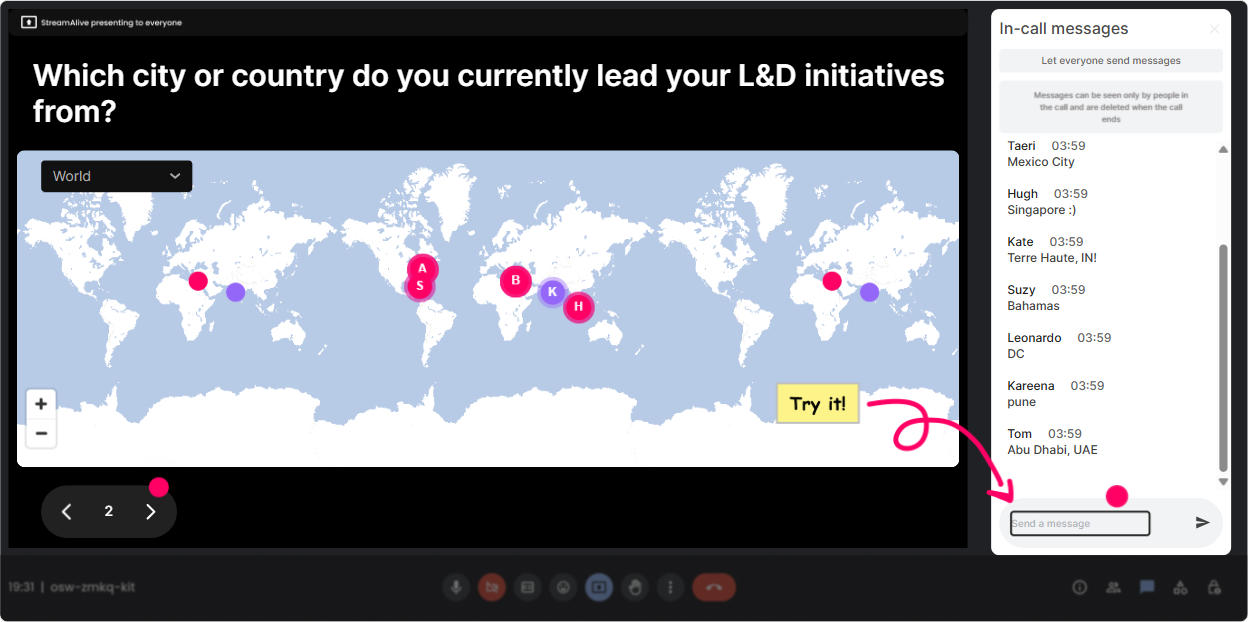
1) Magic Maps: Kick off with Were all in this together energy
This is the fastest way to break the ice without doing awkward intros. Ask a location-based question, let people answer in chat, and StreamAlive plots them on a live map in real time. How to use it in Facilitation training for L&D Leaders: - Classic opener: Where are you joining from today? (instant connection + quick chat win) - Make it topic-related: Where did you learn facilitation-on the job, in a course, or from a mentor? Type the CITY where that happened. - Make it fun: If you could teleport anywhere on earth right now for a facilitator retreat, where would you go? Trainer tip: If your group is global, pause and call out clusters (Wow, big London cluster!). It subtly builds community and makes people more willing to participate again.
2) Rating Polls: Quick confidence check (and a smart way to tailor your pace)
Rating Polls are your instant pulse check. People answer with a number, and you see the live distribution immediately-so youre not guessing whether youre going too fast, too slow, or too basic. How to use it in Facilitation ILT: - Start-of-session baseline: On a scale of 110, how confident are you in facilitating a tough group discussion? - Mid-session temperature check: Rate this: How comfortable are you handling dominant participants? - End-of-module feedback: How useful was that method (110)? Trainer tip: Call your next move based on the result. Example: Looks like most of you are at a 46-perfect, well do one more example before we practice. That responsiveness is what makes learners feel taken care of.

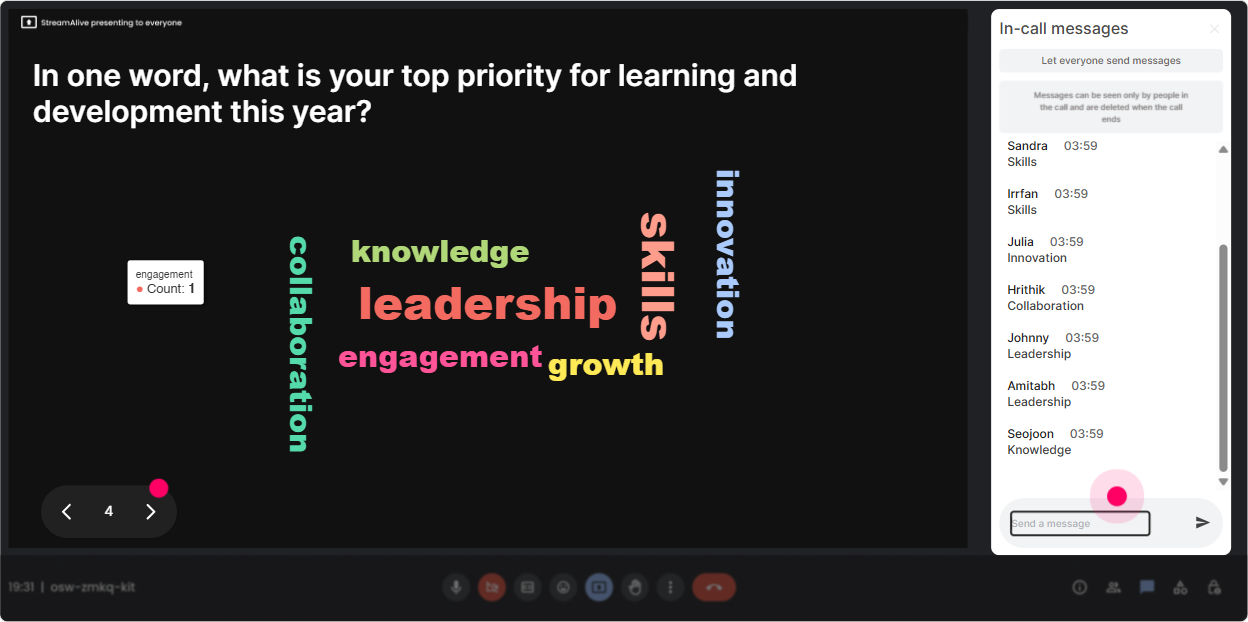
3) Wonder Words (Word Cloud): Get the rooms honest feelings in 10 seconds
Word clouds are gold for facilitation training because they show what people really think-without putting anyone on the spot. Ask for 12 word answers, and StreamAlive builds the cloud live (big words = popular answers). Use it like this: - Emotional opener: When you hear facilitating senior leaders, what word comes to mind? - Belief check: One word: what makes facilitation hard in your organization? - After teaching a model: Whats the ONE word that best summarizes what great facilitation does? Trainer tip: Use the cloud to mirror the room. Im seeing chaotic, politics, and time yep, this is exactly why facilitation is a career superpower. It makes people feel seen immediately.
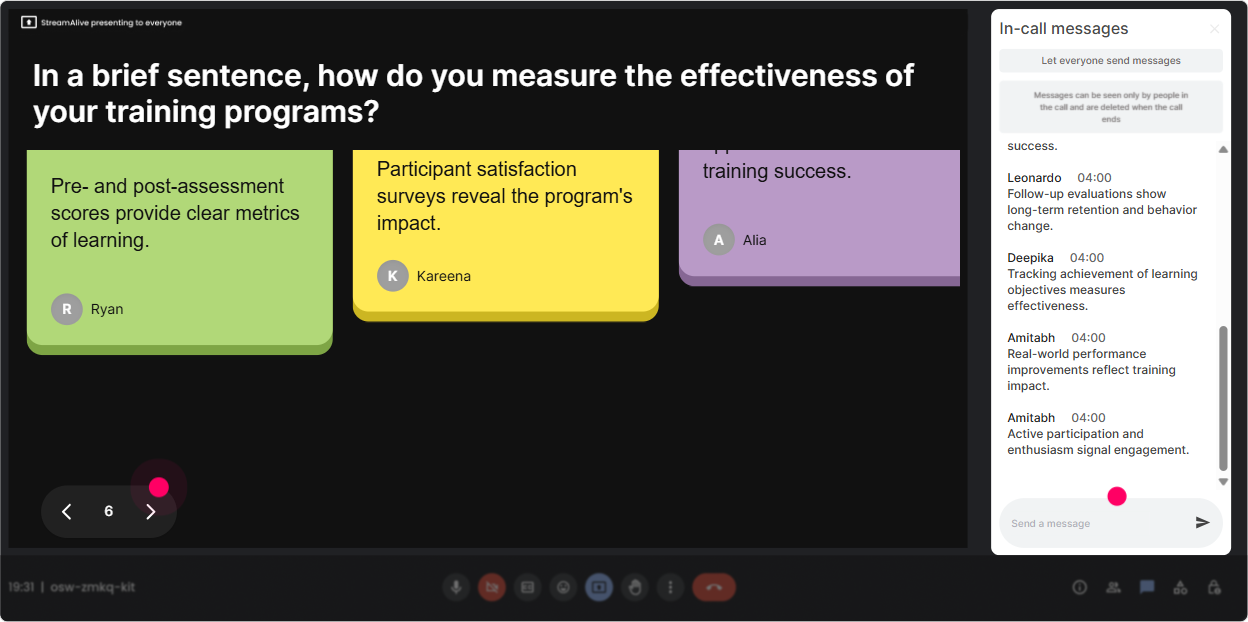
4) Talking Tiles: Turn chat into a live brainstorm wall (without the mess)
Talking Tiles is perfect when you want more than one-word answers-like reflections, mini-stories, or examples. Learner messages drop onto the screen like tiles, so the conversation becomes visible and energetic. Try these prompts in your Facilitation session: - Impact question: In one or two sentences: how does facilitation affect your role as an L&D Leader? - Real-world challenge: Whats the toughest room youve had to facilitate? (Quick context: who + what made it hard?) - Practical application: Whats one meeting you run that could improve with better facilitation-and why? Trainer tip: Pick 23 tiles to read out loud and respond to. People love hearing their words on screen, and it signals: Yes, this is interactive, and you matter here.
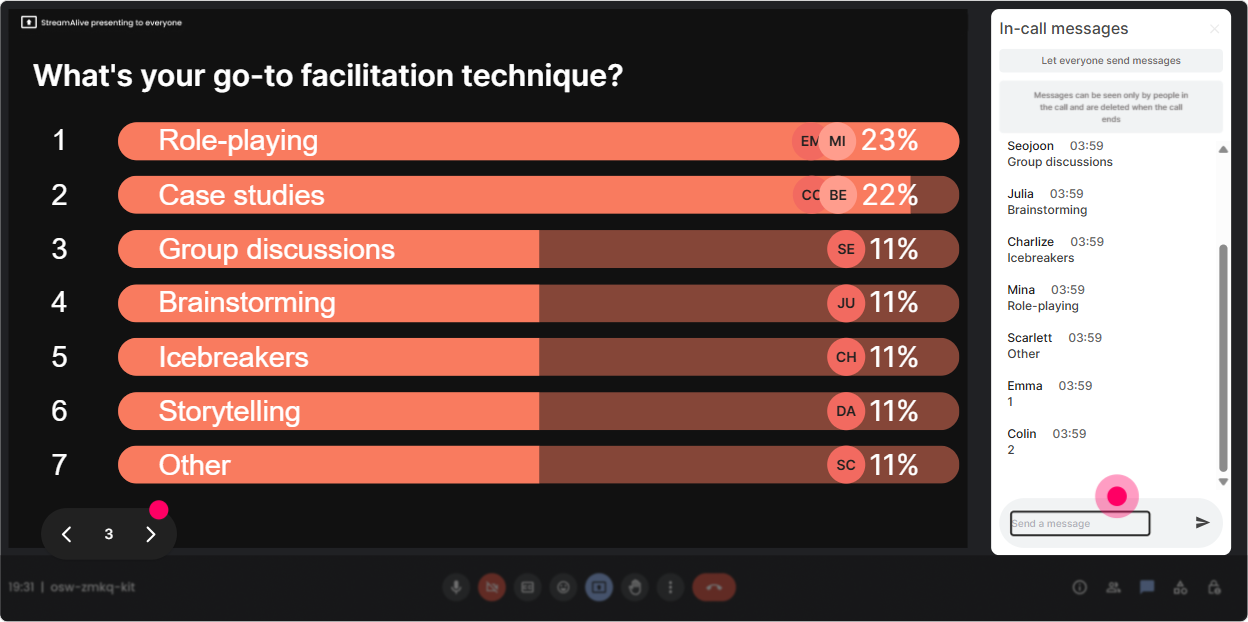
5) Power Polls: Let the group choose the agenda (and theyll buy in faster)
Power Polls help you steer the session based on what your L&D Leaders actually want most-without the long discussion that eats time. You ask, they vote in chat, and results show live. Great facilitation-training poll ideas: - What do you want to get better at TODAY? 1) Handling difficult participants 2) Asking better questions 3) Designing agendas/run-of-show 4) Driving alignment and decisions - Which facilitation moment stresses you out the most? 1) Silence after a question 2) Side conversations 3) Senior person dominating 4) Conflict between stakeholders Trainer tip: Use the winning choice to decide your first practice activity. Even if you cover everything, starting with what they voted for creates instant trust.
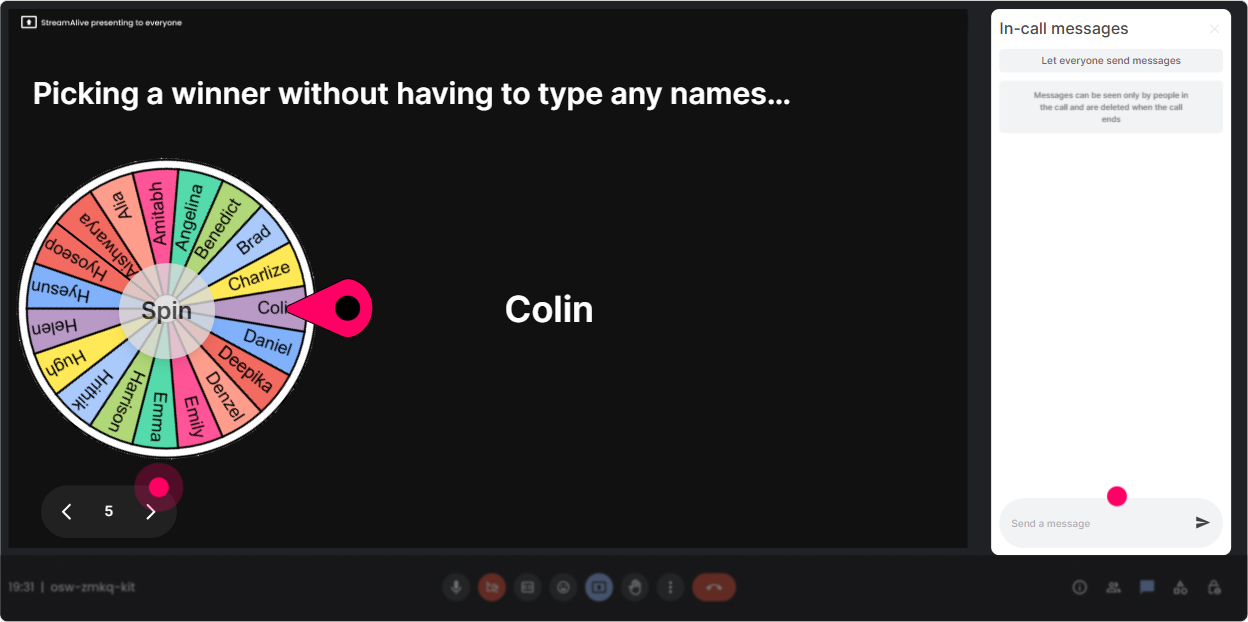
6) Winner Wheel (Spinner Wheel): Get volunteers without the awkward silence
You know that moment when you ask, Who wants to share? and everyone suddenly becomes invisible? Spinner Wheel fixes that in a fun, fair way-by randomly picking from people who participated. How to use it in Facilitation ILT: - Lets do a quick role-play. Type ME in chat if youre open to being the facilitator for 60 seconds. spin the wheel. - Drop one question youd ask a quiet group. Ill spin and well workshop one live. - Who wants to unmute and share a tough facilitation scenario? Put a hand in chat. Trainer tip: Make it feel safe. Say: You can pass if you want-no pressure. The wheel is just helping us move fast. That line keeps it fun, not scary.
7) Quiz: Make knowledge checks feel like a game, not a test
Quizzes are perfect for facilitation because there are a lot of sounds right but isnt concepts. StreamAlive lets you run a quick multiple-choice question, collect answers in chat, then reveal the correct one. Quiz ideas for L&D Leader facilitation training: - What should you do FIRST when two participants start arguing? A) Pick a side to move forward B) Pause and name whats happening in a neutral way (correct) C) Ignore it and continue D) Ask them to take it offline immediately - Which is the best example of a facilitation question? A) Why are we behind? B) Whos responsible for this? C) What would success look like by end of today? (correct) D) Can we just decide now? Trainer tip: After revealing the answer, ask: If you picked a different option, what was your thinking? Thats where the real learning happens.

2) Rating Polls: Quick confidence check (and a smart way to tailor your pace)
Rating Polls are your instant pulse check. People answer with a number, and you see the live distribution immediately-so youre not guessing whether youre going too fast, too slow, or too basic. How to use it in Facilitation ILT: - Start-of-session baseline: On a scale of 110, how confident are you in facilitating a tough group discussion? - Mid-session temperature check: Rate this: How comfortable are you handling dominant participants? - End-of-module feedback: How useful was that method (110)? Trainer tip: Call your next move based on the result. Example: Looks like most of you are at a 46-perfect, well do one more example before we practice. That responsiveness is what makes learners feel taken care of.
8) Q&A: Capture every question without losing the chat
In live training, questions fly by and you miss half of them because the chat keeps moving. StreamAlives Q&A (Quick Questions) pulls questions out of chat and organizes them for you-so you can actually facilitate the Q&A instead of chasing it. How to use it during your facilitation ILT: - Set a rule early: If its a question, start your message with Q: so it gets captured. - Park questions during teaching: Keep dropping your Qs-well hit a Q&A pit stop in 10 minutes. - End with a clean wrap: Lets clear the last 5 questions together. Trainer tip: This helps you look calm and in control-especially with senior audiences-because youre not scrolling frantically while trying to teach.

9) Analytics: Prove engagement (and improve your next session fast)
If youre an L&D Leader (or training L&D Leaders), you know the question that comes after every session: So did it work? StreamAlive analytics help you answer that with real data, not vibes. How it helps after Facilitation training: - Minute-by-minute engagement: See where chat spiked (your strongest moments) and where it dipped (spots to tighten). - Interaction reports: Review how your polls/word clouds/quizzes performed and what people actually responded. - Identify your most engaged participants: Great for follow-ups, champions, or inviting people into deeper practice sessions. - Easy sharing: Send the report to your email or share insights with your team on Teams. Trainer tip: Use analytics to refine your run-of-show. Example: Every time I do a scenario + Talking Tiles, engagement jumps-so next session, Ill add one more scenario block and trim slides. Thats how you get better every delivery.

Use StreamAlive in all your training sessions
StreamAlive isn’t just for
Facilitation
training,
it can also be used for any instructor-led training session directly inside your PowerPoint presentation.
Explore similar traingin ideas: unlocking the potential of StreamAlive
See how StreamAlive transforms live training with engaging events and interactive sessions across industries, directly inside your PowerPoint presentation.

Interactions in action
(it's free)

.svg.png)


