Install StreamAlive for your PowerPoint slides
Learn more

Gyg Economy Training for L&D Leaders
StreamAlive helps 9x the audience engagement in your Virtual Instructor-led Trainings (VILT) directly inside your powerpoint presentation.
Make your instructor-led Gyg Economy training more fun with polls, word clouds, spinner wheels and more
Works inside your existing PowerPoint presentation
Install the StreamAlive app for PowerPoint and see your slides come to life as people participate in your interactions
AI generates audience interactions for you
Let our AI scan your presentation and automatically come up with relevant questions based on the content. Or spend two hours coming up with your own questions, your choice!
Built to work with MS Teams and Zoom
Native apps for Teams and Zoom so you never have to leave your existing workflows
No QR Codes
Chat-powered interactions means your audience doesn’t need to scan QR codes or look at another screen to participate. They just type in the chat!

Quickly approved by your IT team
StreamAlive’s apps for Teams and Zoom means that they have been through rigorous quality assurance and client safety reviews. You’ll find everything an IT team needs to approve the app within the organization within your StreamAlive account.

Youve been asked to run an instructor-led session on the Gig Economy for L&D Leaders-and you want it to feel alive, not like another slide-and-sigh webinar. The trick is simple: get them doing something every few minutes. Here are practical ways to use StreamAlive to keep participation high (and yes, it can feel like 9x more engagement).
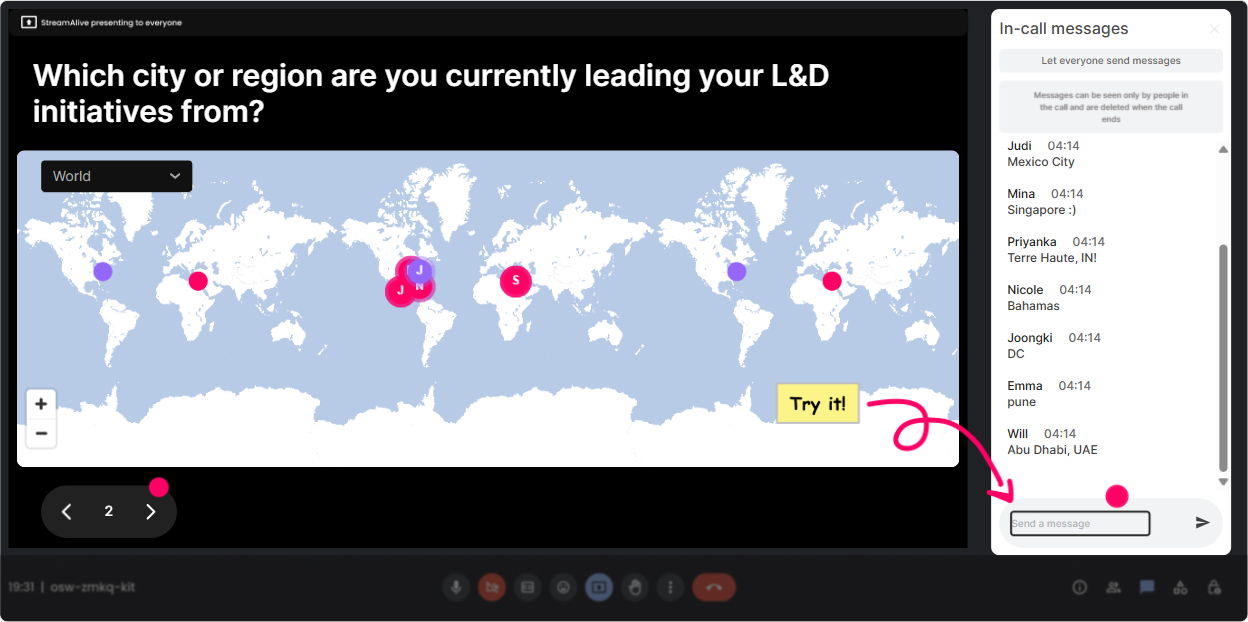
1) Magic Maps: Put your L&D leaders on the map (literally)
The Gig Economy is super local (laws, labor markets, talent pools), so a map opener doesnt just break the ice-it sets context fast. How to use it in your Gig Economy ILT: - Kick-off question: Where are you joining from-and whats the biggest hiring challenge in your region right now? (Ask them to drop the city/state/country in chat; you can take the challenge as a follow-up.) - Make it relevant: If you could source gig talent from anywhere on earth, where would you go first? - Culture + compliance angle: Which city/region are your policies most influenced by? Trainer move that works well: once the clusters show up, call out 23 hotspots (Wow, big cluster in Toronto-whats happening with contractor classification there lately?). It instantly feels like a real room, not a one-way broadcast.
2) Rating Polls: Get an instant baseline (without awkward cold-calling)
Before you teach anything, find out what youre working with. Rating Polls let people answer in two seconds, and you get a clean visual pulse check live. Ways to use Rating Polls in a Gig Economy session: - On a scale of 110, how confident are you explaining the difference between a contractor and an employee? - Rate your orgs readiness to use gig talent at scale (1 = not ready, 10 = very ready). - Mid-session check: How clear is the risk vs. reward picture so far? (110) Pro tip: Tell them youll adjust based on the score. If the average is a 4, you slow down and simplify. If its an 8, you go deeper into strategy. That alone makes the audience feel seen.

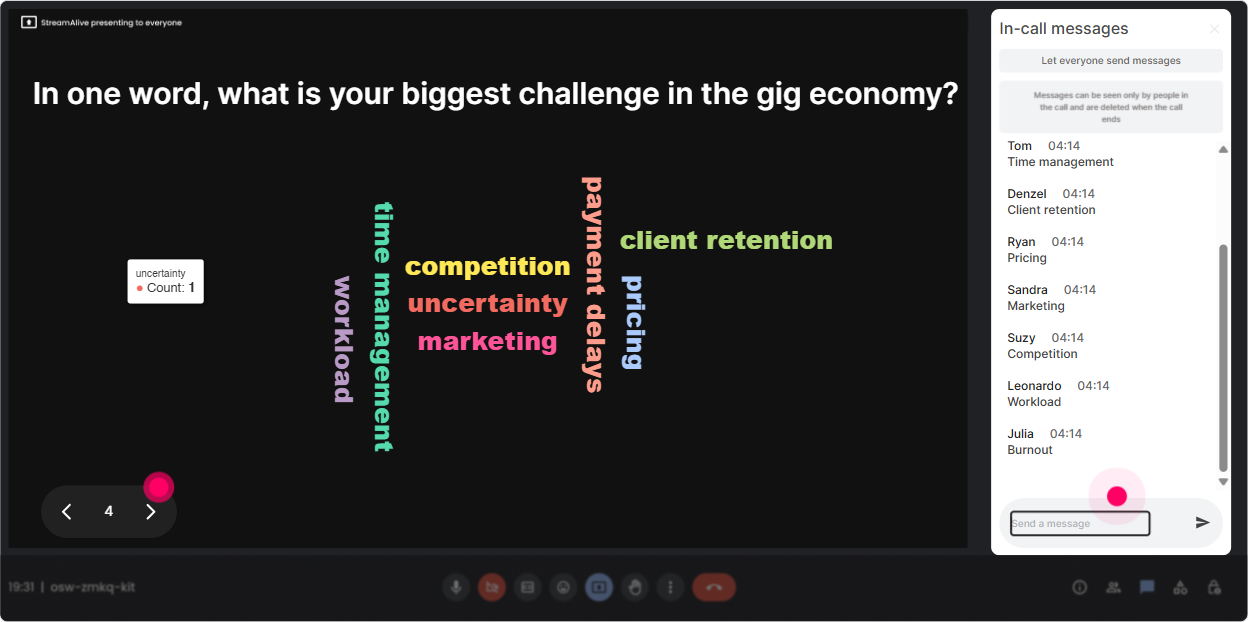
3) Wonder Words (Word Cloud): Make their opinions visible in seconds
Gig Economy conversations are loaded with emotions and assumptions. A word cloud is perfect because it turns that unspoken vibe into something you can actually address. Great Wonder Words prompts for L&D Leaders: - In 12 words: what comes to mind when you hear Gig Economy? - One word: whats your biggest concern about using gig workers? - One word: whats the biggest benefit you want from gig talent? How to host it like a human: react to the biggest words on screen-Im seeing compliance and speed fighting for the top spot. Thats basically the gig economy tension in one screenshot.
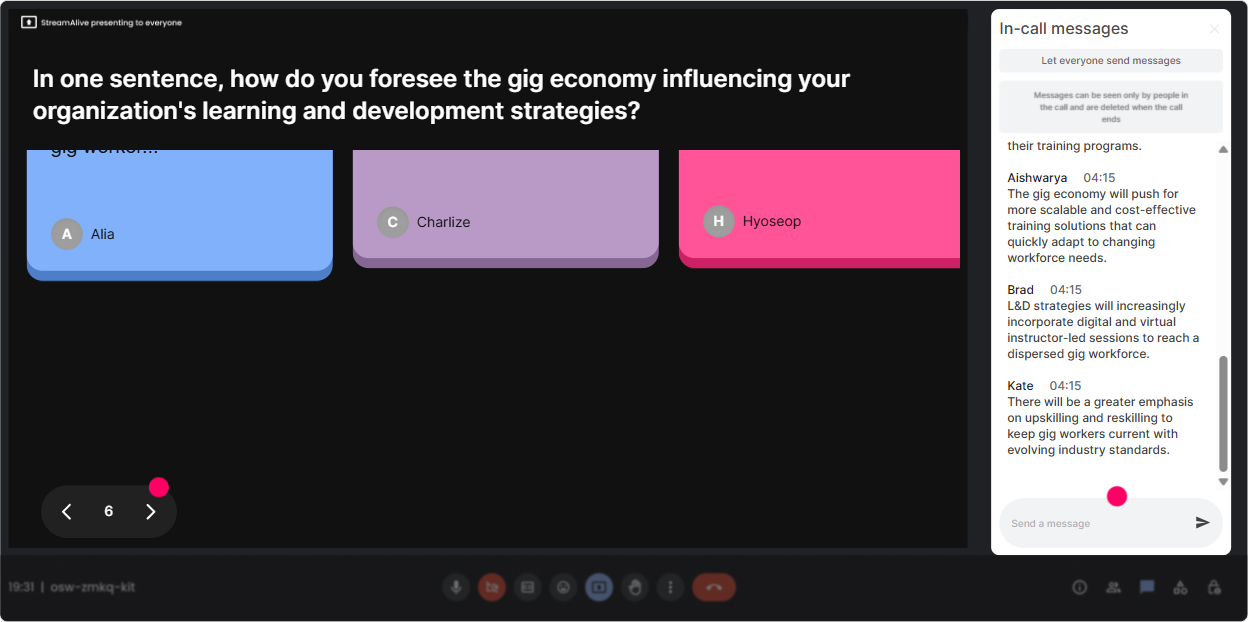
4) Talking Tiles: Turn responses into a live brainstorm wall (without breakout rooms)
Talking Tiles is where you go when you want more than one-word answers. Its ideal for L&D leaders because they usually have real stories, real constraints, and real opinions-let them share it quickly. Use Talking Tiles for prompts like: - In 12 sentences: where does gig talent show up in your org today (even informally)? - Whats one skill area youd consider gig-friendly in the next 12 months? - Whats the biggest roadblock: policy, leadership buy-in, budget, or capability? (They can explain their pick.) Facilitation idea: pick 3 tiles to read out loud and connect them-These three comments are basically the storyline: we want speed, we fear risk, and we dont have a consistent process. Thats a smooth segue into your framework.
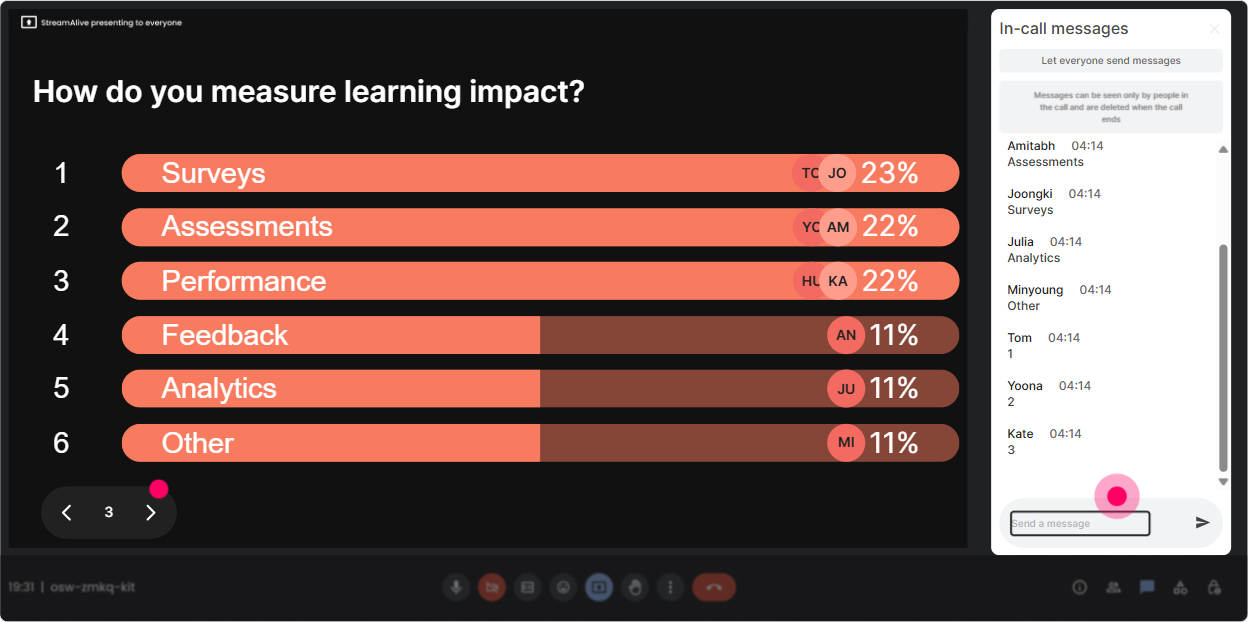
5) Power Polls: Let the room choose the agenda (and youll get buy-in fast)
L&D leaders love relevance. Polls make your session feel customized, even if your deck is already built. Poll ideas tailored to Gig Economy ILT: - What do you want to focus on today? 1) Gig Economy basics 2) Compliance + classification risk 3) Learning strategy for blended workforces 4) Vendor/platform ecosystem 5) Measuring performance + outcomes - Where are you currently? 1) No gig talent 2) Some teams using it informally 3) Formal program exists 4) Scaling across functions Trainer hack: Run this poll early, then keep referencing it: You voted compliance #1-cool, Ill use that lens as we go through the next examples. People stay engaged longer when they feel like they influenced the direction.
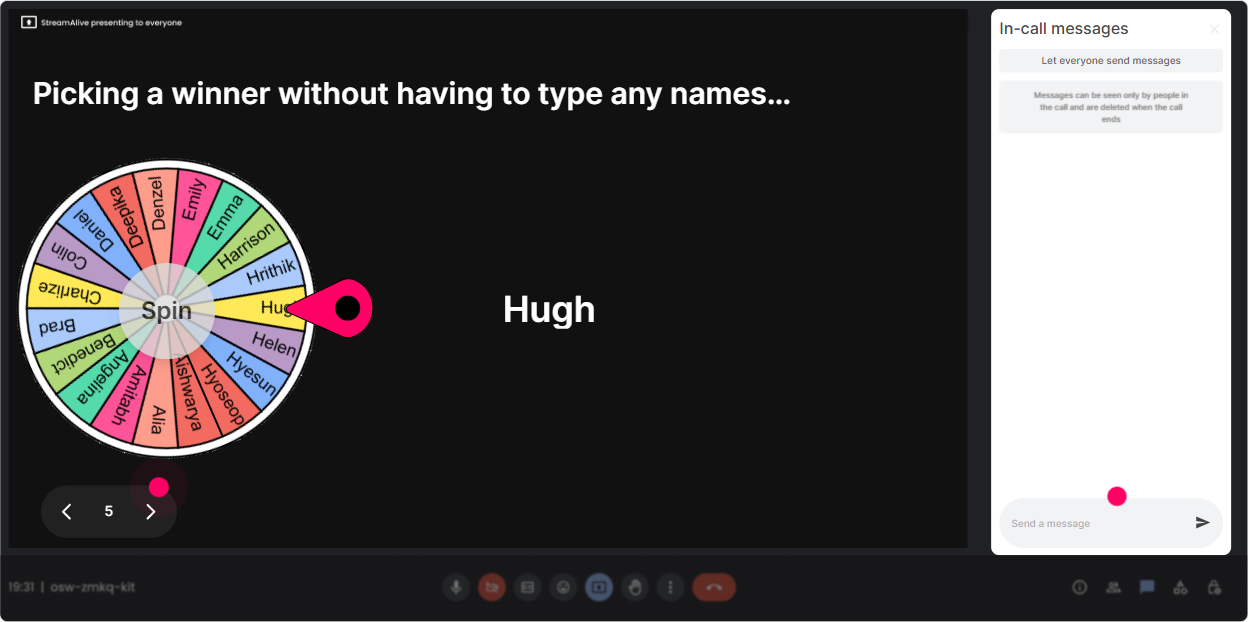
6) Winner Wheel (Spinner Wheel): Make participation fun-and evenly distributed
You know that moment when you ask, Any volunteers? and silence. The Spinner Wheel fixes that without you sounding pushy. Ways to use it in a Gig Economy session: - Drop ONE word in chat: whats your gig economy worry? Then spin the wheel to pick someone to expand for 20 seconds. - Type case in chat if youre open to sharing a real scenario. Spin to choose who shares. - Use it as a reward: Everyone who answered the poll is eligible-lets pick someone to win a small perk (shoutout, resource pack, or first choice of breakout topic). Important tone note: frame it playfully-Blame the wheel, not me. It lowers pressure but still gets voices into the room.
7) Quiz: Quick knowledge checks that dont feel like school
A Quiz interaction is perfect for those wait, do they actually get it? moments. And because answers come through chat, even quieter folks participate. Quiz question examples for Gig Economy training: - Which is the BEST example of gig work? A) Full-time employee on a flexible schedule B) Contractor completing task-based work via a platform C) Intern on a stipend D) Part-time employee working weekends (Correct: B) - Whats the biggest risk when scaling gig talent? A) Too many applicants B) Misclassification/compliance risk C) Too much training content D) Too many software tools (Often correct: B-depending on how you teach it) How to make it feel engaging: after revealing the correct answer, ask If you picked a different option, what made it feel right? That turns a quiz into discussion, not a gotcha moment.

2) Rating Polls: Get an instant baseline (without awkward cold-calling)
Before you teach anything, find out what youre working with. Rating Polls let people answer in two seconds, and you get a clean visual pulse check live. Ways to use Rating Polls in a Gig Economy session: - On a scale of 110, how confident are you explaining the difference between a contractor and an employee? - Rate your orgs readiness to use gig talent at scale (1 = not ready, 10 = very ready). - Mid-session check: How clear is the risk vs. reward picture so far? (110) Pro tip: Tell them youll adjust based on the score. If the average is a 4, you slow down and simplify. If its an 8, you go deeper into strategy. That alone makes the audience feel seen.
8) Q&A: Capture questions without losing them in chat chaos
In gig economy sessions, questions come fast-legal, policy, procurement, learning design, you name it. StreamAlives Q&A pulls questions from the chat and organizes them so youre not scrolling like a maniac. How to use it smoothly: - Tell them: Drop your questions anytime-StreamAlive will catch them. - Park-and-answer style: Ill handle clarifying questions right away; deeper ones Ill answer in our Q&A block. - Prompt better questions: Ask me the thing your leadership team keeps debating about gig talent. This keeps your flow clean while still making people feel heard.

9) Analytics: Prove what worked (and improve the next session)
After your session, StreamAlive Analytics helps you see what actually kept attention-minute by minute-not just your gut feeling. Whats useful for L&D Leaders (and for you as the trainer): - Spot engagement peaks: Engagement spiked during the compliance poll-next time Ill move that earlier. - Chat replay + interaction results: These were the top concerns-classification, quality control, and manager capability. Thats basically a needs assessment you can share. - Identify your most engaged attendees (your Fantastic Fans): those are your champions for follow-up cohorts, pilots, or internal advocacy. - Share reports easily via email/Teams: perfect when stakeholders ask, Did people actually participate? If you want your gig economy ILT to land, this is the part that helps you iterate like a pro-without guessing.

Use StreamAlive in all your training sessions
StreamAlive isn’t just for
Gyg Economy
training,
it can also be used for any instructor-led training session directly inside your PowerPoint presentation.
Explore similar traingin ideas: unlocking the potential of StreamAlive
See how StreamAlive transforms live training with engaging events and interactive sessions across industries, directly inside your PowerPoint presentation.

Interactions in action
(it's free)

.svg.png)


