Install StreamAlive for your PowerPoint slides
Learn more

Human-Centered Organizations Training for Training Agencies
StreamAlive helps 9x the audience engagement in your Virtual Instructor-led Trainings (VILT) directly inside your powerpoint presentation.
Make your instructor-led Human-Centered Organizations training more fun with polls, word clouds, spinner wheels and more
Works inside your existing PowerPoint presentation
Install the StreamAlive app for PowerPoint and see your slides come to life as people participate in your interactions
AI generates audience interactions for you
Let our AI scan your presentation and automatically come up with relevant questions based on the content. Or spend two hours coming up with your own questions, your choice!
Built to work with MS Teams and Zoom
Native apps for Teams and Zoom so you never have to leave your existing workflows
No QR Codes
Chat-powered interactions means your audience doesn’t need to scan QR codes or look at another screen to participate. They just type in the chat!

Quickly approved by your IT team
StreamAlive’s apps for Teams and Zoom means that they have been through rigorous quality assurance and client safety reviews. You’ll find everything an IT team needs to approve the app within the organization within your StreamAlive account.

Youve been asked to run a session on Human-Centered Organizations for a Training Agency, and you want it to feel lively-not like another slide marathon. The easiest win? Get people talking early, then keep pulling them back in every few minutes. Here are simple ways to do that using StreamAlive (and yes, it can seriously multiply engagement).
1) Magic Maps: Start human, not housekeeping
The fastest way to warm up a room is to make it about the people in it. Magic Maps does that in seconds-everyone drops a location in chat and boom, your group appears on a live map. How to use it in Human-Centered Organizations training: - Icebreaker that actually matters: Where are you joining from-and whats one thing your learners struggle with right now? (Location in chat, then you verbally pull a few struggles into the convo.) - Context check: Which city are your learners mostly based in? Great when agencies deliver programs across regions. - Human-centered twist: If you could visit any place to study great people-first workplace culture, where would you go? Trainer move: When you see clusters, call them out. Looks like weve got a mini cohort from Toronto-tell me, whats one people problem you keep seeing in training requests? Instant relevance.
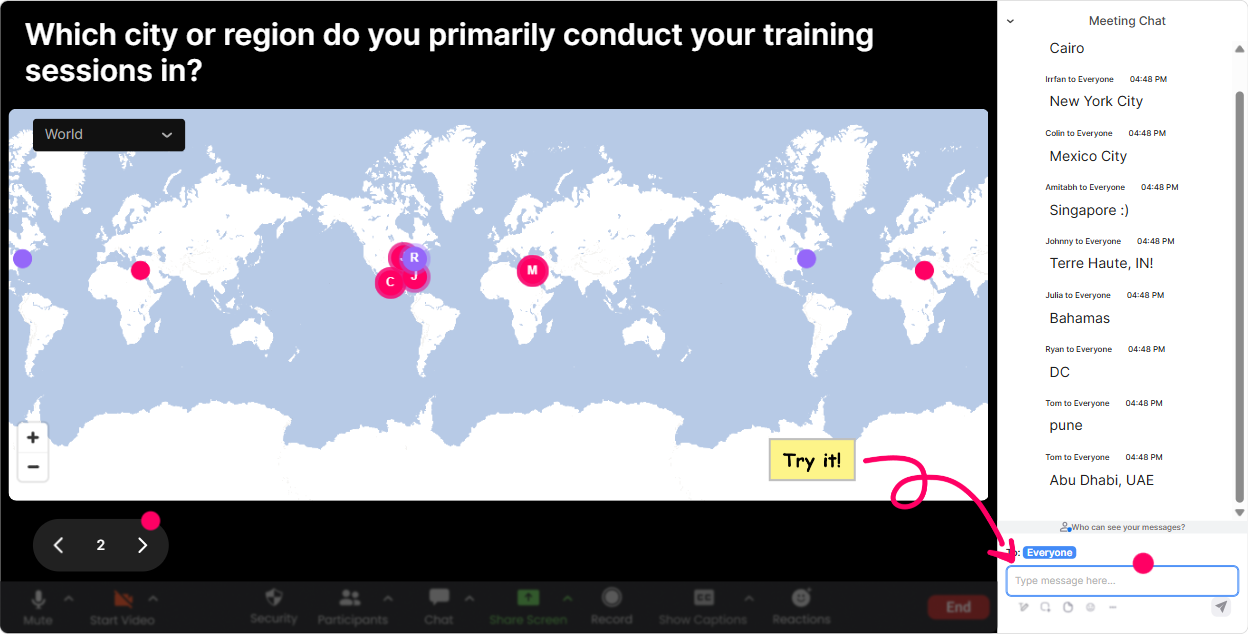
2) Rating Polls: Get a confidence pulse in 10 seconds
Before you teach anything, find out where everyones at. Rating Polls are perfect because people dont have to overthink-just pick a number and you immediately see the vibe. Use it like this: - On a scale of 110, how confident are you that your programs are truly human-centered today? - Rate your current learner engagement levels in ILT (1 low, 10 high). - How strong is your org at designing training around real learner needs-not assumptions? Trainer move: React to the result live. Okay were averaging around a 6-nice. That means were not starting from zero, but weve got room to level up. Lets talk about what would make it a 7 or 8. Thats how you turn a number into conversation.

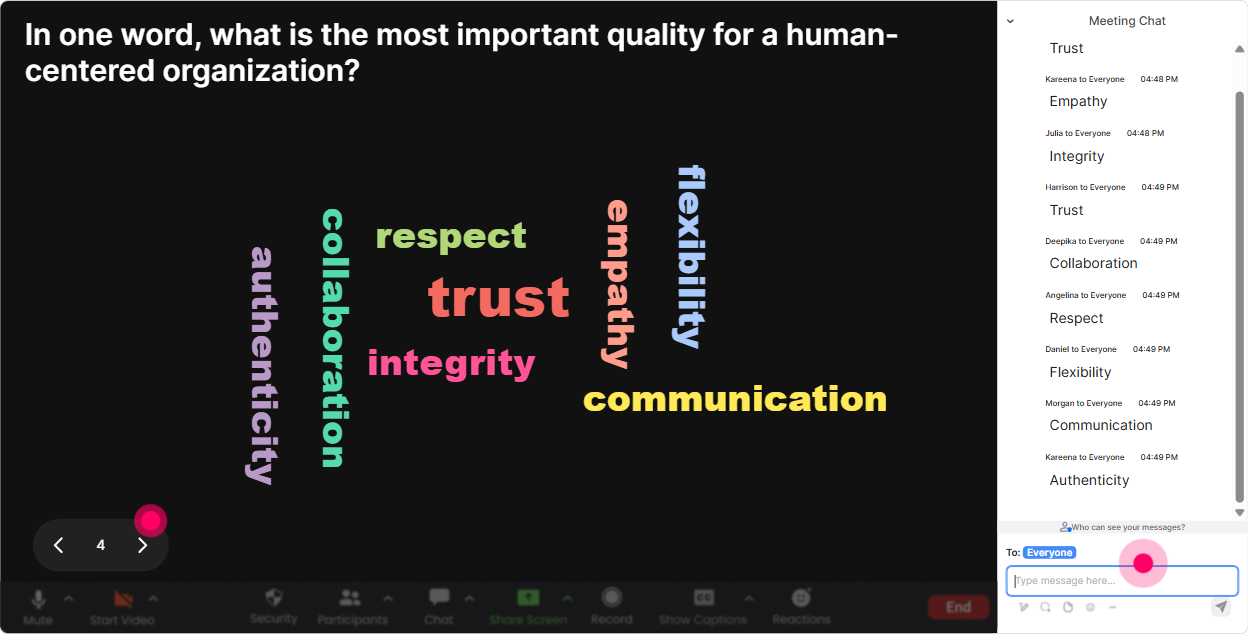
3) Wonder Words: Turn feelings into a visual you can work with
Human-centered work is emotional. People have opinions, hopes, and sometimes a little cynicism. A Word Cloud lets you surface all that instantly, without putting anyone on the spot. Great prompts for this topic: - When you hear human-centered organization, whats the first word that comes to mind? - What do learners want most from training? One or two words. (Youll get stuff like relevance, support, time, respect.) - Whats the biggest blocker to people-first training in your agency? (One/two words: time, budget, buy-in, leaders.) Trainer move: Use the biggest word as your bridge. If buy-in is huge, youve just earned the right to spend time on stakeholder conversations-because the room asked for it.
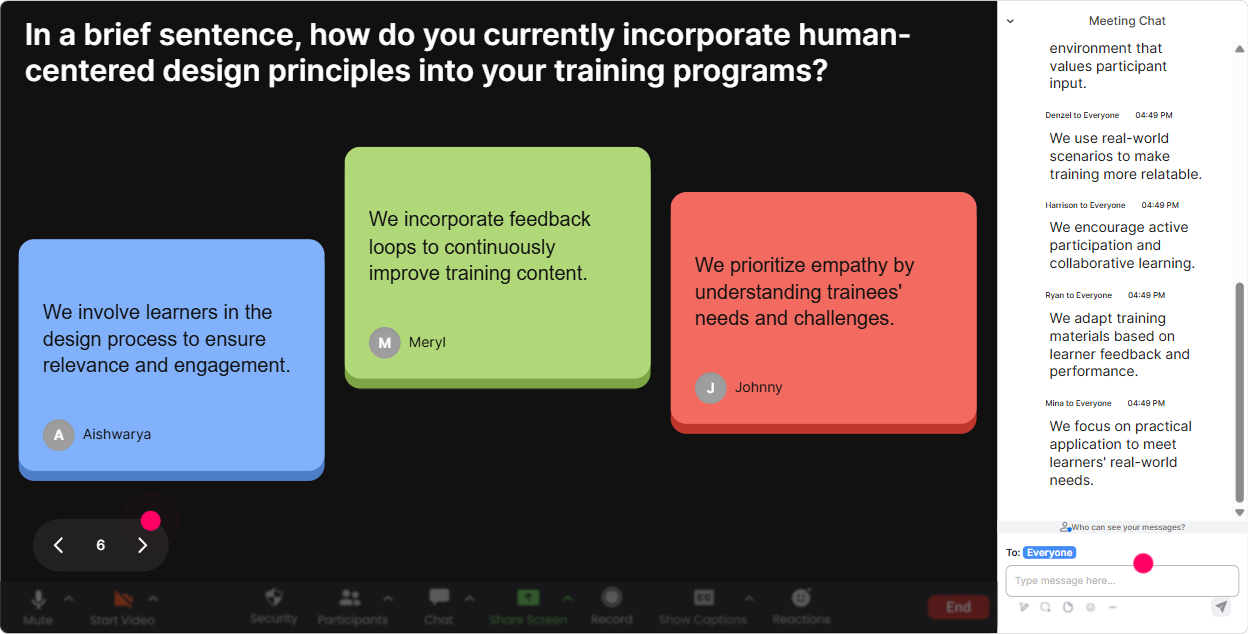
4) Talking Tiles: Let them tell real stories (without awkward silence)
When you want more than one-word answers, Talking Tiles is gold. People type their responses in chat and you get this energetic on-screen waterfall of ideas-way more fun than Anyone want to share? Use it to pull out real-world impact: - Think of a time training felt NOT human-centered. What happened? - Whats one change youve made that improved learner experience? - If your learners could redesign your next workshop, what would they ask for? Trainer move: Pick 23 tiles and read them out like youre hosting a live show. This one says Too much theory, not enough practice-yep, thats a classic. Lets fix that with a simple redesign framework. Suddenly your content is anchored in their reality.
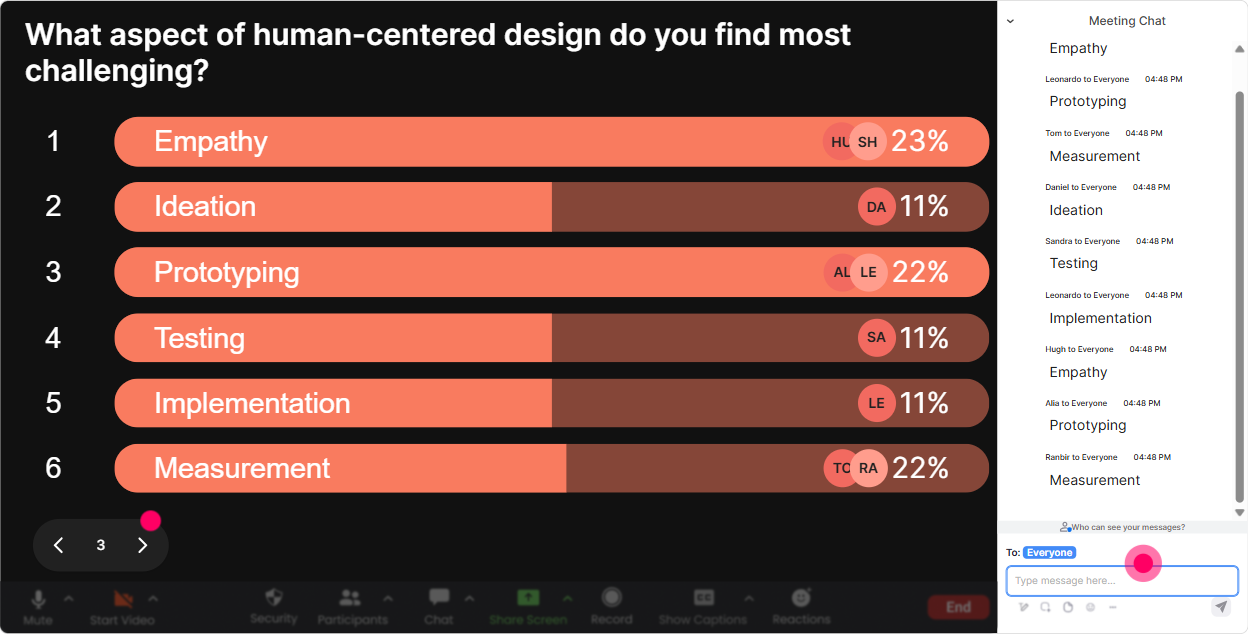
5) Power Polls: Let the audience choose the agenda (and own it)
If you want engagement, give people control. Use a Power Poll to let the group decide what to go deeper on. Theyll pay more attention because they literally picked the direction. Poll ideas for Human-Centered Organizations: - Where do you want to focus today? 1) Learner needs & personas 2) Psychological safety in the room 3) Inclusive facilitation 4) Measurement beyond smile sheets - Whats the hardest part of human-centered training delivery? 1) Getting stakeholder buy-in 2) Time constraints 3) Mixed learner levels 4) Quiet participants Trainer move: When an option wins, say it out loud: Cool, we chose mixed learner levels. Thats exactly what were tackling next-here are two practical techniques you can use tomorrow.
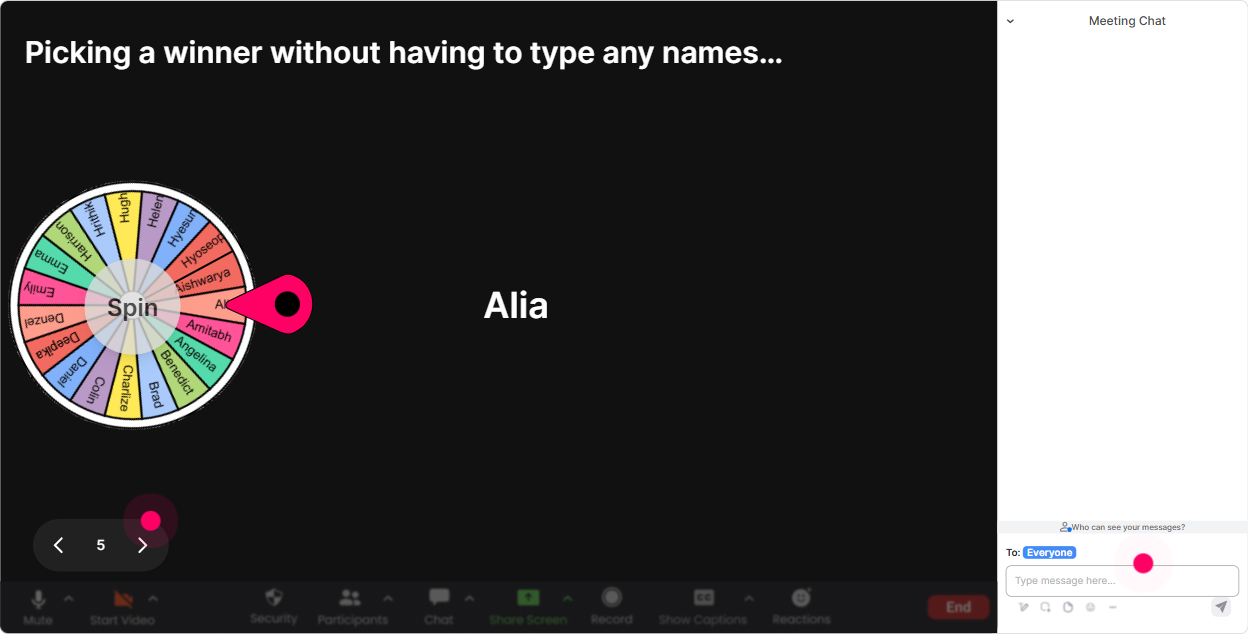
6) Winner Wheel: Call on people without making it weird
Getting volunteers is tough-same two confident people every time. The Winner Wheel keeps it playful and fair, and it nudges quieter folks to participate because they know they might get picked. How to use it in this session: - After a brainstorm: Alright, Im spinning the wheel to pick someone to share their best human-centered moment from the last month. - After a poll: We need one person from the psych safety camp-wheel decides who gives us an example. - Incentive style: Anyone who answers in chat gets entered-winner gets my Human-Centered Workshop Checklist PDF. Trainer move: Set the tone: If you get picked and youd rather pass, totally fine-just say pass and well spin again. That keeps it human-centered while still boosting participation.
7) Quiz: Quick knowledge checks that dont kill the energy
A quiz doesnt have to feel like school. In live training, its a momentum tool: quick question, quick vote, quick discussion. StreamAlive quizzes make it easy because responses come straight from chat and results show instantly. Ideas for Human-Centered Organizations: - Which is the BEST example of a human-centered training design choice? A) Add more content to cover everything B) Start with learner pain points and job reality (Correct) C) Use the same deck for every audience D) Prioritize leadership preferences over learner needs - Whats the strongest signal a workshop is human-centered? A) Lots of slides B) Perfect attendance C) Learners can apply it immediately at work (Correct) D) The trainer speaks confidently Trainer move: Dont just reveal the correct answer-ask one follow-up: If you picked A or C, what was your reasoning? Thats where the learning actually happens.

2) Rating Polls: Get a confidence pulse in 10 seconds
Before you teach anything, find out where everyones at. Rating Polls are perfect because people dont have to overthink-just pick a number and you immediately see the vibe. Use it like this: - On a scale of 110, how confident are you that your programs are truly human-centered today? - Rate your current learner engagement levels in ILT (1 low, 10 high). - How strong is your org at designing training around real learner needs-not assumptions? Trainer move: React to the result live. Okay were averaging around a 6-nice. That means were not starting from zero, but weve got room to level up. Lets talk about what would make it a 7 or 8. Thats how you turn a number into conversation.
8) Q&A: Capture questions without losing the chat
In a busy session, questions get buried fast. StreamAlives Q&A automatically pulls questions from chat so youre not scrolling like a maniac while trying to teach. How it helps in Human-Centered Organizations training: - Run a parking lot thats truly visible: Drop your questions anytime-StreamAlive will collect them and well hit them at the end of each section. - Use it for sensitive topics: people often ask better questions in chat than out loud (especially around culture, inclusion, leadership behaviors, burnout). - Mid-session check: Before we move on-whats one question youre sitting with right now? Trainer move: When you answer, use the persons name. Its a small thing, but it makes the room feel more personal instantly.

9) Analytics: Figure out what actually worked (and improve fast)
After the session, you dont want guesses-you want receipts. StreamAlive analytics show you engagement minute-by-minute, what interactions landed, and who your most engaged participants were. How Training Agencies can use this right away: - Improve your delivery: Spot the exact moments engagement dipped (maybe a dense model section) and redesign that part with an interaction next time. - Prove value to stakeholders: Share interaction results (poll outcomes, word clouds, participation levels) as evidence the session was truly interactive. - Find your champions: Identify your Fantastic Fans-theyre often your future co-facilitators, internal advocates, or pilot-group volunteers. Trainer move: Build a habit: after every ILT, look at the timeline and ask, Where did the room lean in? Then do more of that. Thats how you get to that up to 9x engagement feel over time-because youre designing with people, not just presenting at them.

Use StreamAlive in all your training sessions
StreamAlive isn’t just for
Human-Centered Organizations
training,
it can also be used for any instructor-led training session directly inside your PowerPoint presentation.
Explore similar traingin ideas: unlocking the potential of StreamAlive
See how StreamAlive transforms live training with engaging events and interactive sessions across industries, directly inside your PowerPoint presentation.

Interactions in action
(it's free)

.svg.png)


