Install StreamAlive for your PowerPoint slides
Learn more

Change Management Training for Corporate Trainers
StreamAlive helps 9x the audience engagement in your Virtual Instructor-led Trainings (VILT) directly inside your powerpoint presentation.
Make your instructor-led Change Management training more fun with polls, word clouds, spinner wheels and more
Works inside your existing PowerPoint presentation
Install the StreamAlive app for PowerPoint and see your slides come to life as people participate in your interactions
AI generates audience interactions for you
Let our AI scan your presentation and automatically come up with relevant questions based on the content. Or spend two hours coming up with your own questions, your choice!
Built to work with MS Teams and Zoom
Native apps for Teams and Zoom so you never have to leave your existing workflows
No QR Codes
Chat-powered interactions means your audience doesn’t need to scan QR codes or look at another screen to participate. They just type in the chat!

Quickly approved by your IT team
StreamAlive’s apps for Teams and Zoom means that they have been through rigorous quality assurance and client safety reviews. You’ll find everything an IT team needs to approve the app within the organization within your StreamAlive account.

Youve been asked to run Change Management instructor-led training for a group of corporate trainers-and you want it to feel lively, not like a slide marathon. The trick is simple: get people talking early, then keep them interacting every few minutes. Here are easy, trainer-friendly ways to do that using StreamAlive.
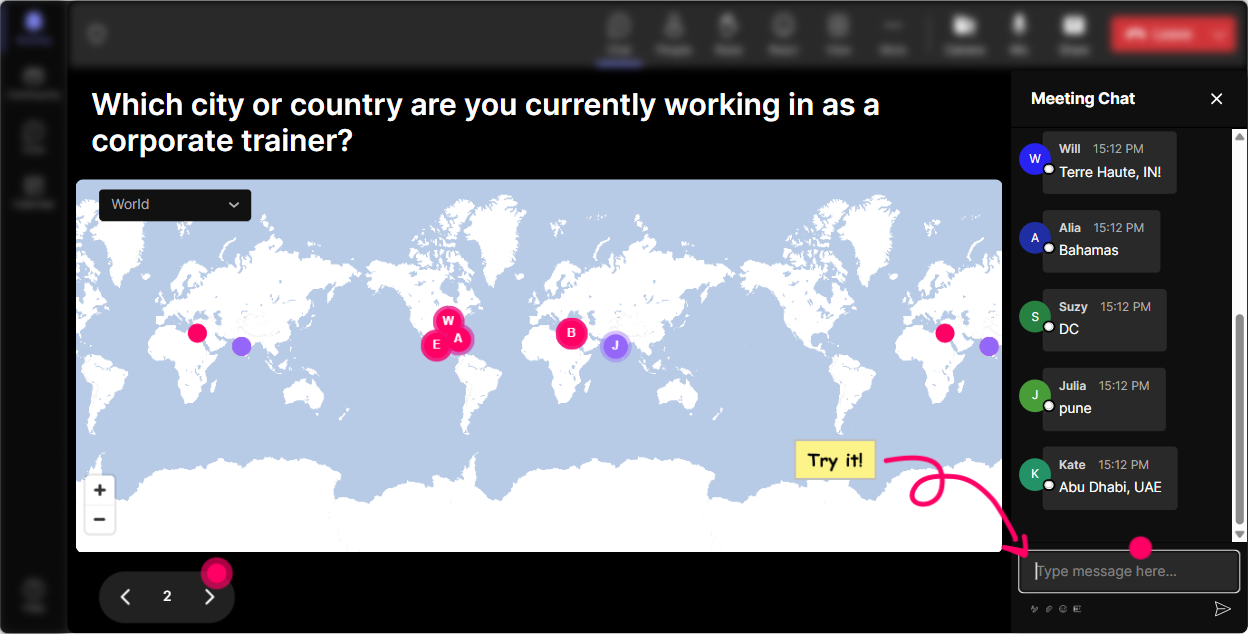
1) Magic Maps: Put your trainers on the map (and get everyone chatting fast)
This is the easiest warm-up ever-because everyone can answer it, and it instantly makes the room feel real, even if its virtual. How to use it in Change Management training: - Kickoff question: Where are you joining from today? (classic, works every time) - Make it relevant to the topic: Where are you rolling out the biggest change right now-HQ city or region? - Make it a little fun but still connected: If you could teleport anywhere on earth right now to escape a messy change project where would you go? Why it works: you get quick participation from almost everyone, and the map visual gives you a natural way to start talking about culture, geography, and how change lands differently across locations. Trainer tip: If youre doing a global session, call out clusters: Looks like weve got a strong group from Toronto-tell me, are you seeing more tech change or process change right now?
2) Rating Polls: Quick confidence check (without putting anyone on the spot)
Before you teach anything, find out where people *think* they are. Rating Polls are perfect for that because its low effort for them, but super useful for you. Use it like this: - On a scale of 110, how confident do you feel facilitating Change Management conversations? - Rate your current comfort level handling resistance in a live training room (1 = not comfortable, 10 = I can handle anything). - Mid-session pulse check: How clear is ADKAR / Kotter / our internal model so far? (110) How to make it engaging: - React to the results out loud: Okay, weve got a bunch of 6s and 7s-perfect. That tells me youve done this before, but you want sharper tools. - Use it to pace your session: if the average is low, slow down and add examples; if its high, move into scenarios and practice faster.

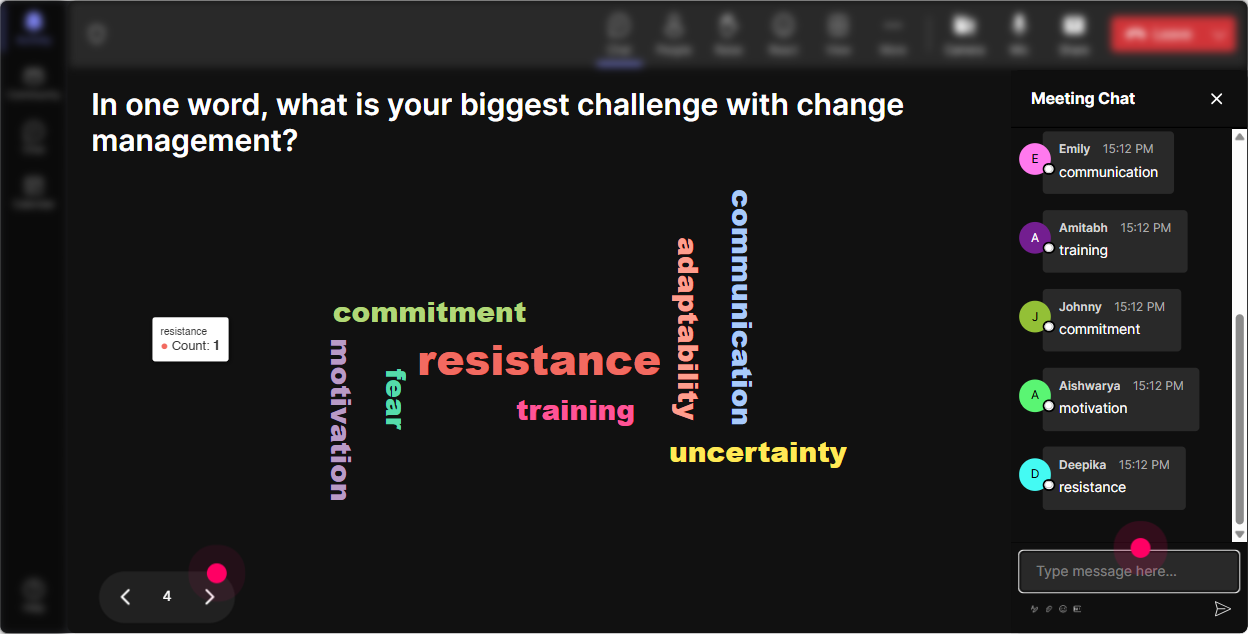
3) Wonder Words (Word Cloud): Make resistance, emotions, and beliefs visible
Change Management is emotional. A word cloud lets you show that instantly-without forcing people into a deep share on camera. Ask for 12 word answers like: - When you hear Change Management, whats the first word that pops up? - What do employees *usually* feel during change? - Whats the #1 thing that makes change harder in your organization? What youll see (and can coach from): - If big words are resistance, fear, confusion, you can say: Great-this is exactly why comms and manager support matter. - If big words are fatigue, burnout, youve got a perfect bridge into pacing change and acknowledging reality. Trainer tip: Use Combine Similar Answers so fear and scared dont split the story. Then screenshot the cloud and bring it back later: Remember this? Lets see if our words change by the end.
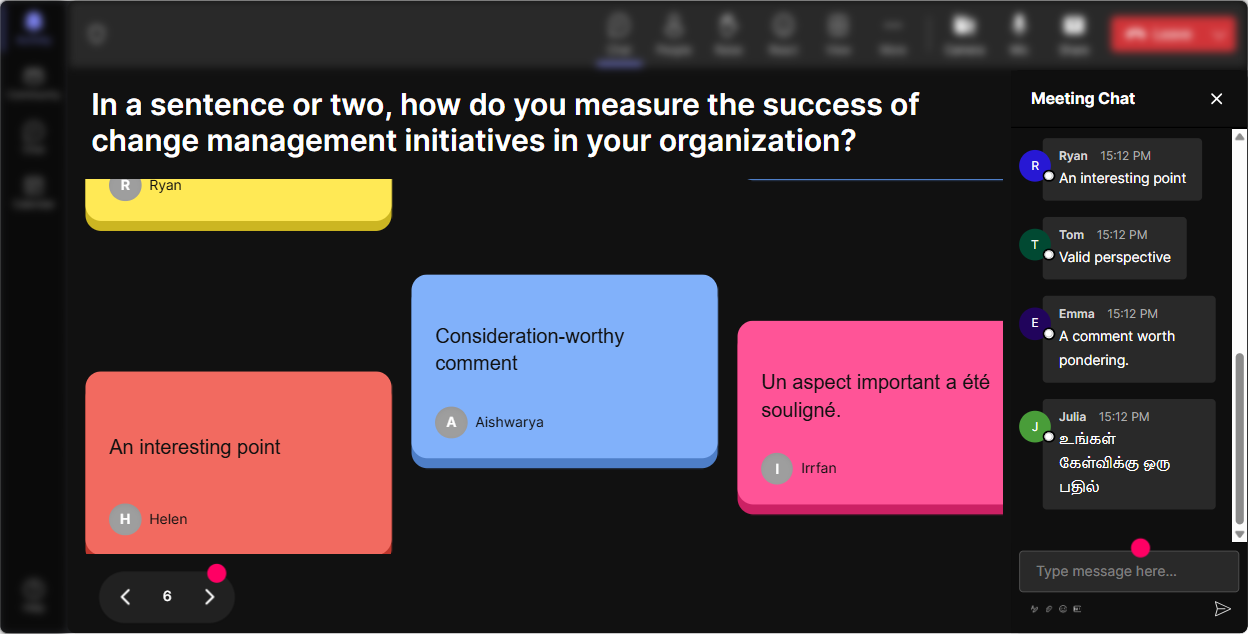
4) Talking Tiles: Turn real workplace stories into the lesson (without awkward silence)
This is where you go beyond one-word answers. Talking Tiles is awesome for pulling in real experiences-especially from trainers who have stories but wont unmute first. Prompts that work really well: - In one or two sentences: whats a change that went sideways-and why? - What does resistance look like in your sessions (eye rolls, silence, side chats, this wont work)? - How has change impacted your job as a trainer in the last 12 months? How to run it like a pro: - Let 1020 tiles drop in. - Read a few out loud and group them: Im seeing a theme: unclear why, plus leaders not modeling the change. - Then teach the framework *after* youve surfaced the reality. It feels way more relevant, and people stay with you because they feel seen.
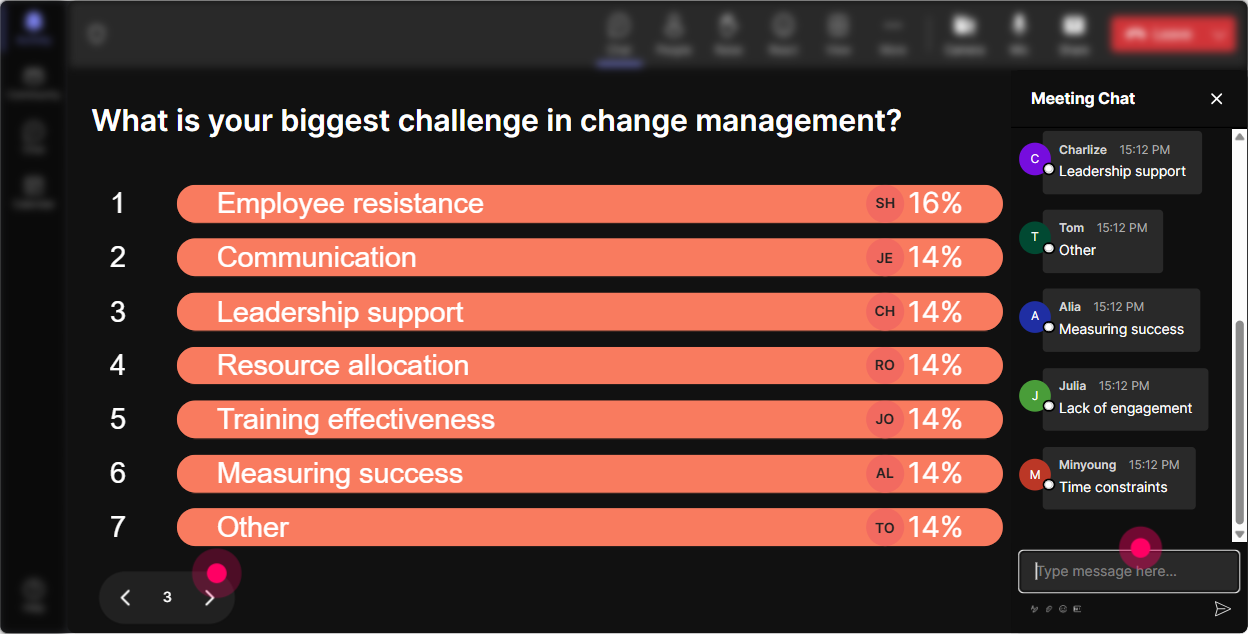
5) Power Polls: Let the group choose what you focus on (and boost buy-in)
If you want engagement to jump, stop guessing what they want-just ask, and show the results live. Poll ideas for Change Management ILT (great for corporate trainers): - Which part of Change Management do you want more tools for today? 1) Handling resistance 2) Creating urgency/buy-in 3) Stakeholder & sponsor alignment 4) Communication planning 5) Reinforcement & adoption metrics - Where do your change efforts struggle most? 1) People dont understand the why 2) Managers dont support it 3) Too many changes at once 4) Training doesnt stick 5) No follow-through/accountability How to use the results: - Say: Alright, the group voted-resistance wins. Well still cover the basics, but were spending extra time on resistance tools and practice. That moment alone increases attention because people feel like the session is being built with them, not delivered at them.
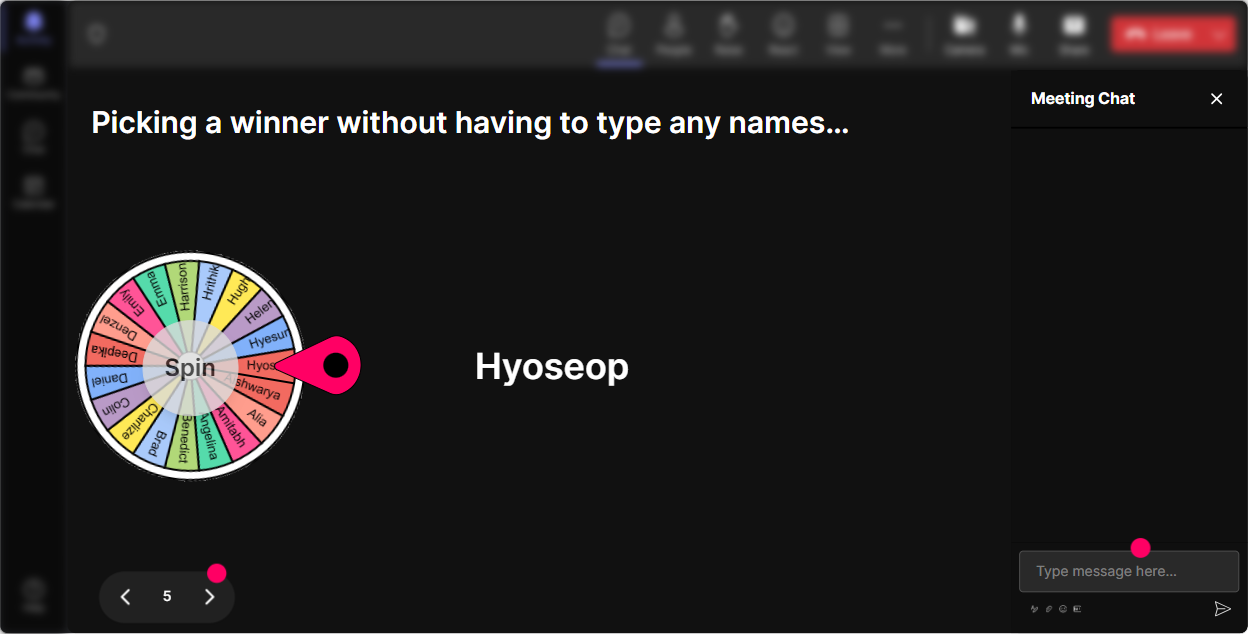
6) Winner Wheel: Get volunteers without the awkward anyone want to share?
You know that moment when you ask a question and crickets. Winner Wheel fixes that in a fun, fair way. How to use it in Change Management training: - After a Talking Tiles or Poll, say: Im going to spin the wheel and invite someone to expand for 30 seconds-no pressure, just what youve seen in real life. - Use it for quick role plays: We need a resistant employee and a change sponsor. Lets spin for our brave volunteers. - Use it for rewards: Anyone who drops a takeaway in chat gets entered-spinning at the end. Why it works: people participate more in chat because they know it counts, and the randomness keeps it playful (instead of you always calling on the same confident folks).
7) Quiz: Make your knowledge checks feel like a game (not a test)
Change Management has models and concepts that people *think* they know-until you check. A Quiz interaction lets you do that without making it heavy. Quiz questions you can use: - Which is the BEST example of reinforcement in Change Management? 1) Announcing the change 2) Training people once 3) Recognizing and rewarding the new behavior consistently (Correct) 4) Sending a reminder email - In ADKAR, what does the K stand for? 1) Knowledge (Correct) 2) Kickoff 3) Key stakeholders 4) KPI alignment - Whats the strongest sponsor behavior? 1) Approving the budget 2) Delegating all comms 3) Visible, consistent advocacy + removing barriers (Correct) 4) Attending the kickoff only Trainer tip: Run the quiz, show the distribution, then ask: Who picked option 2-what made it feel right? That tiny discussion is where learning sticks.

2) Rating Polls: Quick confidence check (without putting anyone on the spot)
Before you teach anything, find out where people *think* they are. Rating Polls are perfect for that because its low effort for them, but super useful for you. Use it like this: - On a scale of 110, how confident do you feel facilitating Change Management conversations? - Rate your current comfort level handling resistance in a live training room (1 = not comfortable, 10 = I can handle anything). - Mid-session pulse check: How clear is ADKAR / Kotter / our internal model so far? (110) How to make it engaging: - React to the results out loud: Okay, weve got a bunch of 6s and 7s-perfect. That tells me youve done this before, but you want sharper tools. - Use it to pace your session: if the average is low, slow down and add examples; if its high, move into scenarios and practice faster.
8) Q&A: Capture questions cleanly (even when chat is flying)
In Change Management sessions, questions pop up constantly-especially when you hit resistance, stakeholder politics, or leadership buy-in. StreamAlives Q&A pulls questions directly from the chat and organizes them so you dont miss the good ones. Ways to use it smoothly: - Drop your questions in chat anytime-StreamAlive will catch them and Ill do a Q&A pit stop every 15 minutes. - End-of-module: Okay, before we move to the next tool, lets clear the top 3 questions that came in. Question prompts that invite better questions: - Whats one change scenario youre dealing with right now that you want help thinking through? - Where do you get stuck-leaders, managers, or frontline adoption?

9) Analytics: After the session, see what actually worked (and prove engagement)
This is the part trainers dont always think about-but its gold, especially if youre training internally and need to show impact. What you can do with StreamAlive Analytics: - See minute-by-minute engagement so you know exactly which parts of your Change Management session landed (and where energy dipped). - Replay chat alongside your interactions so you can spot what sparked the best discussion-maybe your resistance scenario got 5x the comments compared to your theory slide. - Identify your most engaged participants (your Fantastic Fans)-these are often your future champions, co-facilitators, or peer influencers. - Share interaction results and reports via email or with your team on Teams-great for post-session debriefs and improving the next cohort. Practical example: If you notice engagement spikes during practice and drops during model explanation, you can redesign next time: less lecture, more scenario work-without guessing.

Use StreamAlive in all your training sessions
StreamAlive isn’t just for
Change Management
training,
it can also be used for any instructor-led training session directly inside your PowerPoint presentation.
Explore similar traingin ideas: unlocking the potential of StreamAlive
See how StreamAlive transforms live training with engaging events and interactive sessions across industries, directly inside your PowerPoint presentation.

Interactions in action
(it's free)

.svg.png)


