Install StreamAlive for your PowerPoint slides
Learn more

Lifelong Employment Training for Training Agencies
StreamAlive helps 9x the audience engagement in your Virtual Instructor-led Trainings (VILT) directly inside your powerpoint presentation.
Make your instructor-led Lifelong Employment training more fun with polls, word clouds, spinner wheels and more
Works inside your existing PowerPoint presentation
Install the StreamAlive app for PowerPoint and see your slides come to life as people participate in your interactions
AI generates audience interactions for you
Let our AI scan your presentation and automatically come up with relevant questions based on the content. Or spend two hours coming up with your own questions, your choice!
Built to work with MS Teams and Zoom
Native apps for Teams and Zoom so you never have to leave your existing workflows
No QR Codes
Chat-powered interactions means your audience doesn’t need to scan QR codes or look at another screen to participate. They just type in the chat!

Quickly approved by your IT team
StreamAlive’s apps for Teams and Zoom means that they have been through rigorous quality assurance and client safety reviews. You’ll find everything an IT team needs to approve the app within the organization within your StreamAlive account.

Youve been asked to run a Lifelong Employment instructor-led session for a Training Agency-and you want people to actually stay with you (not just show up). The easiest win? Turn your slides into conversations. Here are practical ways to use StreamAlive to keep everyone participating from minute one.
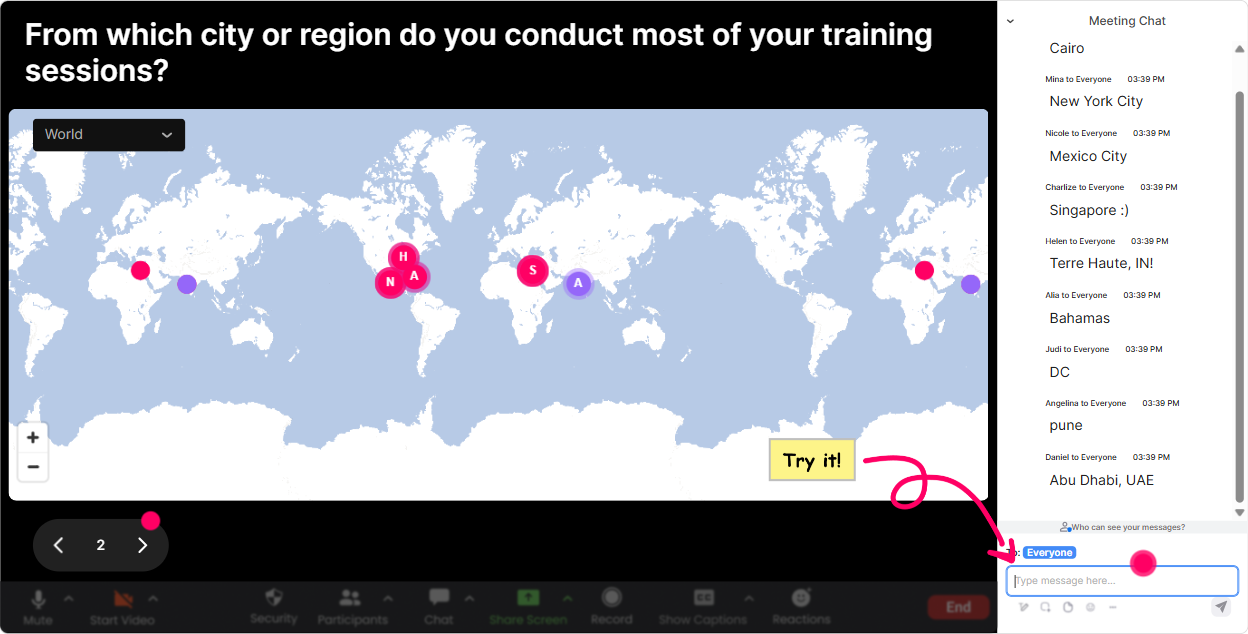
1) Magic Maps: Start with whos in the room (and make it visual)
That first five minutes can feel awkward if you let it. Magic Maps fixes that instantly because everyone can answer one simple question and you get a live map filling up in real time. How to use it in Lifelong Employment training: - Icebreaker (classic): Where are you joining from today? - Make it topic-related: Where did you get your first real job? (city/town) - Future-focused: If your career could take you anywhere next, where would you move? - Training Agency angle: Which city do you support learners/employers in the most? Trainer tip: When clusters pop up, call them out: Okay wow, weve got a big Toronto cluster-whats happening in the job market there right now? It turns into discussion without you forcing it.
2) Rating Polls: Get a quick confidence check (without putting anyone on the spot)
Before you dive into frameworks and activities, find out where people are starting from. Rating Polls give you a fast pulse check-no long surveys, no awkward silence. Try these in a Lifelong Employment session: - On a scale of 110, how confident are you in explaining Lifelong Employment in one sentence? - Rate your current skill at coaching learners on employability habits (110). - How ready is your organization to support continuous upskilling? (110) - Mid-session check: How clear is the difference between training for a job vs training for long-term employability right now? (110) Trainer tip: If you see lots of 46 ratings, say it out loud: Perfect-this tells me we need more real examples before we move on. People feel seen, and you look like youre adapting in real time.

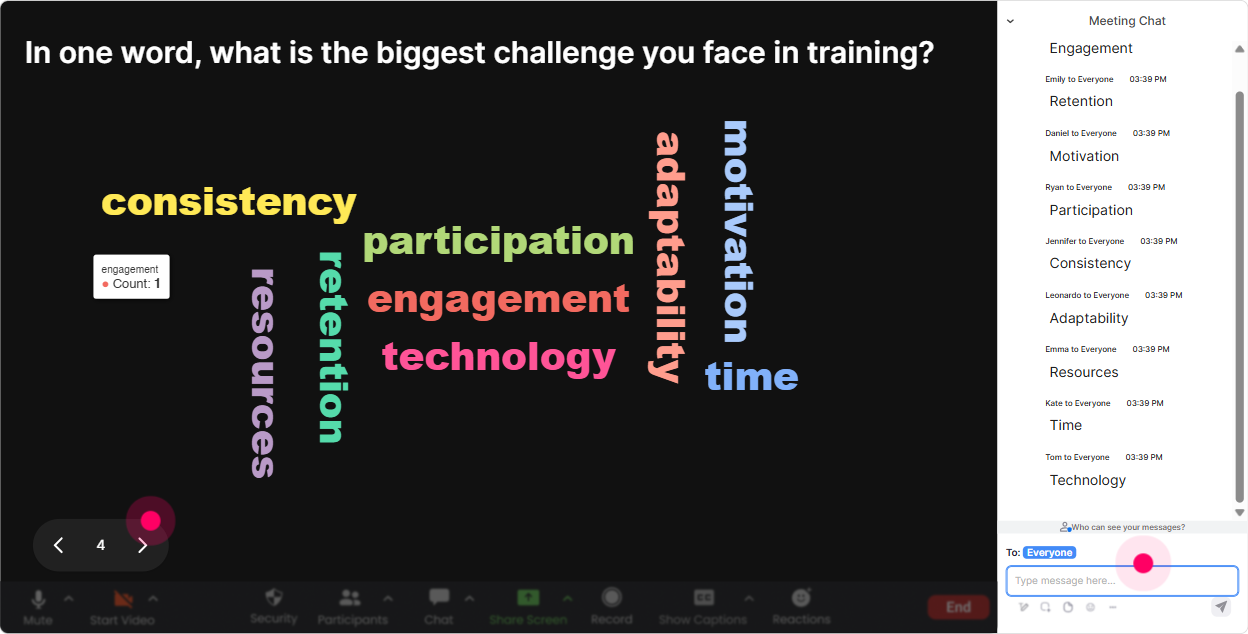
3) Wonder Words (Word Cloud): Surface what people really think about Lifelong Employment
This is my favorite for getting honest reactions fast. Ask for 12 words, and youll instantly see the vibe in the room-excited, skeptical, confused, hopeful it all shows up. Great prompts for this topic: - When you hear Lifelong Employment, whats the first word that pops up? - Whats the biggest challenge your learners face right now? (12 words) - What skill do you think will matter most in the next 3 years? (12 words) - Whats the #1 barrier to continuous learning in your org? (12 words) Trainer tip: Use what appears biggest as your agenda. Example: if time is huge, you can say, Cool-lets talk about how to build employability habits when no one has time. Instant relevance.
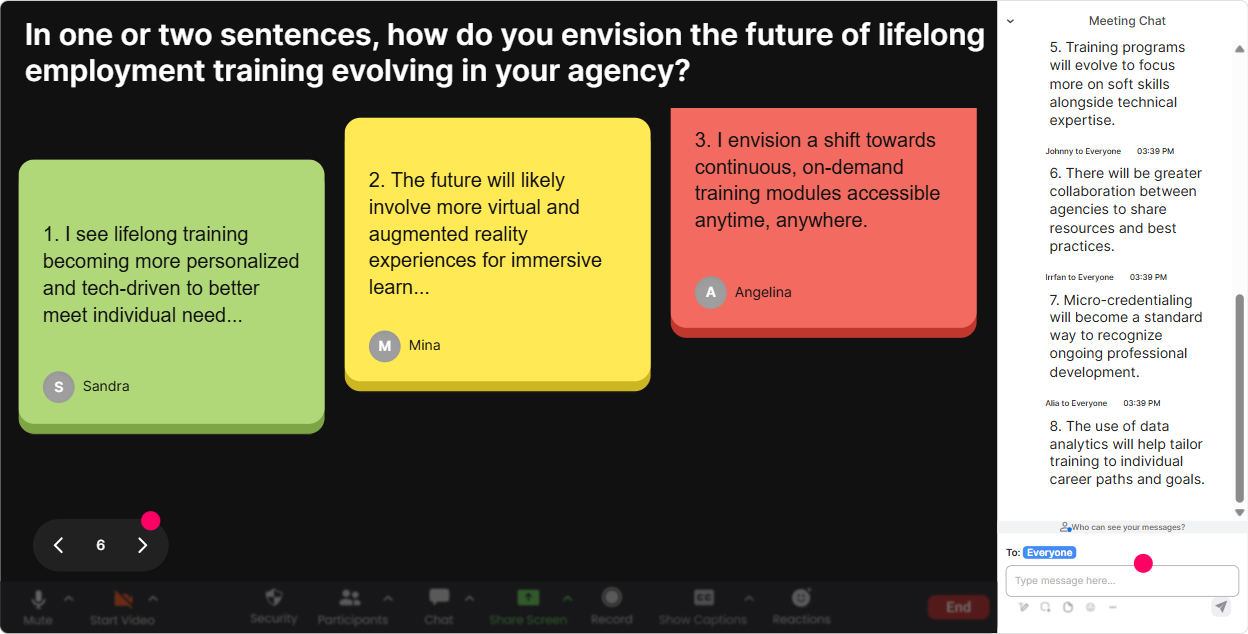
4) Talking Tiles: Turn longer answers into a lively, visual brainstorm
When you want more than one-word answers-but you still want it fun-Talking Tiles is perfect. Responses fall onto the screen like tiles, so the room feels active and collaborative. Use it for Lifelong Employment scenarios like: - In one sentence: how does Lifelong Employment impact your role as a trainer? - Share one employability habit you wish every learner practiced weekly. - Whats one thing employers ask for that learners arent ready for yet? - Describe a career resilience moment youve seen in a learner. Trainer tip: After 1015 tiles, pause and group patterns: Im seeing a lot of confidence, communication, and adaptability. Lets build todays tools around those. Thats how you keep attention-people hear their own input shaping the session.
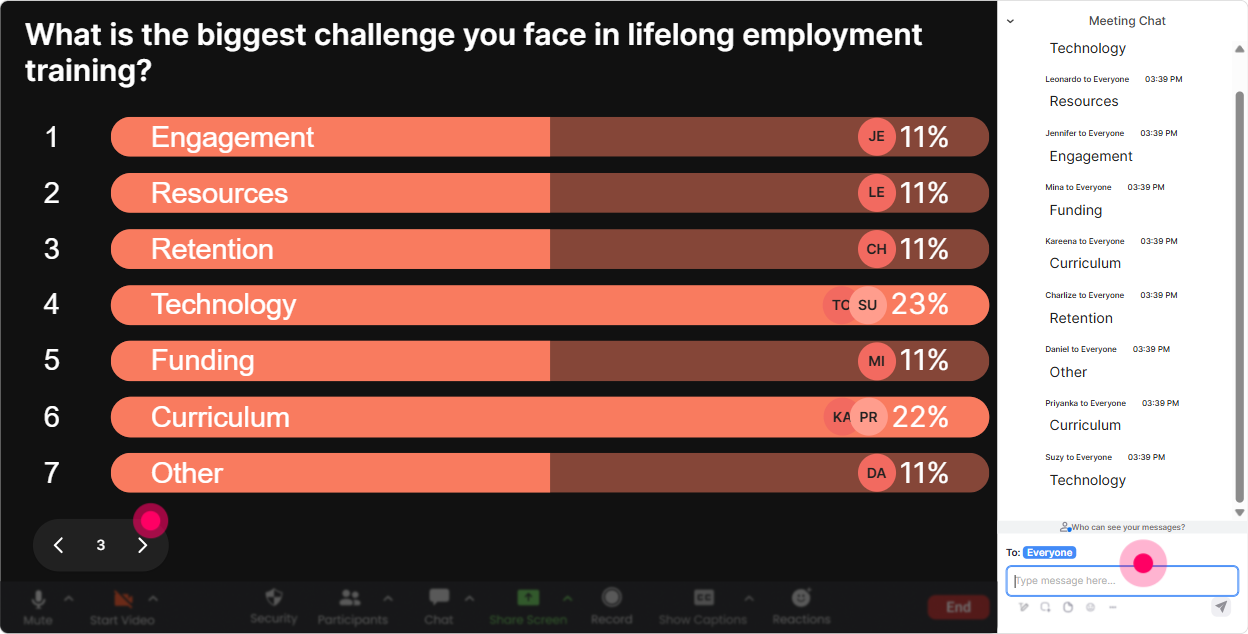
5) Power Polls: Let the audience choose what to go deeper on
Instead of guessing what your group wants, just ask-and show results live. Power Polls are great for letting participants steer the session (while you still stay in control). Poll ideas for a Lifelong Employment ILT: - What do you want more of today? 1) Coaching learners on career resilience 2) Building employability skill plans 3) Working with employers/industry needs 4) Measuring outcomes + follow-up - Which learner challenge do you see most? 1) Motivation 2) Direction 3) Confidence 4) Consistency - Where do your programs need the biggest upgrade? 1) Curriculum 2) Delivery/engagement 3) Employer alignment 4) Post-training support Trainer tip: Use the winning option to decide your next example or breakout. People lean in harder when they feel they picked the path.
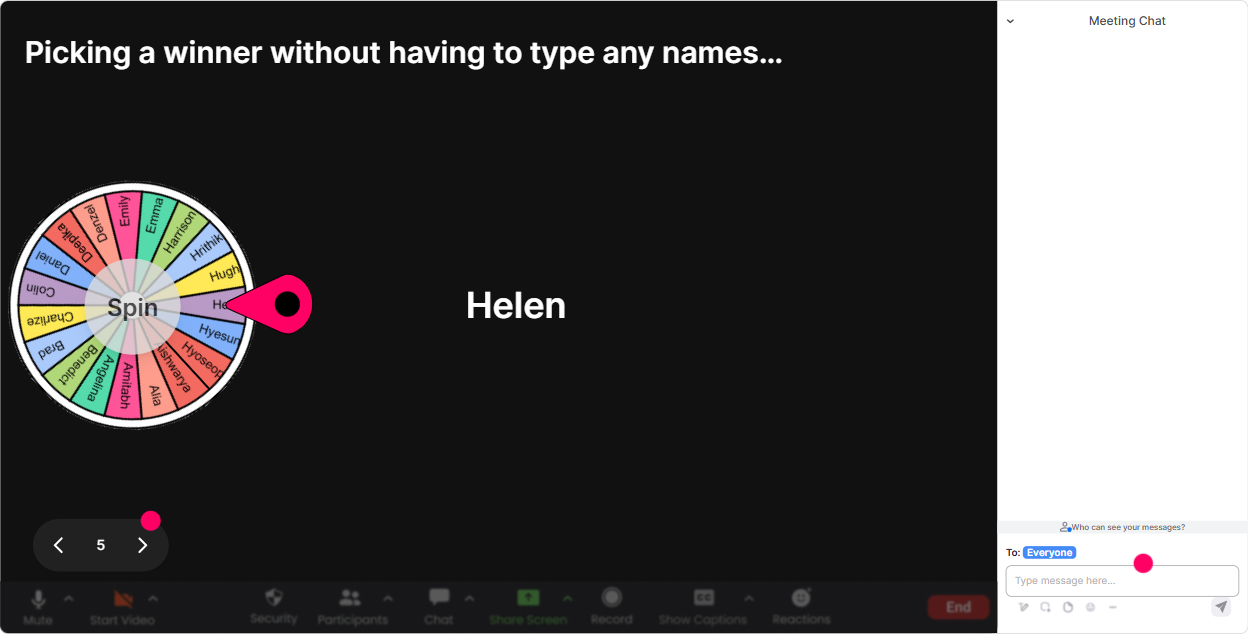
6) Winner Wheel (Spinner Wheel): Get participation from the quiet crowd (in a fun way)
You know that moment when you ask, Any volunteers? and nothing. The Spinner Wheel is a playful fix. Youre not calling people out-youre letting fate choose. How to use it in Lifelong Employment training: - Lets hear one example of how you build long-term employability-not just job placement. Wheel pick! - Whos going to share a learner success story where skills mattered more than credentials? - Wheel chooses: which participant will give us a 20-second definition of Lifelong Employment? - Gamify reflection: Wheel pick: tell us one habit youre personally working on this year. Trainer tip: Make it safe. Give an opt-out line: If you get picked and youd rather pass, just type pass-no pressure. Funny enough, once its safe, more people actually speak.
7) Quiz: Do quick knowledge checks that dont feel like school
A quick quiz wakes people up fast-especially right after you explain a concept. Its also an easy way to correct misunderstandings before they spread. Quiz ideas (multiple choice, one correct answer): - Which is the best example of Lifelong Employment? A) Training for a specific job role only B) Continuous skill-building + adaptability over time (Correct) C) Staying with one employer for life D) Only focusing on technical skills - Which habit most supports career resilience? A) Avoiding feedback B) Keeping skills static C) Regular reflection + learning plan (Correct) D) Waiting for annual training - Whats the strongest indicator of long-term employability? A) One certificate B) Ability to learn, unlearn, relearn (Correct) C) Job title D) Years of experience alone Trainer tip: After you reveal the correct answer, ask one follow-up in chat: Why do you think thats the best answer? Thats where the real learning locks in.

2) Rating Polls: Get a quick confidence check (without putting anyone on the spot)
Before you dive into frameworks and activities, find out where people are starting from. Rating Polls give you a fast pulse check-no long surveys, no awkward silence. Try these in a Lifelong Employment session: - On a scale of 110, how confident are you in explaining Lifelong Employment in one sentence? - Rate your current skill at coaching learners on employability habits (110). - How ready is your organization to support continuous upskilling? (110) - Mid-session check: How clear is the difference between training for a job vs training for long-term employability right now? (110) Trainer tip: If you see lots of 46 ratings, say it out loud: Perfect-this tells me we need more real examples before we move on. People feel seen, and you look like youre adapting in real time.
8) Q&A: Catch every question without hunting through chat
In busy live trainings, great questions get buried. StreamAlives Q&A pulls audience questions from the chat and displays them neatly, so you can actually manage them. Ways to use Q&A in Lifelong Employment training: - Park questions during teaching: Drop questions anytime-StreamAlive will collect them and Ill hit them in our Q&A block. - Topic-specific Q&A rounds: Questions about learner motivation and follow-through-send them now. - Employer alignment segment: Whats your hardest challenge when designing training that matches employer needs? Trainer tip: Repeat questions back with names: Great question from Priya It builds connection and encourages more questions (because people see its safe and welcomed).

9) Analytics: Prove what worked, improve what didnt (and show value to the agency)
After the session, you dont want to rely on gut feel. Analytics shows you what actually got people talking, where engagement spiked, and who your most engaged participants were. How Training Agencies can use this after a Lifelong Employment ILT: - Spot your strongest moments: Engagement jumped during the employability habits activity-lets expand that next cohort. - Find drop-off points: We lost energy during the theory block-next time well break it up with a poll + scenario. - Identify your champions: See who participated most (great for follow-up, co-facilitation, or community building). - Share outcomes easily: Email reports or share internally on Teams to show stakeholders that this training wasnt passive. Trainer tip: Use Analytics to refine your Run of Show. The goal isnt just a fun session-its repeatable engagement that gets better every delivery.

Use StreamAlive in all your training sessions
StreamAlive isn’t just for
Lifelong Employment
training,
it can also be used for any instructor-led training session directly inside your PowerPoint presentation.
Explore similar traingin ideas: unlocking the potential of StreamAlive
See how StreamAlive transforms live training with engaging events and interactive sessions across industries, directly inside your PowerPoint presentation.

Interactions in action
(it's free)

.svg.png)


