Install StreamAlive for your PowerPoint slides
Learn more

Lifelong Learning Training for Corporate Trainers
StreamAlive helps 9x the audience engagement in your Virtual Instructor-led Trainings (VILT) directly inside your powerpoint presentation.
Make your instructor-led Lifelong Learning training more fun with polls, word clouds, spinner wheels and more
Works inside your existing PowerPoint presentation
Install the StreamAlive app for PowerPoint and see your slides come to life as people participate in your interactions
AI generates audience interactions for you
Let our AI scan your presentation and automatically come up with relevant questions based on the content. Or spend two hours coming up with your own questions, your choice!
Built to work with MS Teams and Zoom
Native apps for Teams and Zoom so you never have to leave your existing workflows
No QR Codes
Chat-powered interactions means your audience doesn’t need to scan QR codes or look at another screen to participate. They just type in the chat!

Quickly approved by your IT team
StreamAlive’s apps for Teams and Zoom means that they have been through rigorous quality assurance and client safety reviews. You’ll find everything an IT team needs to approve the app within the organization within your StreamAlive account.

Youve been asked to run a session on Lifelong Learning for corporate trainers-and you want it to feel lively, not like another sit and listen webinar. The good news: a few smart interactions can get everyone participating fast. Here are practical ideas you can use with StreamAlive to keep the room engaged (and talking) all the way through.
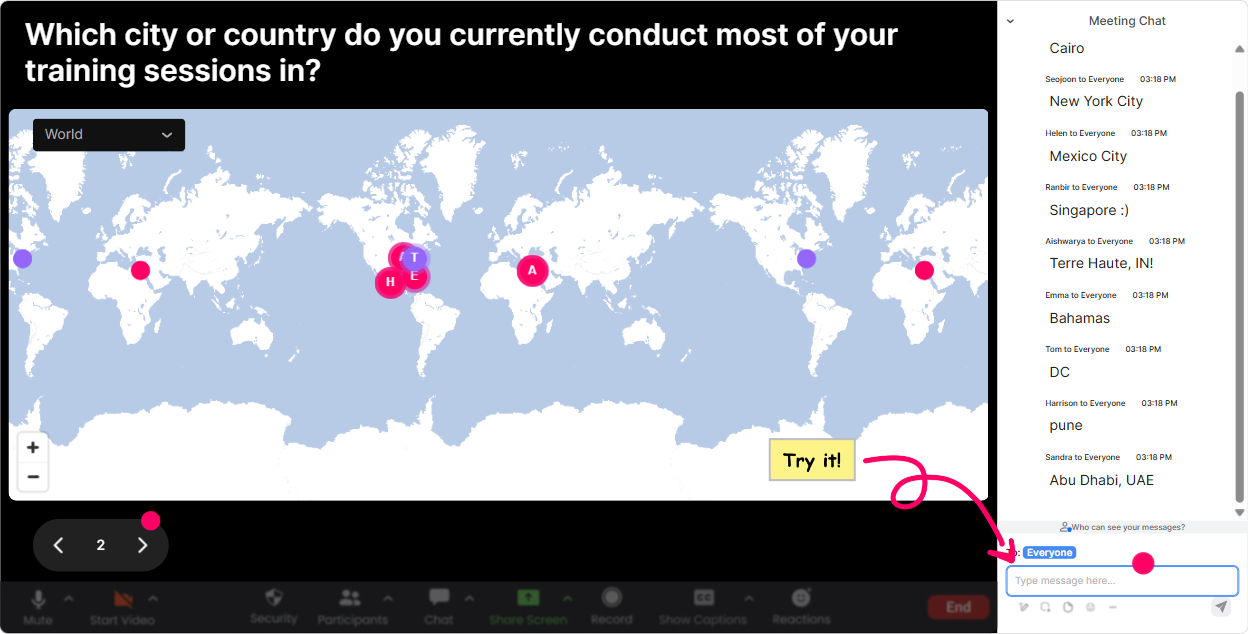
1) Kick it off with Magic Maps: Lets see where our learning community is today
The easiest way to get people typing early is the classic Where are you joining from?-but Magic Maps makes it way more fun because answers show up live on a real world map. How to use it in Lifelong Learning training: - Icebreaker: Where in the world are you joining from today? (Great for creating instant connection.) - Lifelong Learning twist: Name a city youd travel to just to learn something new (food, art, language, leadership). - Career context: Which location taught you the most in your career so far? Trainer move: when you see clusters on the map, call them out-Looks like weve got a Toronto crew! That tiny moment makes people feel seen, and chat stays active from the start.
2) Use Rating Polls for a quick pulse check (and to tailor your pace)
Rating Polls are perfect when you need a fast temperature check without slowing the session down. People just drop a number in chat, you instantly see the distribution, and you can adjust on the fly. Try these in a Lifelong Learning session: - Confidence check: On a scale of 110, how confident are you at building a personal learning habit? - Relevance check: How important is Lifelong Learning for trainers in your organization? (1 = not really, 10 = essential) - Momentum check mid-way: Rate your energy right now (110). If you see a dip, you know its time for an activity, break, or story. Trainer move: say what youll do with the results. Im seeing lots of 46s, so Im going to slow down and give you a simple starting framework. People love when their input changes the session in real time.

3) Wonder Words (Word Cloud): get instant emotion + mindset in the room
Word clouds are gold for Lifelong Learning because they reveal beliefs and feelings in seconds-and those feelings drive behavior. Ask for 12 word answers like: - When you hear Lifelong Learning, whats your first reaction? (curious, overwhelmed, excited, tired) - Whats the biggest blocker to learning at work? (time, focus, manager, meetings, energy) - Whats one skill area you want to grow this year? (AI, coaching, facilitation, data, leadership) Trainer move: pick the 23 biggest words and riff on them. Time is huge here-lets talk about micro-learning and how to make it realistic with a trainer schedule. That makes the content feel customized, not canned.

4) Talking Tiles: turn deeper answers into a shared wall of ideas
When you want more than a one-word answer, Talking Tiles is perfect. People type a full thought in chat, and StreamAlive turns it into this super visual idea wall that keeps attention high. Great prompts for Lifelong Learning training: - Tell us about a time learning something new directly improved your training delivery. - Whats one learning habit youve tried that actually stuck? - If your learners had to become lifelong learners, what would need to change in your training design? Trainer move: read a few tiles out loud and group them. Im seeing themes: time, support, and practice. Lets build a simple strategy around those. It feels like youre co-creating the session with them.
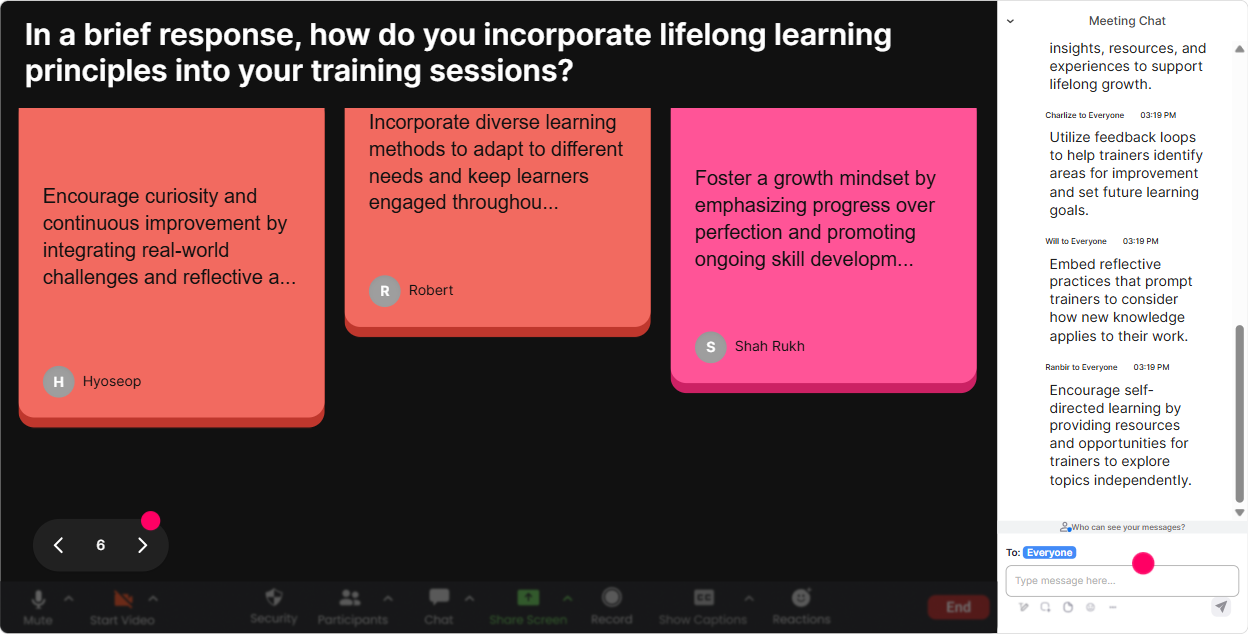
5) Power Polls: let the group choose what you cover next
Power Polls are how you stop guessing what people want and start letting the room steer. It also boosts engagement because people pay attention to what they voted for. Use polls like: - Which Lifelong Learning topic do you want most today? 1) Building a learning habit 2) Creating a personal learning plan 3) Staying current as a trainer (without burning out) 4) Measuring learning impact - Whats your biggest challenge right now? 1) No time 2) Too many resources 3) Hard to stay consistent 4) Not sure what to learn next Trainer move: after the poll, say: Cool, well spend 10 minutes on the winner, and Ill drop a quick resource for the runner-up. People feel like the session was built for them.
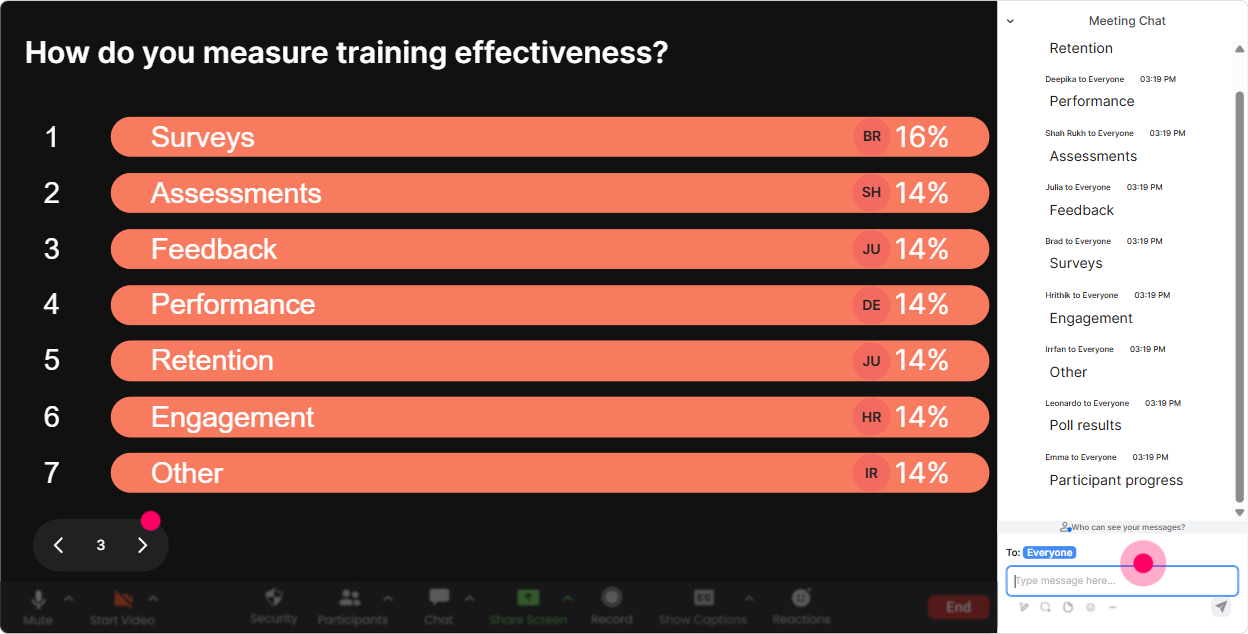
6) Winner Wheel: get volunteers without awkward silence
You know that moment when you ask a question and the room goes quiet? Winner Wheel fixes that without putting anyone on the spot randomly out of nowhere. You can base it on people who participated (so it feels fair). Fun ways to use it in Lifelong Learning training: - Drop one learning goal you have this quarter in chat. Im going to spin the wheel and have one person share the why behind their goal. - Share one resource youve learned from recently (book/podcast/course). Wheel pick: tell us what you liked. - Were going to do a quick scenario. Spin to choose who gets the first try-then well build on it as a group. Trainer move: keep it light and optional: If youd rather pass, just say pass-no stress. That keeps psychological safety while still driving participation.
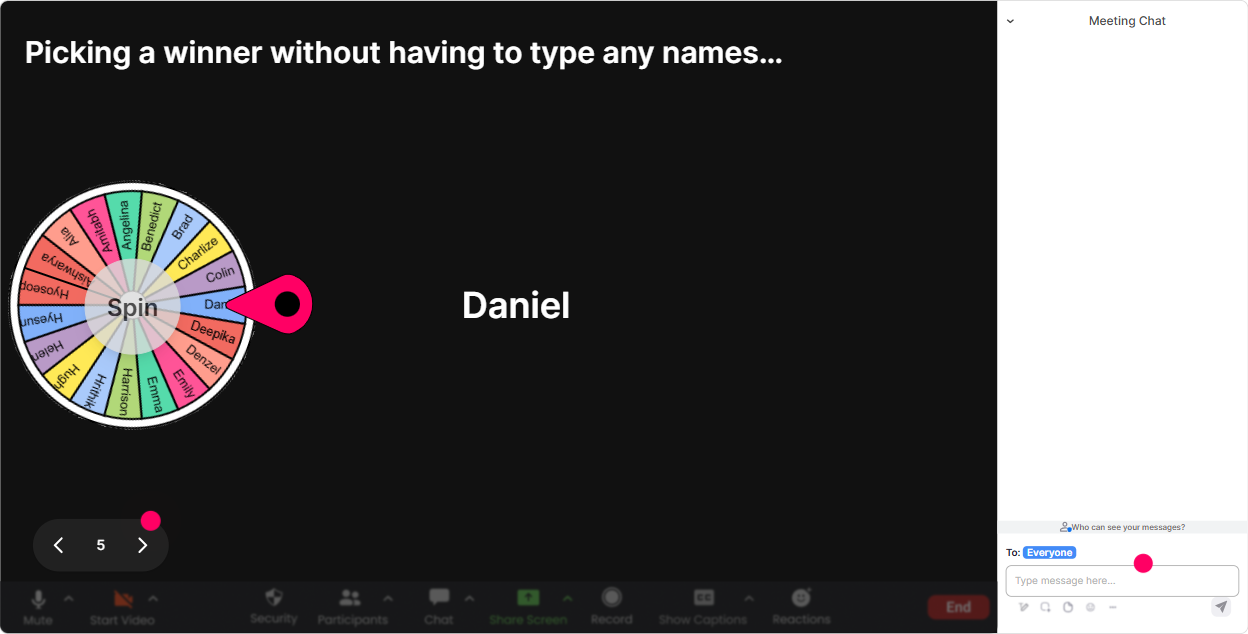
7) Quiz: quick knowledge checks that actually feel fun
Quizzes are perfect for Lifelong Learning because they reinforce key ideas and wake people up. With StreamAlive Quiz, they answer in chat, you show results live, then reveal the correct answer. Quiz ideas for this topic: - Which is the best example of Lifelong Learning in a trainer role? A) Attending one workshop a year B) Reading one article and never applying it C) Learning, applying, reflecting, and iterating continuously (Correct) D) Only learning when required - Whats the most effective way to make learning stick? A) Highlighting B) Re-reading C) Practice + retrieval + feedback (Correct) D) Watching more videos Trainer move: after you reveal the answer, ask: If you picked something else, what was your thinking? That turns a quiz into a discussion instead of a gotcha.

2) Use Rating Polls for a quick pulse check (and to tailor your pace)
Rating Polls are perfect when you need a fast temperature check without slowing the session down. People just drop a number in chat, you instantly see the distribution, and you can adjust on the fly. Try these in a Lifelong Learning session: - Confidence check: On a scale of 110, how confident are you at building a personal learning habit? - Relevance check: How important is Lifelong Learning for trainers in your organization? (1 = not really, 10 = essential) - Momentum check mid-way: Rate your energy right now (110). If you see a dip, you know its time for an activity, break, or story. Trainer move: say what youll do with the results. Im seeing lots of 46s, so Im going to slow down and give you a simple starting framework. People love when their input changes the session in real time.
8) Q&A (Quick Questions): stop losing great questions in the chat
In lively sessions, questions get buried fast. StreamAlives Q&A pulls questions from chat and displays them clearly so you can actually manage them without scrolling like crazy. How to use it for Lifelong Learning training: - Park-and-answer: Drop your questions anytime. Ill do a dedicated Q&A at the end of each section. - Prioritize what matters: Im seeing a few questions about time management-lets tackle those first. - Keep it trainer-focused: Any questions about how to model Lifelong Learning while still delivering sessions week after week? Trainer move: when you answer a question, call out the persons name and thank them. People then feel safe asking more (and participation climbs).

9) Analytics: after the session, know what actually worked (and what didnt)
If youre running Lifelong Learning training, youre probably also trying to improve your own facilitation. StreamAlive Analytics helps you do that with real data-so youre not relying on vibes. What you can learn: - Minute-by-minute engagement: spot where chat spiked (keep those moments) and where it dipped (tighten or redesign that segment). - Interaction reports: see which polls, word clouds, and activities got the strongest response. - Top participants: identify your Fantastic Fans-the people most engaged. These are great champions to invite into future cohorts, pilot groups, or follow-up discussions. - Easy sharing: email the report to yourself or your team, or use it to debrief what youll improve next time. Trainer move: treat it like your own Lifelong Learning loop-run session review analytics tweak run again. Thats how your engagement can genuinely jump (and stay high) over time.

Use StreamAlive in all your training sessions
StreamAlive isn’t just for
Lifelong Learning
training,
it can also be used for any instructor-led training session directly inside your PowerPoint presentation.
Explore similar traingin ideas: unlocking the potential of StreamAlive
See how StreamAlive transforms live training with engaging events and interactive sessions across industries, directly inside your PowerPoint presentation.

Interactions in action
(it's free)

.svg.png)


