Install StreamAlive for your PowerPoint slides
Learn more

AI Anxiety Training for Training Agencies
StreamAlive helps 9x the audience engagement in your Virtual Instructor-led Trainings (VILT) directly inside your powerpoint presentation.
Make your instructor-led AI Anxiety training more fun with polls, word clouds, spinner wheels and more
Works inside your existing PowerPoint presentation
Install the StreamAlive app for PowerPoint and see your slides come to life as people participate in your interactions
AI generates audience interactions for you
Let our AI scan your presentation and automatically come up with relevant questions based on the content. Or spend two hours coming up with your own questions, your choice!
Built to work with MS Teams and Zoom
Native apps for Teams and Zoom so you never have to leave your existing workflows
No QR Codes
Chat-powered interactions means your audience doesn’t need to scan QR codes or look at another screen to participate. They just type in the chat!

Quickly approved by your IT team
StreamAlive’s apps for Teams and Zoom means that they have been through rigorous quality assurance and client safety reviews. You’ll find everything an IT team needs to approve the app within the organization within your StreamAlive account.

Youve been asked to run an instructor-led session on AI Anxiety for a training agency-and you already know the topic can feel heavy for people. The good news: you can keep it human, practical, and surprisingly fun. Here are simple ways to use StreamAlive to get everyone participating (not just listening).
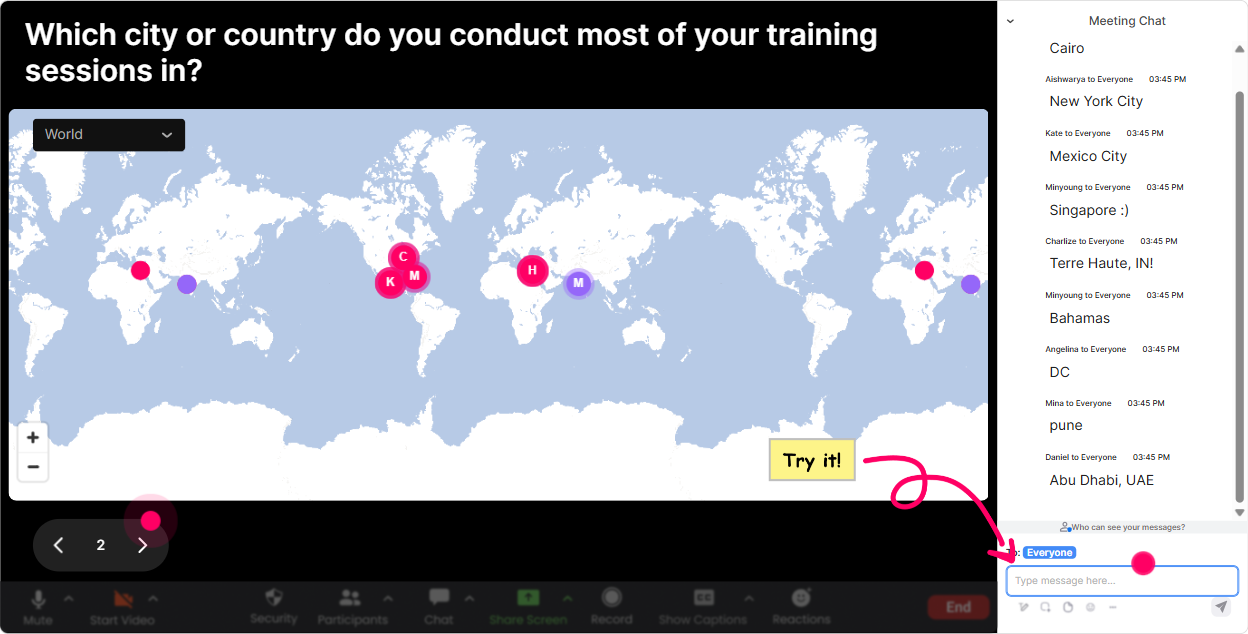
Magic Maps: break the ice fast (and remind everyone were not alone in this)
AI Anxiety is super personal-so before you go deep, get people comfortable talking. Magic Maps is an easy everyone can answer opener. How to use it in your AI Anxiety ILT: - Kickoff question: Where are you joining from today? (classic, always works) - Make it relevant: If you could teleport anywhere to switch your brain off for one day, where would you go? - Or make it training-agency-specific: Which city do you deliver training in most often? Why it helps: the map fills up in real time, people see theyre part of a real group (not just a silent Zoom grid), and your energy instantly lifts. If you have lots of people from the same region, the clusters make it visually satisfying-and its a smooth segue into: AI is changing work everywhere, not just in one market.
Rating Polls: get a quick temperature check on AI Anxiety in the room
When you teach AI Anxiety, you need to know what youre dealing with: are people curious, overwhelmed, or already burned out by AI talk? Use a Rating Poll early, then again later. - Start-of-session: On a scale of 110, how anxious do you feel about AI impacting your work? - Confidence check: Rate your confidence in explaining AI to a client/learner (110). - After a key segment: How clear is what to do next for you now? (110) Trainer tip: if you see lots of 710 anxiety, dont plow ahead. Pause and say, Totally fair-lets name whats driving that. The live bars give you instant credibility because youre responding to the room, not to your slide deck.

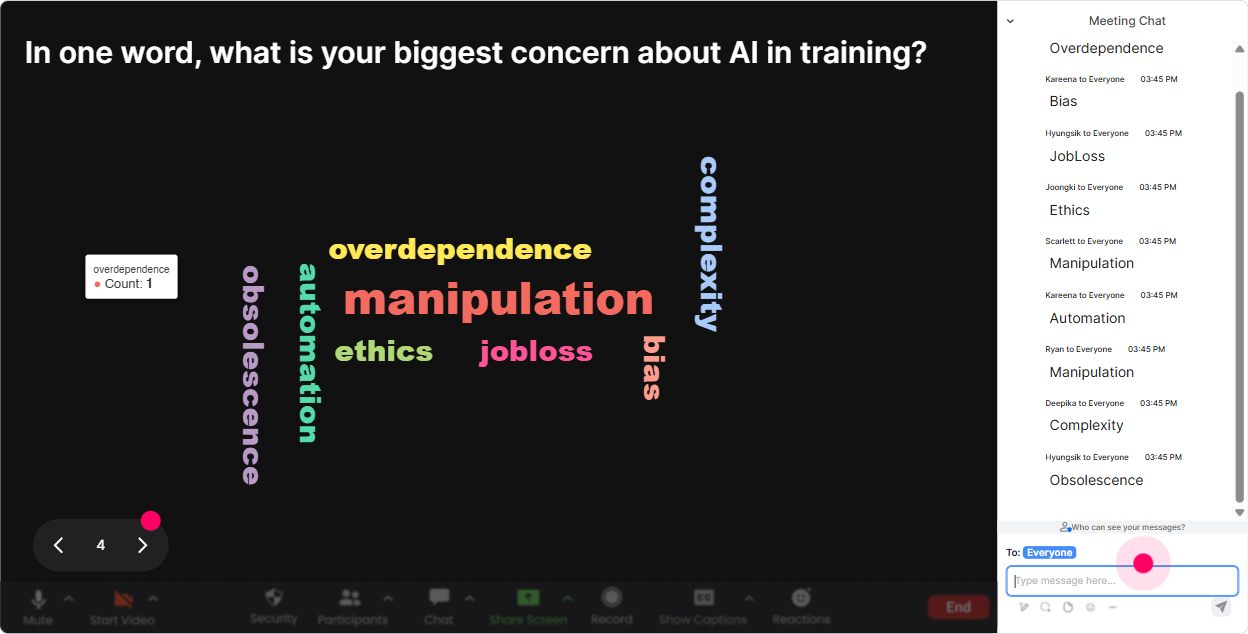
Wonder Words (Word Cloud): let people say the quiet part out loud-safely
AI Anxiety often shows up as messy emotions people dont want to say out loud on camera. Word Cloud is perfect because its quick, low-pressure, and visual. Great prompts for AI Anxiety training: - In one word, how do you feel about AI at work? (youll get: curious, nervous, excited, overwhelmed) - Whats the first word that comes to mind when you hear AI replacing jobs? - One word for what you want from todays session. (clarity, tools, reassurance, examples) What to do with the results: call out the biggest words and normalize them. Seeing overwhelmed big on the screen tells me were in the right session. Lets make this practical and calm. Youll feel engagement spike because participants feel seen.
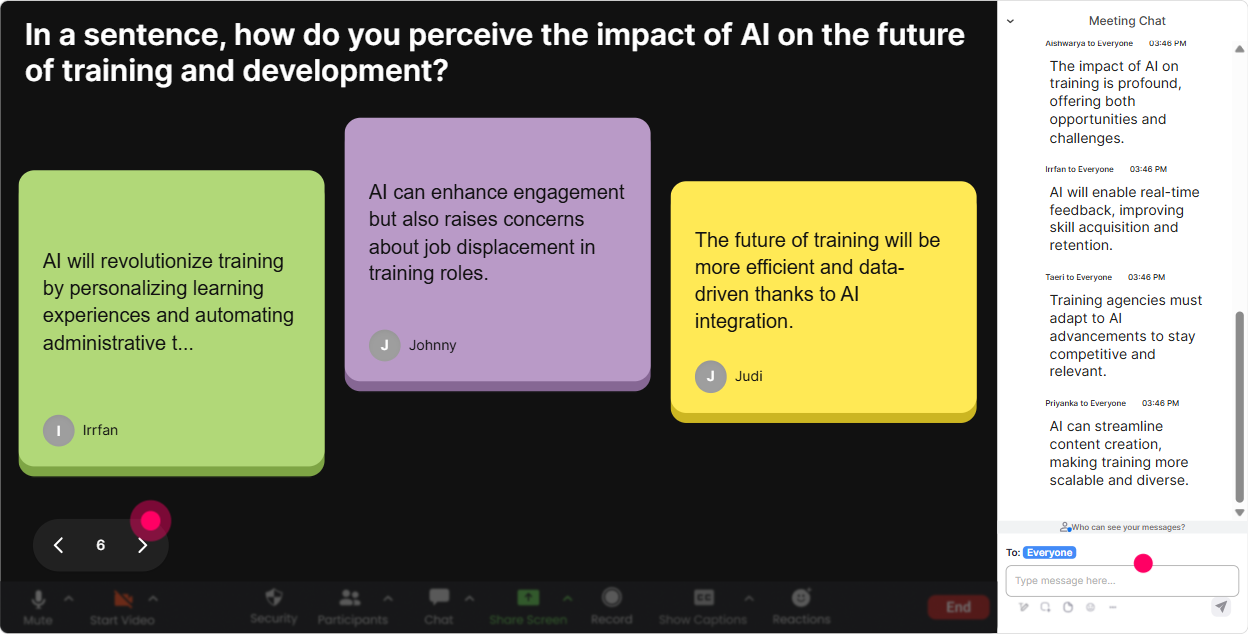
Talking Tiles: turn fear into real scenarios (without forcing people to speak)
Once people are warmed up, you want stories-because AI Anxiety isnt theoretical. Talking Tiles lets people share a sentence or two, and it becomes this fun, fast-moving wall of real experiences. Try these prompts: - Whats one way AI is already changing your training work (design, delivery, sales, admin)? - What part of AI worries you most in your role-quality, job security, ethics, speed, client expectations? - Finish this sentence: If AI keeps advancing, my biggest challenge will be Why it works: you get depth without putting anyone on the spot. And as the tiles fall in, you can host it like a live show-pull out patterns, read a few aloud, and say, Okay, these 3 themes are what well tackle first.
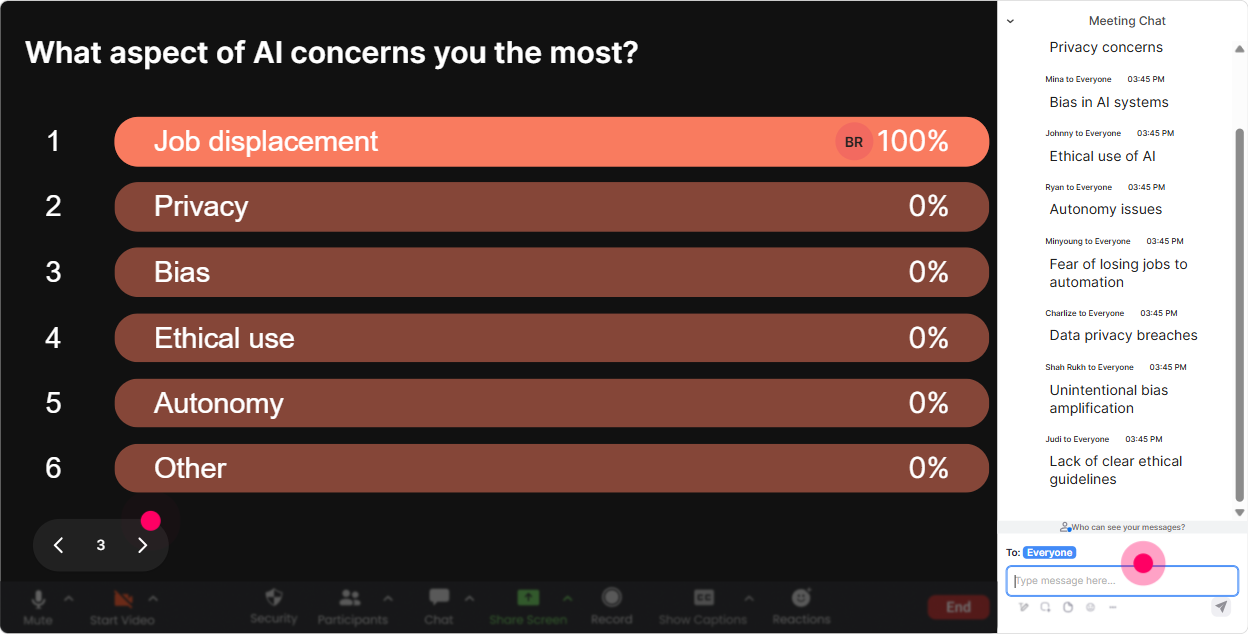
Power Polls: let the audience choose the direction (so it doesnt feel like a lecture)
For training agencies, AI Anxiety usually clusters around a few predictable pain points: relevance, credibility, ethics, and competition. Use a Power Poll to let people vote on what matters most-then teach to that. Poll ideas (with options): - Whats driving AI Anxiety most for you right now? 1) Job security 2) Keeping up with tools 3) Client expectations 4) Ethical risks 5) Quality/control - Where do you want AI to help you first? 1) Course design 2) Facilitation 3) Marketing/sales 4) Assessments 5) Admin ops - Which AI topic should we spend more time on today? 1) Prompting basics 2) AI limitations 3) Policy & ethics 4) Practical workflows 5) Handling learner concerns Trainer move: once the winner shows up, say, Cool-this is YOUR session now. Well start here. People engage more when they feel they influenced the agenda.
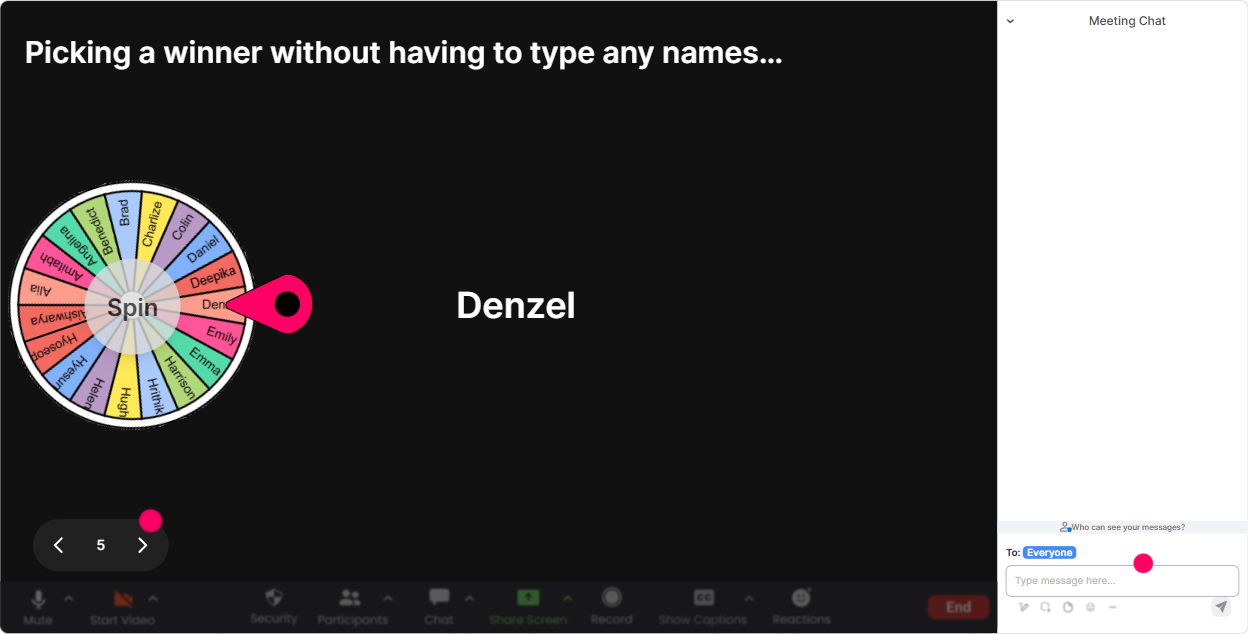
Winner Wheel: get volunteers without the awkward silence
Every trainer knows the moment: you ask a question, and nothing. Winner Wheel fixes that dynamic without you having to beg. How to use it in AI Anxiety training: - Tell participants: Drop your answer in chat-short is fine. - Then spin: Im going to spin the wheel and invite one person to expand for 20 seconds. Good moments to use it: - After a Word Cloud: Pick one word you posted-why that word? - After a scenario activity: What would you say to a learner who says AI will take my job? - For a quick share: Whats one tiny AI experiment youll try this week? Make it friendly: you can always add, If youd rather pass, no problem-Ill spin again. That safety + randomness gets you way more voices in the session.
Quiz: turn myths into aha moments (and reduce anxiety with facts)
AI Anxiety grows when people fill in the blanks with worst-case assumptions. A quick Quiz interaction turns misinformation into a light, game-like moment. Quiz question ideas (single correct answer): - Which statement is most accurate? A) AI always explains its sources B) AI can hallucinate confidently C) AI is always up to date D) AI replaces all roles equally (Correct: B) - Whats the best first step for safe AI use in a training agency? A) Share all client data to get better outputs B) Set a simple usage guideline C) Ban AI completely D) Let everyone do their own thing (Correct: B) - What reduces AI risk the most in day-to-day work? A) Blind trust B) Human review + clear boundaries C) More tools D) Longer prompts (Correct: B) Trainer tip: after revealing the correct answer, ask: What surprised you? That one follow-up question keeps the chat flowing.

Rating Polls: get a quick temperature check on AI Anxiety in the room
When you teach AI Anxiety, you need to know what youre dealing with: are people curious, overwhelmed, or already burned out by AI talk? Use a Rating Poll early, then again later. - Start-of-session: On a scale of 110, how anxious do you feel about AI impacting your work? - Confidence check: Rate your confidence in explaining AI to a client/learner (110). - After a key segment: How clear is what to do next for you now? (110) Trainer tip: if you see lots of 710 anxiety, dont plow ahead. Pause and say, Totally fair-lets name whats driving that. The live bars give you instant credibility because youre responding to the room, not to your slide deck.
Q&A: collect the real questions (even the spicy ones) without losing track
In AI Anxiety sessions, the best questions usually show up in the chat while youre mid-explanation. StreamAlives Q&A pulls those questions out and organizes them, so youre not hunting through chat. How to use it smoothly: - Set the expectation: Drop questions anytime-Im capturing them and Ill hit them in our Q&A block. - Mid-session checkpoint: Lets pause-whats unclear or worrying you right now? - End with: Whats one thing you still dont trust about AI? (this surfaces the real blockers) Big win for you as the host: you stay present, you dont miss questions, and participants feel heard-especially the quieter ones who prefer typing over speaking.

Analytics: prove engagement, improve the next delivery, and spot your future champions
If youre a training agency (or you train for one), youre not just delivering a session-youre constantly improving the product. StreamAlive analytics helps you do that with real data. Ways to use it after an AI Anxiety session: - Check minute-by-minute engagement: see exactly where attention dropped (maybe your definitions section) and where it spiked (usually stories, quizzes, and myths). - Replay interaction results: perfect for iterating your run-of-show-keep what worked, tighten what didnt. - Identify top engaged participants (Fantastic Fans): these are your champions-great for follow-up pilots, testimonials, or inviting into an internal AI working group. - Share results easily: email the reports to your team or stakeholders so its not just the session felt good, its engagement was measurably high. Bottom line: youll run a better AI Anxiety training the second time, the third time, and every time after-because youre building based on evidence, not guesses.

Use StreamAlive in all your training sessions
StreamAlive isn’t just for
AI Anxiety
training,
it can also be used for any instructor-led training session directly inside your PowerPoint presentation.
Explore similar traingin ideas: unlocking the potential of StreamAlive
See how StreamAlive transforms live training with engaging events and interactive sessions across industries, directly inside your PowerPoint presentation.

Interactions in action
(it's free)

.svg.png)


