Install StreamAlive for your PowerPoint slides
Learn more

Neurodiversity Inclusion Training for Corporate Trainers
StreamAlive helps 9x the audience engagement in your Virtual Instructor-led Trainings (VILT) directly inside your powerpoint presentation.
Make your instructor-led Neurodiversity Inclusion training more fun with polls, word clouds, spinner wheels and more
Works inside your existing PowerPoint presentation
Install the StreamAlive app for PowerPoint and see your slides come to life as people participate in your interactions
AI generates audience interactions for you
Let our AI scan your presentation and automatically come up with relevant questions based on the content. Or spend two hours coming up with your own questions, your choice!
Built to work with MS Teams and Zoom
Native apps for Teams and Zoom so you never have to leave your existing workflows
No QR Codes
Chat-powered interactions means your audience doesn’t need to scan QR codes or look at another screen to participate. They just type in the chat!

Quickly approved by your IT team
StreamAlive’s apps for Teams and Zoom means that they have been through rigorous quality assurance and client safety reviews. You’ll find everything an IT team needs to approve the app within the organization within your StreamAlive account.

Youve been asked to run a Neurodiversity Inclusion instructor-led training for corporate trainers-and you want it to be meaningful *and* genuinely engaging (not another slide-and-sigh session). The good news: with a few smart interaction moments, you can make participation feel safe, simple, and even fun. Here are practical ideas using StreamAlive to keep everyone involved-without forcing anyone to perform.
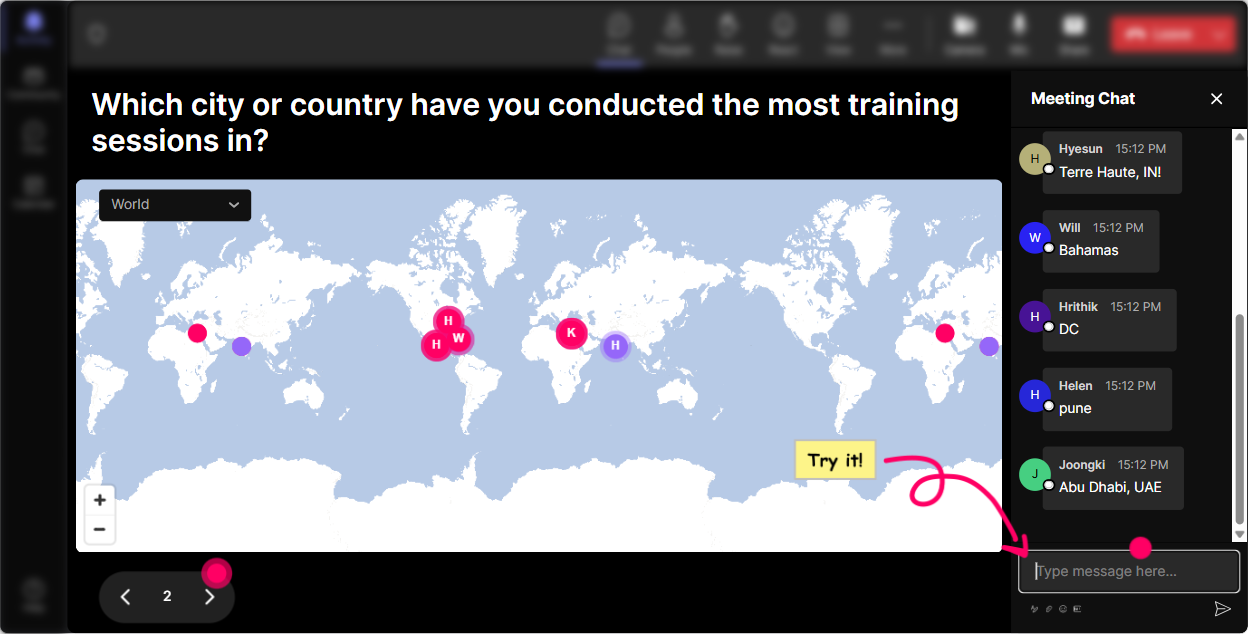
Magic Maps: Kick off with connection (without putting anyone on the spot)
Neurodiversity Inclusion sessions work best when people feel like they belong right away-and Magic Maps does that in a super low-pressure way. Instead of a cold introduce yourself, you ask one easy location-based question, and StreamAlive plots everyone live on a world map. Instant energy, instant community. Try these openers (perfect for trainers in the room): - Where are you joining from today? (classic, always works) - Where did you learn most of your training style from-what city/company? - If you could attend a dream Train-the-Trainer program anywhere on earth, where would it be? - Which city has the best training audience youve ever had? Neurodiversity-friendly tip: this is great for participants who dont want to speak early-typing a location is easy, predictable, and safe. And since StreamAlive clusters locations, you can naturally say, Looks like weve got a big group from Toronto-love it! without calling individuals out.
Rating Polls: Do a quick pulse check without awkwardness
Rating Polls are your best friend when you need to understand where the room is at-fast. In Neurodiversity Inclusion training, youll often have a mix: some people are already advocates, some are unsure, and some are afraid of saying the wrong thing. A quick rating poll gives you the truth without making anyone explain themselves out loud. Use Rating Polls at key moments like: - Start of session: On a scale of 110, how confident do you feel supporting neurodivergent learners in training? - After you explain key concepts: Rate your clarity right now: 1 = lost, 10 = crystal clear. - After an activity: How practical was that strategy for your training sessions? 110 Trainer move: say what youll do with the data. Example: If were under a 7, Im slowing down and giving another example. That builds trust-and helps neurodivergent participants who may not want to request adjustments verbally.

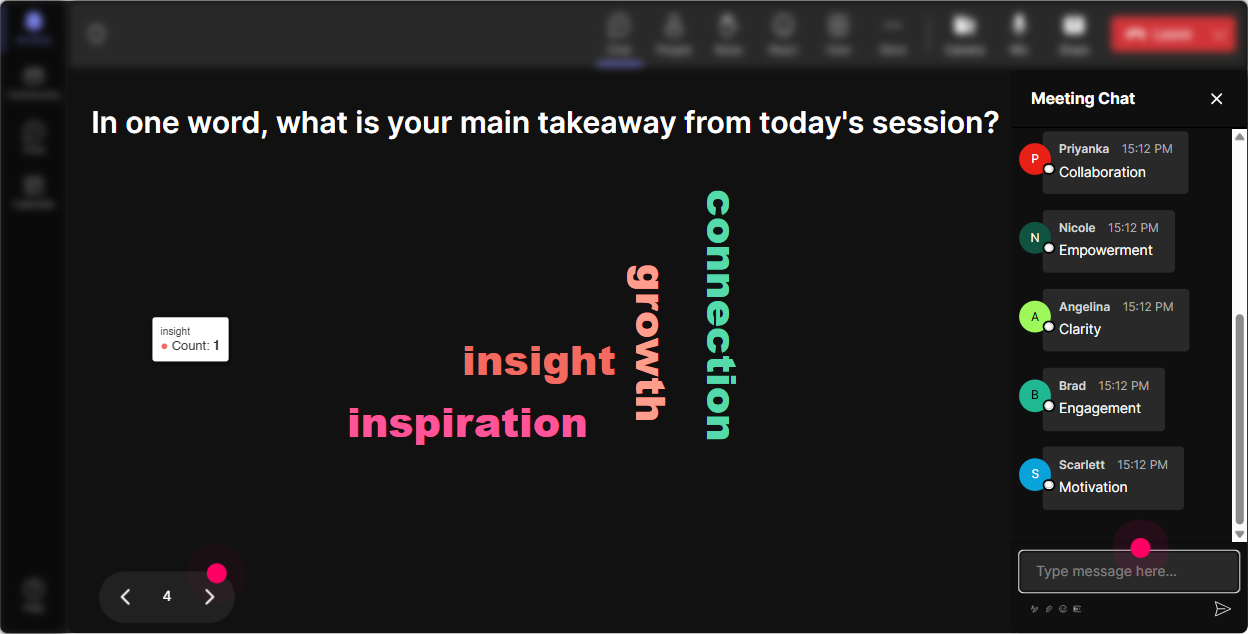
Wonder Words (Word Cloud): Make feelings visible-quickly and safely
A word cloud is perfect for Neurodiversity Inclusion because it lets people share thoughts without writing an essay, and without being the only person saying something. When the words pop up live, you can literally *see* the rooms vibe. Great prompts for this topic (keep answers 12 words): - When you hear neurodiversity at work, what word comes to mind? - How do you want learners to feel in your training room? - Whats the biggest barrier to inclusion in training? - One word: what makes training exhausting for some people? Neurodiversity-friendly tip: word clouds reduce the pressure of crafting the perfect response. And when you use StreamAlives Combine Similar Answers, you clean up duplicates (like safe vs safety) so the group meaning stands out clearly.
Talking Tiles: Turn real experiences into a shared learning moment
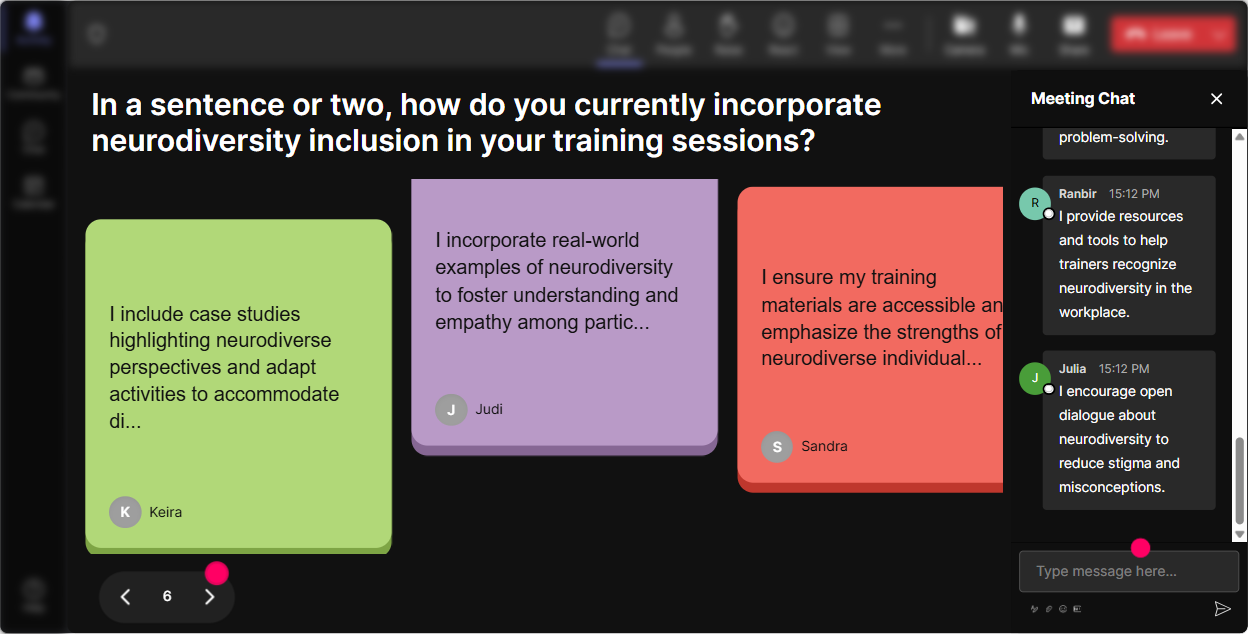
Talking Tiles is where you get the good stuff-the real stories, the real scenarios, the real this is what happens in my classroom moments. People type responses in chat, and StreamAlive makes them visual as tiles falling into place. It feels playful, but its also powerful because it shows how many different experiences exist in the same room. Use Talking Tiles for prompts like: - Whats one training practice that accidentally excludes people? - Describe a moment when a learner struggled-but it mightve been about the environment, not motivation. - What accommodation would you normalize in *every* training session? - How does Neurodiversity Inclusion impact your role as a trainer or facilitator? Trainer tip: read a few tiles out loud and say, If you relate to this, drop a same in chat. That keeps the momentum going without forcing anyone to speak on mic.
Power Polls: Let the audience choose the direction (and feel ownership)
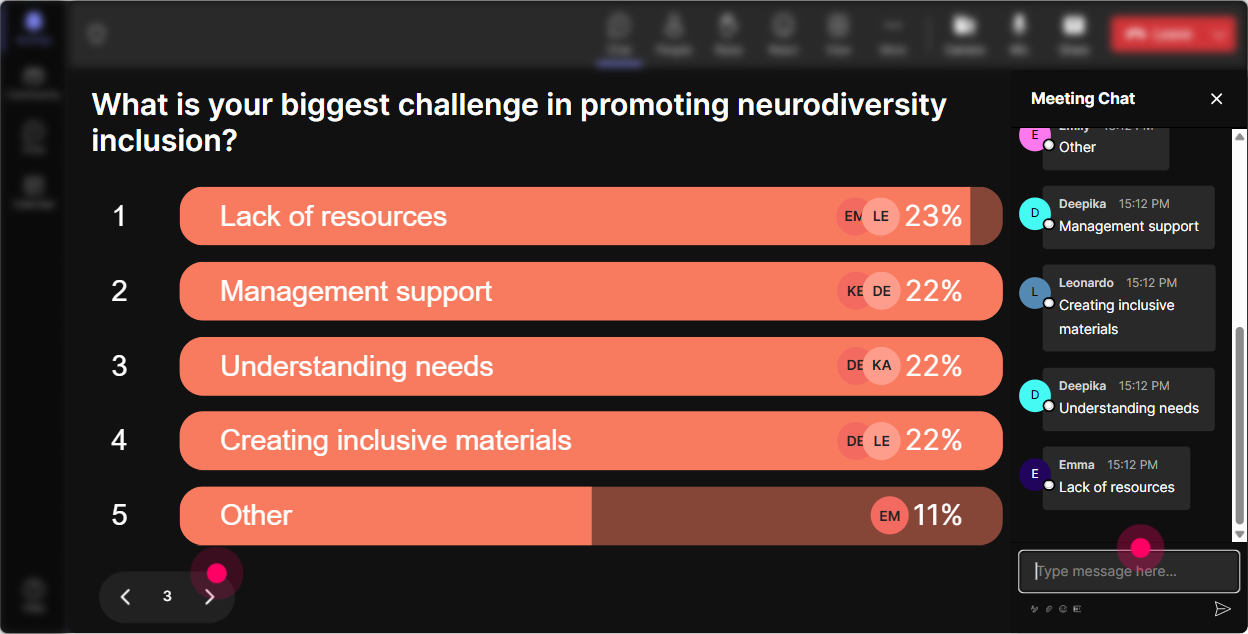
In Neurodiversity Inclusion ILT, people care about different things: some want language guidance, some want practical accommodations, some want help managing tough conversations. Power Polls lets the group tell you what they want-so youre not guessing. Run a poll early with options like: - What do you most want from today? 1) Practical accommodations in training 2) Inclusive language + etiquette 3) Designing accessible activities 4) Handling resistance / pushback 5) Supporting focus + sensory needs Or mid-session: - Which scenario should we workshop next? (then list 35 common trainer situations) Neurodiversity-friendly tip: giving choices reduces uncertainty. People who like structure love seeing the menu of options, and people who need relevance feel heard because the session adapts to them.
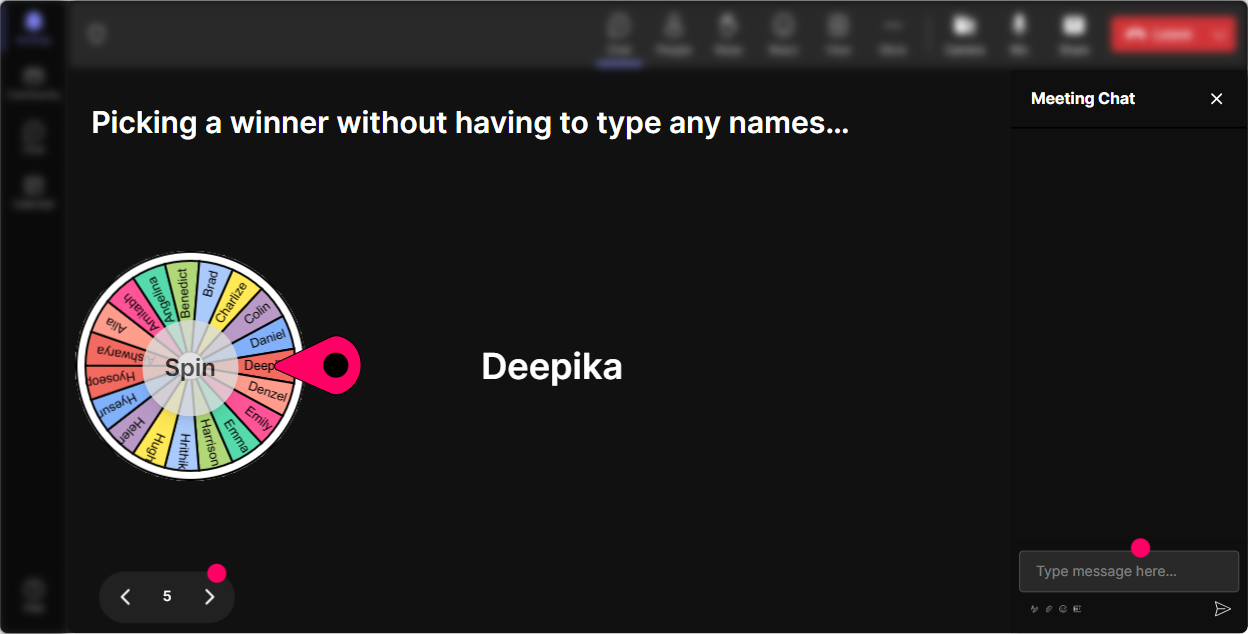
Winner Wheel (Spinner Wheel): Get voices in the room-without the awkward silence
You know that moment when you ask, Any volunteers? and everyone suddenly becomes a statue? The Spinner Wheel fixes that, but in a way that feels light-not threatening. A neurodiversity-inclusive way to use it: 1) Ask an easy prompt in chat first so everyone can participate. 2) Then say, Im going to spin the wheel to invite one person to expand-totally okay to pass. Prompts that work well: - Drop one inclusive training move youve tried (or want to try). spin to invite someone to share more - Which accommodation do you think is most misunderstood? spin for a quick perspective - Share a win: a time you adapted training and it helped. spin for a story Important: always give an opt-out. Say it out loud: You can type pass and Ill spin again. Psychological safety is the whole point here.
Quiz: Make knowledge checks feel like a game (not a test)
Quizzes are perfect for clearing up common myths around neurodiversity-because people often carry incorrect assumptions, and theyre nervous about being judged. A StreamAlive Quiz lets them answer in chat, see results live, and then you reveal the correct answer with a quick explanation. Quiz questions trainers love (multiple choice, one correct): - Which is the best example of a universal design move in training? A) Only giving verbal instructions B) Giving instructions verbally + in writing (Correct) C) Asking people to just focus harder D) Keeping cameras on at all times - Neurodiversity refers to A) Only autism B) Only ADHD C) Natural differences in brains and thinking styles (Correct) D) A performance issue Trainer tip: after revealing the answer, ask: What made that option tricky? Thats where the learning sticks.

Rating Polls: Do a quick pulse check without awkwardness
Rating Polls are your best friend when you need to understand where the room is at-fast. In Neurodiversity Inclusion training, youll often have a mix: some people are already advocates, some are unsure, and some are afraid of saying the wrong thing. A quick rating poll gives you the truth without making anyone explain themselves out loud. Use Rating Polls at key moments like: - Start of session: On a scale of 110, how confident do you feel supporting neurodivergent learners in training? - After you explain key concepts: Rate your clarity right now: 1 = lost, 10 = crystal clear. - After an activity: How practical was that strategy for your training sessions? 110 Trainer move: say what youll do with the data. Example: If were under a 7, Im slowing down and giving another example. That builds trust-and helps neurodivergent participants who may not want to request adjustments verbally.
Q&A (Quick Questions): Catch every question-especially the quiet ones
In inclusion training, some of the most important questions come from people who dont want to interrupt-or who are worried theyll word it wrong. StreamAlives Q&A automatically detects and collects questions from chat, so you dont miss them while youre presenting. How to use it in this topic: - Tell participants: If you have a question at any point, just type it-StreamAlive will capture it for our Q&A moments. - Do a dedicated checkpoint: Lets pause-whats one question youre sitting with? - Use it for scenario-based help: Drop a real situation youre dealing with-what would you like advice on? Neurodiversity-friendly tip: chat-based questions are often easier than speaking live, especially for processing speed, anxiety, or language formulation reasons. This keeps the door open for everyone.

Analytics: See what actually worked-and improve the next session fast
After your session, StreamAlive Analytics helps you stop guessing and start improving with real data. You can see minute-by-minute engagement, replay chat moments, and identify which interactions pulled people in. For Neurodiversity Inclusion training, analytics can answer questions like: - When did engagement drop-was I lecturing too long? - Which activity got the most participation-word cloud, tiles, polls? - Who were my most engaged participants (Fantastic Fans) that I can follow up with for champions/adopters? - Which questions came up most often in Q&A so I can build a better FAQ slide for next time? And the practical trainer win: export/share reports via email or Teams so you can show stakeholders evidence like, We had high interaction rates and strong confidence gains, instead of just saying, It went well.

Use StreamAlive in all your training sessions
StreamAlive isn’t just for
Neurodiversity Inclusion
training,
it can also be used for any instructor-led training session directly inside your PowerPoint presentation.
Explore similar traingin ideas: unlocking the potential of StreamAlive
See how StreamAlive transforms live training with engaging events and interactive sessions across industries, directly inside your PowerPoint presentation.

Interactions in action
(it's free)

.svg.png)


