Install StreamAlive for your PowerPoint slides
Learn more

Power Skills Focus Training for L&D Leaders
StreamAlive helps 9x the audience engagement in your Virtual Instructor-led Trainings (VILT) directly inside your powerpoint presentation.
Make your instructor-led Power Skills Focus training more fun with polls, word clouds, spinner wheels and more
Works inside your existing PowerPoint presentation
Install the StreamAlive app for PowerPoint and see your slides come to life as people participate in your interactions
AI generates audience interactions for you
Let our AI scan your presentation and automatically come up with relevant questions based on the content. Or spend two hours coming up with your own questions, your choice!
Built to work with MS Teams and Zoom
Native apps for Teams and Zoom so you never have to leave your existing workflows
No QR Codes
Chat-powered interactions means your audience doesn’t need to scan QR codes or look at another screen to participate. They just type in the chat!

Quickly approved by your IT team
StreamAlive’s apps for Teams and Zoom means that they have been through rigorous quality assurance and client safety reviews. You’ll find everything an IT team needs to approve the app within the organization within your StreamAlive account.

Youve been asked to run a Power Skills Focus instructor-led training for L&D Leaders-and you want it to feel lively, not like another talking-head session. The easiest win? Get people typing, reacting, and sharing early and often. Here are practical ways to do that using StreamAlive so your room stays engaged (and youre not carrying the energy alone).
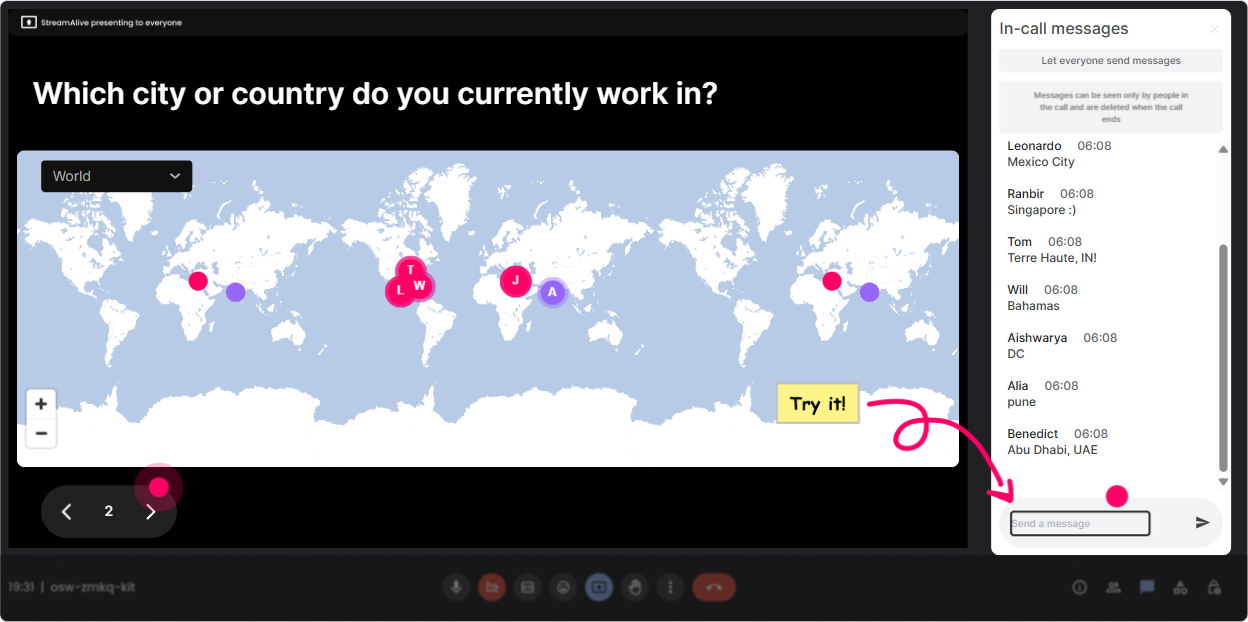
1) Magic Maps: Start with connection-get your L&D leaders on the map
This is your easiest warm-up. Instead of Where are you joining from? and watching the chat trickle in you ask it once and StreamAlive instantly plots everyone on a live map. Its a simple moment, but it changes the vibe fast-people feel seen. Try these prompts for a Power Skills Focus session: - Where are you joining from today? (City + Country) - Whats one location that shaped your leadership style-where were you working then? - If you could teleport to run ONE training in-person anywhere on earth, where would it be? Trainer tip: Use the clusters to spot patterns (Wow, weve got a big Toronto cluster-Canada is representing today!). Its an instant rapport-builder before you even touch the content.
2) Rating Polls: Do a quick confidence check (and tailor your pace on the spot)
Rating Polls are perfect when you want a quick pulse check without awkward silence. People just drop a number in chat, and you get a real-time visual of the groups confidence or experience. Use it right at the start: - On a scale of 110, how confident are you in coaching power skills (communication, influence, conflict) in your org? - Rate your current Power Skills Focus training maturity: 1 = ad-hoc, 10 = fully embedded + measured. - How comfortable are you facilitating difficult conversations in a live classroom? (110) Trainer tip: If the average is low, you slow down and model more. If its high, you skip the basics and move to advanced scenarios. Either way, you look like you designed the session just for them.

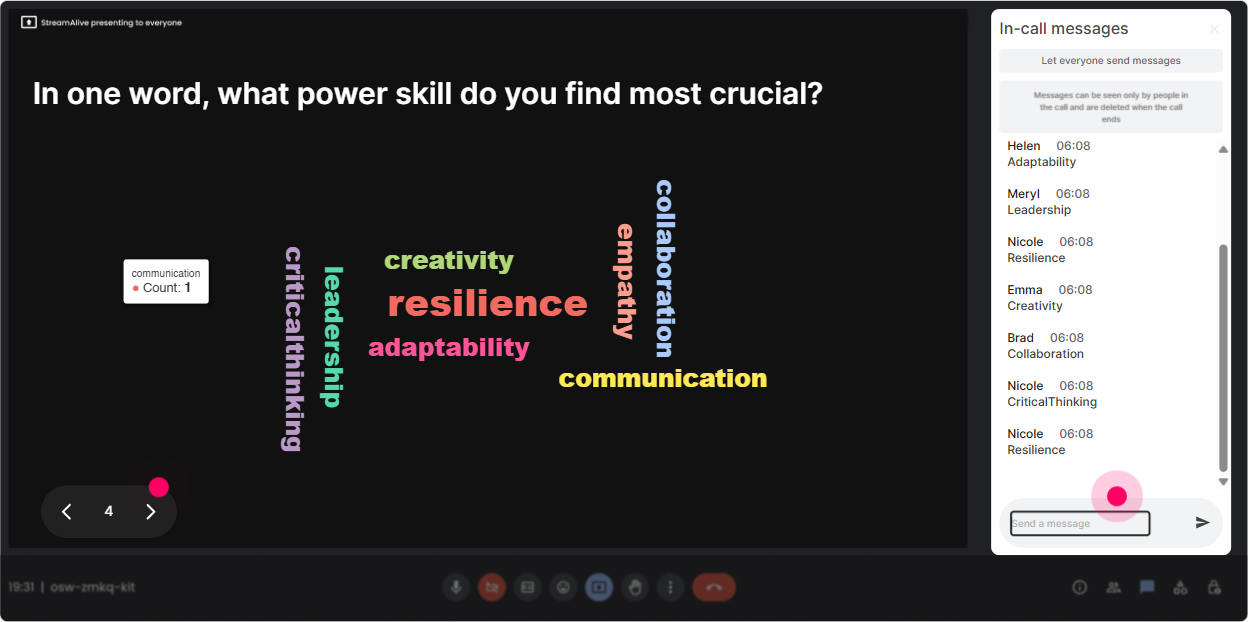
3) Wonder Words (Word Cloud): Make the rooms feelings visible in 60 seconds
Power skills can feel loaded. Some people love them, some roll their eyes, some feel anxious teaching them. Word Clouds help you surface that truth quickly-without putting anyone on the spot. Prompts that work great with L&D leaders: - In 12 words: what comes to mind when you hear Power Skills Focus? - Whats the hardest power skill to build in leaders right now? (one or two words) - What do your stakeholders expect from power skills training? (2 words max) Trainer tip: When you see big words like time, buy-in, practice, measuring, youve basically been handed your discussion agenda by the audience.
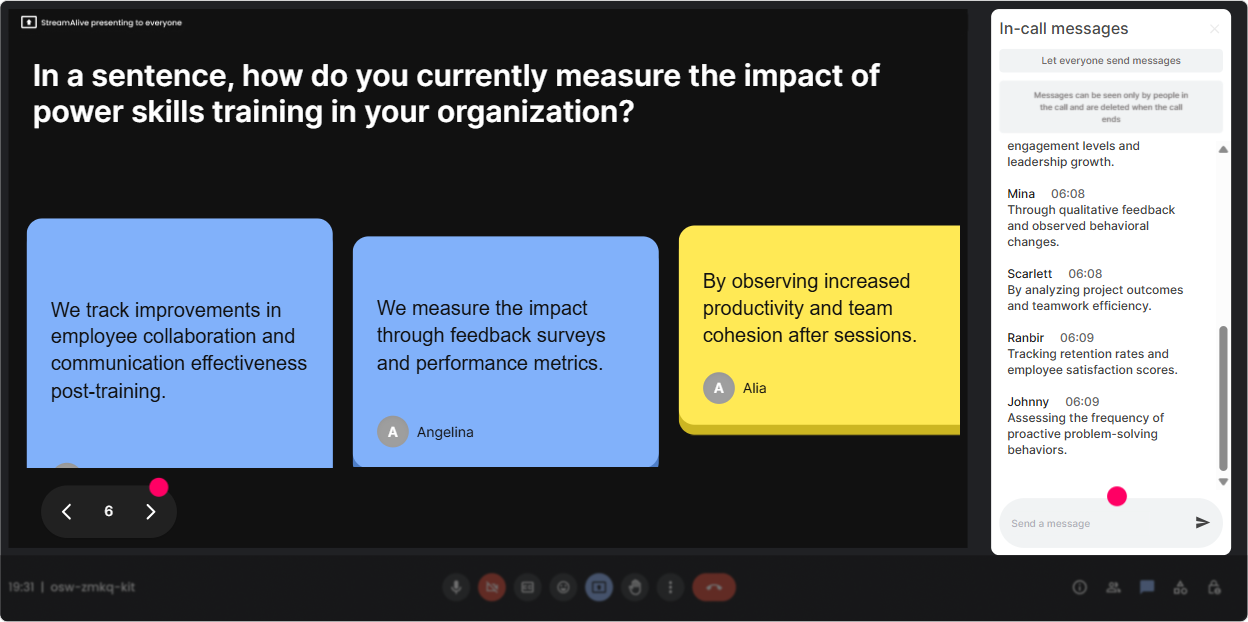
4) Talking Tiles: Turn participant stories into your best teaching material
When you want longer, richer responses-use Talking Tiles. People type full thoughts, and StreamAlive turns them into a dynamic visual on-screen. It feels like the session is being co-created live (because it is). Great prompts for Power Skills Focus ILT: - What power skill makes the biggest difference in your L&D role-and why? - Share a moment where a leaders lack of power skills created a real business issue (no names). What happened? - If you could improve ONE behavior in frontline leaders this quarter, what would it be? Trainer tip: Grab 23 tiles and say, Lets workshop these. Now youre facilitating a real leadership lab, not just presenting slides.
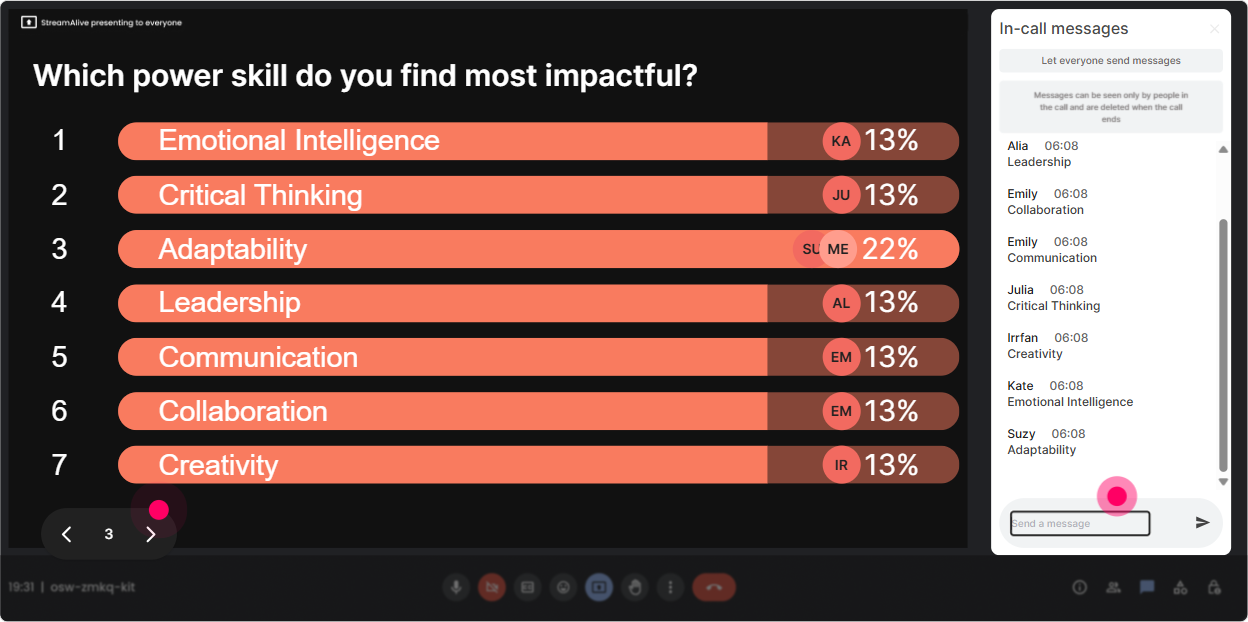
5) Power Polls: Let them choose the path (and theyll stay with you)
Want buy-in fast? Give the group choices and let them steer. Power Polls are great for deciding what to cover deeper, which scenario to role-play, or which skill to prioritize. Poll ideas for L&D leaders: - Which power skill should we focus on first today? 1) Coaching conversations 2) Executive presence 3) Conflict navigation 4) Influencing without authority - Where do your programs get stuck most? 1) Low manager participation 2) Hard to measure impact 3) No time to practice 4) Stakeholders want quick fixes - What should we do next? 1) Practice activity 2) Case study 3) Framework 4) Q&A Trainer tip: When people vote for the direction, theyre more patient, more engaged, and way less likely to multitask.
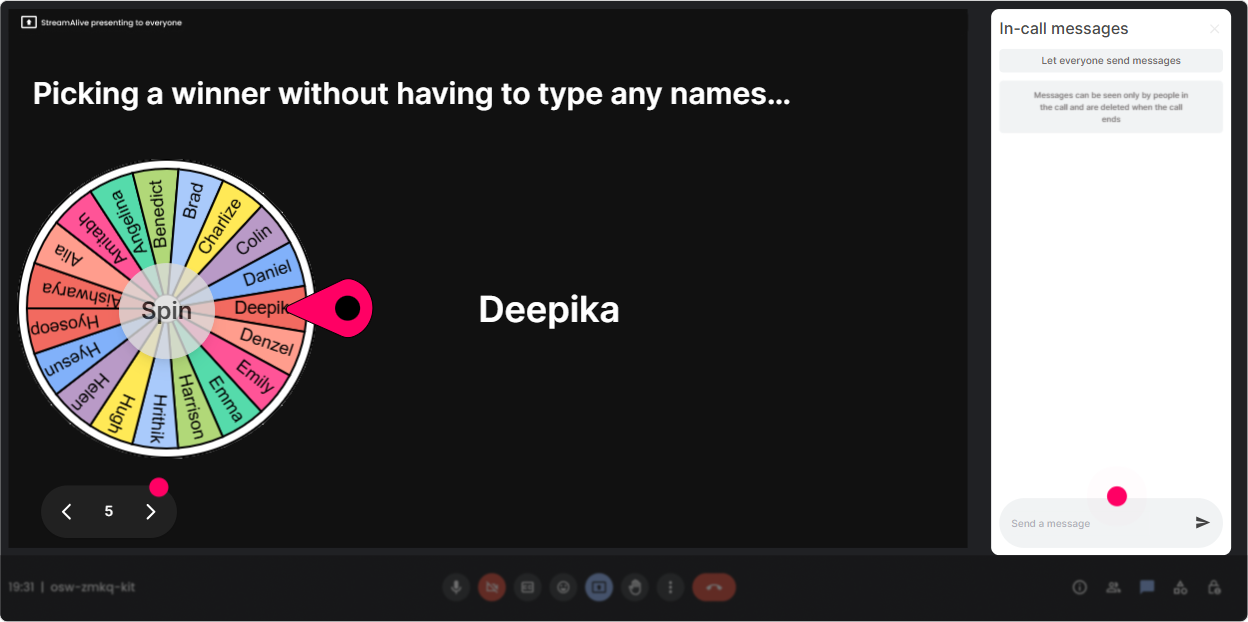
6) Winner Wheel: Get volunteers without the awkward anyone want to share?
You know that moment: you ask for a volunteer and crickets. Winner Wheel fixes that in a fun, low-pressure way. You can reward participation or randomly pick someone from people who responded. Ways to use it in Power Skills Focus training: - Drop your best coaching question in chat. Im going to spin the wheel and have one person explain why they chose it. - Type ready if youre willing to role-play a tricky conversation. Wheel decides who we start with. - Everyone who shared a challenge goes on the wheel-winner gets a copy of my coaching prompts cheat sheet. Trainer tip: The wheel isnt about gotcha. Its about making participation normal and a little playful-so more people join in next time.
7) Quiz: Quick knowledge checks that dont feel like school
Quizzes are a clean way to reinforce concepts and keep attention high. You ask a multiple-choice question, people answer in chat, and you reveal the correct option when youre ready. Quiz questions that fit Power Skills Focus: - Which is the best example of behavior-based feedback? A) Be more professional. B) Your tone is a problem. C) In todays meeting, you interrupted twice before I finished-next time please pause and let me land my point. D) You need to work on communication. - In conflict conversations, whats the best first move? A) Prove your point B) Ask a clarifying question C) Escalate to HR D) Avoid the topic Trainer tip: Use the results to spark discussion: Interesting-half chose A. Lets unpack why thats tempting, and why it backfires. Thats where the learning sticks.

2) Rating Polls: Do a quick confidence check (and tailor your pace on the spot)
Rating Polls are perfect when you want a quick pulse check without awkward silence. People just drop a number in chat, and you get a real-time visual of the groups confidence or experience. Use it right at the start: - On a scale of 110, how confident are you in coaching power skills (communication, influence, conflict) in your org? - Rate your current Power Skills Focus training maturity: 1 = ad-hoc, 10 = fully embedded + measured. - How comfortable are you facilitating difficult conversations in a live classroom? (110) Trainer tip: If the average is low, you slow down and model more. If its high, you skip the basics and move to advanced scenarios. Either way, you look like you designed the session just for them.
8) Q&A: Catch every question without playing chat detective
When youre teaching and monitoring chat, its easy to miss great questions (especially in Teams/Zoom with busy threads). StreamAlives Q&A pulls questions out of the chat and displays them neatly so you can actually manage them. How to use it smoothly in this session: - Set the expectation: Drop questions anytime-StreamAlive will catch them and Ill pause every 10 minutes. - Do a parking lot round: Lets do a 3-minute question sweep before we move into practice. - Use it after activities: Ask your hardest how do I handle this? question about power skills facilitation. Trainer tip: This is huge for L&D leaders because their questions are often nuanced. Youll look more organized and responsive instantly.

9) Analytics: Prove engagement (and improve your next session with real data)
After your Power Skills Focus training, StreamAlive analytics show you what actually happened-not just how you felt it went. You can see engagement trends minute-by-minute, replay chat moments, and identify your most engaged participants. How L&D leaders and trainers can use this: - Spot the energy peaks: Which activities got the most chat and interaction? Do more of that next time. - Find the drop zones: Where did engagement dip? That might be a section to shorten, reframe, or make interactive. - Identify champions: See who participated most (your future peer advocates, pilot-group supporters, or internal co-facilitators). - Share outcomes: Export/share reports via email or with your team-especially useful if you need to prove learner engagement to stakeholders. Trainer tip: This is how you turn engagement into something measurable. Not just people liked it, but heres what they interacted with, when, and how often.

Use StreamAlive in all your training sessions
StreamAlive isn’t just for
Power Skills Focus
training,
it can also be used for any instructor-led training session directly inside your PowerPoint presentation.
Explore similar traingin ideas: unlocking the potential of StreamAlive
See how StreamAlive transforms live training with engaging events and interactive sessions across industries, directly inside your PowerPoint presentation.

Interactions in action
(it's free)

.svg.png)


