Install StreamAlive for your PowerPoint slides
Learn more

Social Learning Training for Corporate Trainers
StreamAlive helps 9x the audience engagement in your Virtual Instructor-led Trainings (VILT) directly inside your powerpoint presentation.
Make your instructor-led Social Learning training more fun with polls, word clouds, spinner wheels and more
Works inside your existing PowerPoint presentation
Install the StreamAlive app for PowerPoint and see your slides come to life as people participate in your interactions
AI generates audience interactions for you
Let our AI scan your presentation and automatically come up with relevant questions based on the content. Or spend two hours coming up with your own questions, your choice!
Built to work with MS Teams and Zoom
Native apps for Teams and Zoom so you never have to leave your existing workflows
No QR Codes
Chat-powered interactions means your audience doesn’t need to scan QR codes or look at another screen to participate. They just type in the chat!

Quickly approved by your IT team
StreamAlive’s apps for Teams and Zoom means that they have been through rigorous quality assurance and client safety reviews. You’ll find everything an IT team needs to approve the app within the organization within your StreamAlive account.

Youve been asked to run a Social Learning instructor-led training for corporate trainers-and you want it to feel alive, not like another slide marathon. The good news: Social Learning is already built for participation. Here are easy, fun ways to teach it using StreamAlive so people actually talk, share, and learn from each other in real time.
1) Magic Maps: Turn Where are you joining from? into instant connection
Social Learning works best when people feel like theyre part of a real community-not a bunch of silent squares. Magic Maps is such a clean way to create that were in this together vibe in the first 60 seconds. How to use it in your Social Learning session: - Icebreaker that doesnt feel like an icebreaker: Where are you joining from today? Watch the map populate live and you immediately get energy + a sense of scale. - Tie it to the topic (Social Learning): Ask something like: - Which city taught you the most about learning-through work, mentors, or community? - If you could visit any company in the world to steal their learning culture, where would you go? - Where have you seen the best peer-to-peer learning happen-your current location or somewhere else? Trainer tip: If your session is global, call out clusters (Wow, weve got a Toronto crew!). Thats a tiny moment, but it gets people to chat more-and now youre set up perfectly to talk about networks and learning communities.

2) Rating Polls: Quick pulse check on Social Learning confidence
Before you teach anything, you want to know where people are starting from. Rating Polls are perfect because theyre fast, visual, and everyone can answer without overthinking. Try these rating questions in a Social Learning ILT: - On a scale of 110, how confident are you that you could design a Social Learning activity tomorrow? - Rate your current orgs learning culture: 1 = very top-down, 10 = super peer-driven. - How comfortable are you facilitating discussion-heavy sessions (vs lecture-style)? How it helps engagement: People love seeing the live average and spread. And you get an instant talking point: Okay, weve got lots of 46s perfect, well build confidence today.

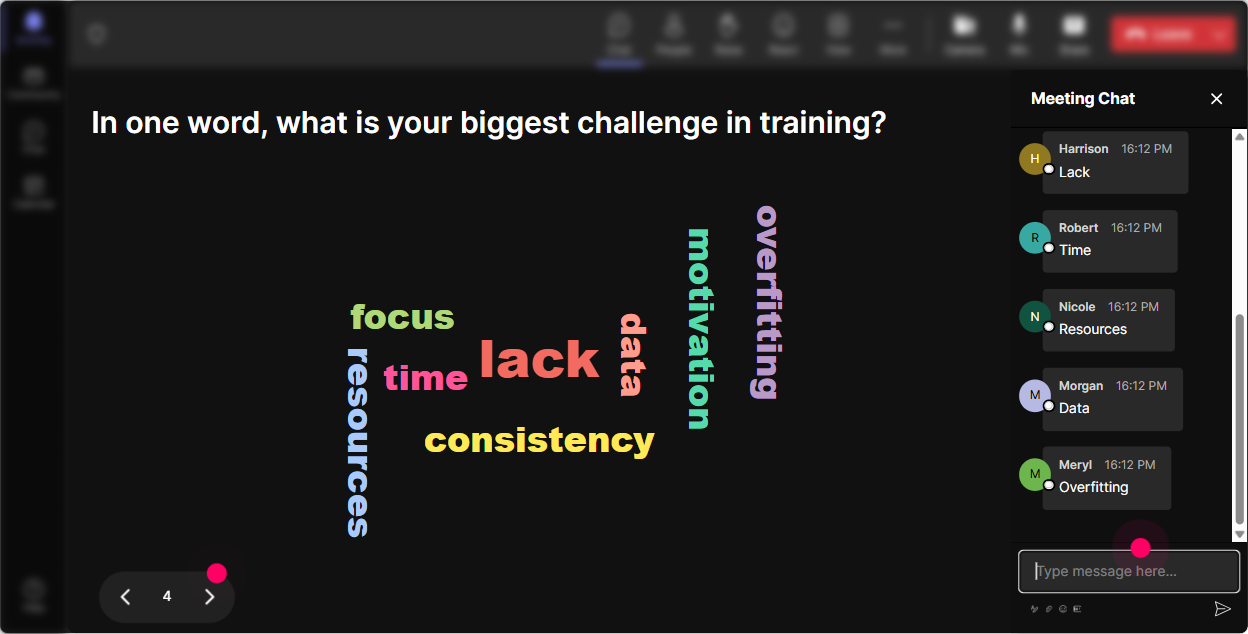
3) Wonder Words (Word Cloud): Make the rooms mindset visible
If you want Social Learning to land, you need to surface beliefs-because trainers walk in with opinions. Word Cloud is a fun, low-pressure way to do it, and it gives you a visual you can react to on the spot. Great prompts (12 word answers work best): - When you hear Social Learning, whats the first word that comes to mind? - Whats the biggest blocker in your org: time, tools, culture, or leadership? - One word for how your learners usually behave in live training? (quiet, curious, rushed, skeptical, etc.) Trainer tip: If the cloud shows words like awkward, time, or forced, dont ignore it-celebrate it. Say: Love the honesty. Lets fix those pain points today with practical tactics.
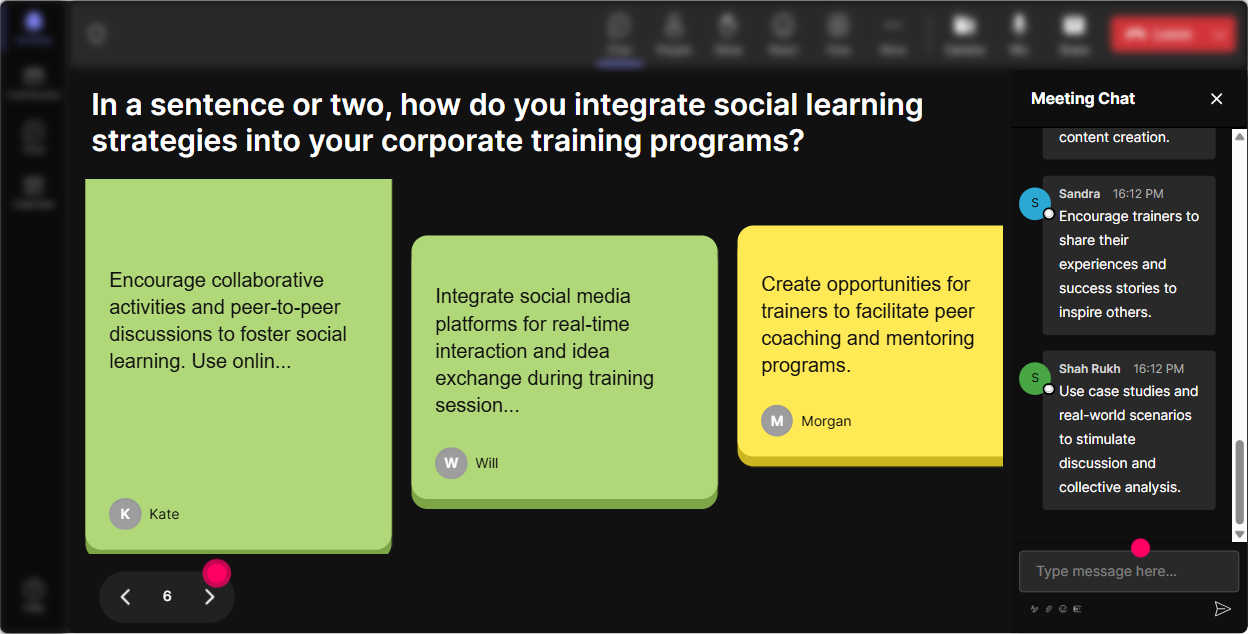
4) Talking Tiles: Get real stories (without calling on people randomly)
This is where your session stops being theory and starts feeling real. Talking Tiles is amazing for longer, more detailed responses-people can share examples, challenges, and wins, and it becomes content you can teach from. Use Talking Tiles for prompts like: - Where have you seen Social Learning happen naturally at work? What did it look like? - Whats one peer-to-peer habit you wish your learners had? - In your role as a trainer, where could Social Learning reduce your workload (and improve outcomes)? Why it works: Instead of you doing all the talking, the group generates the lesson together. You can literally point to responses and say: This right here is a Social Learning moment-people learning from each other in real time.
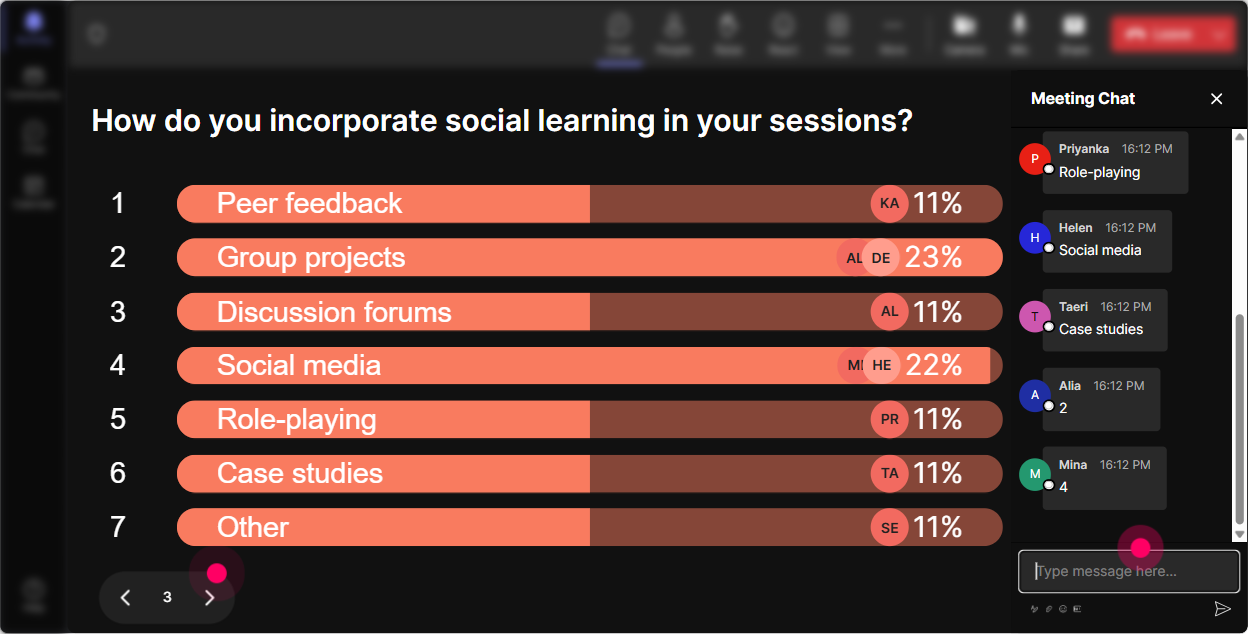
5) Power Polls: Let the audience choose what you go deeper on
Trainers are busy. They want whats relevant to them now. Power Polls lets you hand the steering wheel to the room (without losing control of the session). Poll ideas for a Social Learning ILT: - What do you want to focus on today? 1) Designing peer activities 2) Getting learners to participate 3) Measuring impact 4) Building learning communities - Which Social Learning format fits your audience best? 1) Buddy system 2) Peer coaching 3) Community of practice 4) Cohort challenges Trainer tip: Run a poll mid-session too, not just at the start: Which example should we build next? People pay attention when they feel like theyre shaping the session.
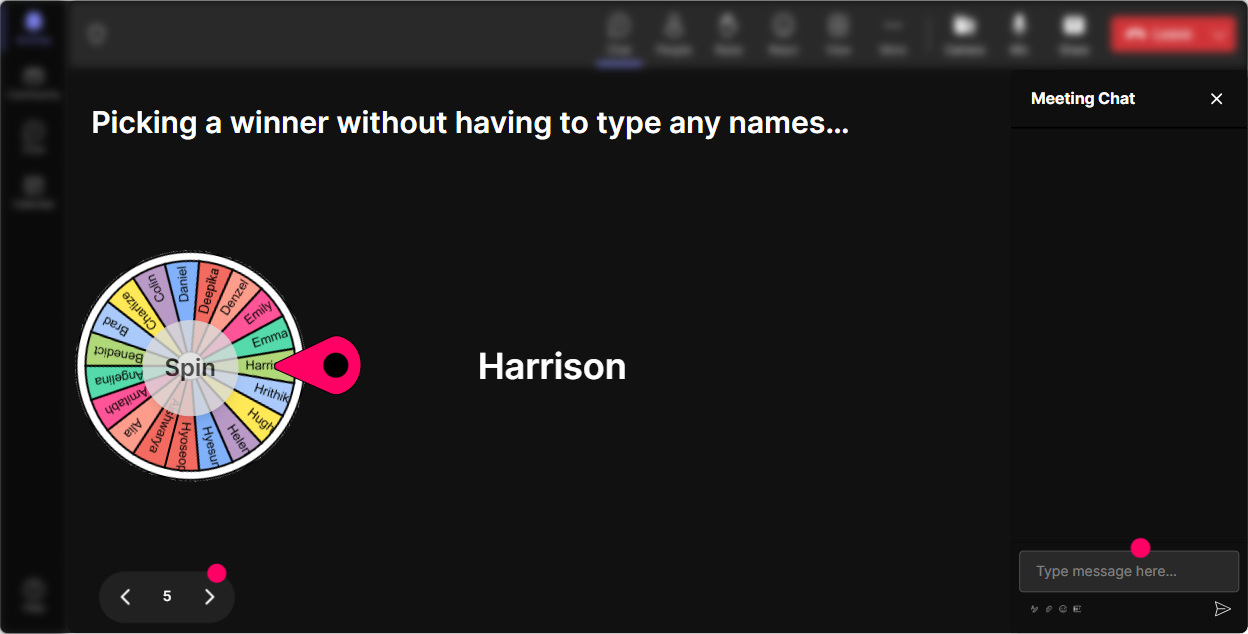
6) Winner Wheel: Pick speakers or spotlight shares in a way that feels fun
Getting volunteers is always tricky-especially with trainers in the room (they know how this goes). Winner Wheel makes participation feel lighter and more playful. And it rewards people for using chat. Ways to use it in your Social Learning training: - Drop one Social Learning activity youve tried (or want to try) in the chat. Im going to spin the wheel and ask one person to share the story behind it. - Type me if youre willing to unmute for 30 seconds. Wheel decides who goes. - Use it for rewards: Anyone who posted an idea goes into the wheel-winner gets a template / checklist / shoutout. Why it boosts engagement: Quiet folks start typing because typing = being included. And once chat starts flowing, Social Learning becomes easy to facilitate.
7) Quiz: Quick knowledge checks that dont feel like an exam
A Quiz interaction is perfect when you want to reinforce key concepts-especially if youre teaching models, principles, or myths about Social Learning. Use quizzes like: - Question: Which is the best example of Social Learning? A) Watching a 30-minute compliance video alone B) Asking a peer for feedback, then applying it C) Reading a policy PDF D) Taking a final test (Correct: B) - Question: Whats the trainers role in Social Learning? A) Be the only expert B) Facilitate, guide, and create safe structure C) Talk more so learners dont go off track D) Avoid group work (Correct: B) Trainer tip: After you reveal the correct answer, ask: Why do you think people picked A/C/D? That discussion is where the learning sticks.

2) Rating Polls: Quick pulse check on Social Learning confidence
Before you teach anything, you want to know where people are starting from. Rating Polls are perfect because theyre fast, visual, and everyone can answer without overthinking. Try these rating questions in a Social Learning ILT: - On a scale of 110, how confident are you that you could design a Social Learning activity tomorrow? - Rate your current orgs learning culture: 1 = very top-down, 10 = super peer-driven. - How comfortable are you facilitating discussion-heavy sessions (vs lecture-style)? How it helps engagement: People love seeing the live average and spread. And you get an instant talking point: Okay, weve got lots of 46s perfect, well build confidence today.
8) Q&A: Capture questions without losing your flow
In Social Learning sessions, questions pop up constantly-and if youre trying to scan chat manually, its exhausting. StreamAlive Q&A pulls questions from chat so you can actually stay present as a facilitator. How to use it smoothly: - Tell the group: Drop questions anytime-StreamAlive will collect them and Ill hit them at the end of each section. - Do parking lot moments: Lets pause and clear 23 questions before we move on. Bonus: Because it feels easy to ask, more people ask. And more questions = more engagement = better session energy.

9) Analytics: Improve every session using real engagement data (not vibes)
After your Social Learning training ends, you want to know what actually worked-not just what you *think* worked. StreamAlive Analytics shows you where engagement spiked, which interactions got people talking, and who your most engaged participants were. What you can do with it as a corporate trainer: - See the minute-by-minute engagement: Identify the exact moments the room lit up (and the moments it got quiet). - Replay chat + interaction results: Great for improving your run of show and capturing best prompts. - Identify top fans / most engaged people: Perfect if youre building a learning community and want champions. - Share reports with your team via email: Helpful when you need to show L&D stakeholders that your session was truly interactive. Trainer takeaway: Analytics helps you iterate-so each time you run this Social Learning ILT, it gets tighter, faster, and (honestly) way more fun to facilitate.

Use StreamAlive in all your training sessions
StreamAlive isn’t just for
Social Learning
training,
it can also be used for any instructor-led training session directly inside your PowerPoint presentation.
Explore similar traingin ideas: unlocking the potential of StreamAlive
See how StreamAlive transforms live training with engaging events and interactive sessions across industries, directly inside your PowerPoint presentation.

Interactions in action
(it's free)

.svg.png)


