Install StreamAlive for your PowerPoint slides
Learn more

Cross-Functional AI Governance Training for Training Agencies
StreamAlive helps 9x the audience engagement in your Virtual Instructor-led Trainings (VILT) directly inside your powerpoint presentation.
Make your instructor-led Cross-Functional AI Governance training more fun with polls, word clouds, spinner wheels and more
Works inside your existing PowerPoint presentation
Install the StreamAlive app for PowerPoint and see your slides come to life as people participate in your interactions
AI generates audience interactions for you
Let our AI scan your presentation and automatically come up with relevant questions based on the content. Or spend two hours coming up with your own questions, your choice!
Built to work with MS Teams and Zoom
Native apps for Teams and Zoom so you never have to leave your existing workflows
No QR Codes
Chat-powered interactions means your audience doesn’t need to scan QR codes or look at another screen to participate. They just type in the chat!

Quickly approved by your IT team
StreamAlive’s apps for Teams and Zoom means that they have been through rigorous quality assurance and client safety reviews. You’ll find everything an IT team needs to approve the app within the organization within your StreamAlive account.

Youve been asked to run an instructor-led session on Cross-Functional AI Governance for a training agency-and you already know the content can feel policy-heavy if youre not careful. The good news: you can make it lively, practical, and super interactive. Heres how trainers are using StreamAlive to keep participation high (like, way higher) from minute one.
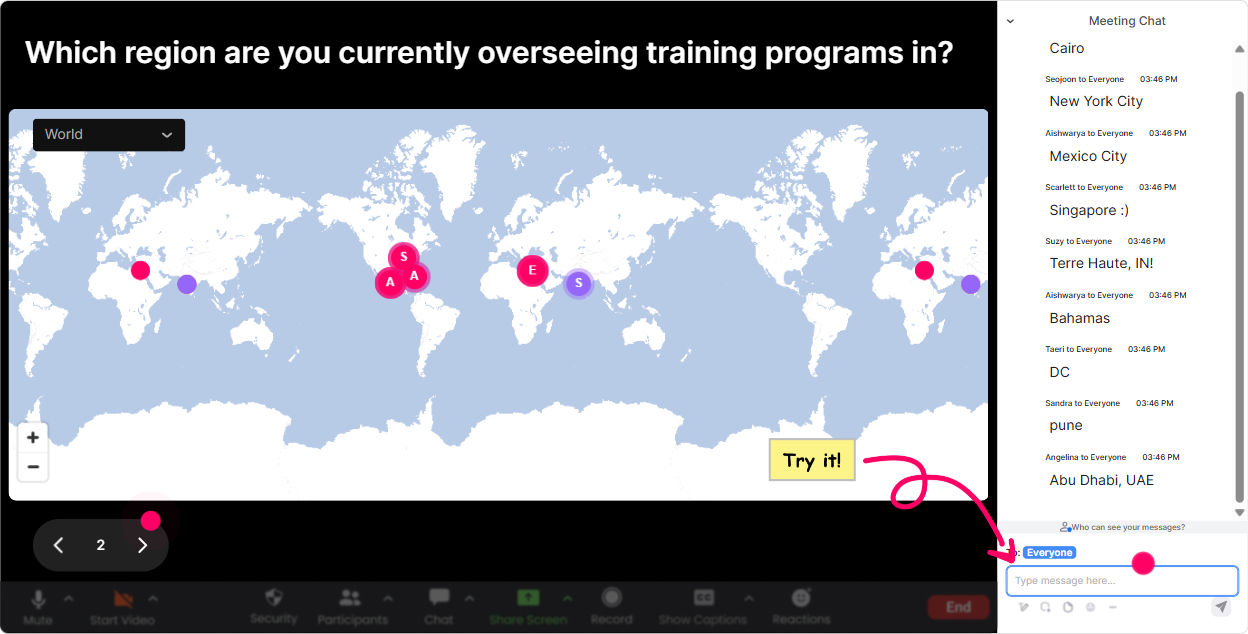
Magic Maps: Whos in the room? (and why governance looks different by region)
Start with the easiest win: get people typing in chat immediately. Pop open **Magic Maps** and ask something location-based so everyone participates without overthinking. **Why it works for Cross-Functional AI Governance:** governance is heavily influenced by geography-privacy laws, AI regulations, data residency, procurement rules, even cultural expectations. **Try prompts like:** - Where are you joining from today? City + country. - Where is your organizations biggest learner base located? - If your AI policy had to meet ONE regions rules first (EU/US/APAC), which would it be and why? (Have them type a location that represents it.) **Trainer move:** once the map populates, call out clusters: Interesting-lots of folks in the UK and India. Your governance risks might differ just based on data handling expectations. Instant relevance, instant engagement.
Rating Polls: Quick confidence check before you go deep
Before you jump into frameworks, do a fast pulse check. **Rating Polls** are perfect for how confident are you moments-no one has to write paragraphs, but you get clear data in seconds. **Use it at 3 key moments:** start, middle, end. **Questions you can run:** - On a scale of 110, how confident are you that your org could defend how it uses AI in training content today? - Rate your understanding of model risk vs use-case risk (110). - How strong is your current approval process for AI tools used by facilitators and ID teams? (110) **Trainer move:** show the results and narrate them: Weve got a lot of 4s and 5s-perfect. That tells me we should spend more time on practical workflows, not just definitions. People feel seen, and youve now tailored the session live.

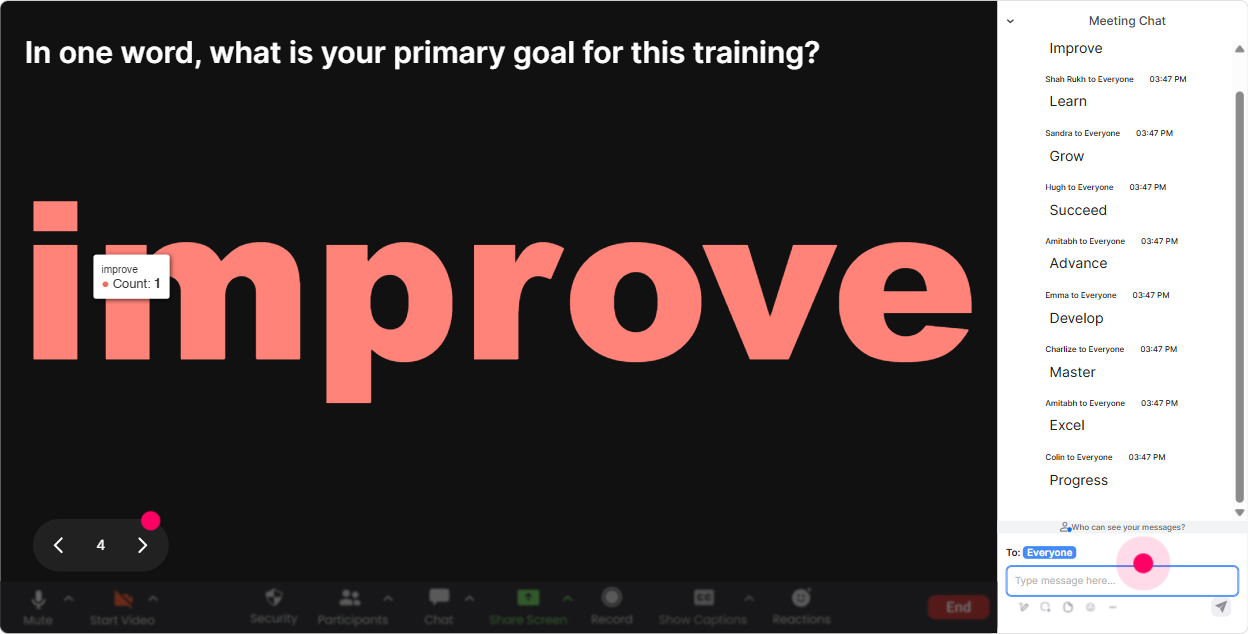
Wonder Words: Get the emotional temperature in 20 seconds
Cross-Functional AI Governance can trigger mixed reactions-excitement, fear, confusion, resistance. **Wonder Words** helps you surface that instantly and make it safe to talk about. **Ask for 12 word answers like:** - Whats one word that comes to mind when you hear AI governance? - Whats your biggest worry about AI in L&D? - What should governance protect most: learners, brand, IP, compliance, speed? **Trainer move:** when the big words appear (like compliance, fear, risk, confusing), use them as your agenda: Okay, Im seeing confusing and slow pop up-lets fix that by building a simple cross-functional workflow you can actually run. Now the audience feels like they helped design the session.
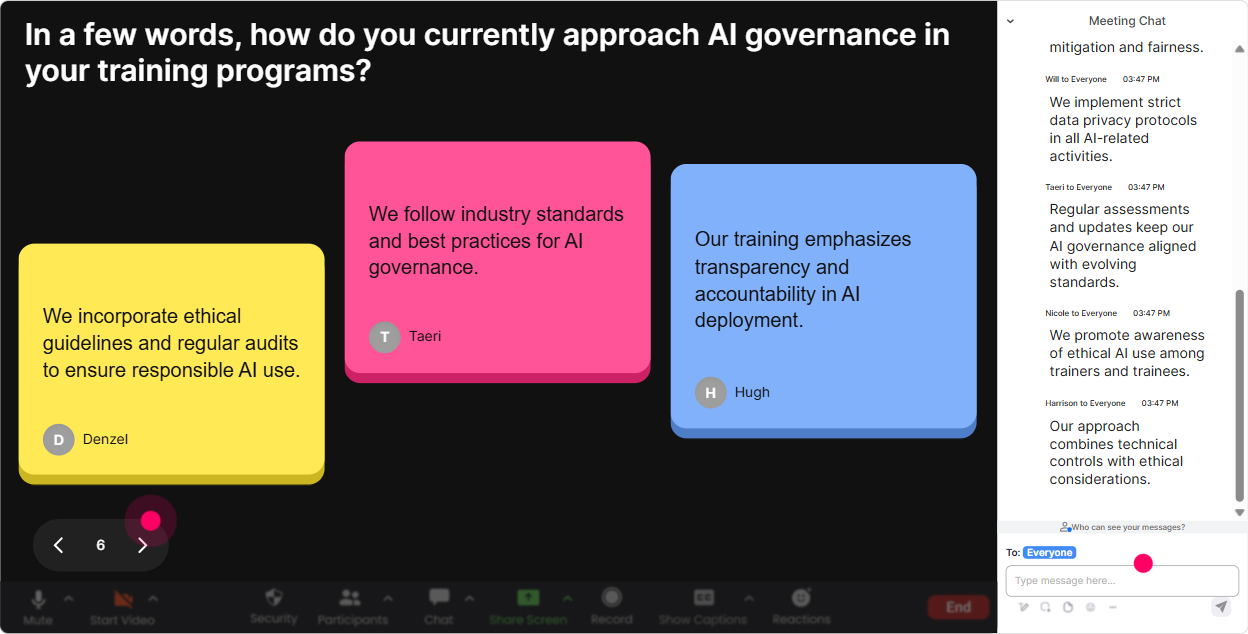
Talking Tiles: Make cross-functional viewpoints visible (without awkward cold-calling)
Governance is cross-functional by nature-Legal, HR, IT, Security, Procurement, L&D, Ops, everyone. **Talking Tiles** is amazing when you want richer answers and you want them to feel fun, not like homework. **Prompts that work really well:** - Whats one AI-related decision your team makes that *shouldnt* be made in a silo? - Finish this: If governance is too strict, we risk ____. If its too loose, we risk ____. - Describe a real situation where someone used AI in training content and it got complicated. **Trainer move:** as tiles fall, pick 23 to react to: This one is gold-We risk shipping misinformation faster. Yep. Thats exactly why review gates matter. Youre validating contributions and reinforcing key points, while everyone stays active in chat.
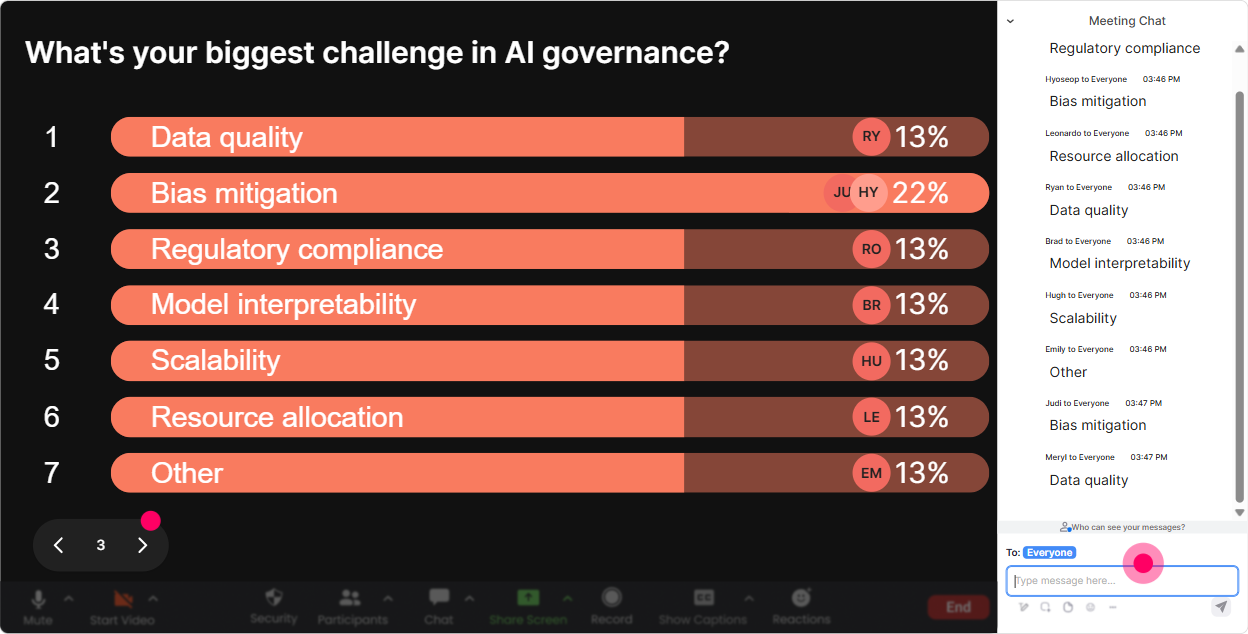
Power Polls: Decide what to focus on (and make it feel customized)
Instead of guessing what your group needs, ask them-and show the results live. **Power Polls** are great for steering the session toward the most relevant governance problems. **Poll ideas for this topic:** - Which function is hardest to align with on AI governance? 1) Legal 2) IT/Security 3) HR 4) Procurement 5) Business leaders - Where is your biggest AI governance risk today? 1) Data privacy 2) IP/copyright 3) Bias/fairness 4) Hallucinations/accuracy 5) Vendor risk - What do you need most from this training? 1) A governance framework 2) A practical workflow 3) Sample policies 4) A RACI model 5) Use-case approval checklist **Trainer move:** commit on-screen: Looks like vendor risk and privacy are winning. Cool-lets spend extra time on procurement questions and data boundaries for trainers. Thats how you keep engagement high-people pay attention when they see their vote shaping the session.
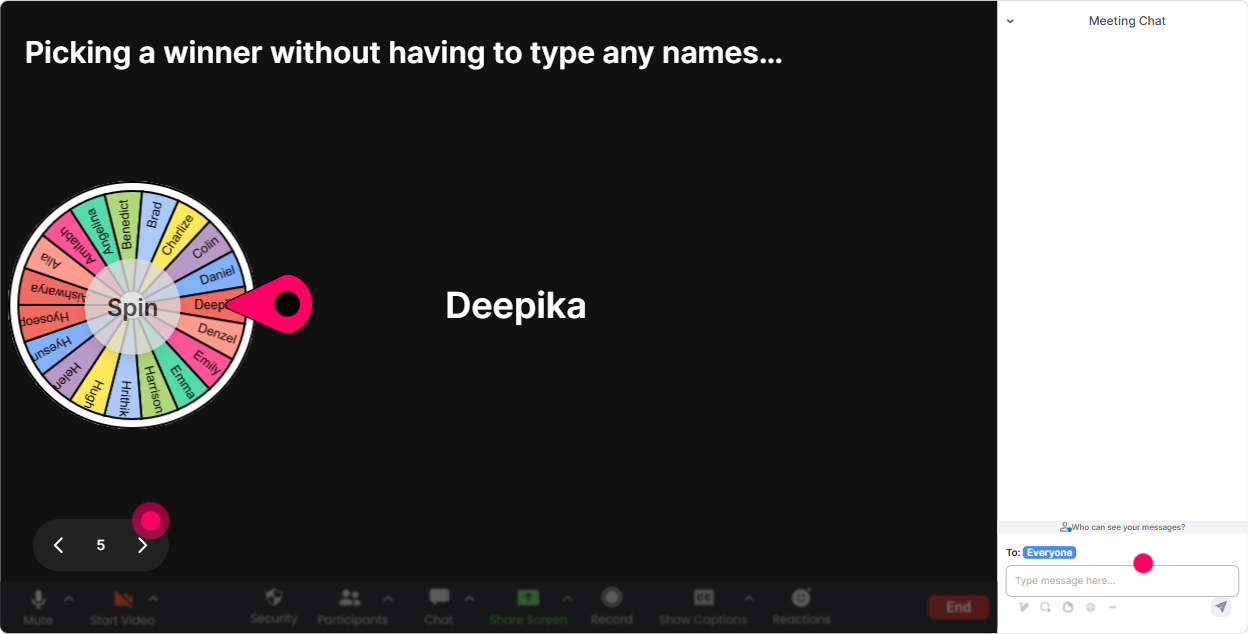
Winner Wheel: Get volunteers without the awkward silence
You know that moment when you ask, Anyone want to share? and the room goes quiet? The **Winner Wheel** fixes that in a playful way. **How to use it in governance training:** - Tell them: Drop a quick example in chat. Im going to spin the wheel and invite one person to talk through it for 60 seconds. - Spin from people who commented during this interaction so participation is rewarded. **Great prompts to feed the wheel:** - Type one AI tool people in your org are using (officially or unofficially). - Type one department you think should co-own AI governance with L&D. - Type one governance rule youd implement tomorrow. **Trainer move:** keep it light and safe: If you get picked, you can pass-no pressure. Ironically, that makes more people willing to speak. And suddenly your discussion actually becomes a discussion.
Quiz: Quick knowledge checks that dont feel like exams
Governance training sticks when people can test their understanding in small bites. StreamAlive **Quiz** lets you do quick multiple-choice checks and reveal the correct answer live. **Use quizzes to clear up common confusion, like:** - Which is the BEST example of an AI governance control? A) Buying more laptops B) A documented approval workflow for high-risk AI use cases C) Asking people to be careful D) Letting each team decide their own rules - Who should own the final approval for an AI policy? (Trick question: its shared-use the reveal to explain cross-functional ownership and escalation.) - Which risk is MOST likely when using generative AI for training content? A) Faster content creation B) Higher engagement C) Confidential info leakage D) Better compliance automatically **Trainer move:** after revealing the correct answer, ask one follow-up in chat: Whats one control you could add to reduce that risk? Now youve turned a quiz into a mini action-planning moment.

Rating Polls: Quick confidence check before you go deep
Before you jump into frameworks, do a fast pulse check. **Rating Polls** are perfect for how confident are you moments-no one has to write paragraphs, but you get clear data in seconds. **Use it at 3 key moments:** start, middle, end. **Questions you can run:** - On a scale of 110, how confident are you that your org could defend how it uses AI in training content today? - Rate your understanding of model risk vs use-case risk (110). - How strong is your current approval process for AI tools used by facilitators and ID teams? (110) **Trainer move:** show the results and narrate them: Weve got a lot of 4s and 5s-perfect. That tells me we should spend more time on practical workflows, not just definitions. People feel seen, and youve now tailored the session live.
Q&A: Catch every question in the chat (so nothing gets lost)
In governance sessions, people have real concerns-Are we allowed to use ChatGPT?, What about client data?, Who signs off? With StreamAlive **Q&A**, questions get captured and organized straight from chat-no separate Q&A box, no scrolling panic. **How to make it work smoothly:** - Tell people: Drop questions anytime. StreamAlive will collect them and Ill pause every 15 minutes to answer. - Use Q&A blocks at natural chapter breaks: definitions risks controls operating model. **Example questions youll likely get (and should welcome):** - Whats the line between assistive use and automated decision-making in L&D? - Do we need learner consent for AI-generated coaching? - How do we govern vendors who claim their model is secure? **Trainer move:** call out patterns: Im seeing a theme-lots of questions about vendor risk. Lets do a quick mini-framework for procurement + security review. Thats how you keep trust and attention.

Analytics: Prove engagement, improve your run-of-show, and spot your champions
After the session, you dont want to rely on vibes. StreamAlive **Analytics** shows you what actually happened-minute-by-minute engagement, chat activity, and which interactions lit up the room. **How training agencies can use this for Cross-Functional AI Governance:** - **Find your peak moments:** Maybe your RACI model segment was quiet, but the real incident examples segment exploded in chat-now you know what to expand next time. - **Identify your champions:** Fantastic Fans often include the people who could become internal governance advocates or pilot-group leaders. - **Share proof with stakeholders:** Send interaction reports by email to show outcomes: what risks participants prioritized, confidence improvements, and top questions raised. **Trainer move:** use analytics to iterate: Next cohort, Im moving the policy template section earlier and adding more vendor-risk scenarios-because thats where engagement spiked. Thats how you gradually build a session that keeps people participating all the way through-and yes, youll feel that 9x engagement difference.

Use StreamAlive in all your training sessions
StreamAlive isn’t just for
Cross-Functional AI Governance
training,
it can also be used for any instructor-led training session directly inside your PowerPoint presentation.
Explore similar traingin ideas: unlocking the potential of StreamAlive
See how StreamAlive transforms live training with engaging events and interactive sessions across industries, directly inside your PowerPoint presentation.

Interactions in action
(it's free)

.svg.png)


