Install StreamAlive for your PowerPoint slides
Learn more

Digital Twins Training for Training Agencies
StreamAlive helps 9x the audience engagement in your Virtual Instructor-led Trainings (VILT) directly inside your powerpoint presentation.
Make your instructor-led Digital Twins training more fun with polls, word clouds, spinner wheels and more
Works inside your existing PowerPoint presentation
Install the StreamAlive app for PowerPoint and see your slides come to life as people participate in your interactions
AI generates audience interactions for you
Let our AI scan your presentation and automatically come up with relevant questions based on the content. Or spend two hours coming up with your own questions, your choice!
Built to work with MS Teams and Zoom
Native apps for Teams and Zoom so you never have to leave your existing workflows
No QR Codes
Chat-powered interactions means your audience doesn’t need to scan QR codes or look at another screen to participate. They just type in the chat!

Quickly approved by your IT team
StreamAlive’s apps for Teams and Zoom means that they have been through rigorous quality assurance and client safety reviews. You’ll find everything an IT team needs to approve the app within the organization within your StreamAlive account.

Youve been asked to run a Digital Twins instructor-led training for a Training Agency-and you want it to feel alive, not like a slide marathon. The good news: you can make Digital Twins feel super practical and interactive fast. Here are StreamAlive-powered ideas to keep people participating (not just attending).
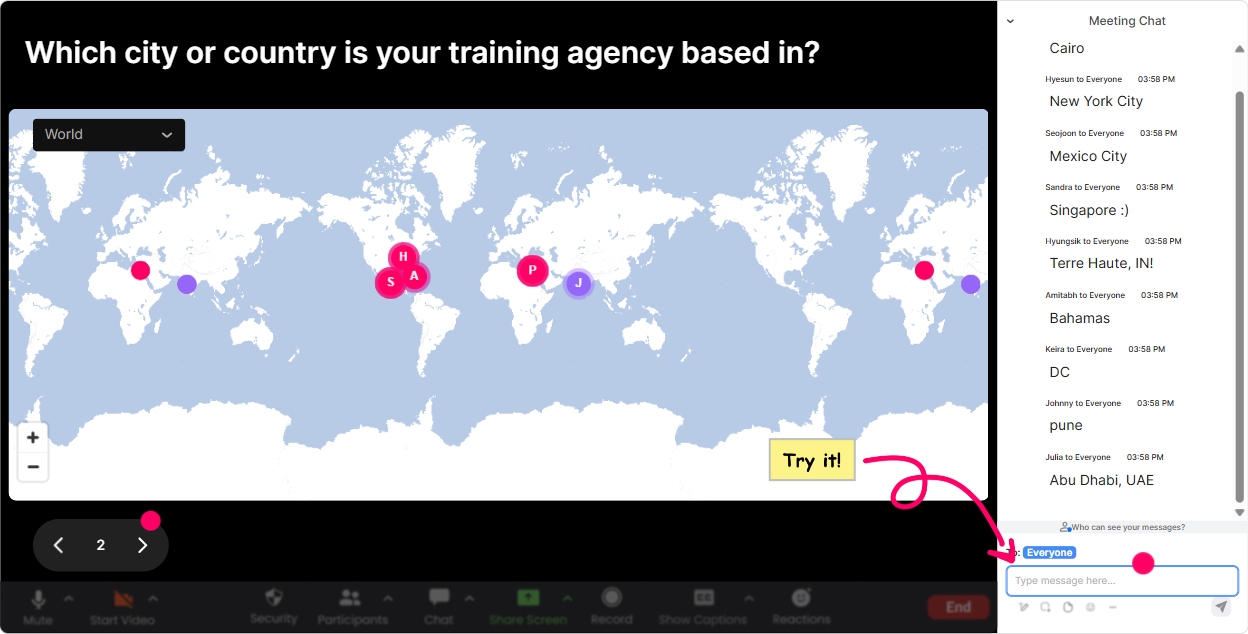
Magic Maps: Put your Digital Twins audience on the map (literally)
Digital Twins is used differently depending on industry and region-so this is an easy, natural icebreaker that also gives you context. How to use it in your session: - Kickoff question: Where in the world are you joining from today? (Classic, works every time.) - Make it Digital Twins-specific: Which city are you creating/training for most-manufacturing hubs, smart cities, oil & gas, healthcare? - Fun + relevant: If you could clone any facility as a Digital Twin for practice, what city would it be in? Trainer move: once the map populates, call out clusters like, Okay wow-lots of folks from Germany and Singapore makes sense for Industry 4.0 and smart infrastructure. It instantly feels more personal, and people realize their chat messages matter.
Rating Polls: Quick pulse-check before you go deep
Rating Polls are your best friend for reading the room fast-especially with mixed-level groups (which Digital Twins sessions usually have). Easy ways to use it: - Confidence check: On a scale of 110, how confident are you explaining what a Digital Twin is? - Readiness check: How ready is your organization to actually use Digital Twins? (1 = not even talking about it, 10 = already building) - After a tricky concept (like data pipelines/IoT integration): Rate that last section for clarity (110). Trainer move: if the average is low, dont push harder-switch gears. Say, Cool, were at a 5-ish. Let me give you a simpler example before we continue. That single moment builds trust.

Wonder Words (Word Cloud): Get real feelings and assumptions on the screen
Digital Twins can feel intimidating, buzzwordy, or exciting depending on whos in the room. A word cloud helps you surface what people really think-without putting anyone on the spot. Prompts that work really well: - When you hear Digital Twin, whats the first word that comes to mind? - What do you think a Digital Twin needs to be real-data, sensors, 3D model, AI? - Whats the biggest blocker in your org for Digital Twins? (one or two words) Trainer move: use the biggest words as your agenda. Example: if data and cost blow up, say, Perfect-lets keep those two in mind, because well address both today. Now your content feels tailored, not generic.

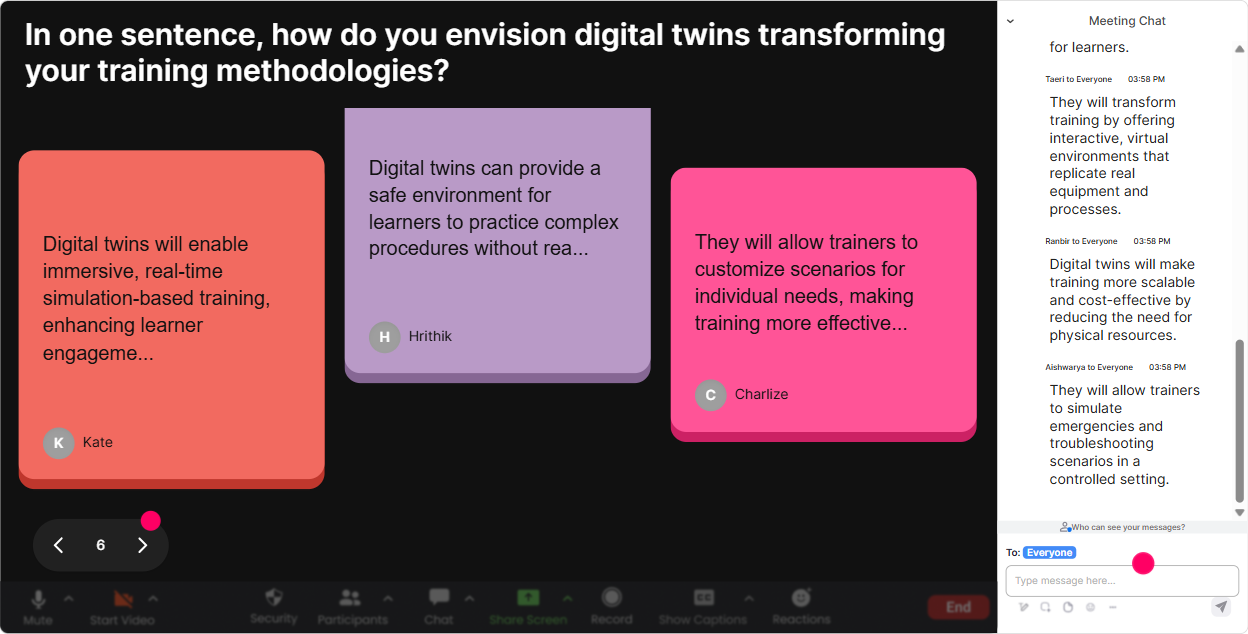
Talking Tiles: Turn your group into a live brainstorm wall
When you want more than one-word answers-use Talking Tiles. Its like getting everyone to speak at once, without the awkward silence. Digital Twins prompts that spark real discussion: - In your role, where could a Digital Twin save time, money, or mistakes? Give a quick example. - Whats one asset/process in your org that would be worth twinning first-and why? - Describe your current training challenge: onboarding, safety, maintenance, sales demos, etc. Where could simulation help? Trainer move: once the tiles start falling, read out a few and group them live: Im seeing a theme-maintenance prediction, safety training, and remote site ops. Nice. Lets map those to Digital Twin use cases. People feel heard, and you get instant relevance.
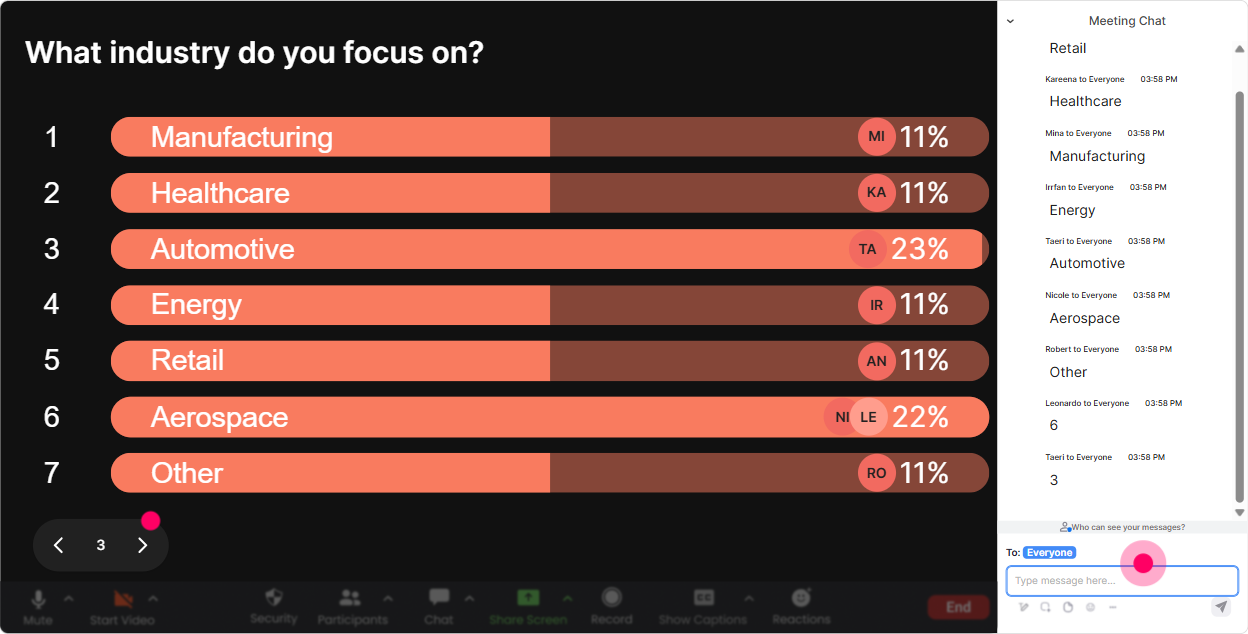
Power Polls: Let the audience choose the path of the training
Power Polls are perfect when you want to avoid guessing what people care about most. Let them vote, and then teach to the demand. Poll ideas for Digital Twins ILT: - What do you want more of today? 1) Use cases 2) Tools & stack 3) Data/IoT basics 4) ROI & business case 5) How to pitch it internally - Which industry are you closest to? 1) Manufacturing 2) Construction 3) Energy 4) Healthcare 5) Smart cities 6) Other - Whats your biggest stuck point right now? 1) Dont understand it 2) Dont have data 3) Dont have budget 4) Dont have skills 5) Dont have buy-in Trainer move: show results in real time and say, Alright, you voted-so were spending extra time on ROI and use cases. Love it. That one sentence buys you attention for the next 20 minutes.
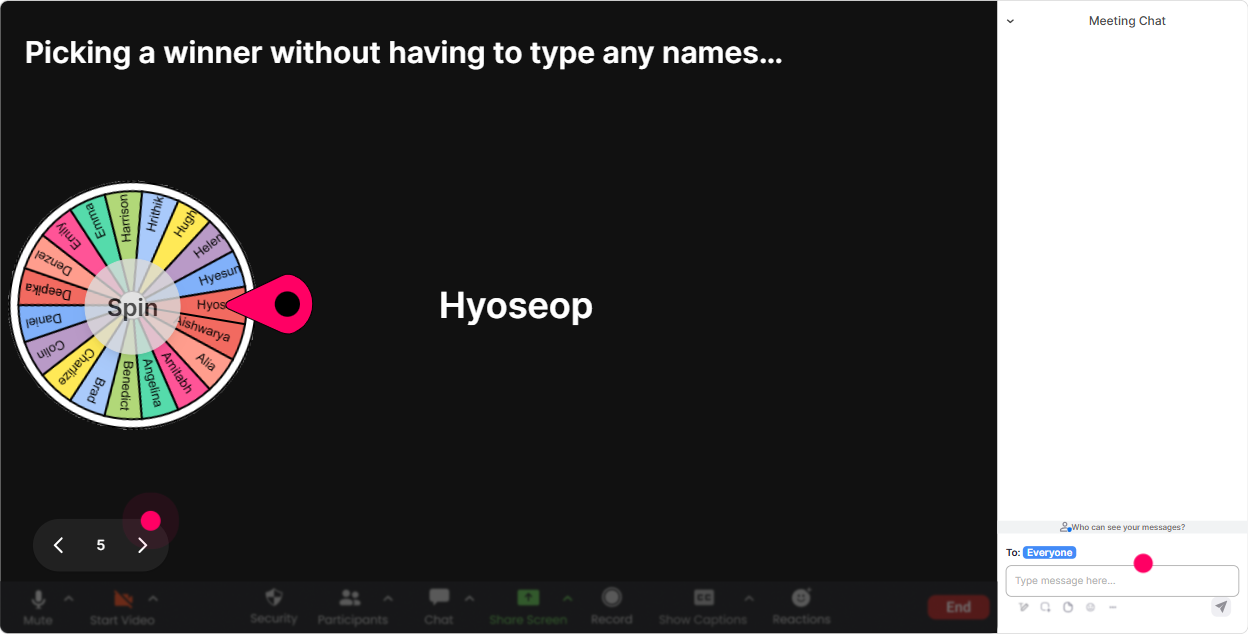
Winner Wheel (Spinner Wheel): Get volunteers without the awkwardness
Sometimes you need someone to unmute, share an example, or answer a quick question-but asking for volunteers can get quiet. The Spinner Wheel fixes that in a fun, fair way. Ways to use it during Digital Twins training: - Lets hear a real example-wheel pick: whos sharing a possible Digital Twin use case from your work? - Pop quiz discussion: Im spinning for someone to explain the difference between a Digital Model vs Digital Shadow vs Digital Twin. - Mini challenge: whos going to pitch a Digital Twin idea in 30 seconds? The wheel decides. Trainer move: pair it with a small reward: Winner gets bragging rights + Ill share my Digital Twin template with you after. Participation shoots up because it feels playful, not pressured.
Quiz: Quick knowledge checks that dont kill the vibe
A Quiz is perfect for Digital Twins because there are a few concepts people *think* they know-but often mix up. Use quizzes to lock in learning without sounding like an exam. Multiple-choice questions you can run: - Which is the best definition of a true Digital Twin? 1) A 3D model 2) A simulation that updates with real-world data 3) A CAD file 4) A dashboard report - Whats usually the hardest part of scaling Digital Twins? 1) The 3D model 2) Data integration 3) Choosing colors 4) Naming the project - Which use case typically shows ROI fastest? 1) Predictive maintenance 2) Marketing visuals 3) Website redesign 4) Office seating plan Trainer move: after you reveal the correct answer, ask: If you chose a different option, what made it tempting? That little debrief turns a quiz into a real learning moment.

Rating Polls: Quick pulse-check before you go deep
Rating Polls are your best friend for reading the room fast-especially with mixed-level groups (which Digital Twins sessions usually have). Easy ways to use it: - Confidence check: On a scale of 110, how confident are you explaining what a Digital Twin is? - Readiness check: How ready is your organization to actually use Digital Twins? (1 = not even talking about it, 10 = already building) - After a tricky concept (like data pipelines/IoT integration): Rate that last section for clarity (110). Trainer move: if the average is low, dont push harder-switch gears. Say, Cool, were at a 5-ish. Let me give you a simpler example before we continue. That single moment builds trust.
Q&A (Quick Questions): Catch every question without losing your flow
Digital Twins sessions generate a lot of wait-so how does that work in real life? questions. StreamAlive grabbing questions straight from chat means you dont miss them, and you dont have to play chat detective mid-explanation. How to run it smoothly: - Tell them upfront: Drop your questions anytime-StreamAlive will collect them, and Ill hit them at the end of each section. - Use a mid-session checkpoint: Alright, before we jump to architecture, lets clear the top 3 questions so far. - Use it for parking lot items: Great question-captured. Well come back when we cover tooling. Trainer move: this keeps your pacing clean while still making people feel supported-especially the quieter learners who prefer typing over speaking.

Analytics: Find out what actually engaged your learners (and improve the next delivery)
After your training, StreamAlive analytics basically tells you what worked-without you guessing. What you can learn for your Digital Twins ILT: - See engagement minute-by-minute: youll spot where attention spiked (maybe your real-world case study) and where it dipped (maybe that dense architecture slide). - Chat replay + interaction results: you can literally revisit what your audience responded to most-super useful when youre refining the course for the next client. - Identify your top engaged participants (Fantastic Fans): these are often your internal champions-people who will push Digital Twins forward inside their org. - Share reports easily (email/team): helpful when you need to show a training manager, Heres participation, heres what they voted for, heres what they asked. Trainer move: use analytics to tweak your run-of-show: keep what worked, shorten what didnt, and walk into your next Digital Twins session already knowing how to get that 9x engagement feeling again.

Use StreamAlive in all your training sessions
StreamAlive isn’t just for
Digital Twins
training,
it can also be used for any instructor-led training session directly inside your PowerPoint presentation.
Explore similar traingin ideas: unlocking the potential of StreamAlive
See how StreamAlive transforms live training with engaging events and interactive sessions across industries, directly inside your PowerPoint presentation.

Interactions in action
(it's free)

.svg.png)


