Install StreamAlive for your PowerPoint slides
Learn more

Environmental Sustainability Training for Corporate Trainers
StreamAlive helps 9x the audience engagement in your Virtual Instructor-led Trainings (VILT) directly inside your powerpoint presentation.
Make your instructor-led Environmental Sustainability training more fun with polls, word clouds, spinner wheels and more
Works inside your existing PowerPoint presentation
Install the StreamAlive app for PowerPoint and see your slides come to life as people participate in your interactions
AI generates audience interactions for you
Let our AI scan your presentation and automatically come up with relevant questions based on the content. Or spend two hours coming up with your own questions, your choice!
Built to work with MS Teams and Zoom
Native apps for Teams and Zoom so you never have to leave your existing workflows
No QR Codes
Chat-powered interactions means your audience doesn’t need to scan QR codes or look at another screen to participate. They just type in the chat!

Quickly approved by your IT team
StreamAlive’s apps for Teams and Zoom means that they have been through rigorous quality assurance and client safety reviews. You’ll find everything an IT team needs to approve the app within the organization within your StreamAlive account.

Youve been asked to run an Environmental Sustainability instructor-led training for corporate trainers-and you want it to be more than a slide deck and a few awkward questions. Totally fair. Here are simple, high-energy ways to teach sustainability while keeping people actually participating (and yes, StreamAlive makes that way easier).
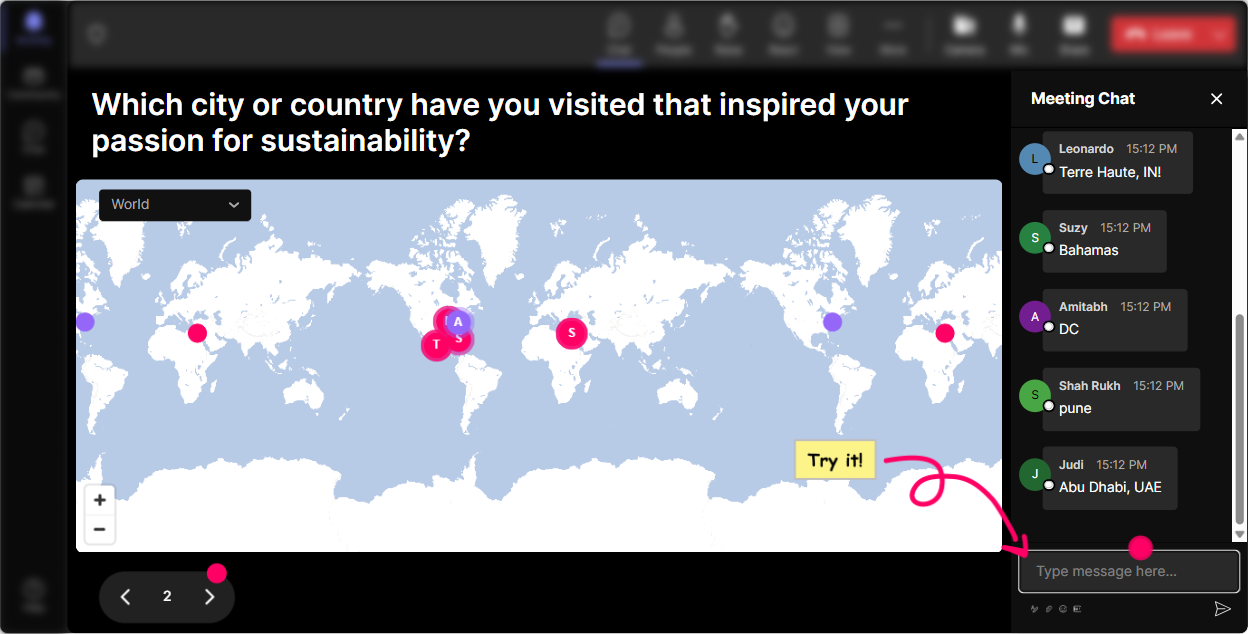
Magic Maps: Put your sustainability story on the map (literally)
This is the easiest everyone can participate opener-and it instantly makes the room feel alive. How to use it in Environmental Sustainability training: - Kick-off icebreaker: Where are you joining from? Then tie it to a sustainability angle: Whats one local environmental issue your city deals with-heat, flooding, air quality, drought? - Make it personal: Drop a place on earth youve visited that looked dramatically different due to pollution or climate change. - Smart transition into content: When you see clusters (say, lots of people in coastal cities), you can pivot: Okay, lots of coastal folks here-lets talk climate risk and resilience. Trainer move: Use Magic Maps early to get chat flowing. Once people type once, theyll keep typing all session.
Rating Polls: Get a quick read on your groups sustainability confidence
Before you teach anything, find out what youre working with. Rating Polls give you that fast. How to use it: - Knowledge check at the start: On a scale of 110, how confident are you explaining scope 1, 2, and 3 emissions? - Reality check: Rate your organizations current sustainability maturity (1 = just starting, 10 = embedded into decisions). - Pulse check mid-session: How practical was that last section for your role? (110) Trainer move: If the average is low, you slow down and simplify. If its high, you skip the basics and go deeper. Either way, your audience feels seen.

Wonder Words: Capture the rooms mindset in one screenshot-worthy moment
Word clouds are perfect for sustainability because people have strong emotions and assumptions about it. Wonder Words pulls those out fast. Try prompts like: - When you hear Environmental Sustainability, whats the first word that pops up? - Whats the biggest barrier to sustainability at work? (12 words) (Examples youll get: budget, time, leadership, culture, data) - What do you want more of in sustainability training? (tools, examples, templates, buy-in, metrics) Trainer move: Call out the biggest words and respond in real time: Im seeing greenwashing and confusing-great, well demystify that today.

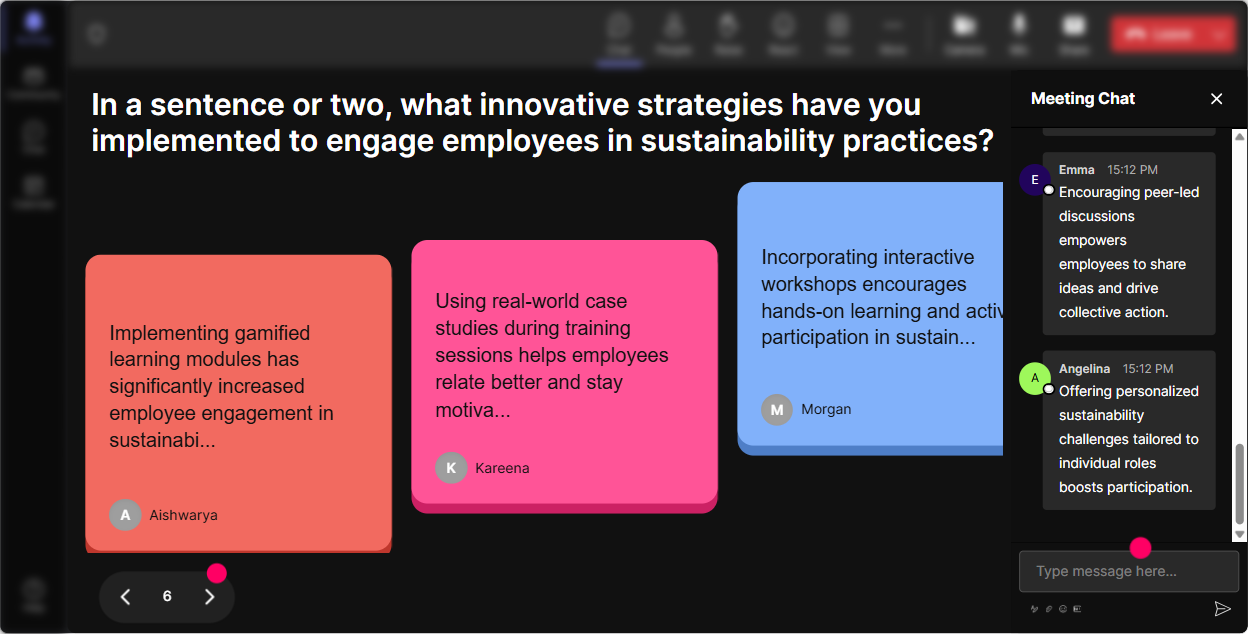
Talking Tiles: Turn sustainability into real workplace stories (without forcing people to unmute)
Sustainability training gets way more engaging when people talk about their actual work-not abstract principles. Talking Tiles is your lets hear from everyone tool. Use it for: - Job connection: Where does sustainability show up in your role right now-if at all? - Scenario thinking: Describe one wasteful process youve seen at work (no company names). What would you change? - Action planning: Whats one sustainability habit your team could adopt in the next 30 days? Trainer move: As tiles fall, narrate themes: Okay Im seeing travel policies, printing, vendor packaging, energy use lets group these into quick wins vs long-term projects.
Power Polls: Let the audience choose what you focus on next
Corporate trainers love choice-and your audience does too. Power Polls help you stop guessing and teach what they actually care about. Poll ideas for this topic: - What do you want to dive into today? 1) Climate basics 2) ESG & reporting (without the jargon) 3) Scope 1/2/3 4) Sustainable operations (waste/energy/water) 5) Behavior change & training strategies - Which sustainability lever is most realistic in your team? 1) Reduce waste 2) Reduce energy 3) Smarter procurement 4) Travel reduction 5) Hybrid work / space optimization Trainer move: Run the poll, show results live, and say: Cool-looks like procurement and Scope 3 are the winners. Lets spend the most time there. Instant buy-in.

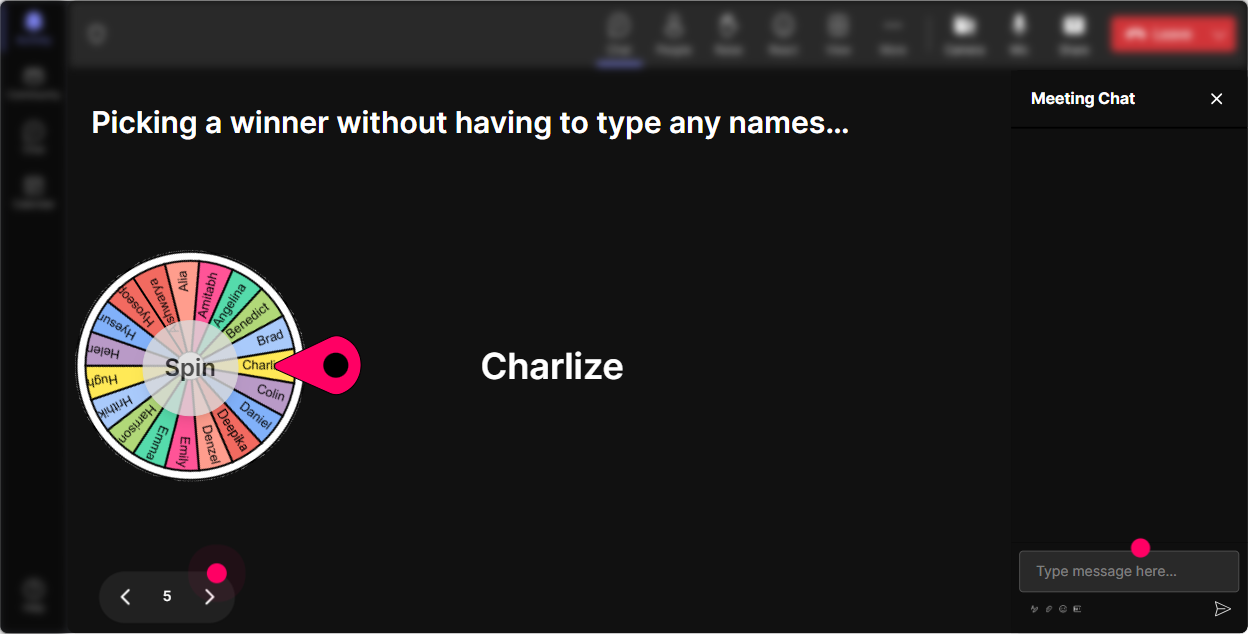
Winner Wheel: Make participation fun (and magically fair)
You know that moment when you ask a question and the same two people answer? Winner Wheel fixes that-without you calling anyone out. Ways to use it in sustainability training: - Type one idea for cutting waste in the workplace. Im spinning the wheel to pick someone to explain theirs for 20 seconds. - Share a sustainability myth youve heard. Wheel picks a myth, and well bust it together. - Drop one question you want answered today. Wheel chooses which one we tackle first. Trainer move: Pair it with low-stakes rewards (shoutout, virtual badge, sustainability MVP). It nudges quieter folks to join in because commenting now has a fun payoff.
Quiz: Quick sustainability knowledge checks that dont feel like an exam
Quizzes keep attention high because people like to test themselves-especially when its quick. Use quiz moments like: - Which is typically the biggest source of emissions for many companies? A) Office lighting B) Employee commuting C) Supply chain / purchased goods D) Recycling bins (Correct is often C-great discussion starter.) - What does Scope 2 refer to? A) Direct fuel burning onsite B) Purchased electricity/steam/heat C) Supply chain emissions D) Employee travel only - Which claim is most likely greenwashing? (Give 4 marketing-style options.) Trainer move: After revealing the correct answer, ask: What made that tricky? Thats where the real learning happens.

Rating Polls: Get a quick read on your groups sustainability confidence
Before you teach anything, find out what youre working with. Rating Polls give you that fast. How to use it: - Knowledge check at the start: On a scale of 110, how confident are you explaining scope 1, 2, and 3 emissions? - Reality check: Rate your organizations current sustainability maturity (1 = just starting, 10 = embedded into decisions). - Pulse check mid-session: How practical was that last section for your role? (110) Trainer move: If the average is low, you slow down and simplify. If its high, you skip the basics and go deeper. Either way, your audience feels seen.
Q&A: Stop losing great questions in the chat scroll
In sustainability sessions, questions come fast-and theyre often nuanced. StreamAlives Q&A captures them cleanly from chat so you dont miss the good stuff. How to run it: - Set the tone: Drop your questions anytime-StreamAlive will grab them for our Q&A block. - Use it for sensitive topics: Ask anything about greenwashing, reporting pressure, or what if leadership doesnt care? People are more likely to ask in chat than on mic. - End strong: Lets do a lightning round-top questions first. Trainer move: Call out names when answering. It boosts connection: Great question, Priya-this comes up a lot with Scope 3

Analytics: Prove engagement, spot drop-off, and improve your next session
If you train internally or for clients, analytics is your secret weapon-because you can show impact, not just attendance. What to look for after your sustainability ILT: - Minute-by-minute engagement: See exactly where people leaned in (polls, stories, quizzes) and where attention dipped (usually long monologues). - Chat replay: Find the moments that sparked the most conversation-those are your keep forever segments. - Fantastic Fans: Identify your most engaged participants-these are your future champions, pilot group members, or co-facilitators. - Interaction reports: Share poll outcomes like Top barriers to sustainability at work with L&D or leadership as real data. Trainer move: Use the results to tweak your run-of-show so the next delivery gets even more interactive (and easier to facilitate).

Use StreamAlive in all your training sessions
StreamAlive isn’t just for
Environmental Sustainability
training,
it can also be used for any instructor-led training session directly inside your PowerPoint presentation.
Explore similar traingin ideas: unlocking the potential of StreamAlive
See how StreamAlive transforms live training with engaging events and interactive sessions across industries, directly inside your PowerPoint presentation.

Interactions in action
(it's free)

.svg.png)


