Install StreamAlive for your PowerPoint slides
Learn more

Experience Design Training for L&D Leaders
StreamAlive helps 9x the audience engagement in your Virtual Instructor-led Trainings (VILT) directly inside your powerpoint presentation.
Make your instructor-led Experience Design training more fun with polls, word clouds, spinner wheels and more
Works inside your existing PowerPoint presentation
Install the StreamAlive app for PowerPoint and see your slides come to life as people participate in your interactions
AI generates audience interactions for you
Let our AI scan your presentation and automatically come up with relevant questions based on the content. Or spend two hours coming up with your own questions, your choice!
Built to work with MS Teams and Zoom
Native apps for Teams and Zoom so you never have to leave your existing workflows
No QR Codes
Chat-powered interactions means your audience doesn’t need to scan QR codes or look at another screen to participate. They just type in the chat!

Quickly approved by your IT team
StreamAlive’s apps for Teams and Zoom means that they have been through rigorous quality assurance and client safety reviews. You’ll find everything an IT team needs to approve the app within the organization within your StreamAlive account.

Youve been asked to run an Experience Design instructor-led training for L&D Leaders-and you want it to feel like an experience, not a lecture. The easiest win? Get people doing things in the chat every few minutes. Here are practical ways to design that flow using StreamAlive so engagement stays high (and yes, it can feel like 9x more energy in the room).
Magic Maps: Kick off with youre on the map energy
This is the simplest way to break the ice without forcing awkward intros. Ask one location-based question, and StreamAlive plots everyone on a live world map as they answer in chat-so you instantly get movement, visuals, and connection. How to use it in Experience Design training: - **Warm welcome + instant belonging:** Where are you joining from today? (Classic, but it works-especially when the map starts clustering.) - **Experience Design angle:** Wheres a training room (city) you delivered in that youll never forget? Great segue into how *environment + emotion* shapes experience. - **Design mindset opener:** If you could teleport to learn Experience Design anywhere on earth, where would you go? Now youre already talking about intention, context, and learner motivation. Trainer tip: If youre expecting lots of people from a few cities, tweak cluster colors so those hotspots stand out. It makes the map feel even more alive.

Rating Polls: Get a real-time confidence check (without putting anyone on the spot)
Rating Polls are your fast pulse-check tool. People answer with a number, you get an instant visual, and you can adjust your delivery on the fly. How to use it in Experience Design training: - **Baseline confidence:** On a scale of 110, how confident are you designing learning experiences today? - **After a key framework:** Rate this: How usable is this Experience Design model for your next program? - **Skill-specific checks:** 110: How confident are you in designing *practice* (not just content) into ILT? Trainer tip: When you see a wide spread (some 2s and some 9s), call it out: Cool-this means weve got great peer learning in the room. Then invite the 810s to share one tip in chat.

Wonder Words (Word Cloud): Make emotions and expectations visible
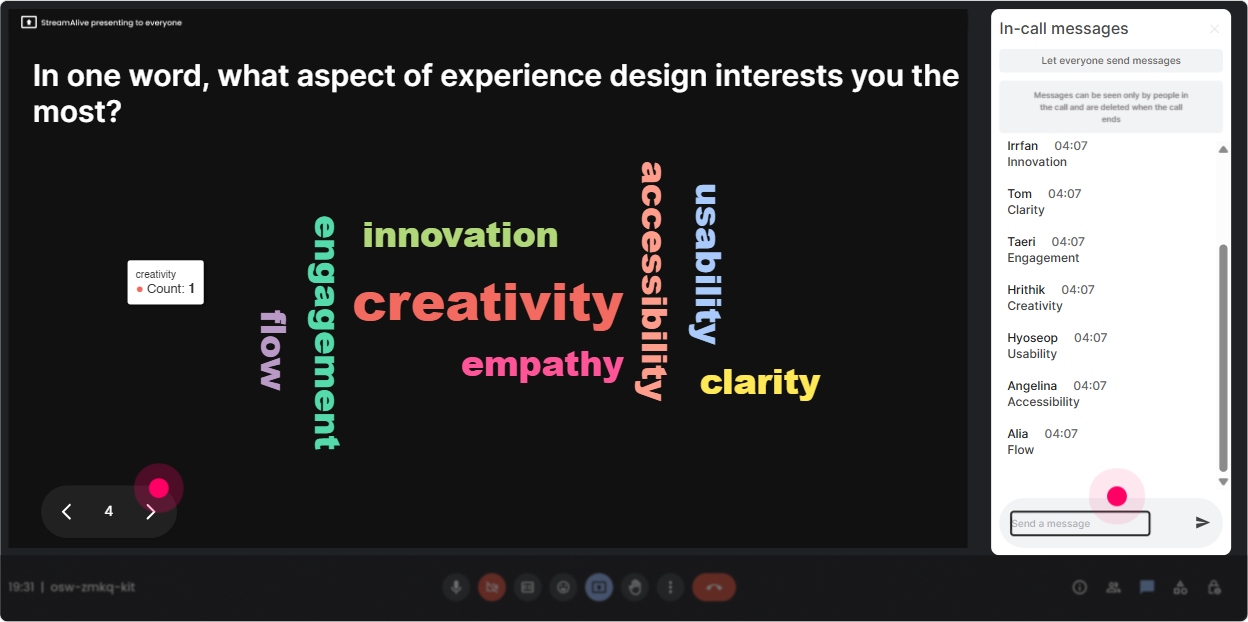
Word clouds are perfect for Experience Design because they surface mindset, beliefs, and emotional tone in seconds. People type a word or two, and the group sees whats trending immediately. How to use it in Experience Design training: - **Feelings at the start:** When you hear Experience Design, whats the first word that pops up? (Youll get things like overwhelming, exciting, creative, time-consuming. All useful.) - **Define good learning:** In 12 words: What makes a training session unforgettable? - **Pinpoint constraints:** Whats the biggest barrier to designing better experiences at work? (12 words) Trainer tip: Use the biggest word in the cloud as your transition: Alright, time is huge here-lets design for time-poor learners instead of pretending we have a perfect world.
Talking Tiles: Turn your group into your content
Talking Tiles are great when you want more than one-word answers-real reflections, mini-stories, and practical context. As people type, their responses drop onto the screen like tiles, so it feels like the whole room is building the session together. How to use it in Experience Design training: - **Role impact question:** Where in your job do you feel learner engagement breaks down the most-before, during, or after training? Tell me what you notice. - **Real scenario mining:** Describe one meh training experience youve sat through. What made it drag? - **Design challenge prompt:** If you could redesign ONE moment in your current flagship program, what would you change first? Trainer tip: Read out 35 tiles and group them: Im seeing a theme-too much slide time, not enough practice, and unclear outcomes. Perfect. Thats our roadmap.

Power Polls: Let the audience choose the agenda (and watch engagement spike)
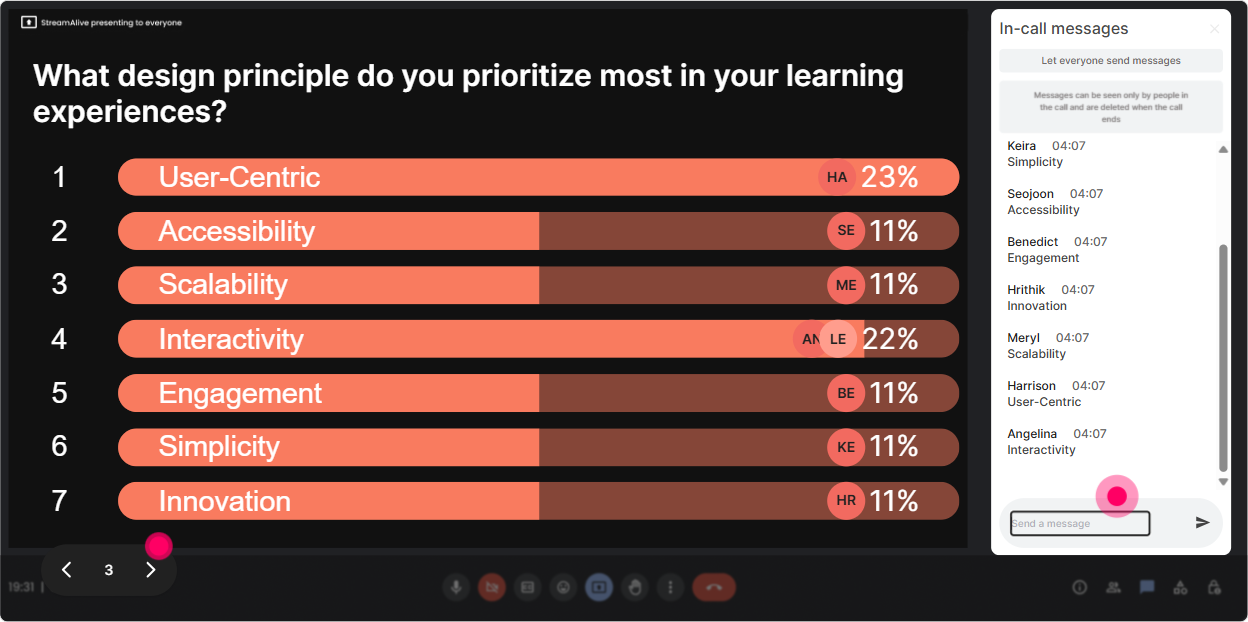
Power Polls help you do something trainers say theyll do-but often dont: actually adapt to the room. Give options, let them vote in chat, and show results live. How to use it in Experience Design training: - **Co-create focus areas:** What do you want to go deeper on today? 1) Learner personas 2) Moments that matter 3) Practice + feedback loops 4) Measurement + behavior change 5) Story + facilitation flow - **Make decisions fast:** For our redesign demo, what should we fix first? 1) Opening 2) Activities 3) Slides 4) Follow-through after session - **Design principle voting:** Which is harder in your org? 1) Getting time with SMEs 2) Getting leader buy-in 3) Getting learners to practice 4) Proving impact Trainer tip: Run the poll, then say: Okay, the room has spoken. That one sentence creates instant buy-in because its *their* session now.
Winner Wheel: Call on people without making it awkward
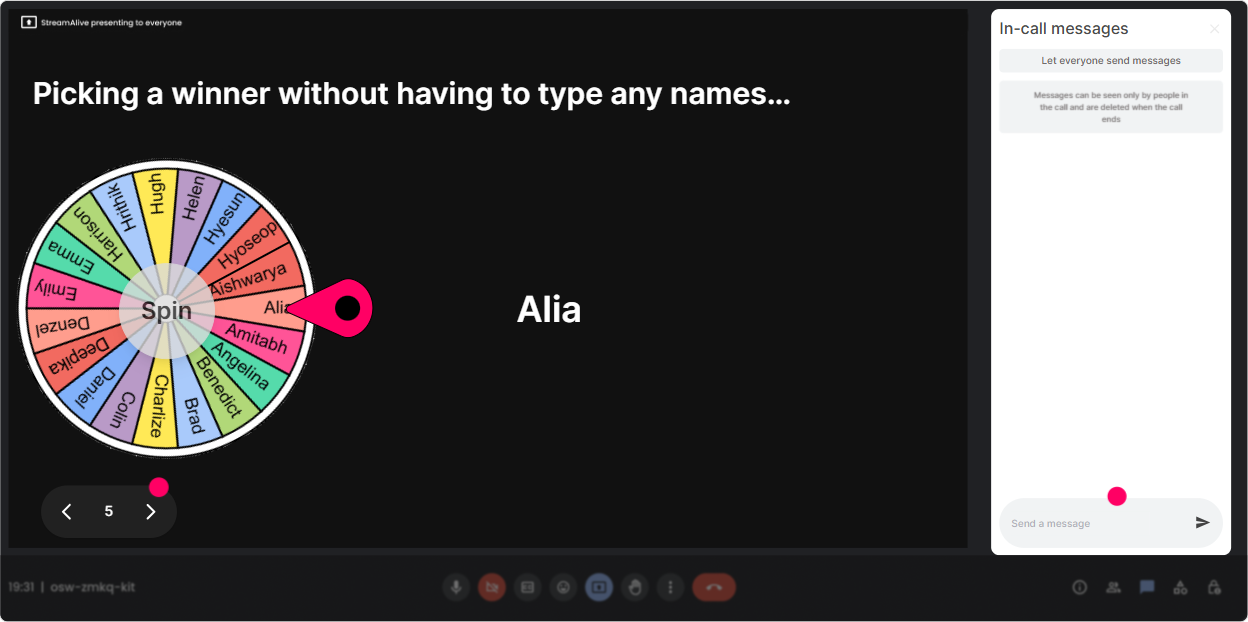
Sometimes you need voices, not just chat. But you dont want the same 3 confident people talking all day-and you dont want to cold-call in a way that freaks people out. Winner Wheel makes it playful and fair. How to use it in Experience Design training: - **Pick a volunteer (with consent baked in):** Type ME in chat if youre open to sharing a quick example. Then spin the wheel from those who opted in. - **Reward participation:** Spin from everyone who answered the last interaction: Lets pick someone to share what they wrote-and yes, theres bragging rights. - **Mini-coaching moment:** Who wants a quick experience redesign suggestion for their session opener? Spin among those who commented. Trainer tip: Keep it light: Blame the wheel, not me. People laugh, and suddenly speaking up feels safer.
Quiz: Quick knowledge checks that feel like a game (not an exam)
Quizzes are perfect for Experience Design because they help you correct misconceptions early-without doing the whole Any questions? thing. You set the options, they answer in chat, and you reveal the correct answer when youre ready. How to use it in Experience Design training: - **Concept check:** Which is the best example of Experience Design? A) Adding more slides B) Adding a fun icebreaker C) Designing the full journey: before, during, after + behavior change D) Shortening the session (Correct: C) - **Principle check:** What drives behavior change most? A) Information B) Repetition + practice in context C) Longer sessions D) Better templates (Correct: B) - **Myth-busting:** True or false: Engagement = entertainment. (Correct: False) Trainer tip: After revealing the answer, ask: If you picked something else, what made it tempting? Thats where the real learning happens.

Rating Polls: Get a real-time confidence check (without putting anyone on the spot)
Rating Polls are your fast pulse-check tool. People answer with a number, you get an instant visual, and you can adjust your delivery on the fly. How to use it in Experience Design training: - **Baseline confidence:** On a scale of 110, how confident are you designing learning experiences today? - **After a key framework:** Rate this: How usable is this Experience Design model for your next program? - **Skill-specific checks:** 110: How confident are you in designing *practice* (not just content) into ILT? Trainer tip: When you see a wide spread (some 2s and some 9s), call it out: Cool-this means weve got great peer learning in the room. Then invite the 810s to share one tip in chat.
Q&A: Capture every question without losing your flow
When chat is busy, questions get buried. StreamAlives Q&A (Quick Questions) pulls audience questions into one organized view so you can actually manage them-and your learners feel heard. How to use it in Experience Design training: - **Parking lot made easy:** Drop questions anytime-StreamAlive will catch them. Ill pause every 15 minutes and knock a few out. - **Design clinic style:** Post your toughest Experience Design situation as a question. Ill group them and well solve patterns together. - **End-of-module clarity:** Before we move on, whats still fuzzy about moments that matter? Trainer tip: Say out loud: I see your question in the queue. That tiny line builds trust because people know they werent ignored.

Analytics: Use real data to improve your next session (and prove it worked)
This is the behind-the-scenes superpower. StreamAlive analytics show you engagement minute-by-minute, what interactions landed, who your most engaged learners were, and lets you review chat + interaction results after. How to use it after Experience Design training: - **Find your drop-off moments:** If engagement dips during a long explanation, youll see it-then you can redesign that section into an activity next time. - **See what sparked conversation:** Replay chat alongside engagement data and identify which topics created the most participation (those are your moments that matter). - **Identify champions:** Spot your top engaged participants (Fantastic Fans) and invite them to be table leads, peer coaches, or pilot-group members for your next program. - **Share proof internally:** Email reports to yourself or stakeholders to show interaction participation, poll results, and what the cohort cared about. Trainer tip: Treat analytics like your experience design debrief: What did they *do* during the session? Thats often a better signal than Did they like it?

Use StreamAlive in all your training sessions
StreamAlive isn’t just for
Experience Design
training,
it can also be used for any instructor-led training session directly inside your PowerPoint presentation.
Explore similar traingin ideas: unlocking the potential of StreamAlive
See how StreamAlive transforms live training with engaging events and interactive sessions across industries, directly inside your PowerPoint presentation.

Interactions in action
(it's free)

.svg.png)


