Install StreamAlive for your PowerPoint slides
Learn more

Coaching Training for Corporate Trainers
StreamAlive helps 9x the audience engagement in your Virtual Instructor-led Trainings (VILT) directly inside your powerpoint presentation.
Make your instructor-led Coaching training more fun with polls, word clouds, spinner wheels and more
Works inside your existing PowerPoint presentation
Install the StreamAlive app for PowerPoint and see your slides come to life as people participate in your interactions
AI generates audience interactions for you
Let our AI scan your presentation and automatically come up with relevant questions based on the content. Or spend two hours coming up with your own questions, your choice!
Built to work with MS Teams and Zoom
Native apps for Teams and Zoom so you never have to leave your existing workflows
No QR Codes
Chat-powered interactions means your audience doesn’t need to scan QR codes or look at another screen to participate. They just type in the chat!

Quickly approved by your IT team
StreamAlive’s apps for Teams and Zoom means that they have been through rigorous quality assurance and client safety reviews. You’ll find everything an IT team needs to approve the app within the organization within your StreamAlive account.

Youve been asked to run a Coaching instructor-led training for corporate trainers-and you want it to feel alive, not like another slide marathon. The good news: with a few smart activities (and StreamAlive running in the background), you can get people participating fast. Here are simple, real-world ways to make Coaching training way more engaging.
1) Magic Maps: Start with connection, not content
Coaching is personal, so kick off in a personal way. Instead of Lets wait for everyone to join, drop a Magic Maps question and let StreamAlive plot everyones locations live on a world map. Instantly, the room feels like a community-not a grid of muted faces. Try questions like: - Where are you joining from today? (classic, always works) - Where do you train most often-HQ, client site, home office? - If you could get coached anywhere on earth, where would it be? Trainer tip: Use what you see on the map to create quick relevance. I see people joining from APAC and North America-so well use examples that work across cultures and time zones. Its a tiny moment that makes people feel seen.

2) Rating Polls: Quick confidence check before you teach
Before you go deep into models and frameworks, find out where people are starting from. Rating Polls are perfect for a fast pulse check without putting anyone on the spot. Use a 110 rating and ask: - How confident are you right now in coaching another trainer? - How often do you coach facilitators today? - How comfortable are you giving tough feedback to a peer trainer? What this does for you: it tells you how fast to go. What it does for them: it normalizes the range in the room. You can literally say, Love it-looks like weve got a mix. If youre at a 3, youre in the right place. If youre at an 8, Ill pull you in to share some best practices.

3) Wonder Words (Word Cloud): Reveal beliefs about coaching in seconds
Coaching comes with baggage-some people think its motivating, some think its awkward, some think its extra work. Word Cloud lets you surface that vibe instantly, and its way more fun than asking people to unmute. Ask for 12 word answers like: - Coaching feels like _____. - A great coach is _____. - Whats the hardest part of coaching other trainers? - What do you want more of after today? Then you can teach right into the results. If the biggest words are awkward and time, you know exactly what to tackle first. And if the biggest word is clarity, you can say, Perfect-today is built for that.
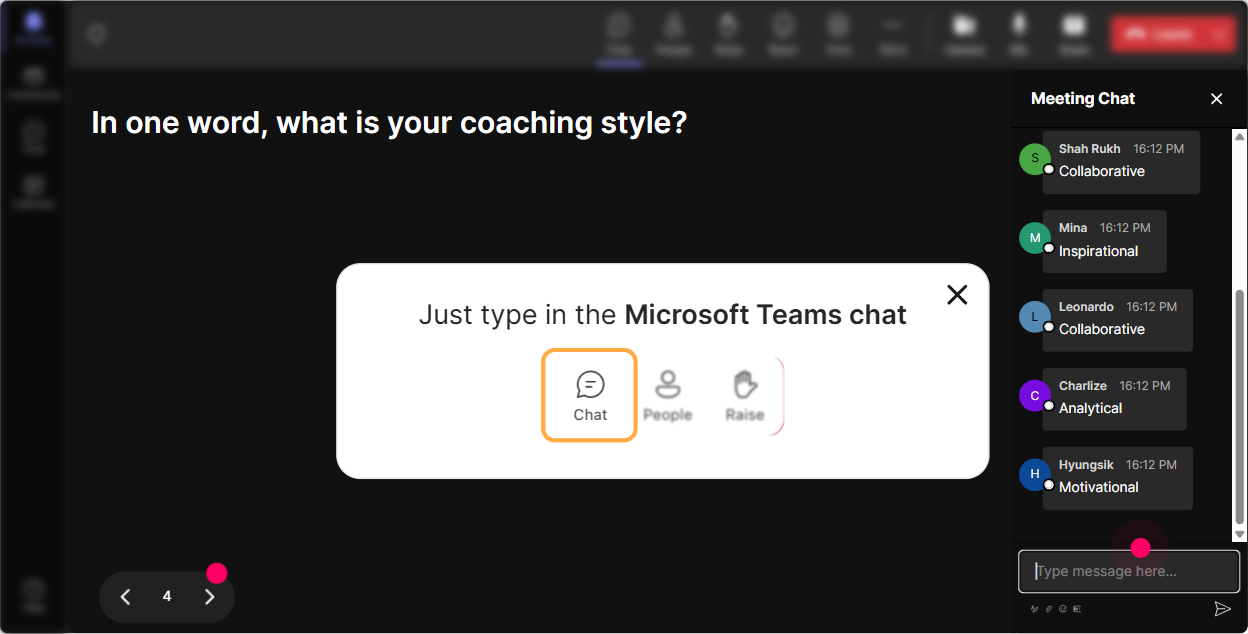
4) Talking Tiles: Get real stories and real challenges on the screen
Once youve warmed them up, you want longer responses-real scenarios, not one-word answers. Talking Tiles is great because people type naturally in chat, and StreamAlive turns those responses into a visual moment everyone pays attention to. Prompts that work well in coaching training: - Describe a coaching moment with a trainer that didnt go well-what happened? - Whats one thing you wish trainers did more consistently in live sessions? - Whats one coaching conversation youve been avoiding? - What impact would better coaching have on your training culture? Trainer tip: Use the tiles as instant case studies. Pick 23 responses and say, Lets coach this one together using a simple structure. Now your content isnt theoretical-its directly tied to their world.
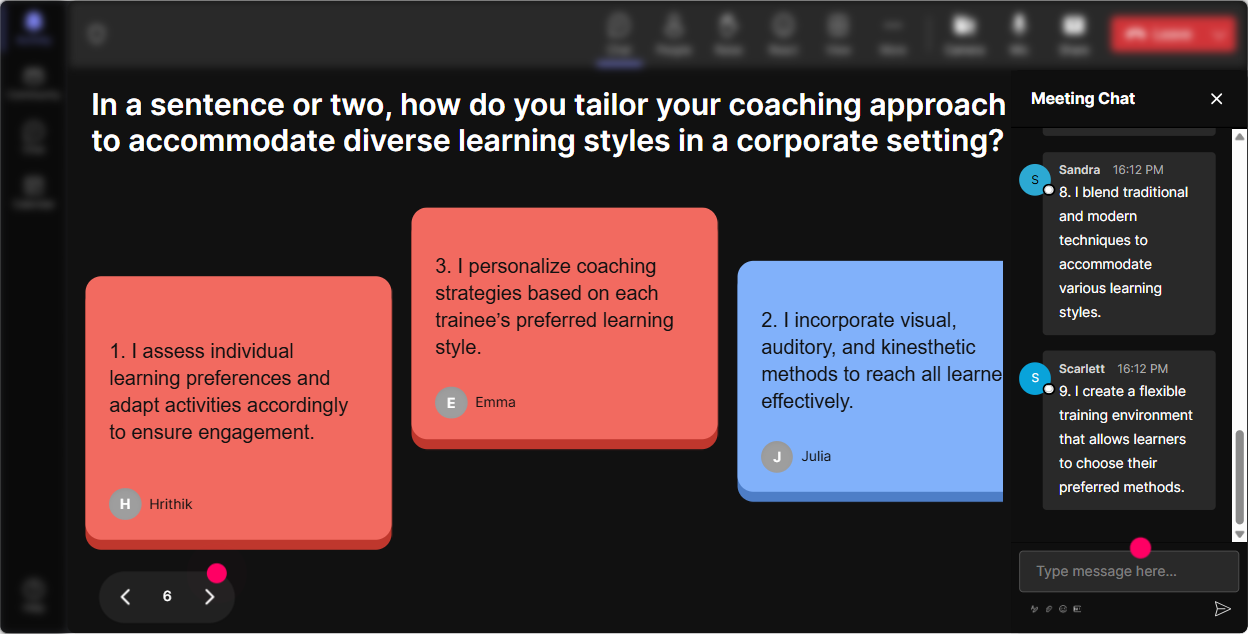
5) Power Polls: Let them choose the direction (and boost buy-in)
Corporate trainers love practical takeaways, but not everyone needs the same thing. Power Polls let the group vote on what they want next, and the live results make it feel fair and collaborative. Poll ideas for a Coaching ILT: - What do you want to get better at today? 1) Coaching observation & feedback 2) Coaching difficult personalities 3) Asking powerful questions 4) Building coaching plans for trainers - When you coach trainers, whats the biggest barrier? 1) Time 2) Resistance/defensiveness 3) Not sure what to say 4) Inconsistent standards Whats nice here: you can actually adjust your examples and breakout prompts based on the winning option. People stay engaged when they feel like they helped shape the session.
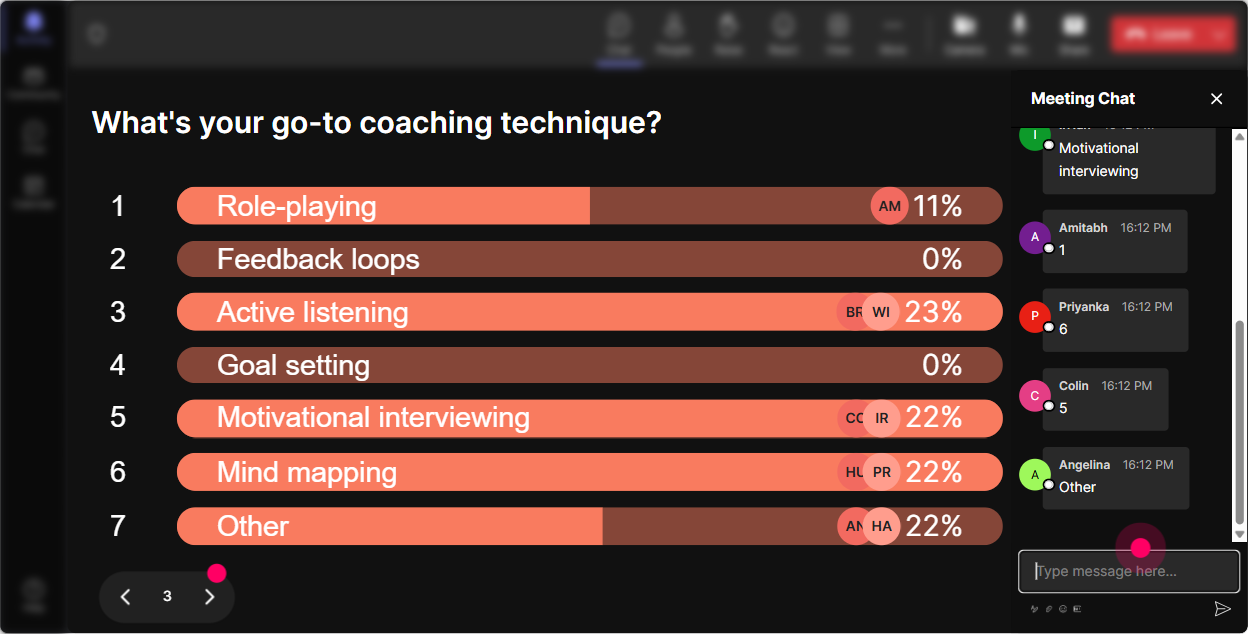
6) Winner Wheel (Spinner Wheel): Make participation fun (and fair)
Youll always have a few people who are super active in chat and a few who stay quiet. The Spinner Wheel helps you balance that-without sounding like youre calling people out. Ways to use it during coaching practice: - Drop a coaching question you might ask a trainer whos struggling with engagement. (Everyone types) - Then spin: Alright, lets hear one live-wheel decides who well ask to unmute. You can also use it to reward participation: - Well spin at the end of this module and pick a winner from everyone who contributed in chat. Its simple psychology: people comment more when they know they might get picked (or rewarded). And because its random, it feels safe and unbiased.
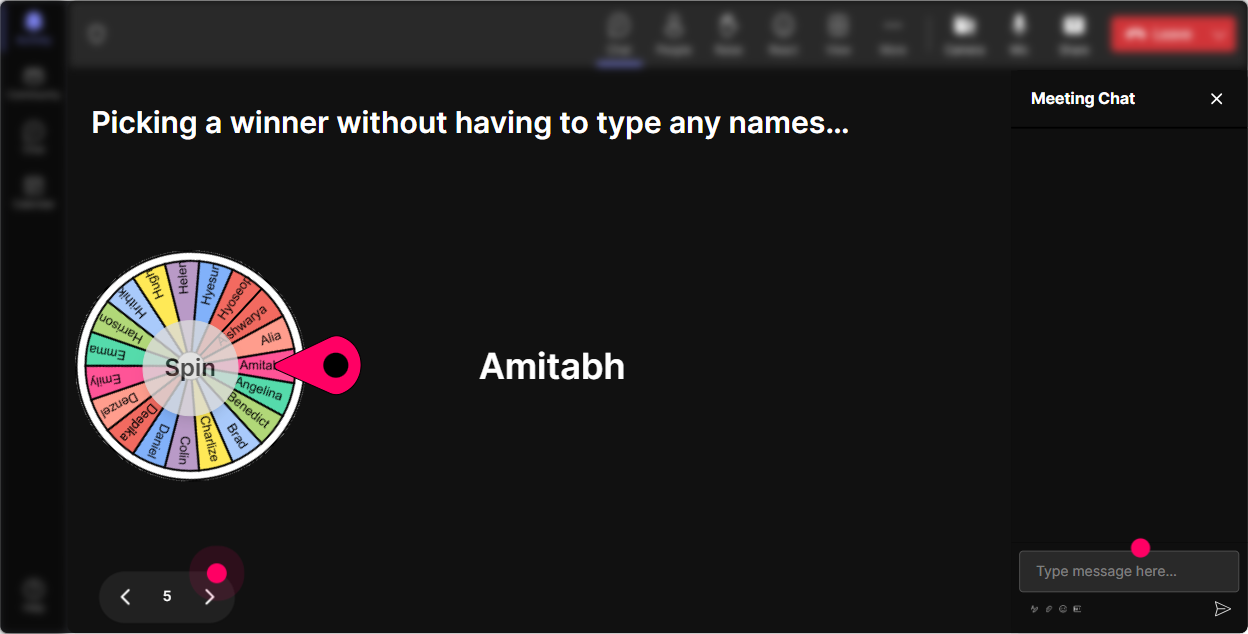
7) Quiz: Do knowledge checks without killing the energy
Coaching frameworks are great until youre not sure anyone actually got them. A StreamAlive Quiz gives you a clean, fast knowledge check right in the flow of your session. Quiz questions you can run: - Which is the best coaching question? A) Why did you do it that way? B) What outcome are you aiming for next time? C) Dont you think that was confusing? D) Can you just follow the deck? - In coaching, what should you focus on first? A) Personality B) Intentions C) Observable behavior + impact D) Your personal preference Then hit Show Correct Answer and debrief quickly: Heres why B is stronger-it moves the person forward instead of putting them on defense. Instant learning moment.

2) Rating Polls: Quick confidence check before you teach
Before you go deep into models and frameworks, find out where people are starting from. Rating Polls are perfect for a fast pulse check without putting anyone on the spot. Use a 110 rating and ask: - How confident are you right now in coaching another trainer? - How often do you coach facilitators today? - How comfortable are you giving tough feedback to a peer trainer? What this does for you: it tells you how fast to go. What it does for them: it normalizes the range in the room. You can literally say, Love it-looks like weve got a mix. If youre at a 3, youre in the right place. If youre at an 8, Ill pull you in to share some best practices.
8) Q&A: Capture every question without digging through chat chaos
In coaching training, questions pop up constantly-especially when people are trying to apply it to real situations (like coaching a senior trainer or handling pushback). StreamAlives Q&A pulls questions from the chat and displays them neatly, so youre not scrolling and missing the good stuff. How to use it smoothly: - Tell them: If you have a question at any point, drop it in chat-StreamAlive will capture it for me. - Pause at planned moments: Lets do a 3-minute Q&A sweep before we move into practice. This keeps the session flowing, and it builds trust because people can see their questions are actually being tracked.

9) Analytics: After the session, know what actually engaged them (not what you *think* did)
If you train trainers, you already know the debrief matters. StreamAlive Analytics gives you a real look at engagement-minute by minute-so you can improve your coaching ILT every time you run it. What you can learn and use right away: - See where engagement spiked (maybe your role-play segment) and where it dipped (maybe a long explanation) - Review chat replay to catch themes you didnt notice live - Identify your most engaged participants (your future champions, co-facilitators, or follow-up leads) - Pull interaction reports to share with stakeholders: Heres what the group struggled with, and heres what they voted to focus on. If your goal is to level up engagement by up to 9x, this is how you keep improving session after session-based on evidence, not guesses.

Use StreamAlive in all your training sessions
StreamAlive isn’t just for
Coaching
training,
it can also be used for any instructor-led training session directly inside your PowerPoint presentation.
Explore similar traingin ideas: unlocking the potential of StreamAlive
See how StreamAlive transforms live training with engaging events and interactive sessions across industries, directly inside your PowerPoint presentation.

Interactions in action
(it's free)

.svg.png)


