Install StreamAlive for your PowerPoint slides
Learn more

Higher-Ed Skepticism Training for L&D Leaders
StreamAlive helps 9x the audience engagement in your Virtual Instructor-led Trainings (VILT) directly inside your powerpoint presentation.
Make your instructor-led Higher-Ed Skepticism training more fun with polls, word clouds, spinner wheels and more
Works inside your existing PowerPoint presentation
Install the StreamAlive app for PowerPoint and see your slides come to life as people participate in your interactions
AI generates audience interactions for you
Let our AI scan your presentation and automatically come up with relevant questions based on the content. Or spend two hours coming up with your own questions, your choice!
Built to work with MS Teams and Zoom
Native apps for Teams and Zoom so you never have to leave your existing workflows
No QR Codes
Chat-powered interactions means your audience doesn’t need to scan QR codes or look at another screen to participate. They just type in the chat!

Quickly approved by your IT team
StreamAlive’s apps for Teams and Zoom means that they have been through rigorous quality assurance and client safety reviews. You’ll find everything an IT team needs to approve the app within the organization within your StreamAlive account.

Youve been asked to run a session on Higher-Ed Skepticism for L&D Leaders-and you already know what can happen: some people lean in, others quietly think, Is this even a real issue for us? Lets make it interactive, practical, and genuinely fun, so youre not fighting for attention the whole time. Here are engagement ideas you can plug right into your run-of-show with StreamAlive.
Magic Maps: Put your skeptics (and supporters) on the map right away
Start with something light that still gives you useful context. Magic Maps is perfect for that classic opener-except it looks way cooler because youre literally building a live map of your room. Try prompts like: - Where are you joining from today? (simple, reliable opener) - Which campus/city has shaped how you think about learning the most? (great for Higher-Ed + perspective) - If you could visit any university in the world tomorrow, where would you go? (fun + energizing) Trainer move: After the map populates, call out clusters. Looks like weve got a mini Boston pocket here-tell me, whats the vibe around credentials and learning where you are? Youve now turned geography into a discussion bridge-without putting anyone on the spot too early.

Rating Polls: Get an instant read on how skeptical the room really is
Before you teach anything, figure out what youre working with. Rating Polls make it super easy for people to respond fast (no overthinking), and you get a live visual of the room. Use these as quick pulse checks: - On a scale of 110, how much do you trust traditional higher-ed credentials to predict job performance? - Rate your organizations dependence on degrees today (1 = not at all, 10 = heavily). - How confident are you in spotting credential bias in hiring or talent decisions? (110) Trainer move: If the ratings are split, youve got instant fuel for discussion: Cool-this room is divided. Lets unpack why. If theyre all high or all low, you can adapt your examples to match the mood.

Wonder Words: Make the unspoken opinions visible (fast)
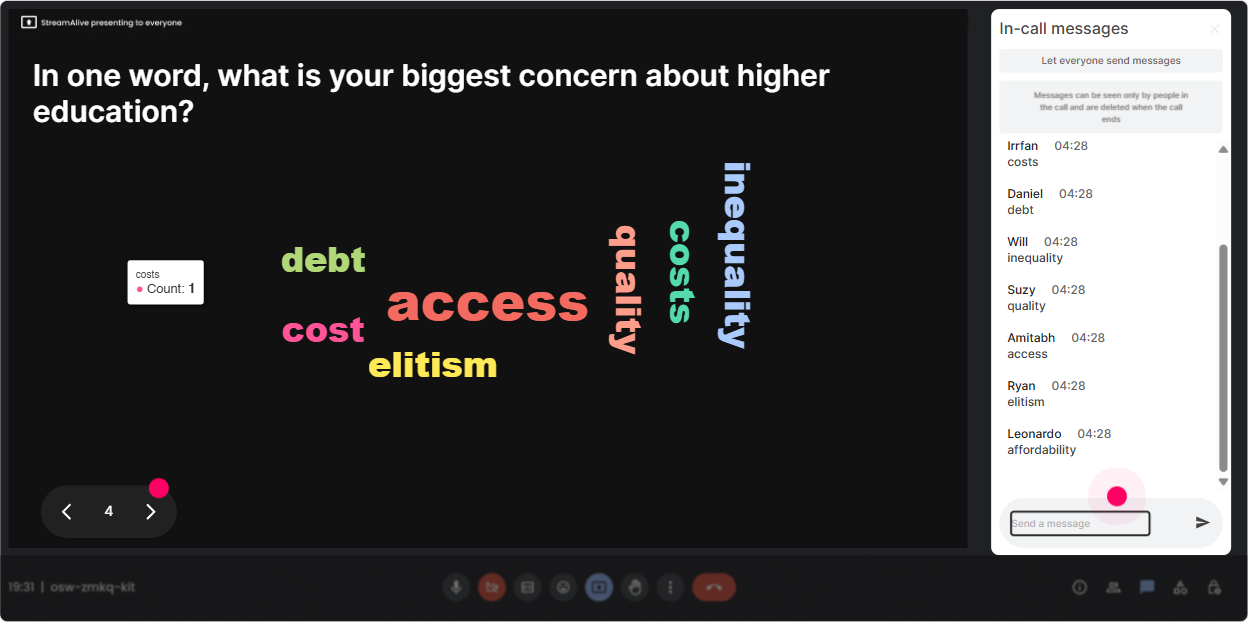
Higher-Ed Skepticism can be a touchy topic. People dont always want to say their real opinion out loud first. A Word Cloud lets them answer quickly, and you get the emotional temperature of the group in seconds. Ask for 12 word answers like: - When you hear Higher-Ed Skepticism, whats your first reaction? - Whats one word you associate with degrees in hiring? - Whats the biggest risk of moving away from degree requirements? Trainer move: When the biggest words pop up (like bias, access, quality, signal, status, inequity), pick two and say: Lets take these head-on. It makes the session feel like its being built with them, not delivered at them.
Talking Tiles: Turn real experiences into your best teaching content
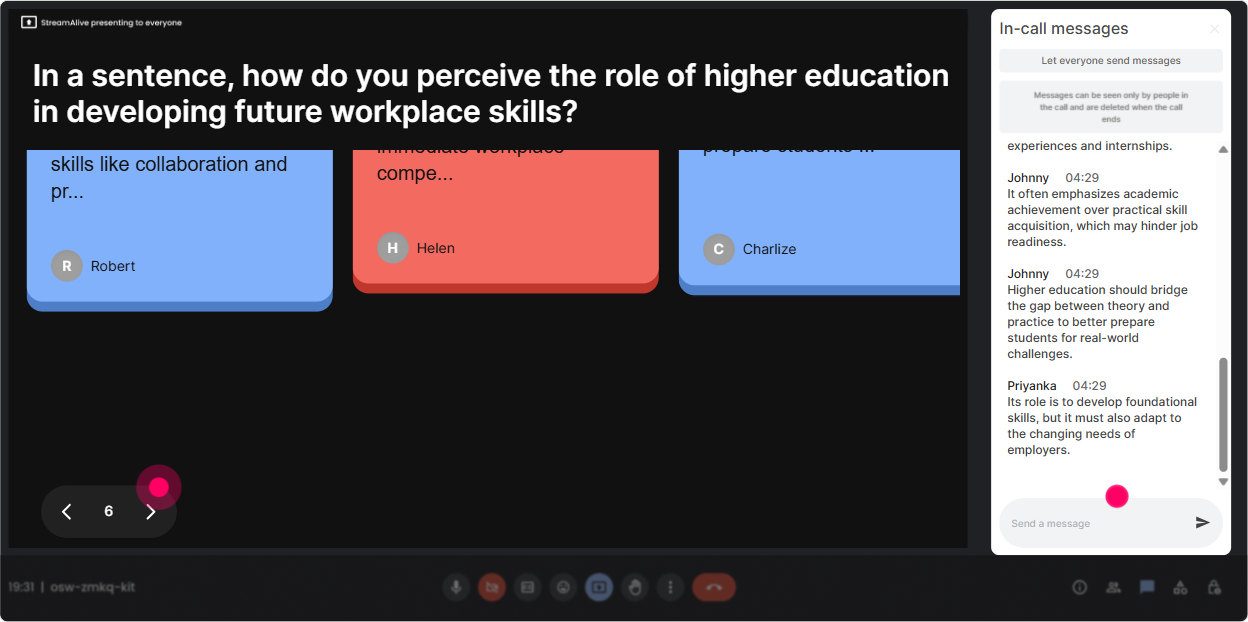
Once the room is warmed up, you want substance-not just quick votes. Talking Tiles is great because it can handle longer thoughts, and it turns responses into a live visual moment that feels active. Prompts that work well: - Where do you see degree requirements helping your business-and where do they get in the way? - Tell me about a time a non-traditional candidate surprised you (in a good way). - Whats one role in your org where a degree is required but youre not sure it should be? Trainer move: Read 35 tiles out loud and group them on the fly: Im seeing a theme: risk management, brand reputation, and weve always done it this way. Lets tackle those one by one. Thats how you make it feel like a real working session, not a lecture.
Power Polls: Let them choose the direction of the session (and buy in)
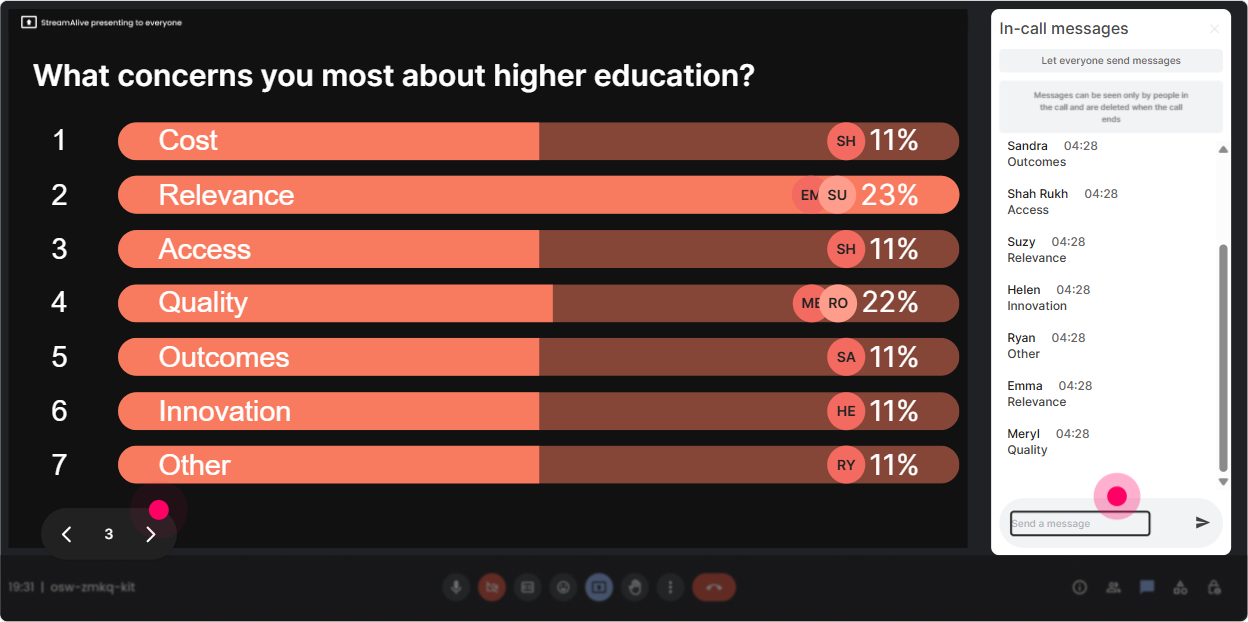
If you want engagement to jump, give the audience control. Power Polls let you do that quickly-and show the results live so people feel the group energy. Poll ideas: - Whats your biggest reason organizations stick with degrees? 1) Speed/simplicity in hiring 2) Quality signal 3) Compliance or client expectations 4) Culture/status quo - Where do you want to spend the most time today? 1) Skills-based hiring 2) Credential inflation & risk 3) Alternative credentials (bootcamps, certs) 4) What this means for L&D strategy Trainer move: Dont just run the poll-use it to shape what you do next. Looks like skills-based hiring is the winner. Great, Ill adjust and well do a deeper scenario there. That right there is how people stop multitasking.
Winner Wheel: Make participation feel fun (not forced)
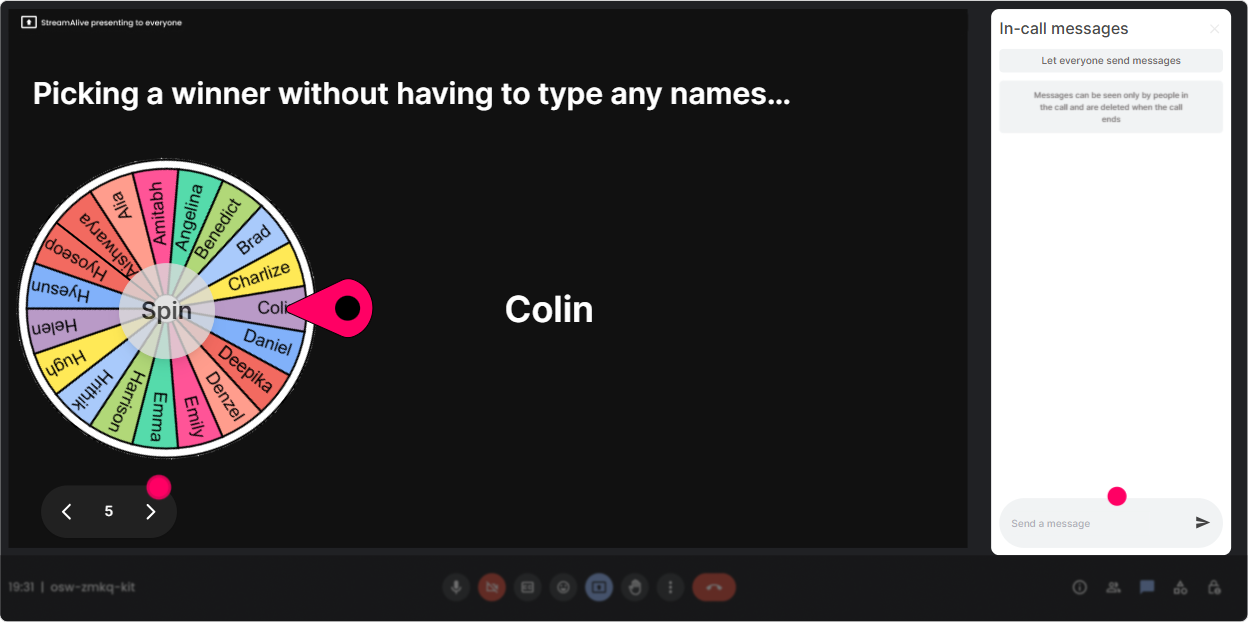
Youll always have a few people who carry the chat-and a bunch who stay invisible. Winner Wheel is your friendly way to nudge everyone to participate because now comments might earn them a moment (or a small prize, or bragging rights). How to use it in this topic: - Drop in the chat: Whats one job role where degrees matter most in your org? (then spin from commenters) - Type Agree or Disagree: Degrees are the best proxy for capability. (spin and ask the winner to share why) - Share one alternative signal you trust (portfolio, assessment, cert, referral, etc.). (spin to invite a voice) Trainer move: Set the tone so its not scary: Im not looking for a perfect answer-just your take. Then spin. It keeps it playful, and people stay alert because they know they might get picked.
Quiz: Bust myths without starting an argument
Higher-Ed Skepticism can turn into debate fast. A Quiz is a great way to introduce facts, clarify definitions, and do quick knowledge checks-without you sounding like youre taking sides. Quiz questions you can use: - Which is the best example of credential inflation? A) Paying more for roles requiring degrees B) Raising degree requirements for roles that didnt need them before (Correct) C) Offering tuition reimbursement D) Hiring more interns - Whats the main difference between a credential and a skill? A) Credentials are always better B) Skills are informal only C) Credentials are a signal; skills are demonstrated capability (Correct) D) There is no difference Trainer move: After revealing the correct answer, ask one follow-up in chat: Where do you see this showing up in your org? Thats how you turn a quiz into real application.

Rating Polls: Get an instant read on how skeptical the room really is
Before you teach anything, figure out what youre working with. Rating Polls make it super easy for people to respond fast (no overthinking), and you get a live visual of the room. Use these as quick pulse checks: - On a scale of 110, how much do you trust traditional higher-ed credentials to predict job performance? - Rate your organizations dependence on degrees today (1 = not at all, 10 = heavily). - How confident are you in spotting credential bias in hiring or talent decisions? (110) Trainer move: If the ratings are split, youve got instant fuel for discussion: Cool-this room is divided. Lets unpack why. If theyre all high or all low, you can adapt your examples to match the mood.
Q&A: Capture the real concerns without losing them in chat chaos
When youre in a live session, great questions fly by in the chat and you miss them-especially on spicy topics like Are degrees biased? or Will this increase hiring risk? StreamAlives Q&A pulls questions out and organizes them for you, so you can actually address what people care about. Ways to use it in this session: - Mid-session: Whats one concern you have about reducing degree requirements? - End: Whats the one thing you need to convince stakeholders to pilot skills-based hiring? Trainer move: Tell them when youll answer questions (so they keep asking). Example: Keep them coming-Ill do a focused Q&A after this next framework. It lowers anxiety and increases participation fast.

Analytics: Prove what worked (and make your next session even better)
If youre training L&D Leaders, you know the follow-up matters: What landed? When did energy dip? Who was engaged? StreamAlive Analytics gives you that in a way thats actually usable. What to look for after your Higher-Ed Skepticism session: - Minute-by-minute engagement: Did people light up during the debate, the case study, or the myth-busting quiz? - Chat replay: See which examples triggered the most conversation (and which ones didnt). - Top fans / most engaged participants: Perfect for follow-up pilots-these are your likely champions. - Interaction reports: Compare which worked best (Rating Poll vs Word Cloud vs Talking Tiles) and refine your run-of-show. Trainer move: Use the analytics to send a tight recap email to stakeholders: Heres what the group voted as top concerns, heres sentiment, and here are the themes that came up most. Thats how you turn a live session into momentum-and get invited back.

Use StreamAlive in all your training sessions
StreamAlive isn’t just for
Higher-Ed Skepticism
training,
it can also be used for any instructor-led training session directly inside your PowerPoint presentation.
Explore similar traingin ideas: unlocking the potential of StreamAlive
See how StreamAlive transforms live training with engaging events and interactive sessions across industries, directly inside your PowerPoint presentation.

Interactions in action
(it's free)

.svg.png)


