Install StreamAlive for your PowerPoint slides
Learn more

Impact Visualization Training for Training Agencies
StreamAlive helps 9x the audience engagement in your Virtual Instructor-led Trainings (VILT) directly inside your powerpoint presentation.
Make your instructor-led Impact Visualization training more fun with polls, word clouds, spinner wheels and more
Works inside your existing PowerPoint presentation
Install the StreamAlive app for PowerPoint and see your slides come to life as people participate in your interactions
AI generates audience interactions for you
Let our AI scan your presentation and automatically come up with relevant questions based on the content. Or spend two hours coming up with your own questions, your choice!
Built to work with MS Teams and Zoom
Native apps for Teams and Zoom so you never have to leave your existing workflows
No QR Codes
Chat-powered interactions means your audience doesn’t need to scan QR codes or look at another screen to participate. They just type in the chat!

Quickly approved by your IT team
StreamAlive’s apps for Teams and Zoom means that they have been through rigorous quality assurance and client safety reviews. You’ll find everything an IT team needs to approve the app within the organization within your StreamAlive account.

Youve been asked to run an Impact Visualization instructor-led training for a Training Agency, and you dont want it to feel like another slide-and-sigh session. The goal is simple: keep people participating, not just attending. Here are practical ways to use StreamAlive to make Impact Visualization feel real, visual, and memorable.
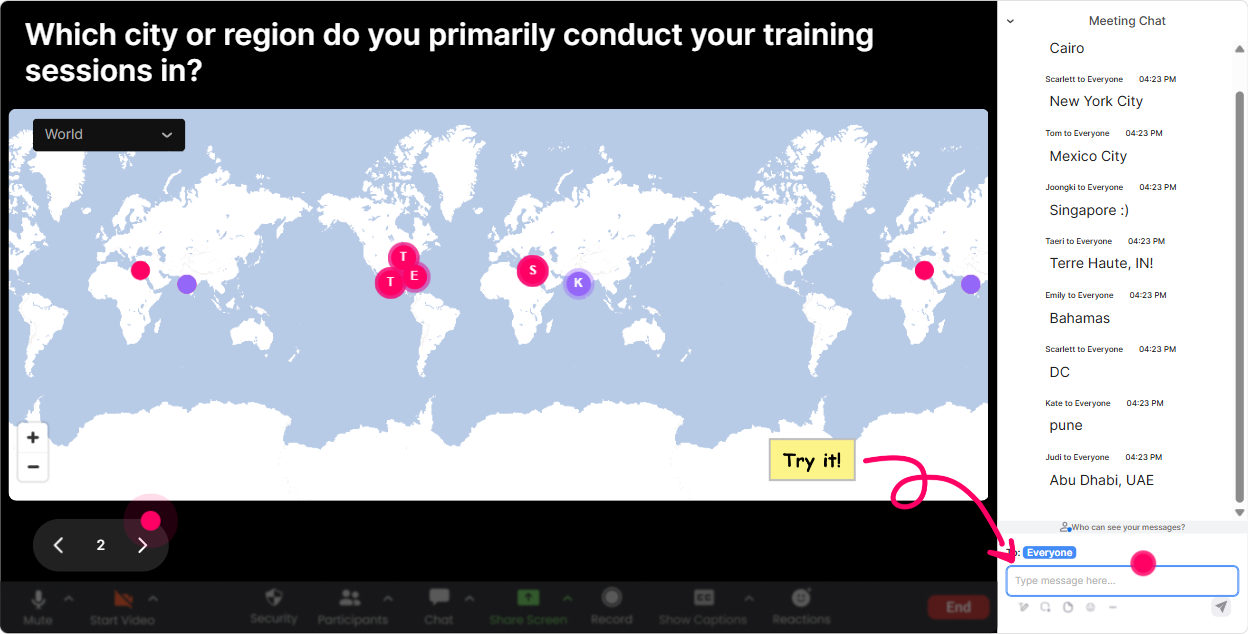
Magic Maps: Put your learners on the map and tie it back to real-world impact
Impact Visualization is all about helping people *see* outcomes-so start by visualizing your room. - **Kickoff icebreaker (instant energy):** Ask: Where are you joining from today? and let Magic Maps plot everyone live. Its a simple move, but it immediately makes the session feel shared. - **Impact-based twist:** Ask: Where do your learners come from most often? or Which city/region do you want your training to impact more this year? Now youre already in the mindset of *reach* and *outcomes*. - **Dream outcome prompt:** If this training worked perfectly, where on earth would you want to run it next? Great way to surface ambition and agency goals. Trainer tip: If your question needs one clear response, set it to **one location per attendee** so the map stays clean and readable.
Rating Polls: Get a fast confidence baseline before you teach anything
Before you jump into models and examples, get a quick temperature check. Rating Polls are perfect for that because everyone can answer in seconds, and you get a live visual of where the room is. Try prompts like: - On a scale of 110, how confident are you in teaching Impact Visualization right now? - How clearly can you currently explain impact vs activity to a client? (110) - How comfortable are you with measuring training outcomes beyond feedback forms? (110) Use the results to adjust your pacing: if the average is low, slow down and use more examples; if its high, go straight into advanced applications. And yes-people feel seen when you adapt in real time.

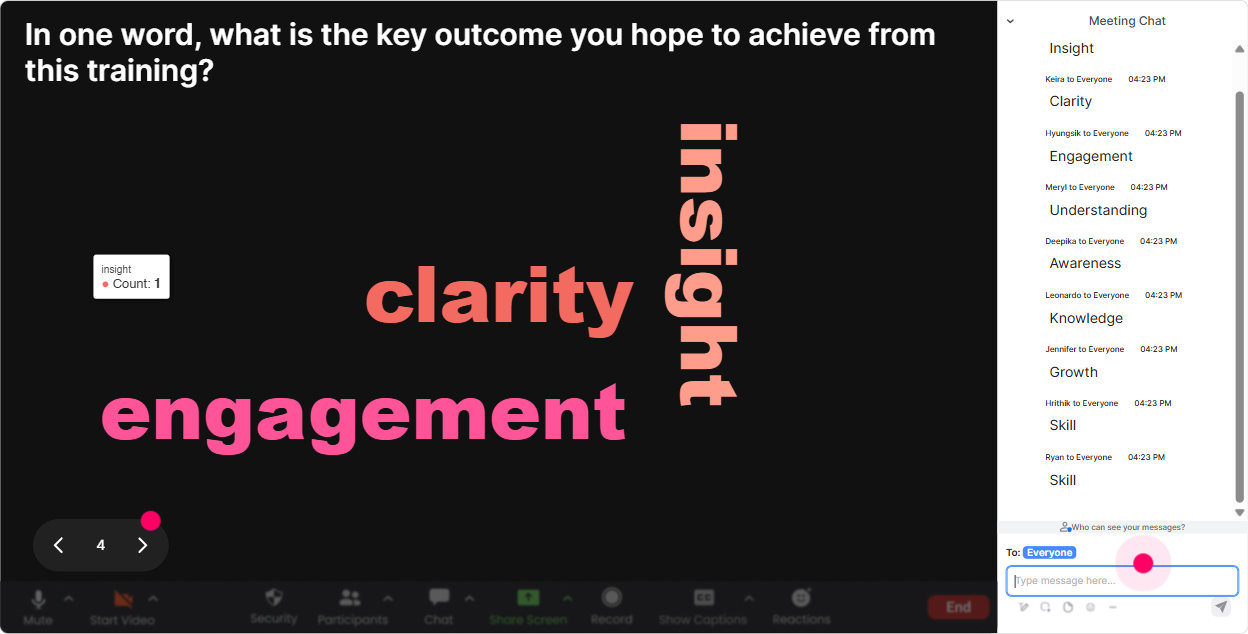
Wonder Words (Word Cloud): Make their mindset visible in 10 seconds
Word clouds are gold for Impact Visualization because they surface what people *believe* and *feel*-and thats what youll be shaping. Use one-word or two-word prompts like: - Impact Visualization feels _______. (Youll get answers like: hard, exciting, confusing, powerful) - One word you associate with impact in training? - Whats the biggest blocker to proving training impact? (e.g., data, time, stakeholders, tools) Then do this trainer move: point at the biggest words and say, Cool-today were going to shrink *confusing* and grow *confident*. Thats an instant emotional hook.
Talking Tiles: Turn their real challenges into the content of the session
Impact Visualization becomes real when people connect it to their day-to-day work. Talking Tiles lets you collect longer, messier, more honest answers-and display them in a fun, high-energy way. Prompts that work really well: - Tell me about a time you *knew* training worked, but couldnt prove it. - What would real impact look like for your agency 90 days after training delivery? - Whats one metric your clients care about that training should influence? Now youve got a wall of real scenarios you can keep referencing all session long: Lets take this tile right here-how would we visualize impact for that situation?

Power Polls: Let the group choose where you go deeper
When youre teaching Impact Visualization, there are usually a few directions you *could* go-measurement, storytelling, dashboards, stakeholder buy-in, etc. Instead of guessing what they want, run a Power Poll and let them steer. Poll ideas (with options): - What do you most want to get better at today? 1) Defining impact outcomes 2) Picking metrics that matter 3) Visualizing results for stakeholders 4) Building an impact story/case study - Where do your projects get stuck most? 1) Accessing data 2) Client alignment 3) Time/budget 4) Proving behavior change This does two things: it boosts engagement (because people have a say) and it makes your session feel tailored-even if youre running it for a big group.
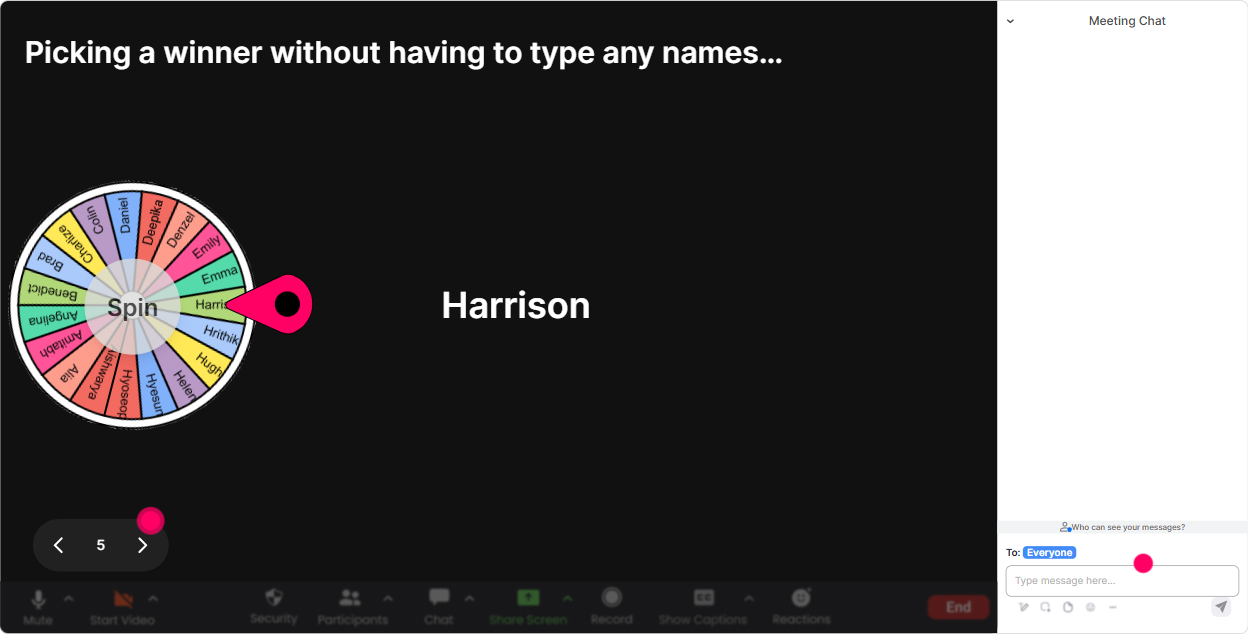
Winner Wheel: Call on people without making it awkward
You know that moment when you ask, Anyone want to share? and the room goes silent? Winner Wheel fixes that without you having to pressure anyone. How to use it in Impact Visualization training: - **Volunteer without the cringe:** Drop a word in chat: ME if youre open to sharing a quick example. Then spin the wheel. - **Case clinic selection:** Type one challenge you have with proving impact. After a few responses, spin to pick one persons scenario to workshop live. - **Participation booster:** Run the wheel using people who commented during this interaction and reward someone (even if its just bragging rights) for engaging. It keeps the vibe playful-and it nudges quiet folks to type something because they know participation counts.
Quiz: Quick knowledge checks that actually feel fun
A Quiz is perfect when you want to lock in key distinctions (especially impact vs outputs vs activity). You ask a multiple-choice question, they vote in chat, and you reveal the correct answer. Examples you can use: - Which is the best example of an *impact* statement? A) Delivered 3 workshops B) Participants rated it 4.7/5 C) Managers observed faster handling of customer escalations (Correct) D) 100 people attended - Which metric is closest to behavior change? A) Attendance B) Satisfaction score C) On-the-job application frequency (Correct) D) Number of slides The magic is in the reveal: when you click **Show Correct Answer**, you get a natural teaching moment without lecturing.

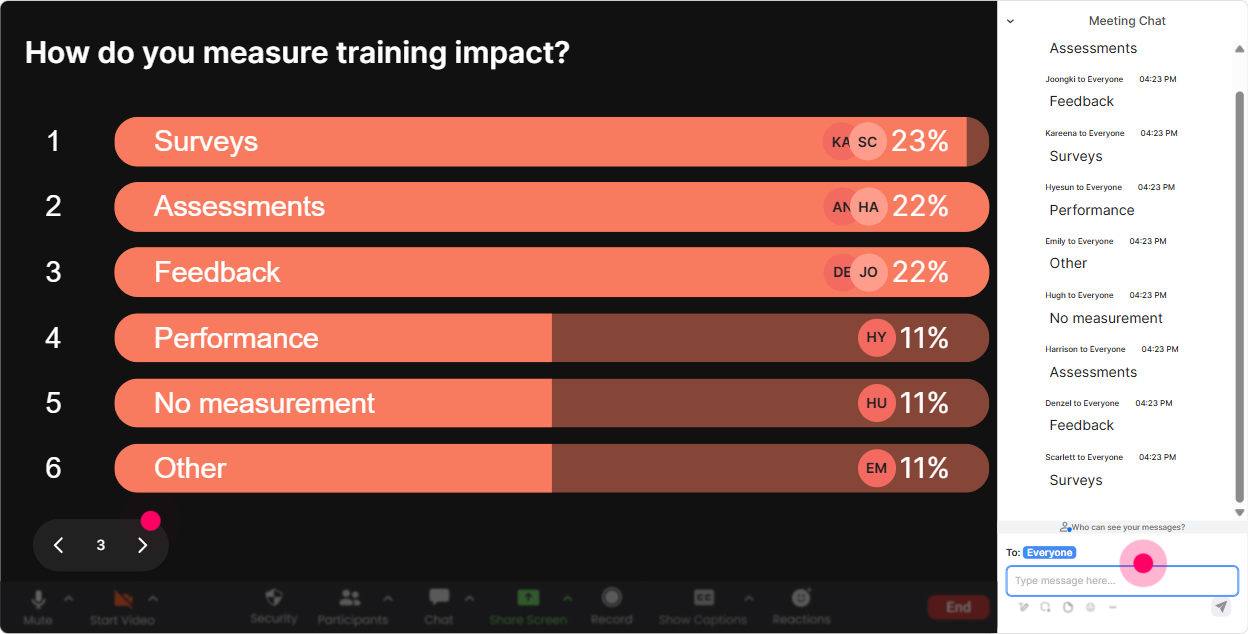
Rating Polls: Get a fast confidence baseline before you teach anything
Before you jump into models and examples, get a quick temperature check. Rating Polls are perfect for that because everyone can answer in seconds, and you get a live visual of where the room is. Try prompts like: - On a scale of 110, how confident are you in teaching Impact Visualization right now? - How clearly can you currently explain impact vs activity to a client? (110) - How comfortable are you with measuring training outcomes beyond feedback forms? (110) Use the results to adjust your pacing: if the average is low, slow down and use more examples; if its high, go straight into advanced applications. And yes-people feel seen when you adapt in real time.
Q&A (Quick Questions): Capture every question without losing the chat
In Impact Visualization sessions, questions come fast-especially when people start thinking about data, stakeholders, and reporting. StreamAlives Q&A pulls questions from chat and displays them neatly, so youre not scrolling like a maniac mid-session. Ways to use it: - **Parking lot:** If you have a question anytime, just type it in chat-StreamAlive will catch it. - **Module break Q&A:** After each section (metrics, storytelling, visuals), answer the top 23 questions. - **Client-facing angle:** Encourage questions like, How do I explain this to a client who only wants ROI? and use them as discussion starters. Its smoother, and learners feel like their questions wont get lost.

Analytics: Prove your engagement and improve the next delivery
If youre running training for agencies, youre probably also thinking: How do I show this session landed well? StreamAlive Analytics helps you do exactly that. What you can do after your Impact Visualization training: - **See engagement minute-by-minute:** Identify where chat spiked (keep that) and where it dipped (tighten that section next time). - **Replay interactions:** Revisit poll results, word clouds, and Q&A to spot patterns-like common blockers or high-interest topics. - **Find your most engaged participants:** Great for follow-ups, champions, or even identifying who might be ready for advanced modules. - **Share results easily:** Send reports to email or share insights with your internal team on Teams-super useful if youre iterating the program across multiple cohorts. Basically: youre not just teaching Impact Visualization-youre modeling it by visualizing the impact of your own session.

Use StreamAlive in all your training sessions
StreamAlive isn’t just for
Impact Visualization
training,
it can also be used for any instructor-led training session directly inside your PowerPoint presentation.
Explore similar traingin ideas: unlocking the potential of StreamAlive
See how StreamAlive transforms live training with engaging events and interactive sessions across industries, directly inside your PowerPoint presentation.

Interactions in action
(it's free)

.svg.png)


