Install StreamAlive for your PowerPoint slides
Learn more

Learning How To Learn Training for Training Agencies
StreamAlive helps 9x the audience engagement in your Virtual Instructor-led Trainings (VILT) directly inside your powerpoint presentation.
Make your instructor-led Learning How To Learn training more fun with polls, word clouds, spinner wheels and more
Works inside your existing PowerPoint presentation
Install the StreamAlive app for PowerPoint and see your slides come to life as people participate in your interactions
AI generates audience interactions for you
Let our AI scan your presentation and automatically come up with relevant questions based on the content. Or spend two hours coming up with your own questions, your choice!
Built to work with MS Teams and Zoom
Native apps for Teams and Zoom so you never have to leave your existing workflows
No QR Codes
Chat-powered interactions means your audience doesn’t need to scan QR codes or look at another screen to participate. They just type in the chat!

Quickly approved by your IT team
StreamAlive’s apps for Teams and Zoom means that they have been through rigorous quality assurance and client safety reviews. You’ll find everything an IT team needs to approve the app within the organization within your StreamAlive account.

Youve been asked to run a Learning How To Learn instructor-led training for a training agency-and you want it to feel alive, not like another slide marathon. The good news: a few smart moments of interaction can keep people leaning in the whole way through. Here are practical ways to use StreamAlive to turn participation up (without making it awkward).
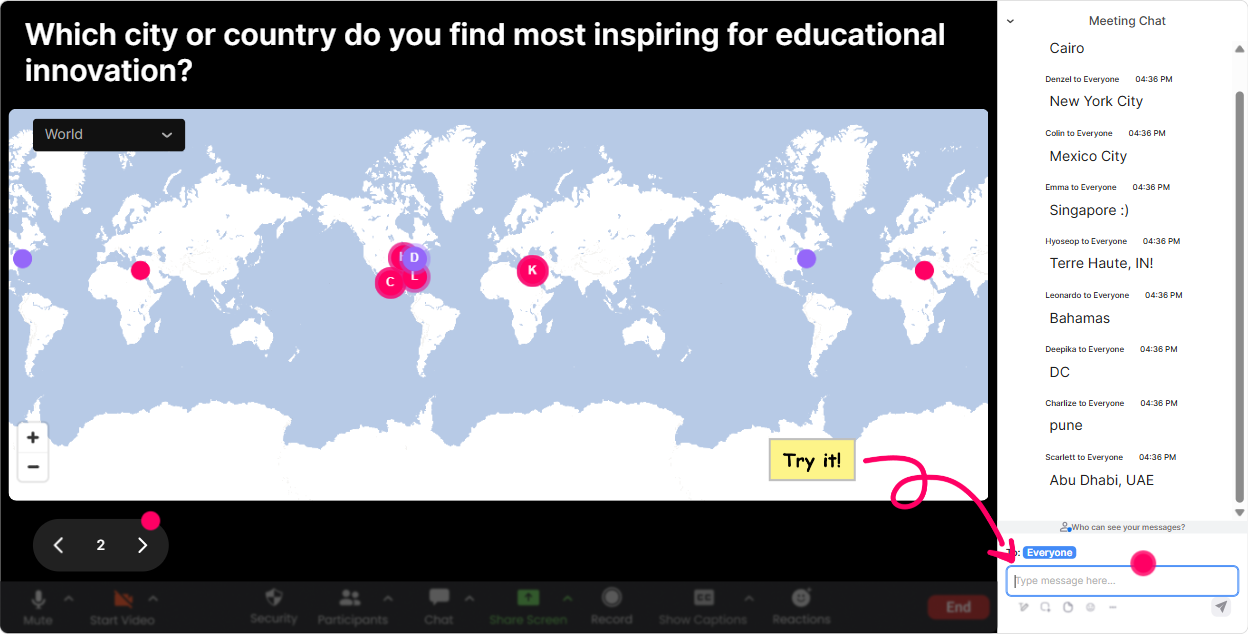
Magic Maps: Start with a human hello (and instantly build connection)
At the beginning of any session, youre trying to answer one thing: Do these people feel comfortable participating yet? Magic Maps is perfect for that because it gets everyone typing right away-without putting anyone on the spot. How to use it in Learning How To Learn training: - Icebreaker that also supports the theme (learning is social): Where are you joining from today? - Make it relevant to training agencies: Which city do you deliver training in most often? - Tie it to learning experiences: What place on earth do you associate with your best learning memory? - Future-focused: If you could teleport anywhere to learn a new skill, where would you go? Trainer tip: After the map fills up, call out clusters like Looks like weve got a mini hub in Manila! Its a tiny moment, but it makes people feel seen-so they chat more later.
Rating Polls: Get a quick confidence check (so you dont teach in the dark)
Before you dive into techniques like retrieval practice, spaced repetition, or note-making systems, you want to know where everyones starting from. Rating Polls give you that pulse check in seconds-and the visual makes it feel like a shared moment, not a test. Ways to use it: - Kickoff baseline: On a scale of 110, how confident are you that you know how to learn effectively? - After a key concept: How clear is retrieval practice right now? (1 = huh?, 10 = crystal clear) - Mid-session energy check: Hows your focus level at the moment? (110) - End-of-module self-assessment: How likely are you to use this method in your next course build? (110) Trainer tip: If the average score is low, you instantly know to slow down and give an example. If its high, you can move faster and keep momentum.

Wonder Words (Word Cloud): Turn feelings + beliefs into a teachable moment
Learning how to learn isnt just skills-its mindset. Wonder Words lets you surface what people really think or feel, and it does it in a fun, low-pressure way (one or two words, done). Use it to open up discussion: - Emotion check: In 12 words, how do you feel about learning a new skill quickly? - Belief check (great for growth mindset): Complete this: I learn best when I (12 words) - Pain points: Whats the biggest barrier to learning at work? (one word) - For training agencies specifically: What do your learners struggle with most? (12 words) Trainer tip: When a word gets big (like time or overwhelm), pause and say: Okay, this is our real problem to solve today. Now your content feels personalized.

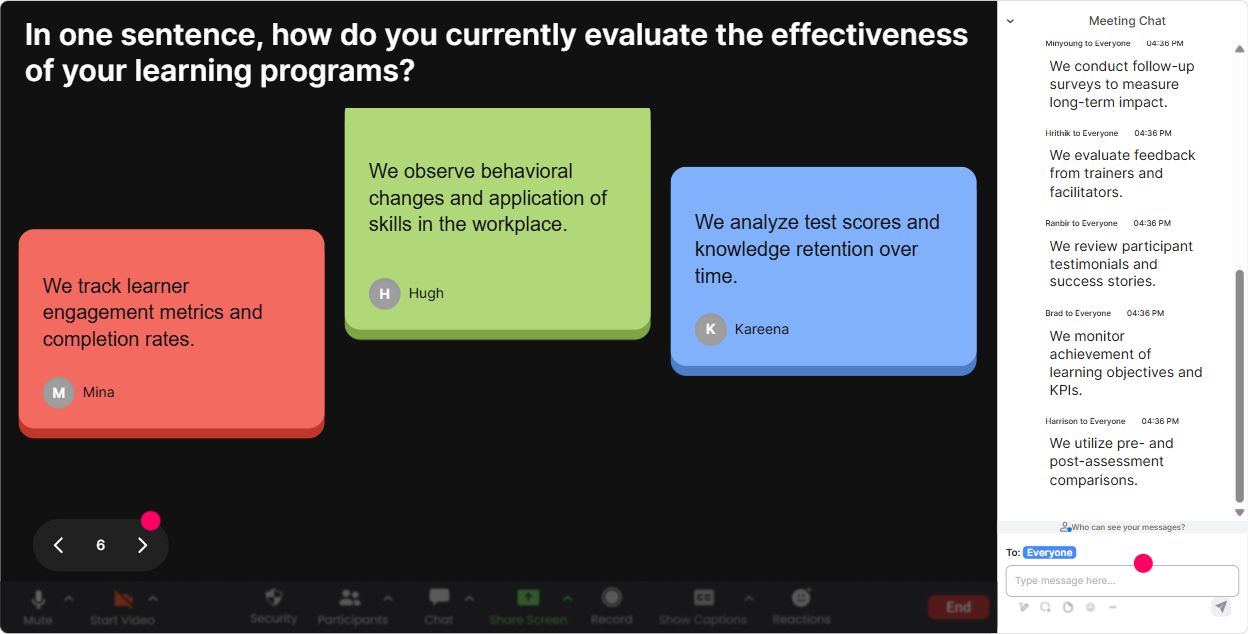
Talking Tiles: Make the quietest people contribute (without forcing them to speak)
Some questions deserve more than a one-word answer. Talking Tiles is amazing for that because responses become a shared wall of ideas-so people feel like theyre building something together. Perfect prompts for Learning How To Learn: - Job impact: Where would better learning skills help you most in your role-designing, delivering, selling, or managing training? - Reflection moment: Think of the last course you took-what did you do that actually helped it stick? - Application planning: Whats one change youll make to how you learn (or how you design learning) after today? - Agency lens: What do you wish corporate learners did before they show up to training? Trainer tip: Read a few tiles out loud and connect them back to your framework. People love hearing their exact words reflected on screen-it encourages more chat all session.
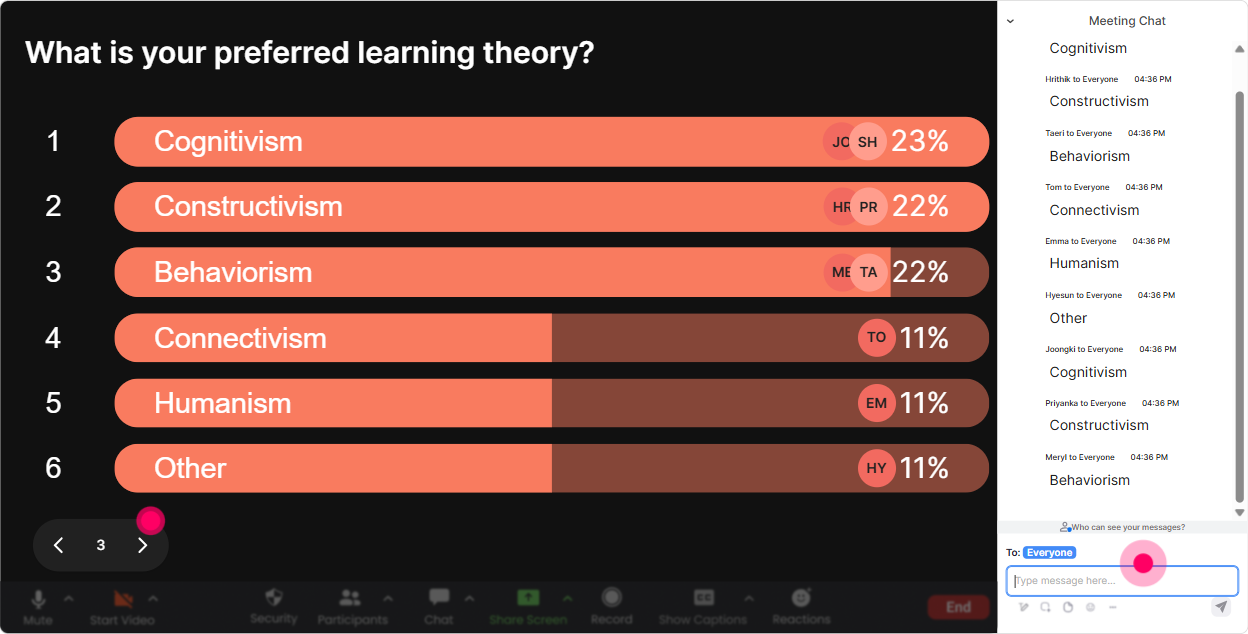
Power Polls: Let the group choose the direction (and increase buy-in fast)
If you want engagement to jump, give your audience choices. Power Polls help you co-create the session path: Tell me what you need most, and well go there. That instantly makes your training feel tailored. Poll ideas for this topic: - Which area do you want most from today? 1) Remembering what you learn 2) Learning faster 3) Taking better notes 4) Staying motivated 5) Reducing overwhelm - When you learn something new, whats your default style? 1) Watch videos 2) Read 3) Practice 4) Ask someone 5) Take notes - For your learners, whats the biggest drop-off point? 1) Before training 2) During training 3) After training / applying it Trainer tip: Use the winning option as your next segment. Even if you were planning to cover it anyway, people feel like they voted it in-so they pay attention.
Winner Wheel (Spinner Wheel): Get volunteers without the awkward silence
You know that moment when you ask, Anyone want to share? and suddenly everyone discovers the mute button? The Spinner Wheel fixes that. You can reward participation and also pick a voice fairly-without it feeling like youre calling someone out randomly. Ways to use it in Learning How To Learn: - After a discussion prompt: Drop your best study/learning tip in chat-I'll spin the wheel and the winner shares theirs out loud. - Scenario practice: Type me if youll roleplay a learner whos struggling to retain info-lets spin for who Ill coach. - Rewards that trainers actually like: Everyone who answers this question goes into the wheel for a free template / resource / shoutout. Trainer tip: Tell them upfront: Only people who type in chat will be eligible. That one line alone increases chat participation a ton.

Quiz: Turn key concepts into quick wins (and make learning visible)
Learning How To Learn has some core ideas people think they understand-until you check. A quick Quiz interaction makes it fun, fast, and super clear where misconceptions are. Quiz questions you can run: - Which one is most effective for long-term memory? A) Re-reading notes B) Highlighting C) Retrieval practice (testing yourself) D) Skimming summaries (Correct: C) - Spacing works best when you: A) Cram everything in one day B) Review over increasing intervals C) Only review when you forget D) Never repeat the same content (Correct: B) - The best note-taking approach for transfer is usually: A) Copying verbatim B) Writing in your own words + examples C) Writing as much as possible D) Only screenshots (Correct: B) Trainer tip: After revealing the correct answer, ask one follow-up in chat: What made you pick your option? Thats where the real learning (and engagement) happens.

Rating Polls: Get a quick confidence check (so you dont teach in the dark)
Before you dive into techniques like retrieval practice, spaced repetition, or note-making systems, you want to know where everyones starting from. Rating Polls give you that pulse check in seconds-and the visual makes it feel like a shared moment, not a test. Ways to use it: - Kickoff baseline: On a scale of 110, how confident are you that you know how to learn effectively? - After a key concept: How clear is retrieval practice right now? (1 = huh?, 10 = crystal clear) - Mid-session energy check: Hows your focus level at the moment? (110) - End-of-module self-assessment: How likely are you to use this method in your next course build? (110) Trainer tip: If the average score is low, you instantly know to slow down and give an example. If its high, you can move faster and keep momentum.
Q&A (Quick Questions): Catch every question without losing the room
In sessions like this, questions pop up constantly-especially when youre challenging old habits like re-reading and cramming. StreamAlives Q&A pulls questions straight from chat and keeps them organized so youre not hunting through messages while trying to teach. How to use it smoothly: - Set expectations: Ask questions anytime in chat-StreamAlive will collect them and Ill pause every 10 minutes. - Use it for sensitive questions people wont say out loud: Whats one learning habit youre embarrassed to admit you still do? - Agency-specific: Drop your toughest learner behavior question-what do people do that blocks learning in your programs? Trainer tip: When you answer, say the persons name and read the question as written. It builds trust, and more people ask questions after that.

Analytics: Improve every delivery (and prove engagement to your team/client)
If you run training for clients-or youre a training agency improving your own delivery-analytics are gold. StreamAlive shows you what actually got people participating, when attention dipped, and which interactions did the heavy lifting. How it helps your Learning How To Learn session: - Minute-by-minute engagement: Spot the exact moments when chat dropped (maybe a slide got too dense) and fix it next run. - Interaction reports: See which polls or word clouds sparked the most conversation-keep those, refine the rest. - Identify top participants: Find your Fantastic Fans (your most engaged learners). Great for follow-ups, champions, or even testimonials. - Shareable insights: Email reports to your internal team or include highlights in a client wrap-up to show participation and outcomes. Trainer tip: After the session, review analytics and tweak your Run of Show: add an interaction right before the usual attention dip. Thats how you steadily build sessions that feel 9x more engaging over time.

Use StreamAlive in all your training sessions
StreamAlive isn’t just for
Learning How To Learn
training,
it can also be used for any instructor-led training session directly inside your PowerPoint presentation.
Explore similar traingin ideas: unlocking the potential of StreamAlive
See how StreamAlive transforms live training with engaging events and interactive sessions across industries, directly inside your PowerPoint presentation.

Interactions in action
(it's free)

.svg.png)


