Install StreamAlive for your PowerPoint slides
Learn more

Localization Training for Corporate Trainers
StreamAlive helps 9x the audience engagement in your Virtual Instructor-led Trainings (VILT) directly inside your powerpoint presentation.
Make your instructor-led Localization training more fun with polls, word clouds, spinner wheels and more
Works inside your existing PowerPoint presentation
Install the StreamAlive app for PowerPoint and see your slides come to life as people participate in your interactions
AI generates audience interactions for you
Let our AI scan your presentation and automatically come up with relevant questions based on the content. Or spend two hours coming up with your own questions, your choice!
Built to work with MS Teams and Zoom
Native apps for Teams and Zoom so you never have to leave your existing workflows
No QR Codes
Chat-powered interactions means your audience doesn’t need to scan QR codes or look at another screen to participate. They just type in the chat!

Quickly approved by your IT team
StreamAlive’s apps for Teams and Zoom means that they have been through rigorous quality assurance and client safety reviews. You’ll find everything an IT team needs to approve the app within the organization within your StreamAlive account.

Youve been asked to run a Localization instructor-led training for corporate trainers, and you already know the risk: it can get lecture-y fast. The good news? With a few smart interaction moments, you can keep people talking, thinking, and participating the whole way through. Here are practical ideas (with StreamAlive) to make it feel alive, not like a slide marathon.
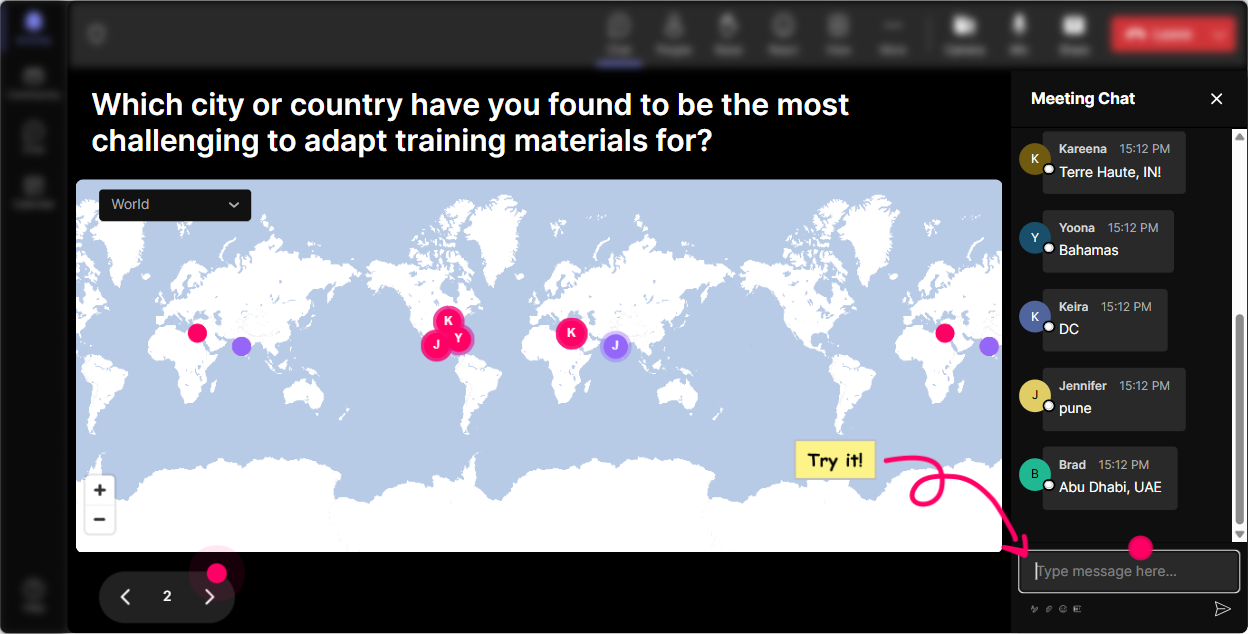
Magic Maps: Put your trainers on the map (and make localization instantly real)
Localization is literally about place, culture, and context-so starting with geography just makes sense. How to use it in your session: - Icebreaker that actually fits the topic: Where are you joining from today? (Classic, but now it visually reinforces that localization is real-world.) - Make it training-relevant: Type a city where your learners are based. Now youre mapping *their audience*, not just your attendees. - Scenario warm-up: Drop a city where youve seen training content NOT land well culturally. Youll get clusters you can call out: Interesting-lots of APAC responses lets talk about why. - Dream destination twist (great for energy): If you could localize ONE training for any country tomorrow, where would you start? Trainer tip: If your group is big, set it to one location per person so the map stays clean. And if you see a heavy cluster (say, Toronto or Mumbai), use it: Okay, Toronto cluster-whats one localization challenge you deal with?
Rating Polls: Quick pulse-check on localization confidence (without awkward silence)
Before you teach anything, find out where people are really at. Rating Polls are perfect for that quick temperature check moment. Ideas you can run in seconds: - Confidence check: On a scale of 110, how confident are you designing training for a global audience? - Reality check: Rate your current training content: how local-ready is it today? (1 = not at all, 10 = totally ready) - Stakeholder challenge check: How hard is it to get SMEs/leadership to approve localized changes? (110) - After a module: How clear is the difference between translation vs localization now? (110) Trainer tip: If the average is low, dont panic-celebrate it. Say: Perfect. This is why were here. If its high, push them: Awesome-then lets go advanced and talk edge cases.

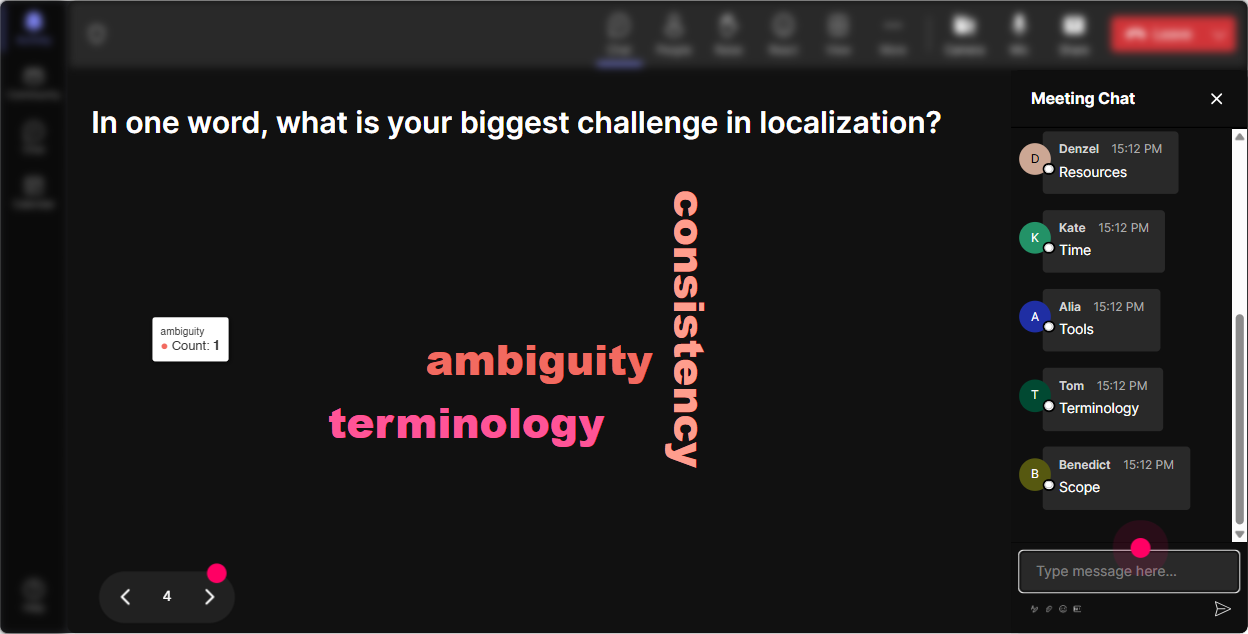
Wonder Words: Let the room tell you what localization *feels like*
Localization brings opinions. Some people love it, some fear it, and some think its just translation. A word cloud is the fastest way to surface that vibe and make it discussable. Prompts that work really well: - Emotion check: In 12 words, how do you feel about localizing training content? (Youll see things like overwhelming, necessary, expensive, exciting.) - Myth-buster setup: Whats one word people confuse with localization? (translation, interpretation, subtitles, etc.) - Learner lens: Whats the #1 thing learners notice when training isnt localized? (examples: tone, examples, humor, currency, idioms) - Content risk: One word: what usually breaks when content goes global? (context, visuals, compliance, slang) Trainer tip: Use Combine Similar Answers so translation and translations dont split the impact. Then pick the biggest 23 words and build your next section around them-instant relevance.
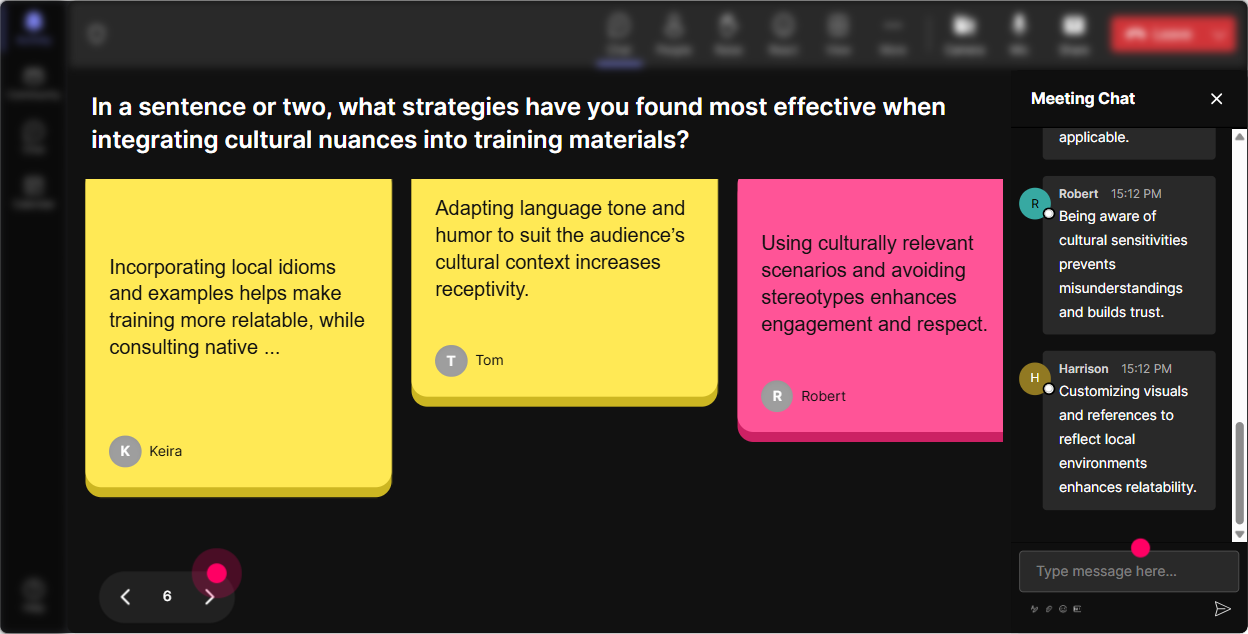
Talking Tiles: Turn localization stories into a shared learning moment
Talking Tiles is your go-to when you want more than a one-word answer. It makes longer responses fun to watch-and it gets quieter folks to type because they can see their message land on screen. Great prompts for corporate trainers: - Role impact: How does localization affect your training work right now? (One or two sentences.) - Real example: Share one moment where a training example didnt translate well across regions-what happened? - Design challenge: Whats the hardest thing to localize in your content: stories, jokes, visuals, regulations, assessments and why? - Practical application: If you had to localize ONE slide in your current deck, which slide would it be and what would you change? Trainer tip: When a strong response drops, read it out loud and ask a follow-up: Can you say more about that? Youll get a natural discussion without begging for participation.
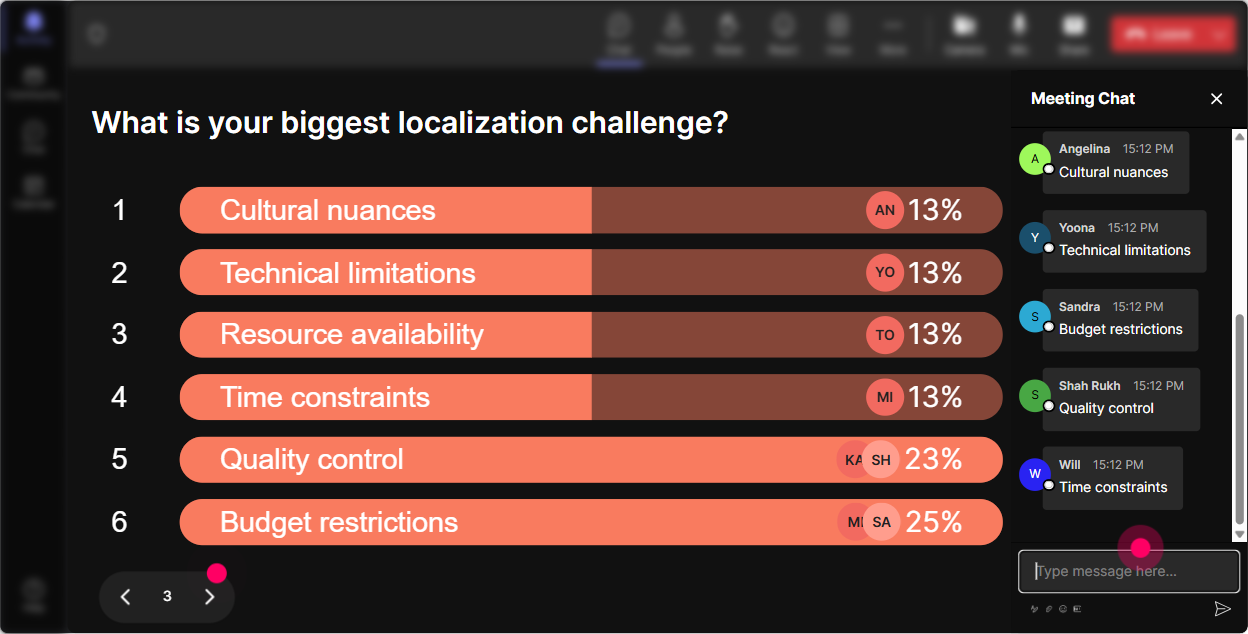
Power Polls: Let the audience choose what you focus on (and stop guessing)
Localization is broad-language, visuals, tone, compliance, measurements, examples, accessibility, platform constraints If you pick the agenda alone, youll miss what they actually need. Poll ideas that steer your session: - What do you want to get better at today? 1) Translation vs localization (clarity) 2) Cultural examples & scenarios 3) Visual/local design (colors, imagery, symbols) 4) Measurements, dates, currency, formats 5) Assessments & knowledge checks across regions - Where do localization issues show up most in your training? 1) Slides 2) Activities 3) Facilitator script 4) eLearning modules 5) Job aids / handouts - Who should own localization in your org? 1) L&D 2) Regional teams 3) Vendor 4) Product/SMEs 5) Shared ownership Trainer tip: Run a poll early, then again at the end: What will you change first after today? That second poll makes the session feel actionable, not theoretical.
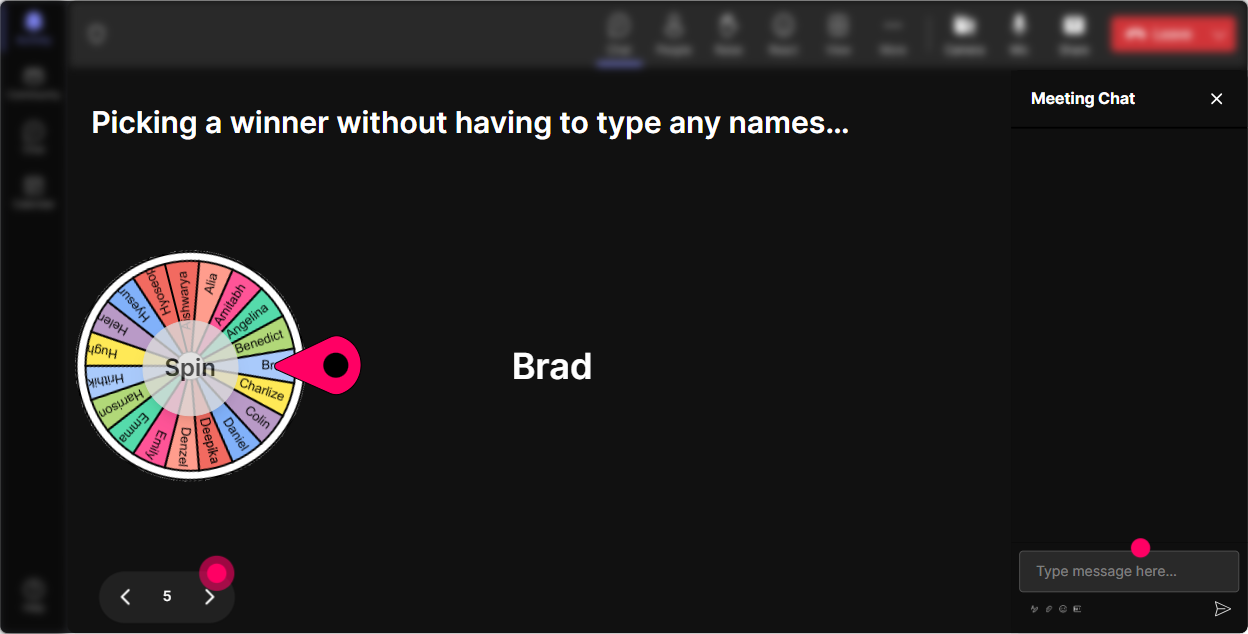
Winner Wheel: Call on people without making it awkward
Every trainer knows the moment: you ask a question, and everyone suddenly becomes a statue. The Winner Wheel gives you a playful way to get voices into the room-without putting pressure on the same 2 talkative people. Ways to use it in localization training: - Volunteer-but-fun: Drop ME in chat if youre willing to share an example of localization gone wrong. Then spin the wheel to choose who shares. - Scenario practice: Type READY if youll unmute and help me rewrite a culturally tricky example. Spin and co-create live. - Participation boost: Anyone who answered the last poll is eligible-lets pick someone to explain their choice. - Mini reward: Well spin after this activity for a quick prize: shoutout, resource pack, first pick of templates, etc. Trainer tip: Tell them the rule up front: If you type in the chat, youre eligible. Participation jumps fast when people know its not random cold-calling-it's opt-in.
Quiz: Quick knowledge checks that feel like a game (not a test)
Localization has a lot of almost-right concepts. A quiz is perfect because it forces a decision-and then you can teach off the results. Multiple-choice questions you can use: - Which is the best example of *localization* (not just translation)? A) Converting English to Spanish word-for-word B) Changing idioms, examples, and currency for the region (Correct) C) Making the font bigger D) Adding more slides - Whats the biggest risk of ignoring localization in training? A) Learners finish faster B) Confusion + low trust + poor application (Correct) C) Higher engagement D) Better recall - Which item is MOST likely to cause cultural confusion? A) A generic icon B) A local sports metaphor (Correct) C) A numbered list D) A table Trainer tip: After you reveal the correct answer, ask: If you picked a different option, what made it feel right? That discussion is where the real learning happens.

Rating Polls: Quick pulse-check on localization confidence (without awkward silence)
Before you teach anything, find out where people are really at. Rating Polls are perfect for that quick temperature check moment. Ideas you can run in seconds: - Confidence check: On a scale of 110, how confident are you designing training for a global audience? - Reality check: Rate your current training content: how local-ready is it today? (1 = not at all, 10 = totally ready) - Stakeholder challenge check: How hard is it to get SMEs/leadership to approve localized changes? (110) - After a module: How clear is the difference between translation vs localization now? (110) Trainer tip: If the average is low, dont panic-celebrate it. Say: Perfect. This is why were here. If its high, push them: Awesome-then lets go advanced and talk edge cases.
Q&A: Catch every question without losing your flow
In localization sessions, questions pop up constantly-tools, process, approvals, budgets, what do I do in my org, etc. StreamAlives Q&A (Quick Questions) pulls questions straight from chat and organizes them, so youre not hunting through messages while trying to teach. How to make it work smoothly: - Set expectation: Drop questions anytime-StreamAlive will capture them and Ill hit a Q&A pit stop every 10 minutes. - Park-and-answer style: When a big question appears (like Who approves localized changes?), say: Great one-parking it, well answer in the next Q&A block. - End strong: Finish with Top 5 questions we didnt want to leave unanswered. Trainer tip: This is a lifesaver on Teams/Zoom when chat gets busy-because it stops great questions from disappearing forever.

Analytics: Prove what worked, tweak what didnt, and show ROI on engagement
If youre running localization training internally, youll often have to report back: Did people engage? What landed? What needs a follow-up session? StreamAlive Analytics gives you that story with real data. How trainers use it after a localization ILT: - Find your peak moments: See minute-by-minute engagement spikes-maybe the translation vs localization quiz lit people up, while your process slide dipped. - Replay the chat with context: Go back and see exactly what people reacted to (super useful when youre improving the next cohorts session). - Identify your most engaged learners: Use Fantastic Fans to spot champions-these are your future peer-coaches or pilot group for localized rollouts. - Interaction reports: Compare which activities performed best (polls vs word cloud vs talking tiles) so you can build a tighter run-of-show next time. - Share results easily: Email reports to yourself or your team, or use the insights in your next Teams update: Heres what the audience struggled with most. Trainer tip: Engagement isnt just a nice-to-have. When you can show participation patterns and what learners cared about, its much easier to justify more time, budget, or support for proper localization.

Use StreamAlive in all your training sessions
StreamAlive isn’t just for
Localization
training,
it can also be used for any instructor-led training session directly inside your PowerPoint presentation.
Explore similar traingin ideas: unlocking the potential of StreamAlive
See how StreamAlive transforms live training with engaging events and interactive sessions across industries, directly inside your PowerPoint presentation.

Interactions in action
(it's free)

.svg.png)


