Install StreamAlive for your PowerPoint slides
Learn more

Work-Life Balance Training for Corporate Trainers
StreamAlive helps 9x the audience engagement in your Virtual Instructor-led Trainings (VILT) directly inside your powerpoint presentation.
Make your instructor-led Work-Life Balance training more fun with polls, word clouds, spinner wheels and more
Works inside your existing PowerPoint presentation
Install the StreamAlive app for PowerPoint and see your slides come to life as people participate in your interactions
AI generates audience interactions for you
Let our AI scan your presentation and automatically come up with relevant questions based on the content. Or spend two hours coming up with your own questions, your choice!
Built to work with MS Teams and Zoom
Native apps for Teams and Zoom so you never have to leave your existing workflows
No QR Codes
Chat-powered interactions means your audience doesn’t need to scan QR codes or look at another screen to participate. They just type in the chat!

Quickly approved by your IT team
StreamAlive’s apps for Teams and Zoom means that they have been through rigorous quality assurance and client safety reviews. You’ll find everything an IT team needs to approve the app within the organization within your StreamAlive account.

Youve been asked to run a session on work-life balance for corporate trainers-and you dont want it to turn into a talking-at-people lecture. The good news? With a few smart activities (and the right interactions), you can keep everyone participating the whole time. Heres how to do it with StreamAlive.
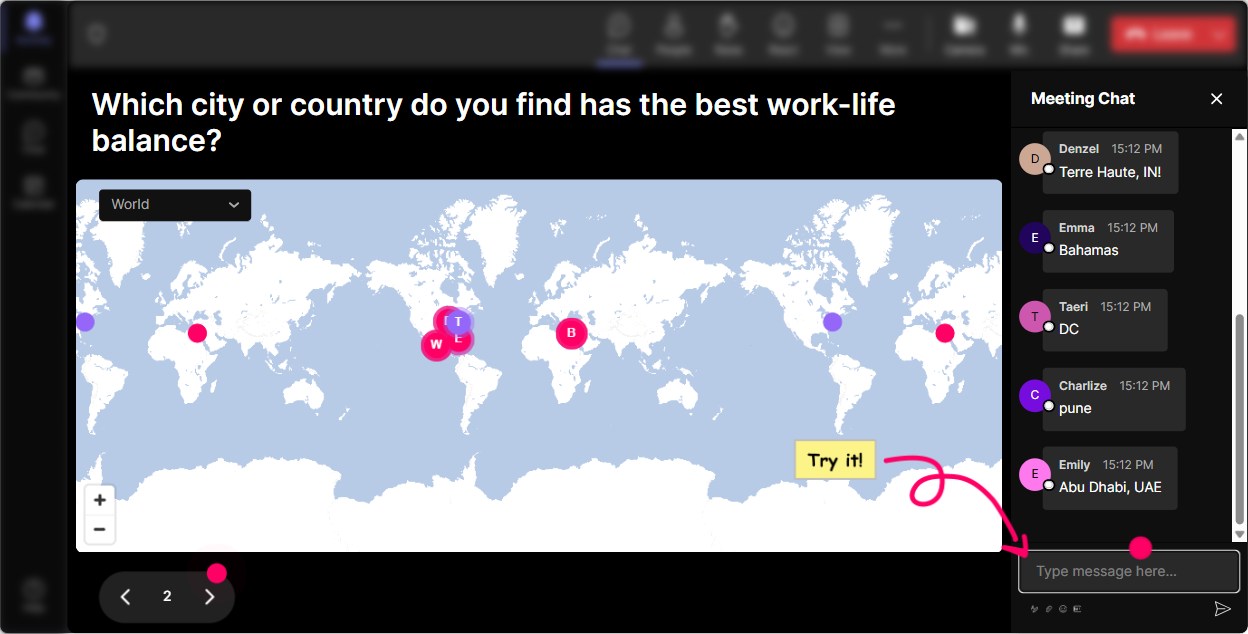
1) Magic Maps: Start with a were all in this together moment
Work-life balance is personal, and nothing warms up a group faster than realizing how different everyones day looks based on where they are. Kick off with Magic Maps and let the chat power the map in real time. Try questions like: - Where are you joining from today? (classic, fast, gets everyone typing) - If you could take a guilt-free break anywhere on earth next week, where would you go? (ties directly to rest + recovery) - Which city/region has the most always-on work culture in your experience? (great lead-in to boundaries) Trainer tip: If youre training internal trainers across regions, call out clusters: Looks like weve got a big Singapore cluster-whats your typical training day like? It instantly creates connection and context for the rest of your session.
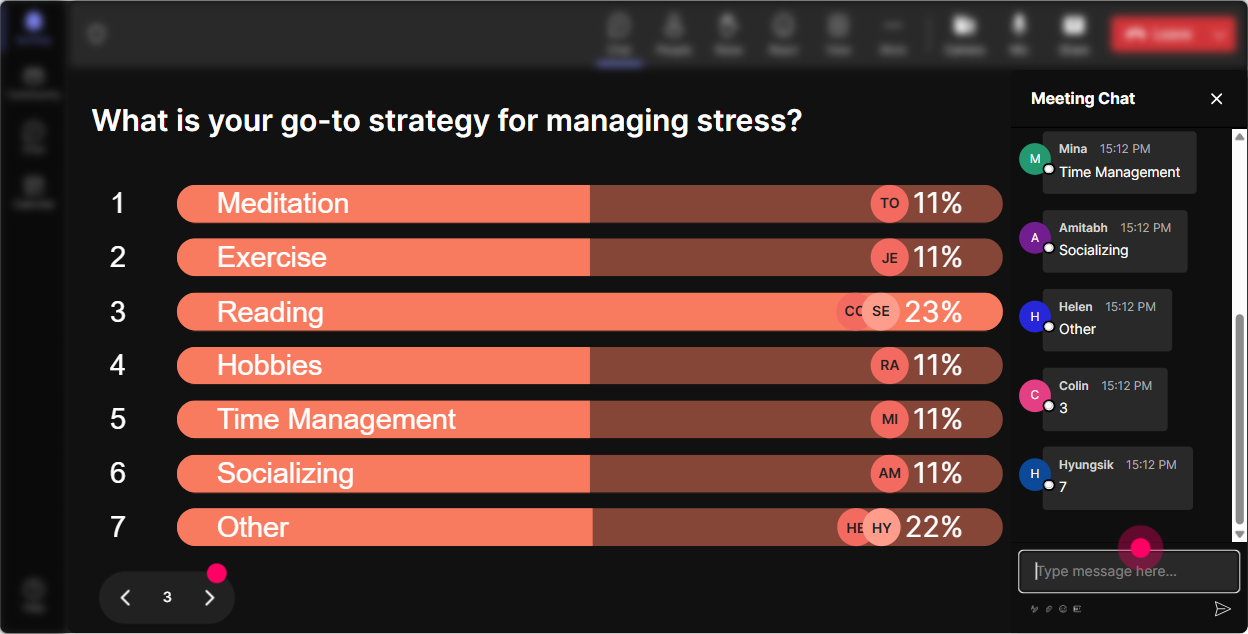
2) Rating Polls: Get a quick baseline-without putting anyone on the spot
Before you teach anything, find out where people *really* are. Rating Polls let participants answer with a number in chat, and you instantly see the mood of the room. Use it to ask: - On a scale of 110, how balanced does your work-life feel right now? - How confident are you at setting boundaries with clients/stakeholders? (110) - How sustainable is your current training schedule? (110) Then respond like a human: Alright, Im seeing a lot of 4s and 5s-totally get it. Lets work on some small changes that actually stick. Now youre facilitating, not preaching.

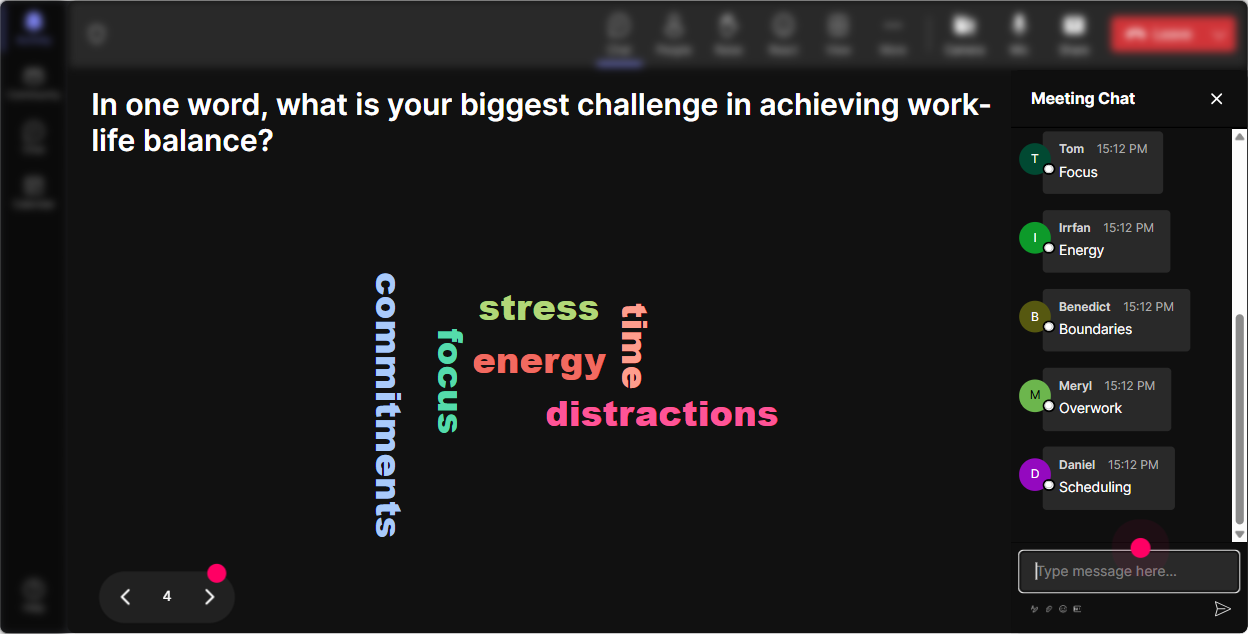
3) Wonder Words (Word Cloud): Make emotions visible (and normalize them)
Work-life balance sessions can get awkward if people feel judged. A word cloud makes it safe, fast, and kind of fun-because everyone just drops a word or two. Prompts that work really well: - When you hear work-life balance, what word pops up? (e.g., peace, impossible, needed) - Whats the #1 thing that throws your week off? (e.g., emails, travel, late calls) - One word for how you want to feel after a training day? (e.g., energized, done, proud) Trainer tip: If you see heavier words like burnout or exhausted getting big, pause and say it out loud. Thats the moment the group realizes: Oh, its not just me. Engagement goes up because relevance just went up.
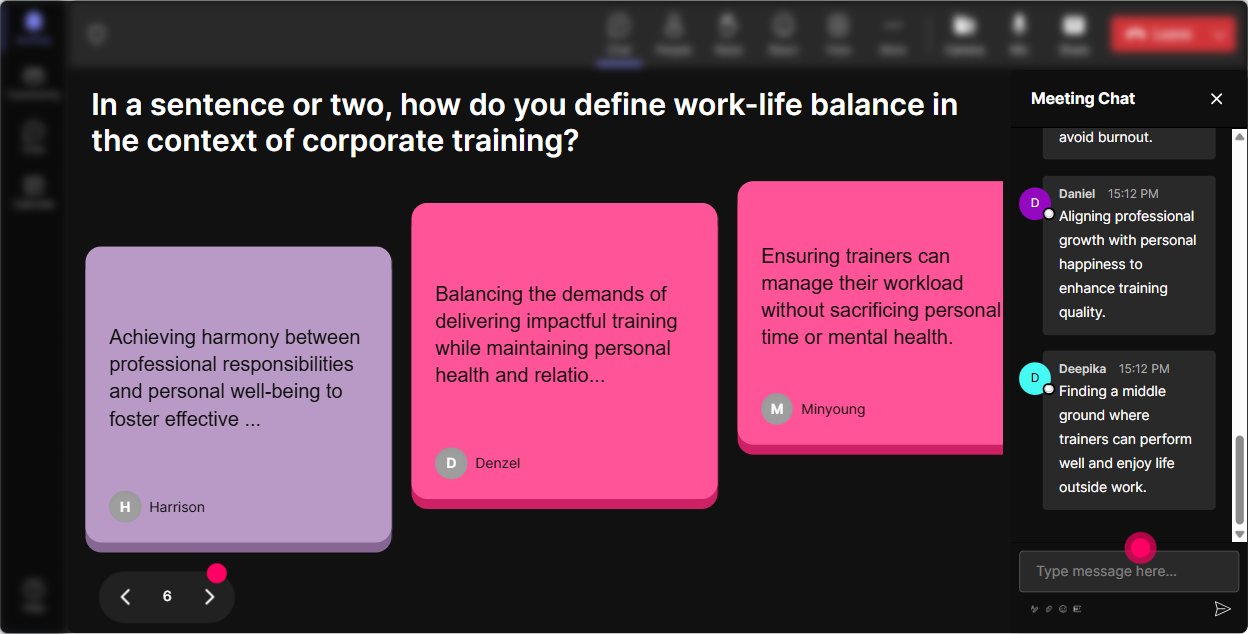
4) Talking Tiles: Turn real-life experiences into your best content
This is where you get the good stuff-real stories, real challenges, real solutions. Talking Tiles is perfect when you want more than a one-word answer, but you still want it to feel lively. Ask: - Whats one part of being a trainer that makes balance harder? - What boundary have you tried that actually worked? - Whats one hidden workload people dont realize trainers carry? (prep, follow-ups, stakeholder alignment, travel, admin) As tiles fall in, you can literally facilitate off the room: - Group themes (Im seeing prep time a lot-lets talk about designing faster without losing quality.) - Pull great lines to spotlight (This ones gold: Im always on even after the session ends. Lets unpack that.) It feels interactive because it is-your participants are helping build the session.
5) Power Polls: Let the group choose what you go deeper on
Youll always have limited time, and trainers have different pain points. Power Polls help you co-create the agenda in 30 seconds and focus where people actually care. Poll ideas: - What do you want most from today? 1) Better boundaries with stakeholders 2) Managing prep time 3) Avoiding calendar overload 4) Switching off after delivery - Which habit would help you most this month? 1) Hard stop time 2) Phone/email rules 3) Delegating admin 4) Building recovery time after sessions Trainer tip: When the winning option shows up, say: Perfect-this is what well spend the most time on. People lean in because they helped choose it.
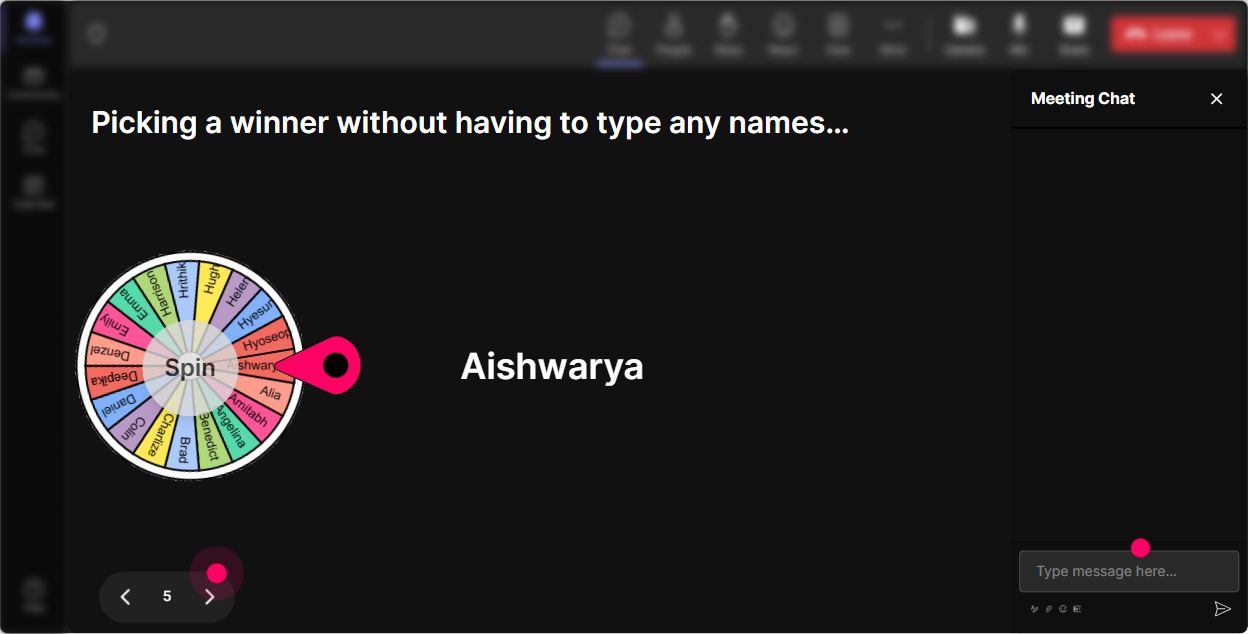
6) Winner Wheel: Get volunteers without the awkward silence
You know that moment when you ask, Who wants to share? and suddenly everyone becomes a statue? Winner Wheel fixes that-while keeping it playful. Ways to use it in a work-life balance ILT: - Spin to pick someone to share a boundary they set (or want to set) - Spin to pick a person to read out a great chat comment - Spin for a quick role-play: Stakeholder asks for a last-minute change-how do you respond without overcommitting? Make it light, not scary: If the wheel picks you, you can pass-no stress. But its usually more fun if you jump in. Youll be surprised how many people participate when it feels fair and random.
7) Quiz: Quick knowledge checks that dont feel like school
Work-life balance has a lot of myths. A quick quiz lets you correct misconceptions in a way that feels like a game, not a lecture. Quiz questions you can run: - Which is the best example of a boundary? A) Working late but complaining about it B) Saying yes now and regretting it later C) Communicating availability upfront and sticking to it (Correct) D) Ignoring messages until they go away - Whats a recovery activity? A) Scrolling work emails in bed B) A walk with no inputs (Correct) C) Multitasking through lunch D) Back-to-back meetings Trainer tip: After revealing the correct answer, ask: What makes this hard in real life? Thats where the real learning happens.

2) Rating Polls: Get a quick baseline-without putting anyone on the spot
Before you teach anything, find out where people *really* are. Rating Polls let participants answer with a number in chat, and you instantly see the mood of the room. Use it to ask: - On a scale of 110, how balanced does your work-life feel right now? - How confident are you at setting boundaries with clients/stakeholders? (110) - How sustainable is your current training schedule? (110) Then respond like a human: Alright, Im seeing a lot of 4s and 5s-totally get it. Lets work on some small changes that actually stick. Now youre facilitating, not preaching.
8) Q&A: Capture questions cleanly, even when chat gets busy
In live training, questions get buried fast-especially when youre running activities. StreamAlives Q&A pulls questions from chat and displays them neatly so you dont miss the important stuff. How to use it in this session: - Do a mid-session pressure valve: Drop your toughest work-life balance question in chat-StreamAlive will grab them. - Save the spicy ones for the end: boundary pushback, manager expectations, travel fatigue, always-on culture - Combine it with your content: Were about to cover boundaries-let me pull two questions from the Q&A list that match this. Net effect: people ask more questions because they trust youll actually see them.

9) Analytics: After the session, see what actually engaged people (so you can improve fast)
If youre running work-life balance training for trainers, youll probably deliver it more than once. StreamAlive Analytics helps you tighten it every round. What to look for: - Minute-by-minute engagement: Where did chat spike? (Thats your strongest segment.) - Interaction results replay: Which prompts worked best-word cloud, poll, tiles? - Top engaged participants: Great for follow-up, champions, or even future co-facilitators - Email reports: Share with your L&D team or keep it for your own improvement notes Trainer move: Compare two deliveries of the same session. If engagement drops during your theory slides, youll know to swap in an interaction right there next time. Thats how you steadily build a session people actually want to attend.

Use StreamAlive in all your training sessions
StreamAlive isn’t just for
Work-Life Balance
training,
it can also be used for any instructor-led training session directly inside your PowerPoint presentation.
Explore similar traingin ideas: unlocking the potential of StreamAlive
See how StreamAlive transforms live training with engaging events and interactive sessions across industries, directly inside your PowerPoint presentation.

Interactions in action
(it's free)

.svg.png)


