Install StreamAlive for your PowerPoint slides
Learn more

Remote & Hybrid Workplace Models Training for Training Agencies
StreamAlive helps 9x the audience engagement in your Virtual Instructor-led Trainings (VILT) directly inside your powerpoint presentation.
Make your instructor-led Remote & Hybrid Workplace Models training more fun with polls, word clouds, spinner wheels and more
Works inside your existing PowerPoint presentation
Install the StreamAlive app for PowerPoint and see your slides come to life as people participate in your interactions
AI generates audience interactions for you
Let our AI scan your presentation and automatically come up with relevant questions based on the content. Or spend two hours coming up with your own questions, your choice!
Built to work with MS Teams and Zoom
Native apps for Teams and Zoom so you never have to leave your existing workflows
No QR Codes
Chat-powered interactions means your audience doesn’t need to scan QR codes or look at another screen to participate. They just type in the chat!

Quickly approved by your IT team
StreamAlive’s apps for Teams and Zoom means that they have been through rigorous quality assurance and client safety reviews. You’ll find everything an IT team needs to approve the app within the organization within your StreamAlive account.

Youve been asked to run an instructor-led session on Remote & Hybrid Workplace Models for a Training Agency-and you want it to feel lively, not like another camera-off webinar. The good news: you dont need gimmicks, you just need moments where people can actually participate. Here are simple ways to do that with StreamAlive so engagement stays high from start to finish.
Magic Maps: start with where are you joining from? (but make it relevant)
This is the easiest win in the first 2 minutes. Instead of the usual bland roll-call, use Magic Maps to instantly turn chat into a live visual map-people love seeing themselves show up on screen. Try prompts that connect to Remote & Hybrid Workplace Models: - Where are you joining from today (city + country)? (classic opener, always works) - If you could design your ideal hybrid week from anywhere on earth, where would you work from? - Which city has the best examples of remote/hybrid work culture (in your experience)? - Where is your HQ based vs. where you actually work from most days? Trainer move: when you see clusters, call them out. Okay wow-big cluster in Toronto. Toronto folks, whats your companys current hybrid policy? That one simple follow-up turns a map into conversation.

Rating Polls: get a quick pulse check (and adjust your delivery on the fly)
Rating Polls are perfect for those moments where you need to know: are we all on the same page here? Its fast, its visual, and it stops you from guessing. Use it at the start to gauge experience: - Rate your confidence in explaining hybrid workplace models to a client (1 = not confident, 10 = I can teach it). - How clear is your organizations remote/hybrid policy right now? (110) Use it mid-session to check understanding: - How confident are you about the difference between remote-first and hybrid-first? (110) Use it after an activity: - How realistic is the hybrid model we just designed for your clients? (110) Trainer move: if the average dips, dont plow ahead. Say it out loud: Looks like were at a 6. Let me reframe that with a simple example. People feel seen-and they stay with you.

Wonder Words (Word Cloud): make peoples opinions visible in seconds
Remote & hybrid work is one of those topics where everyone has feelings-good, bad, mixed. Wonder Words lets you surface the rooms vibe instantly, without putting anyone on the spot. Ask for 12 word answers like: - Whats the biggest challenge in hybrid work? (answers like: communication, trust, visibility, meetings) - Whats the best thing about remote work? - When you hear hybrid model, whats the first word that comes to mind? - What do employees ask for the most: flexibility, clarity, fairness, or tools? (youll see what grows) Trainer move: use the biggest words as your agenda. Alright, communication is huge. Lets tackle that first. Now the session feels customized, not canned.
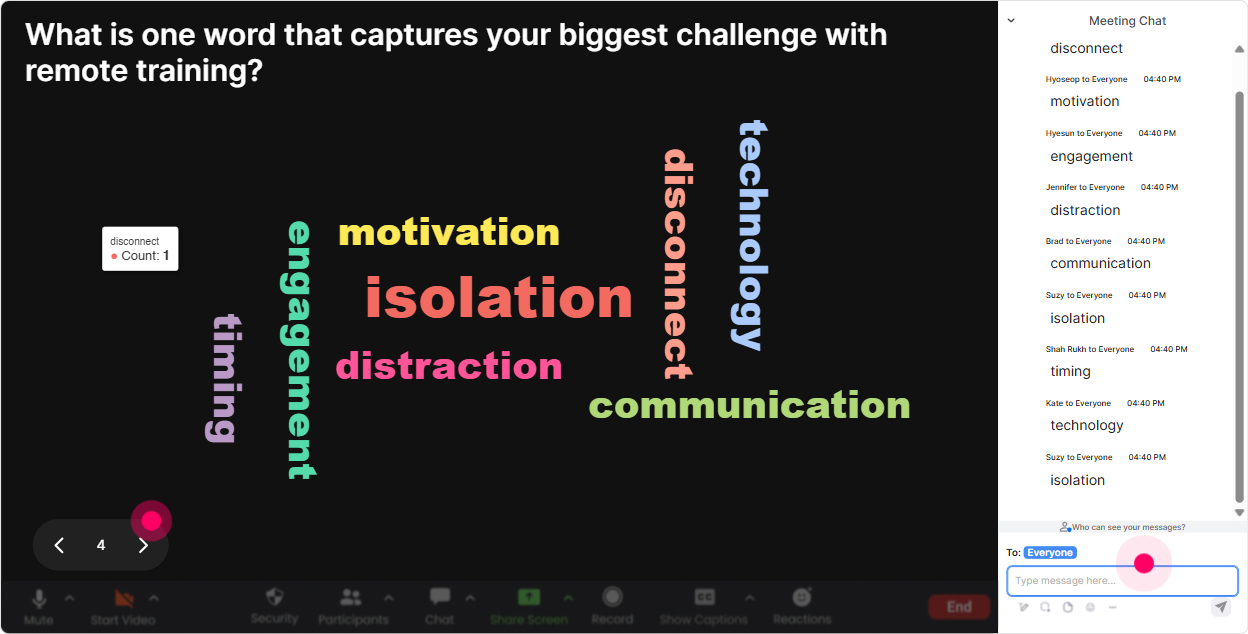
Talking Tiles: turn chat into a real discussion (without the awkward silence)
Talking Tiles is great when you want fuller responses-mini-stories, examples, lessons learned. People type in chat, and their messages show up as dynamic tiles on screen, so it feels like a real group conversation. Prompts that work really well for Remote & Hybrid Workplace Models: - Whats one thing that got harder when your team went hybrid? - Share one unwritten rule of hybrid work in your organization. - Whats a mistake leaders make when managing remote teams? - If you were advising a client, whats the first policy youd clarify? Trainer move: pick 23 tiles and read them out like youre hosting a panel. This one says meeting overload-yep. Lets unpack that. Whats causing it? People stay engaged because their words are literally driving the session.
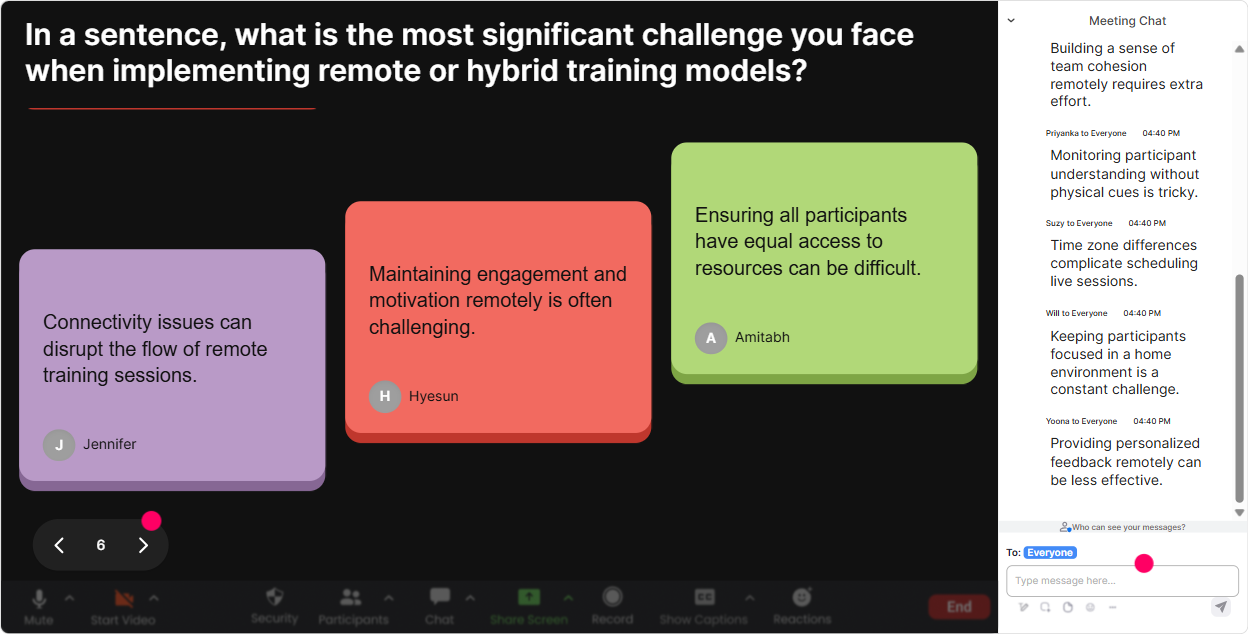
Power Polls: let the group choose the direction (and youll get buy-in instantly)
Power Polls are your choose what we focus on next tool. Instead of you deciding what matters most, let the room vote-then teach to that. Poll ideas for this topic: - Which hybrid model are your clients asking about most? 1) Fixed days in office 2) Team-based schedules 3) Remote-first 4) Role-based hybrid - Whats the hardest thing to get right in hybrid workplaces? 1) Collaboration 2) Performance management 3) Culture & belonging 4) Fairness between roles - What should we spend more time on today? 1) Policy design 2) Manager enablement 3) Tools & rituals 4) Measuring success Trainer move: after the vote, say: Cool, the group picked performance management. Ill adjust and go deeper there. Thats how your training stops feeling generic.
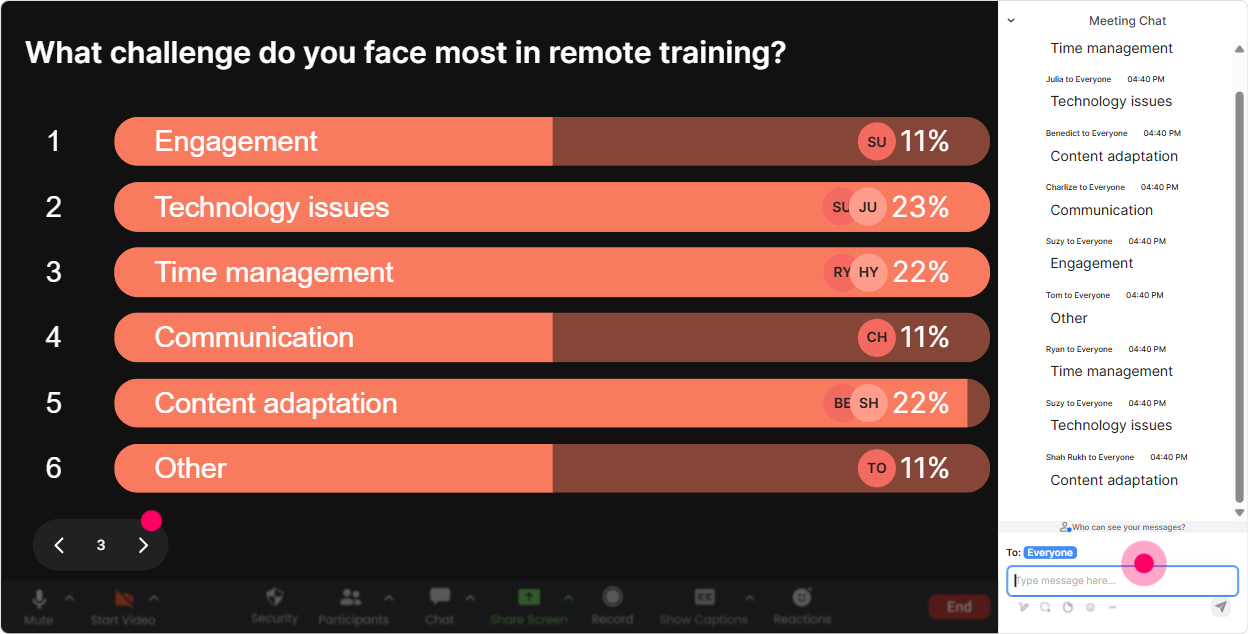
Winner Wheel (Spinner Wheel): get volunteers without begging for them
You know that moment when you ask, Who wants to share? and suddenly everyone becomes a statue? Winner Wheel fixes that in a fun, fair way. How to use it in a Remote & Hybrid Workplace Models ILT: - Drop ME in chat if youre open to sharing your current hybrid policy. Ill spin the wheel. - Comment one challenge youre seeing with hybrid work-then Ill spin and ask someone to unmute for a 30-second perspective. - We need a quick role-play: manager + employee. Type role-play if youre willing, and Ill spin for the two people. Trainer move: keep it low-pressure. Tell them exactly what theyll do: Youll just share for 20 seconds-no long speech. Participation goes up fast when people know its safe.
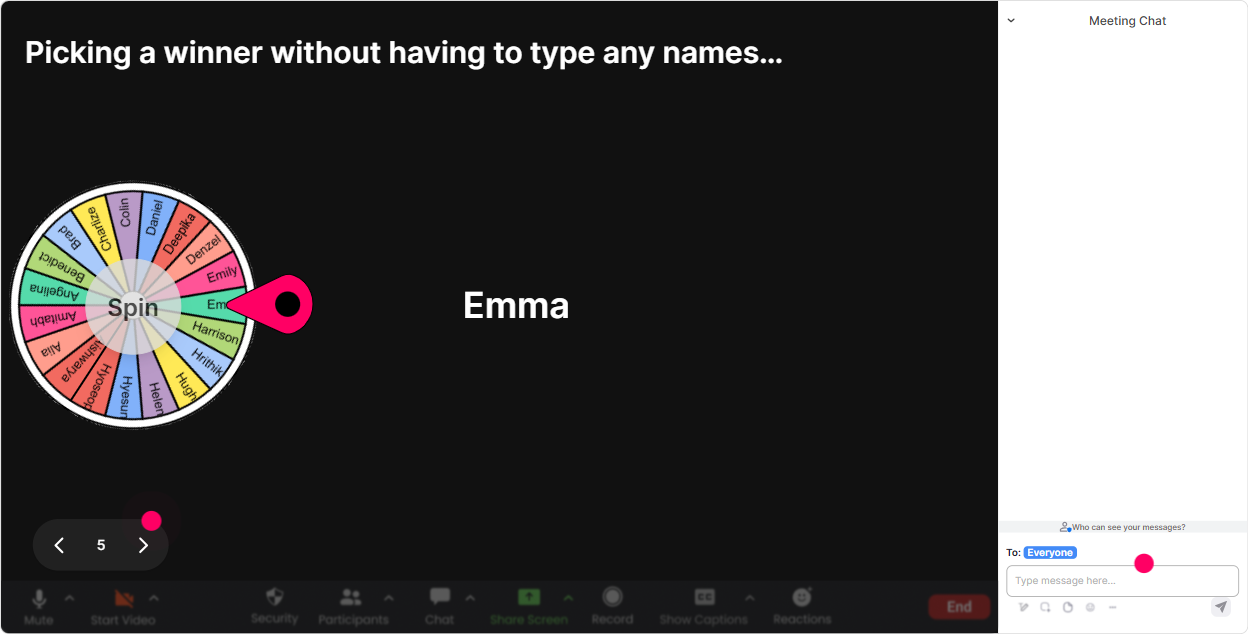
Quiz: quick knowledge checks that dont feel like school
A Quiz is perfect for keeping attention and locking in learning-especially in remote sessions where people can drift. Make it quick, make it practical, and reveal the correct answer live. Quiz questions you can run: - Which is the best definition of remote-first? (only one correct) - Whats the biggest risk of a two-tier workforce in hybrid models? - Which metric best indicates hybrid success? (options like: employee engagement, retention, productivity outcomes, time-in-office) - In a hybrid meeting, whats the fairest default? (options like: everyone in-room, everyone on their own device, rotate, etc.) Trainer move: after you reveal the correct answer, ask one follow-up in chat: If your org does it differently, what do you do today? Now its not just a quiz-it becomes a real-world discussion.

Rating Polls: get a quick pulse check (and adjust your delivery on the fly)
Rating Polls are perfect for those moments where you need to know: are we all on the same page here? Its fast, its visual, and it stops you from guessing. Use it at the start to gauge experience: - Rate your confidence in explaining hybrid workplace models to a client (1 = not confident, 10 = I can teach it). - How clear is your organizations remote/hybrid policy right now? (110) Use it mid-session to check understanding: - How confident are you about the difference between remote-first and hybrid-first? (110) Use it after an activity: - How realistic is the hybrid model we just designed for your clients? (110) Trainer move: if the average dips, dont plow ahead. Say it out loud: Looks like were at a 6. Let me reframe that with a simple example. People feel seen-and they stay with you.
Q&A (Quick Questions): capture every question without losing your flow
In remote/hybrid training, questions fly through chat-and its way too easy to miss the good ones while youre teaching. StreamAlives Q&A automatically detects and collects questions from the chat, so you can actually focus on facilitating. Ways to use it during this session: - Run a parking lot: Drop your questions anytime-StreamAlive will capture them and well hit them at the 40-minute mark. - Do a checkpoint Q&A: Before we move into policy design, lets answer the top 3 questions that came in. - End with rapid-fire: Well do a 10-minute lightning round. If its a client scenario question, ask it now. Trainer move: if youre co-facilitating, have one person teach while the other person monitors the captured questions list. It feels smooth and professional, even with a big group.

Analytics: figure out what actually worked (so your next session is even better)
After the session, StreamAlives Analytics show you what kept people engaged-and where attention dropped. This is gold for Training Agencies because you can improve the session quickly and also prove impact to clients. What you can learn and use right away: - Minute-by-minute engagement: see which parts of your Remote & Hybrid Workplace Models training lit up the chat (and which parts need tightening) - Interaction reports: compare which activities performed best (polls vs. word clouds vs. quizzes) - Top fans / most engaged participants: great for follow-ups, champions, or even selecting people for future pilot groups - Email/shareable reports: easy to send to your internal team or client stakeholders after delivery Trainer move: use analytics to upgrade your run-of-show. If engagement spikes during policy scenarios and drops during definitions, you now know exactly what to shorten next time-and what to expand. Thats how you keep leveling up and getting that wow, this was actually engaging feedback.

Use StreamAlive in all your training sessions
StreamAlive isn’t just for
Remote & Hybrid Workplace Models
training,
it can also be used for any instructor-led training session directly inside your PowerPoint presentation.
Explore similar traingin ideas: unlocking the potential of StreamAlive
See how StreamAlive transforms live training with engaging events and interactive sessions across industries, directly inside your PowerPoint presentation.

Interactions in action
(it's free)

.svg.png)


