Install StreamAlive for your PowerPoint slides
Learn more

Microlearning Training for L&D Leaders
StreamAlive helps 9x the audience engagement in your Virtual Instructor-led Trainings (VILT) directly inside your powerpoint presentation.
Make your instructor-led Microlearning training more fun with polls, word clouds, spinner wheels and more
Works inside your existing PowerPoint presentation
Install the StreamAlive app for PowerPoint and see your slides come to life as people participate in your interactions
AI generates audience interactions for you
Let our AI scan your presentation and automatically come up with relevant questions based on the content. Or spend two hours coming up with your own questions, your choice!
Built to work with MS Teams and Zoom
Native apps for Teams and Zoom so you never have to leave your existing workflows
No QR Codes
Chat-powered interactions means your audience doesn’t need to scan QR codes or look at another screen to participate. They just type in the chat!

Quickly approved by your IT team
StreamAlive’s apps for Teams and Zoom means that they have been through rigorous quality assurance and client safety reviews. You’ll find everything an IT team needs to approve the app within the organization within your StreamAlive account.

Youve been asked to run a microlearning instructor-led session for L&D Leaders-and you want it to feel snappy, practical, and (most importantly) not boring. The trick is simple: teach in small bursts, then pull people into the chat every few minutes. Heres how StreamAlive can help you do that and keep engagement up all session long.
Magic Maps: Kick off your microlearning session by putting everyone on the map
Microlearning works best when people feel involved fast-so dont start with a 10-minute intro slide. Start with a 30-second hello and drop a Magic Maps question. How to use it in your Microlearning ILT for L&D Leaders: - Icebreaker in under 60 seconds: Where are you joining from today? (Classic, quick, and it instantly creates energy.) - Make it topic-relevant: If you could steal one learning practice from any place in the world, where would it be? - Tie to business context: Which city are you designing learning for right now? (Great for global L&D groups.) Why it boosts engagement: people love seeing themselves show up visually, and it gives you a natural segue: Awesome-lots of folks from APAC. Lets keep todays examples global-friendly.

Rating Polls: Do a fast pulse check before you teach anything
Rating Polls are your best friend for microlearning because theyre quick, visual, and they tell you what to do next. Youre basically asking, Where are we starting from? without making it awkward. Ways to use Rating Polls in a microlearning session: - Knowledge check before the first concept: On a scale of 110, how confident are you designing microlearning today? - Readiness check: How ready is your org to shift from long courses to microlearning? (1 = not ready, 10 = already doing it) - After a 5-minute teaching burst: Rate this tactic: one objective per micro-lesson (1 = not useful, 10 = stealing this today) Trainer tip: If you see lots of 35 ratings, you slow down and add an example. If you see 810, you skip ahead. Thats microlearning delivery done right.

Wonder Words (Word Cloud): Get instant emotion + insight in one question
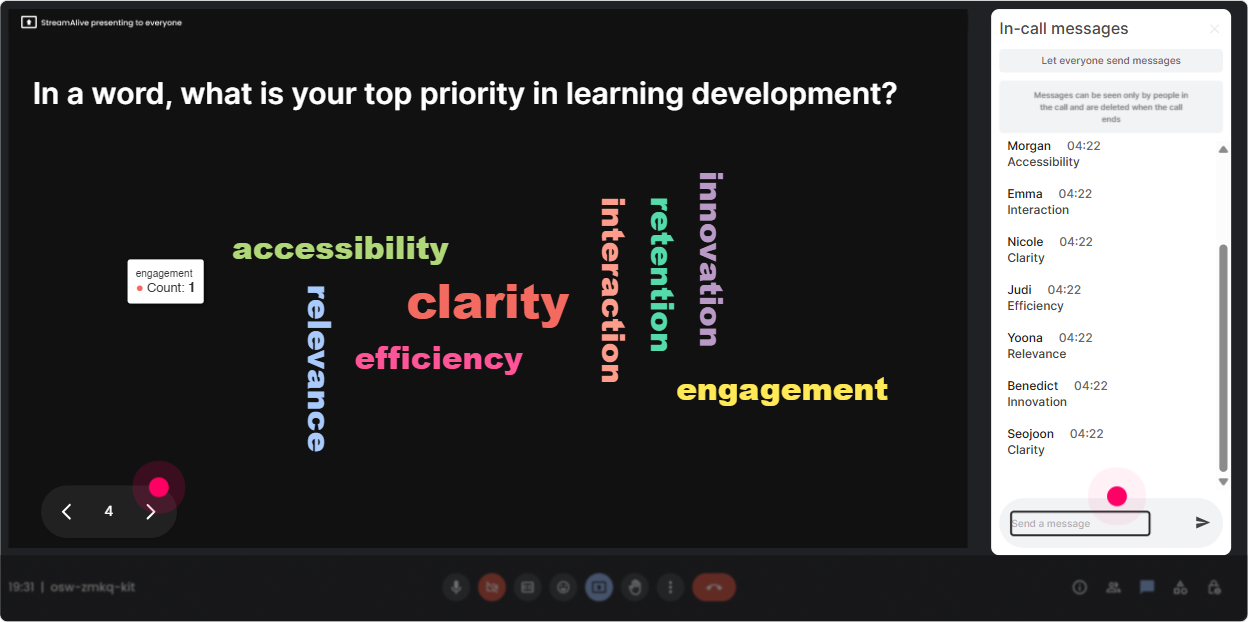
Microlearning isnt just a method-its a mindset shift. Wonder Words lets you quickly surface what people really think, without forcing anyone to give a long answer. Use it like this: - Feelings check: When you hear microlearning, whats the first word that comes to mind? (Youll get stuff like snackable, rushed, effective, TikTok-y, finally.) - Reality check: Whats the biggest barrier to microlearning in your org? One or two words. (Look for patterns like time, stakeholders, SMEs, tools, measurement.) - Design focus: What should microlearning always include? One word. (Great lead-in to principles like practice, feedback, context.) Why it works: you get group sentiment instantly, and you can literally teach to what shows up biggest on screen.
Talking Tiles: Turn your chat into a live brainstorm wall (without the awkward silence)
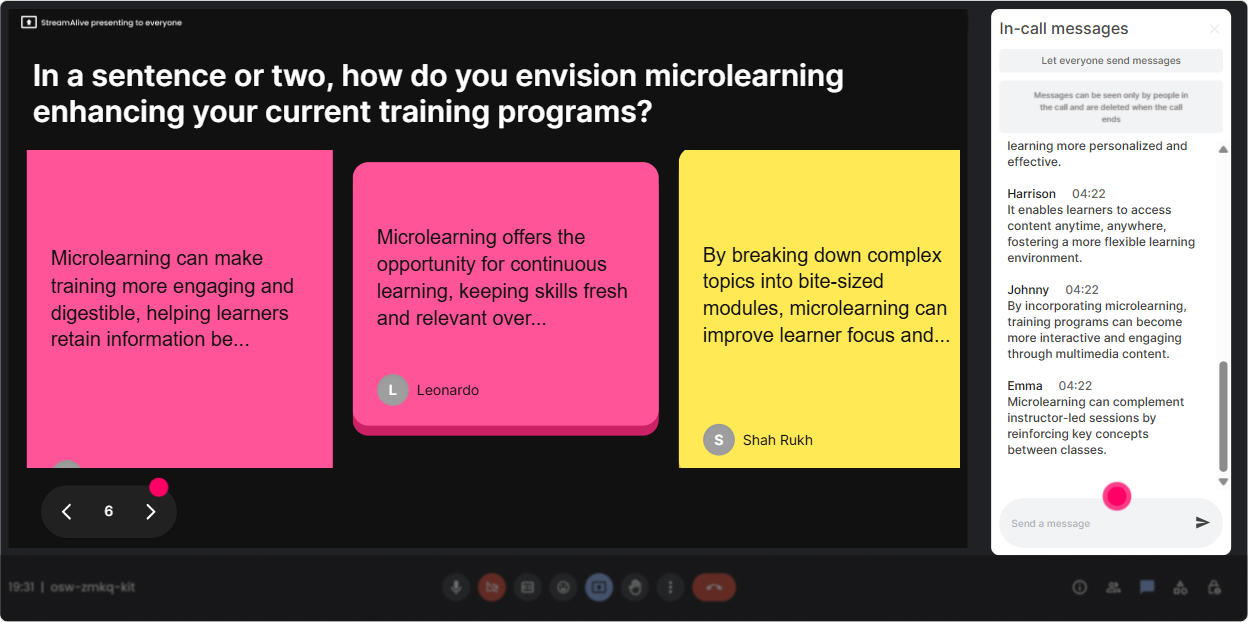
Talking Tiles is perfect when you want slightly longer responses-like examples, mini-stories, or real workplace challenges. Its still micro because people type quick thoughts, but you get richer data to work with. Try these prompts with L&D Leaders: - Impact question: Where could microlearning make the biggest difference in your org right now? (Sales enablement, compliance refreshers, manager training, product updates.) - Practical design prompt: Describe one topic youd convert into a 3-minute micro-lesson. What would it be? - Behavior focus: Whats one behavior youre trying to change that could be supported with microlearning? How to facilitate it: Let tiles roll in for 3060 seconds, then read out 35 and say, Okay, lets pick one and build a microlearning outline together. Now youre co-creating, not lecturing.
Power Polls: Let the group vote on what you teach next (microlearning loves choice)
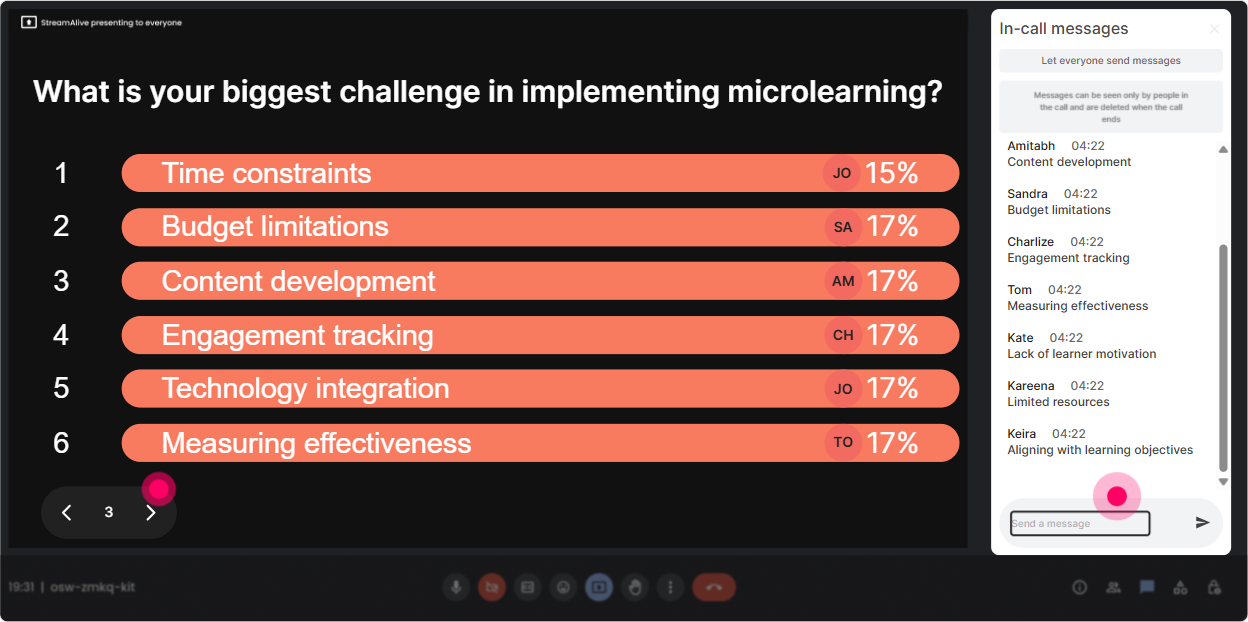
If you want L&D Leaders to stay engaged, give them control. A quick Power Poll lets the room decide what matters most-then you tailor the next 57 minutes to that. Poll ideas for a microlearning ILT: - What do you want most from today? 1) Microlearning design framework 2) Examples that work in corporate settings 3) How to measure microlearning impact 4) How to roll it out without resistance - Which format are you building most? 1) Video 2) Scenario/branching 3) Quiz-based nudges 4) Job aids + prompts - Where does microlearning fit best in your ecosystem? 1) Pre-work 2) Reinforcement 3) Performance support 4) Standalone learning bursts Why its powerful: you stop guessing. You teach what they vote for-and people pay attention to what they helped choose.
Winner Wheel (Spinner Wheel): Get participation without putting anyone on the spot
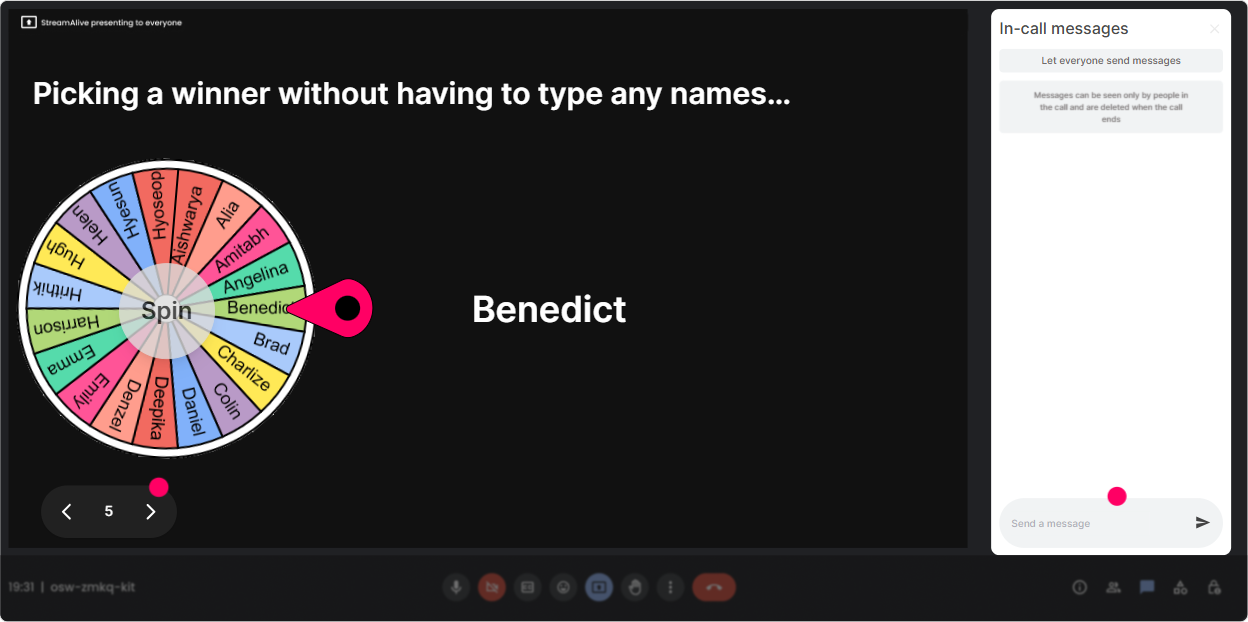
Every live session has a few loud voices and a lot of quiet ones. The Spinner Wheel helps you balance that-because people are more likely to chat if they know it could lead to a fun moment (or a small prize), and it keeps things fair. Ways to use it in microlearning ILT: - Drop one microlearning topic youre working on in the chat-then Ill spin the wheel and well workshop the winners topic for 2 minutes. - Type READY if you want to share a quick win or challenge. Ill spin to pick who we hear from. - Everyone who answered the last check-in question is eligible-lets spin for a Microlearning MVP shoutout. Trainer tip: Keep it light. The point isnt pressure-its momentum. The wheel gives you a playful reason to pull voices in.
Quiz: Run quick knowledge checks that feel like a game (not a test)
Microlearning is built on short loops: learn check apply. A StreamAlive Quiz lets you do that in real time, and you can reveal the correct answer when youre ready. Quiz ideas tailored for L&D Leaders: - Which is the BEST definition of microlearning? A) Any short video under 5 minutes B) Bite-sized learning designed around one objective with practice C) Any mobile learning D) A replacement for all ILT (Correct: B) - Whats a common microlearning mistake? A) One objective per lesson B) Including a practice activity C) Cramming 6 objectives into 3 minutes D) Using real job scenarios (Correct: C) - Best metric to pair with microlearning reinforcement? A) Slide count B) Completion only C) Behavior/application metric D) Video resolution (Correct: C) Why it works: it breaks up your teaching, wakes people up, and gives you proof theyre tracking (or a signal to reteach fast).

Rating Polls: Do a fast pulse check before you teach anything
Rating Polls are your best friend for microlearning because theyre quick, visual, and they tell you what to do next. Youre basically asking, Where are we starting from? without making it awkward. Ways to use Rating Polls in a microlearning session: - Knowledge check before the first concept: On a scale of 110, how confident are you designing microlearning today? - Readiness check: How ready is your org to shift from long courses to microlearning? (1 = not ready, 10 = already doing it) - After a 5-minute teaching burst: Rate this tactic: one objective per micro-lesson (1 = not useful, 10 = stealing this today) Trainer tip: If you see lots of 35 ratings, you slow down and add an example. If you see 810, you skip ahead. Thats microlearning delivery done right.
Q&A (Quick Questions): Capture questions from chat without losing your flow
In microlearning-style delivery, you dont want to stop every 30 seconds to hunt through chat. StreamAlives Q&A pulls questions out and keeps them organized so you can stay in rhythm. How to use it smoothly: - Tell them upfront: Drop questions anytime-StreamAlive will collect them and Ill hit a Q&A pit stop every 10 minutes. - Do micro-Q&A breaks: after each mini-module, answer the top 2 questions and move on. - End with a clean wrap-up: Lets clear the remaining questions, then Ill share a simple microlearning action plan. Why trainers love it: no missed questions, no frantic scrolling, and participants feel heard even in a fast-paced session.

Analytics: Figure out what actually kept L&D Leaders engaged (so you can repeat it)
This is the part most trainers skip-and its honestly where you level up. StreamAlive Analytics shows you what moments spiked engagement, what fell flat, and who your most engaged participants were. How L&D Leaders (and you) can use this after a microlearning ILT: - Improve the session design: Check the minute-by-minute engagement to see exactly when attention dipped-maybe that 8-minute explanation needs to become a 3-minute story + a poll. - Prove engagement to stakeholders: Share interaction results (poll outcomes, word clouds, participation) as evidence that the session wasnt passive. - Identify your champions: See your Fantastic Fans (most engaged folks). These are great people to invite into pilots, focus groups, or follow-up cohorts. - Replay what worked: Use chat replay and interaction reports to copy/paste winning questions into your next run. Bottom line: microlearning is about continuous improvement-and analytics gives you the feedback loop to keep making each session tighter, faster, and more engaging.

Use StreamAlive in all your training sessions
StreamAlive isn’t just for
Microlearning
training,
it can also be used for any instructor-led training session directly inside your PowerPoint presentation.
Explore similar traingin ideas: unlocking the potential of StreamAlive
See how StreamAlive transforms live training with engaging events and interactive sessions across industries, directly inside your PowerPoint presentation.

Interactions in action
(it's free)

.svg.png)


