Install StreamAlive for your PowerPoint slides
Learn more

Neurodiversity Inclusion Training for L&D Leaders
StreamAlive helps 9x the audience engagement in your Virtual Instructor-led Trainings (VILT) directly inside your powerpoint presentation.
Make your instructor-led Neurodiversity Inclusion training more fun with polls, word clouds, spinner wheels and more
Works inside your existing PowerPoint presentation
Install the StreamAlive app for PowerPoint and see your slides come to life as people participate in your interactions
AI generates audience interactions for you
Let our AI scan your presentation and automatically come up with relevant questions based on the content. Or spend two hours coming up with your own questions, your choice!
Built to work with MS Teams and Zoom
Native apps for Teams and Zoom so you never have to leave your existing workflows
No QR Codes
Chat-powered interactions means your audience doesn’t need to scan QR codes or look at another screen to participate. They just type in the chat!

Quickly approved by your IT team
StreamAlive’s apps for Teams and Zoom means that they have been through rigorous quality assurance and client safety reviews. You’ll find everything an IT team needs to approve the app within the organization within your StreamAlive account.

Youve been asked to run a Neurodiversity Inclusion session for L&D Leaders-and you want it to be genuinely engaging (not another please stay off mute webinar). The good news: with a few smart interaction moments, you can keep everyone involved and make the learning stick. Here are simple, trainer-friendly ideas using StreamAlive to drive up to 9x more participation-without adding extra prep stress.
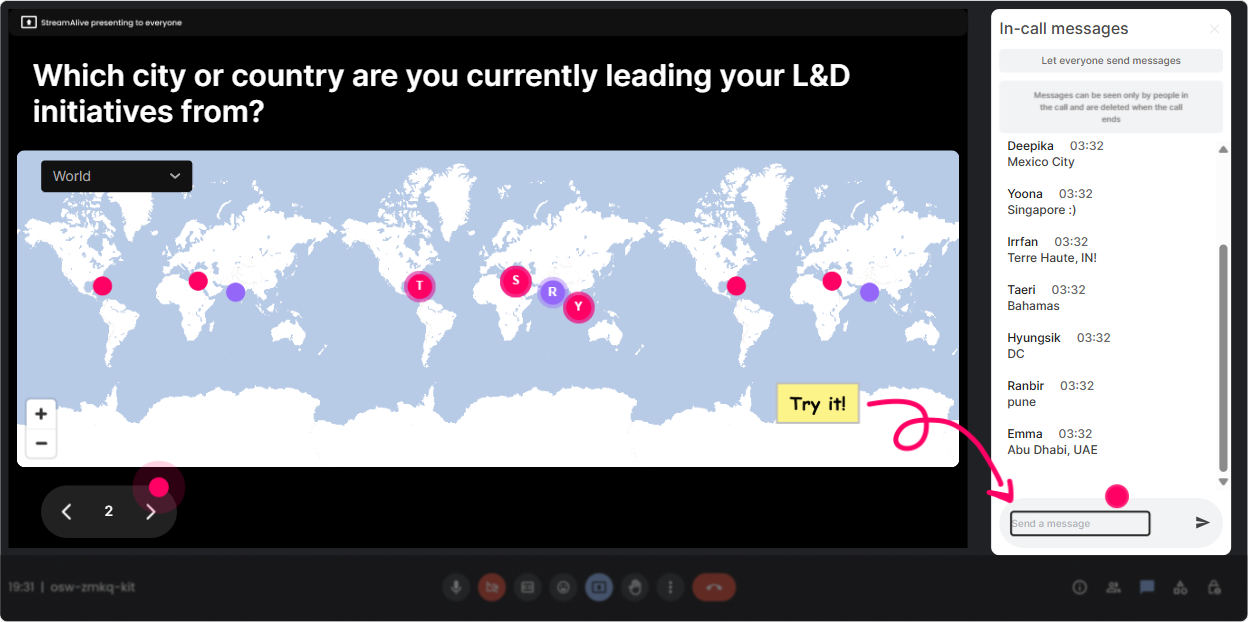
1) Magic Maps: Start with belonging (and a super easy icebreaker)
Neurodiversity Inclusion starts with a simple message: Youre welcome here as you are. Magic Maps helps you set that tone in the first 60 seconds. How to use it in your ILT: - Kick off with: Where are you joining from today? and watch locations pop onto the real-time map. - Then connect it to inclusion: In one word-whats one thing your workplace could do to feel more inclusive for different thinking styles? (You can park this question for your Word Cloud later.) Neurodiversity-specific prompts that work great: - If you could teleport anywhere on earth to do your best work, where would it be? (Leads into environment, sensory needs, focus, flexibility.) - Which city on earth best matches your work style-fast-paced, quiet, creative, structured? (People type the city; you facilitate the discussion.) Trainer tip: If you have a global group, call out the clusters (Weve got a big Toronto group!). It instantly builds connection and gets quieter participants typing early-which helps the rest of your engagement moments land better.
2) Rating Polls: Get an instant where are we at? baseline
In Neurodiversity Inclusion training, people come in with very different levels of confidence-and sometimes a little anxiety about saying the wrong thing. A Rating Poll gives you a fast, low-pressure pulse check. Use it at the start: - On a scale of 110, how confident are you that your learning programs are neuroinclusive today? - Rate your comfort level discussing accommodations with managers: 1 (not comfy) to 10 (very comfy). Use it mid-session as a temperature check: - How clear is the difference between equity and equality right now? (110) - How practical do these strategies feel for your org? (110) Use it at the end as a proof point: - Repeat the same question from the start. That before/after shift is powerful-and it gives you real-time impact data you can share with stakeholders.

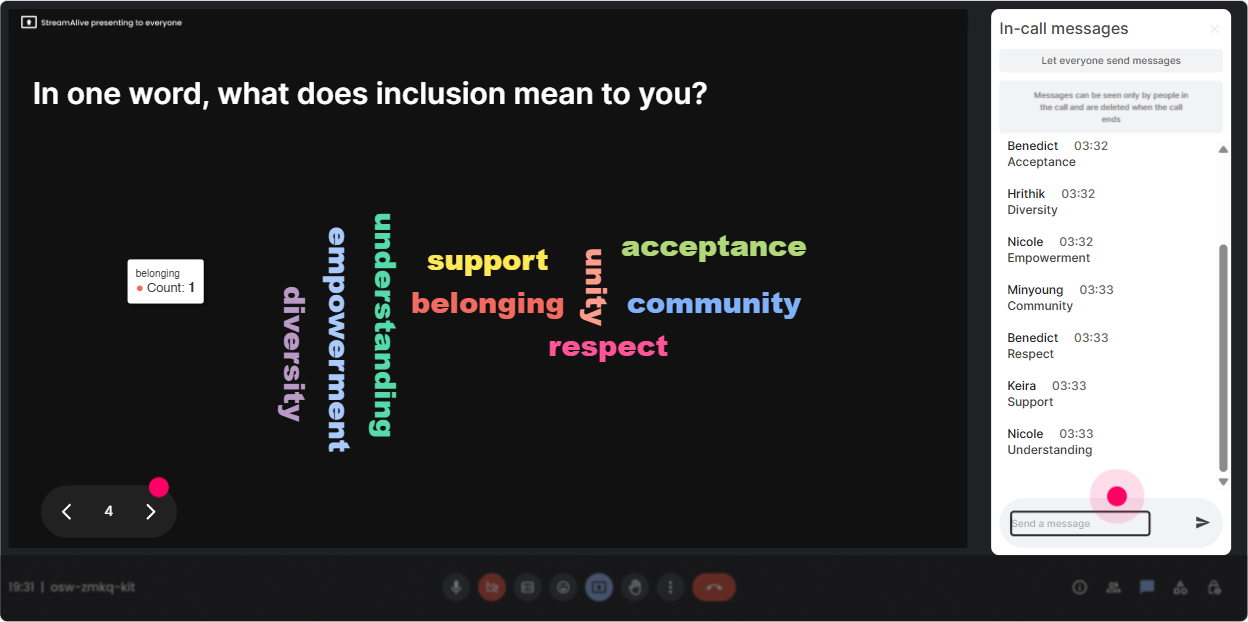
3) Wonder Words (Word Cloud): Let people share feelings safely
Neurodiversity Inclusion can bring up real emotions-curiosity, excitement, worry, confusion, even defensiveness. A Word Cloud lets people say how they feel without having to make a speech. And when they see others feel the same way? Thats a big unlock. Warm-up questions (12 words answers): - When you hear neurodiversity at work, what word comes to mind? - What do you want more of in your learning culture? (Examples youll see: clarity, flexibility, empathy, structure.) - Whats the biggest barrier to neuroinclusive training in your org? (budget, awareness, time, leadership, stigma) Trainer tip: Use Combine Similar Answers so flexible and flexibility dont split the vote. Then read the biggest words out loud and say, Okay, were going to build the session around what youre telling me right here. People instantly feel heard.
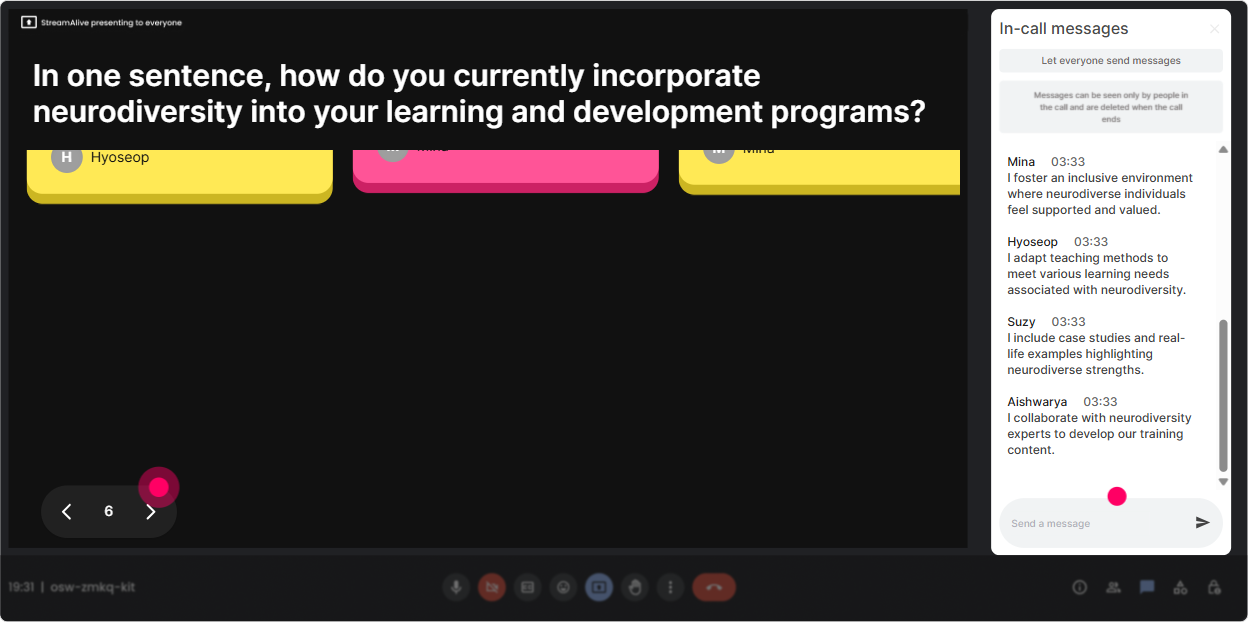
4) Talking Tiles: Turn reflection into a visual conversation (without awkward silence)
Sometimes you need more than a one-word answer-especially with L&D Leaders who have context, constraints, and strong opinions. Talking Tiles makes longer responses feel fun and keeps the energy up because the screen is literally filling with the groups thoughts. Use it for real-world application: - Where do you see neuroinclusion showing up (or not showing up) in your training today? - Whats one change you could make to your ILT design to reduce cognitive overload? - Think of your last live session-what might have been hard for someone with ADHD, autism, dyslexia, or anxiety? Use it for scenario-based facilitation: - Ask: A participant turns their camera off and stops responding. What are 2 inclusive ways to handle it? - Then you pick 35 tiles to read and discuss. It feels like group coaching, not lecturing. Trainer tip: Give a sentence starter to reduce pressure: One thing I could try is or A barrier in my org is This helps neurodivergent participants too-because it provides structure.
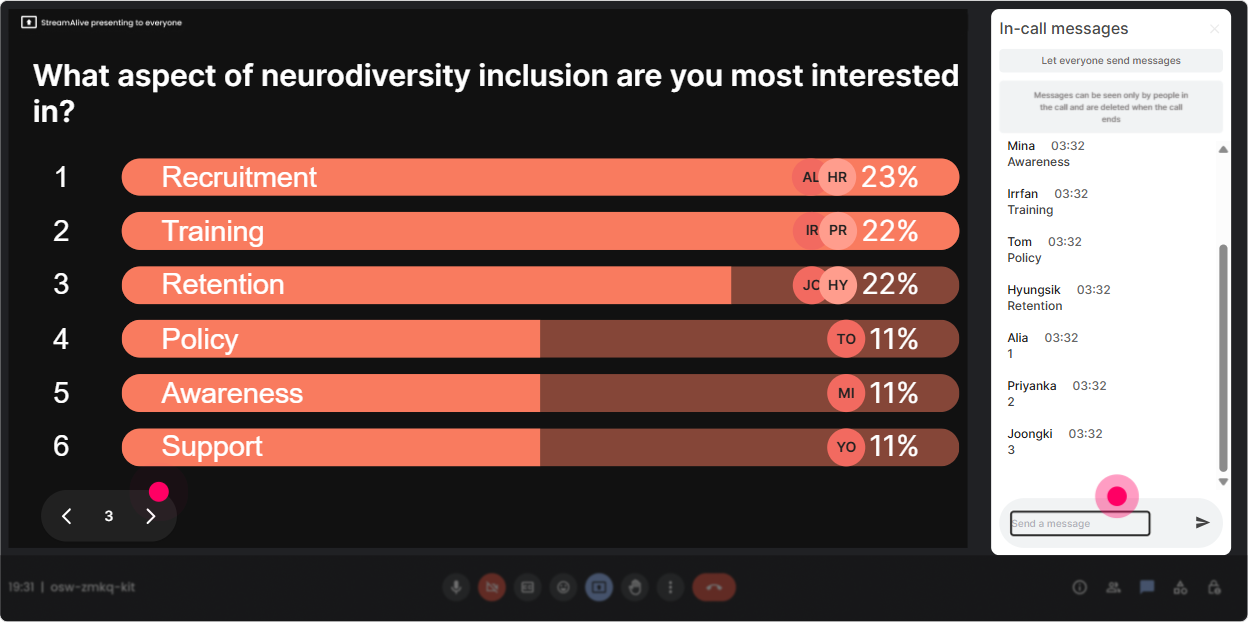
5) Power Polls: Let the group choose the direction (and feel ownership)
With L&D Leaders, the fastest way to increase buy-in is to let them steer. Power Polls makes it easy to ask, What do you want to dig into? and then actually do it. Great poll moments for this topic: - Which area should we focus on first? 1) Neuroinclusive ILT facilitation 2) Designing accessible materials 3) Assessment and knowledge checks 4) Manager enablement + accommodations - Whats your biggest constraint right now? 1) Time in sessions 2) Trainer capability 3) Leadership buy-in 4) Budget/tools You can also use polls to challenge assumptions: - True inclusion means treating everyone the same. 1) Agree 2) Disagree (Then use the split as your discussion launchpad.) Trainer tip: Show results live and say, Cool-this is what well prioritize. It signals respect for the room and keeps people paying attention because their vote mattered.
6) Winner Wheel: Call on people without putting anyone on the spot
Lets be real: calling on people can feel uncomfortable in any session-and in a neurodiversity topic, we want to avoid shame or pressure. The Winner Wheel is a playful way to invite voices while keeping it fair and light. How to use it respectfully: - First ask a chat question so everyone can participate: Type ONE strategy youve tried (or want to try) to support neurodivergent learners. - Then say: Im going to spin the wheel to invite someone to share more-if youd rather pass, totally fine, just say pass and well spin again. Prompts that work well for short shares: - Whats one small tweak youve made to reduce distractions or overwhelm? - Whats one inclusion win youve seen in your org? Trainer tip: You can also use the wheel for micro-rewards (like choosing who gets a downloadable template first). This drives chat participation from the folks who usually stay quiet.

7) Quiz: Quick myth-busting that actually sticks
A quiz moment is perfect for Neurodiversity Inclusion because there are lots of common myths-and a little friendly competition wakes people up fast. Use Quiz for knowledge checks: - Question: Which is the best example of a neuroinclusive practice in live training? A) Require cameras on for accountability B) Provide materials in advance and offer multiple ways to participate (Correct) C) Cold-call participants to keep them alert D) Keep instructions vague to encourage creativity Or do a quick facts check: - Neurodiversity refers to A) A medical diagnosis B) Natural variations in human brains and thinking styles (Correct) C) Only autism and ADHD D) A workplace trend Trainer tip: After revealing the correct answer, ask one follow-up in chat: What made you choose your option? Thats where the real learning happens-and StreamAlive keeps it flowing without you juggling tools.

2) Rating Polls: Get an instant where are we at? baseline
In Neurodiversity Inclusion training, people come in with very different levels of confidence-and sometimes a little anxiety about saying the wrong thing. A Rating Poll gives you a fast, low-pressure pulse check. Use it at the start: - On a scale of 110, how confident are you that your learning programs are neuroinclusive today? - Rate your comfort level discussing accommodations with managers: 1 (not comfy) to 10 (very comfy). Use it mid-session as a temperature check: - How clear is the difference between equity and equality right now? (110) - How practical do these strategies feel for your org? (110) Use it at the end as a proof point: - Repeat the same question from the start. That before/after shift is powerful-and it gives you real-time impact data you can share with stakeholders.
8) Q&A: Capture every question without losing the chat
In sessions like this, questions come fast-and theyre often sensitive. StreamAlive Q&A (Quick Questions) pulls questions from chat and organizes them so youre not scrolling like crazy while trying to facilitate. How to use it in a neuroinclusive way: - Say up front: Drop questions anytime. You dont have to wait for a Q&A slide. - Offer anonymous-feeling participation: If youre unsure how to phrase it, ask anyway-Ill help tidy it up. Great Q&A prompts you can invite: - Whats a respectful way to ask about accommodations? - How do we design ILT when we cant change company policies (yet)? - Whats the difference between accessibility and inclusion in practice? Trainer tip: Do a dedicated parking lot section: Im going to answer 3 from the Q&A list now. Participants feel seen-and you stay in control of time.

9) Analytics: Prove engagement and improve your next session
If youre an L&D Leader (or training for them), you know the question youll get after the session: Did it work? StreamAlive Analytics helps you answer that with real data. How it helps after your Neurodiversity Inclusion ILT: - See minute-by-minute engagement so you know exactly where attention spiked (and where it dipped). - Review chat replay alongside interactions to spot which topics triggered the most discussion (psychological safety, accommodations, universal design, manager behaviors, etc.). - Identify your most engaged participants (your potential champions) and follow up with them to pilot changes. - Export/share interaction results via email-super useful for internal reporting or a recap to stakeholders. Trainer tip: Use the analytics to refine your run-of-show. If your Word Cloud drove the biggest participation, add a second one mid-session. If engagement dipped during a long explanation, swap that chunk for a quick poll + debrief next time.

Use StreamAlive in all your training sessions
StreamAlive isn’t just for
Neurodiversity Inclusion
training,
it can also be used for any instructor-led training session directly inside your PowerPoint presentation.
Explore similar traingin ideas: unlocking the potential of StreamAlive
See how StreamAlive transforms live training with engaging events and interactive sessions across industries, directly inside your PowerPoint presentation.

Interactions in action
(it's free)

.svg.png)


