Install StreamAlive for your PowerPoint slides
Learn more

Remote & Hybrid Workplace Models Training for L&D Leaders
StreamAlive helps 9x the audience engagement in your Virtual Instructor-led Trainings (VILT) directly inside your powerpoint presentation.
Make your instructor-led Remote & Hybrid Workplace Models training more fun with polls, word clouds, spinner wheels and more
Works inside your existing PowerPoint presentation
Install the StreamAlive app for PowerPoint and see your slides come to life as people participate in your interactions
AI generates audience interactions for you
Let our AI scan your presentation and automatically come up with relevant questions based on the content. Or spend two hours coming up with your own questions, your choice!
Built to work with MS Teams and Zoom
Native apps for Teams and Zoom so you never have to leave your existing workflows
No QR Codes
Chat-powered interactions means your audience doesn’t need to scan QR codes or look at another screen to participate. They just type in the chat!

Quickly approved by your IT team
StreamAlive’s apps for Teams and Zoom means that they have been through rigorous quality assurance and client safety reviews. You’ll find everything an IT team needs to approve the app within the organization within your StreamAlive account.

Youve been asked to run Ideas for Remote & Hybrid Workplace Models instructor-led training for L&D leaders-and you want it to be more than a slide parade. The easiest win? Get them talking early, often, and without awkward forcing. Here are practical ways to do that using StreamAlive interactions (right inside the chat).
Magic Maps: Kick off with Where are you joining from? (but make it useful)
This is the fastest way to break the ice and instantly make the room feel real in a remote/hybrid session. With Magic Maps, people type a location in chat, and StreamAlive plots it live on a world map-so youre not stuck reading a list of cities like a radio host. How to use it in this training: - Warm opener: Where are you joining from today? (classic, always works) - Make it topic-relevant: Wheres your HQ located? or Where is your team MOST distributed (city/country)? - Future-focused: If you could redesign work from anywhere, where would your company hub be? - Culture angle: Which city best represents your company culture right now? Trainer tip: If youre teaching hybrid models across regions, call out patterns on the map (Looks like were clustered in London + Singapore perfect setup to talk time zones and async work.). It makes your content feel tailored in seconds.

Rating Polls: Do a quick confidence check before you teach anything
Instead of guessing where everyones at, just ask-and show it live. Rating Polls let participants reply in chat with a number, and you instantly see the distribution. Super helpful for L&D leaders because their experiences vary wildly. Ways to use Rating Polls in Remote & Hybrid Workplace Models training: - Baseline confidence: On a scale of 110, how confident are you in your orgs hybrid model right now? - Reality check: Rate how consistent hybrid policy is across managers (1 = chaos, 10 = consistent). - Adoption pulse: How well are employees actually following the intended model? (110) - After a framework: Now that we covered the 3 hybrid models, rate how clear your next steps feel (110). Trainer tip: If the numbers are low, youve got permission to slow down and coach. If theyre high, you can move faster and use more peer-sharing. Either way, the session feels responsive, not generic.

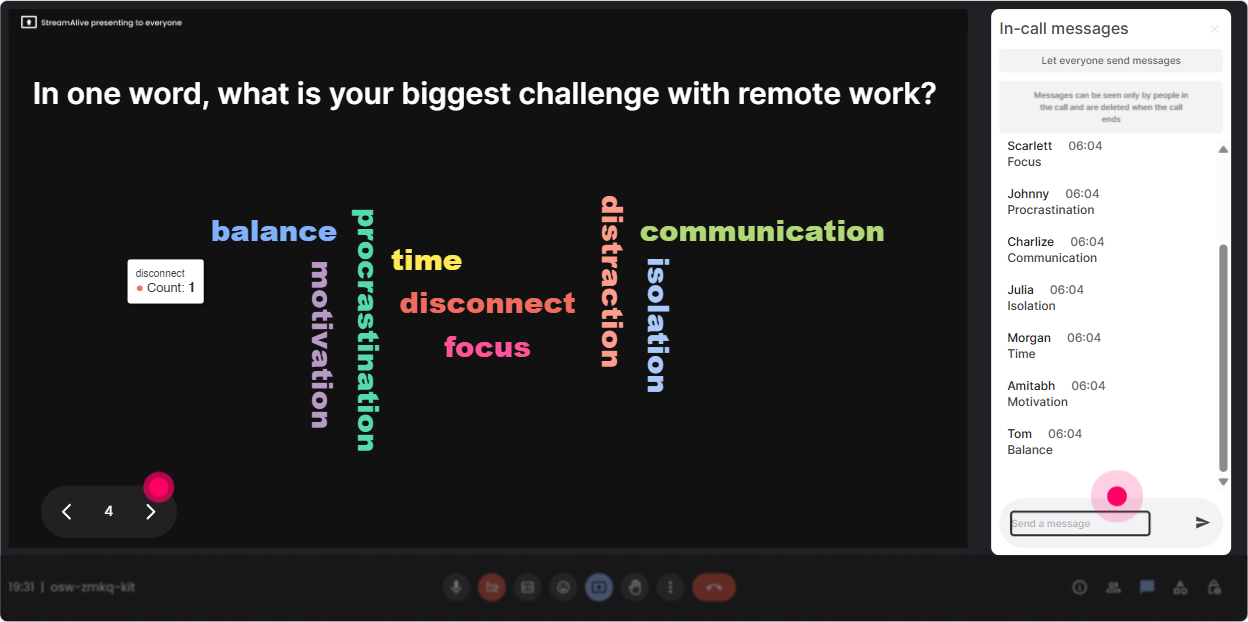
Wonder Words (Word Cloud): Get the vibe in the room in one question
Word clouds are perfect when you want fast feelings, fast opinions, and zero pressure. Ask for 12 words, and StreamAlive builds the cloud live. Big words = common themes. Its like reading the room without needing cameras on. Great prompts for this topic: - In 1 word, whats the hardest part of hybrid work to get right? - Whats one word you hear employees say about return-to-office? - What do you want MORE of in your hybrid model? (12 words) - How does your leadership team feel about remote work? One word. Trainer tip: Use the biggest 23 words as your agenda on the fly (Okay fairness and communication are huge-lets hit those first.). People feel seen immediately, which is a huge engagement unlock.
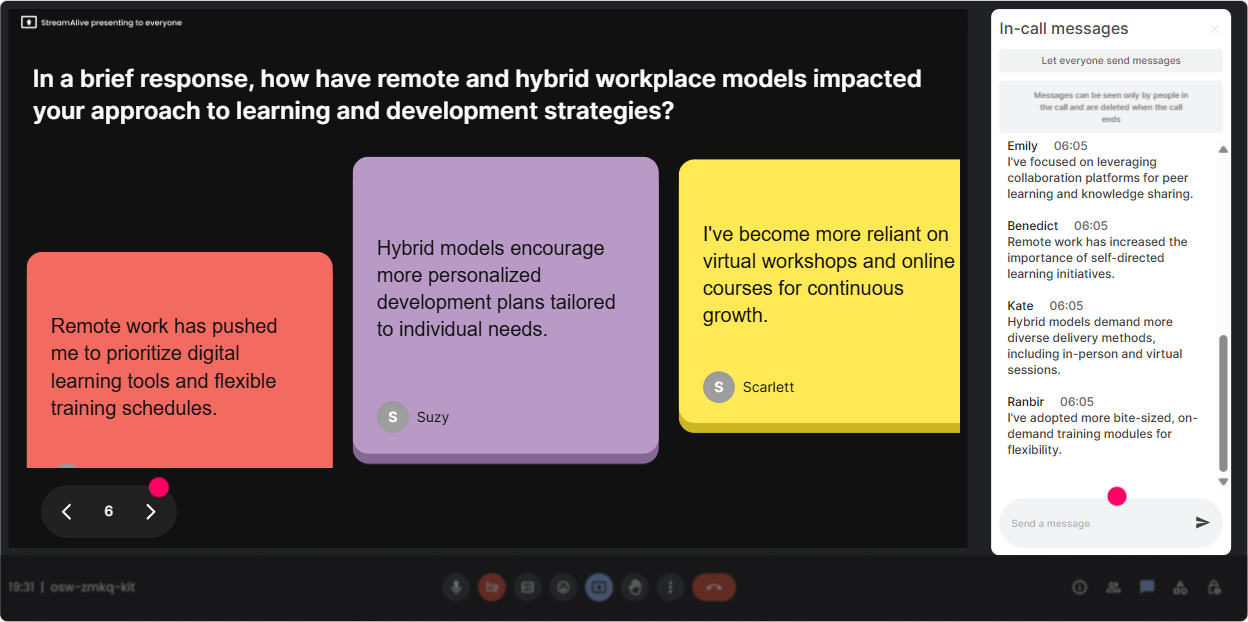
Talking Tiles: Turn real hybrid challenges into on-screen discussion fuel
When you want longer answers than a couple words, Talking Tiles is gold. People type in chat, and their messages show up as falling tiles on screen-so the conversation feels alive, not buried in the chat feed. Use it for the practical, messy stuff L&D leaders deal with: - Whats one hybrid pain point youre trying to solve this quarter? - Where do managers struggle most-coordination, coaching, performance, or inclusion? Tell me what youre seeing. - Whats the biggest complaint you hear about remote/hybrid policies? - Share one thing your org tried that actually worked in hybrid. Trainer tip: As tiles drop, group them out loud (Im seeing a theme: meeting overload + unclear expectations + uneven manager behavior). Now your training is built from their reality-not just your slides.
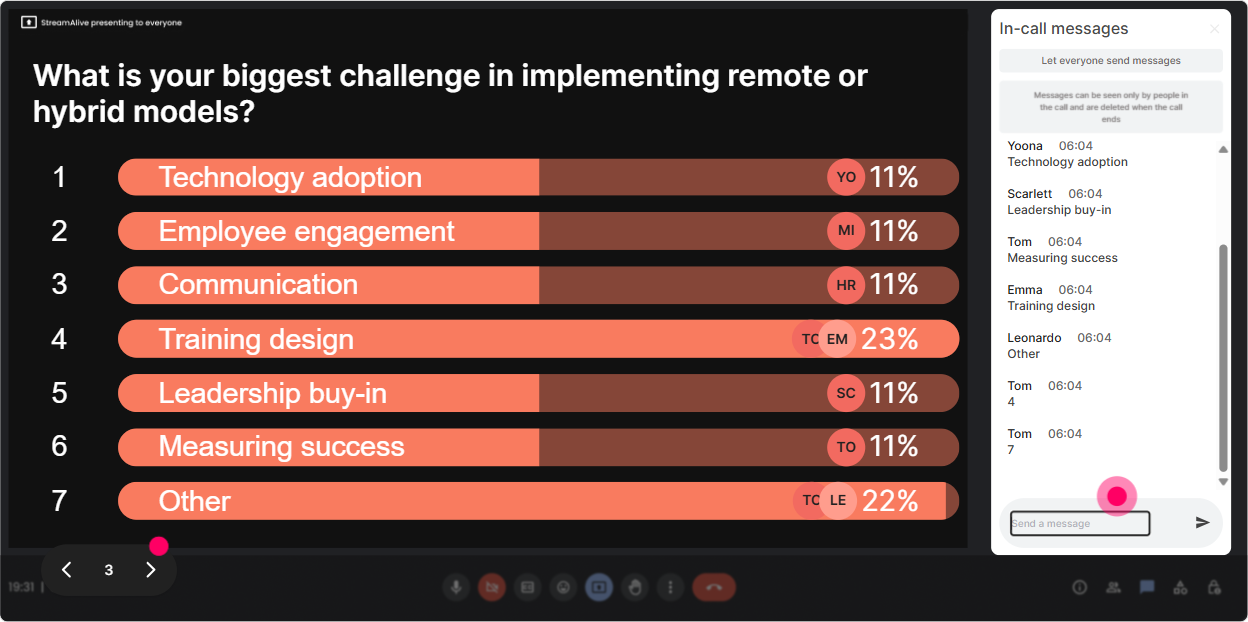
Power Polls: Let them choose what to dive into next
Power Polls are your choose-your-own-adventure tool. Add options, let people vote in chat by typing a number, and show results live. This is especially useful in hybrid/remote training because different orgs are at different maturity levels. Poll ideas for L&D leaders: - Which area should we spend the MOST time on today? 1) Hybrid policy & guardrails 2) Manager enablement 3) Culture & belonging 4) Performance & accountability 5) Collaboration norms (meetings, async, tools) - Whats your orgs current model? 1) Mostly remote 2) Hybrid (set days) 3) Hybrid (flex) 4) Mostly in-office 5) Still figuring it out - Whats your biggest risk right now? 1) Attrition 2) Productivity 3) Engagement 4) Equity/fairness 5) Manager capability Trainer tip: Run one poll at the start to shape the agenda, and one near the end to pick the best next-step action. It keeps momentum and makes your session feel co-created.
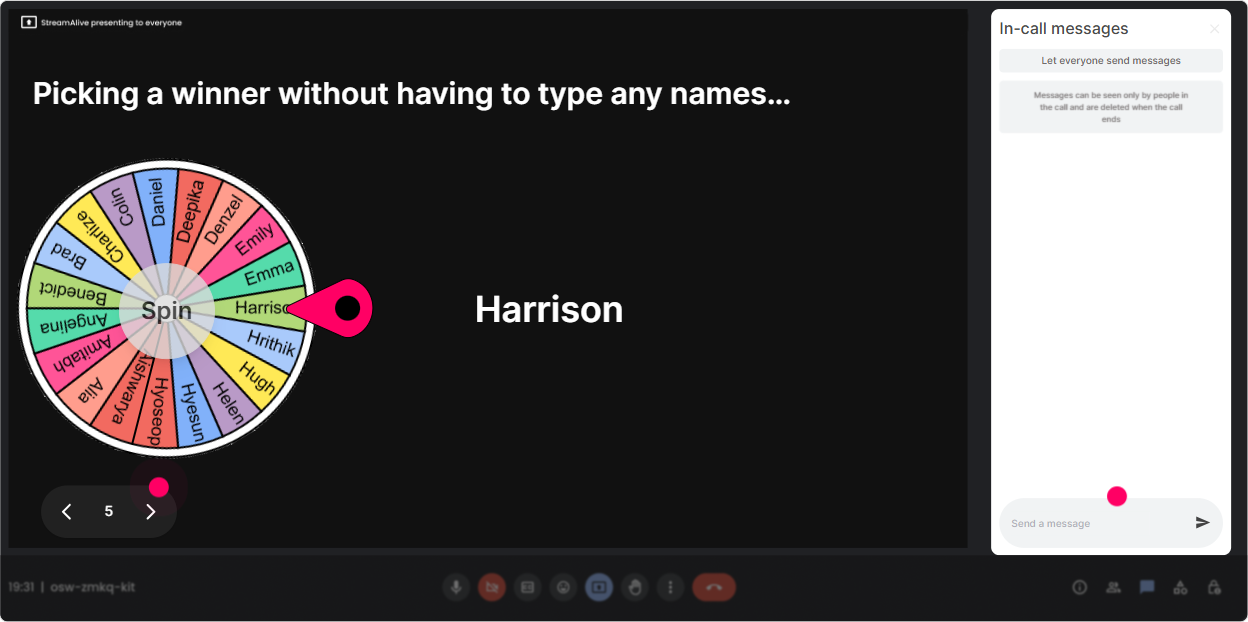
Winner Wheel (Spinner Wheel): Get voices on audio without the awkwardness
Getting people to unmute in virtual training can feel like pulling teeth. The Spinner Wheel fixes that by making it fun and fair-commenters get entered, then the wheel randomly picks who shares. How to use it in this training: - After a prompt: Drop one hybrid rule you wish your org had. Then spin: Alright, wheel decides-whos sharing theirs? - For mini case chats: Type me if youre willing to share a quick hybrid challenge youre facing. Spin to pick. - For recap: Share one takeaway in chat. Ill spin and ask one person to expand on theirs for 30 seconds. Trainer tip: Keep it low-pressure: give an opt-out (If you get picked and prefer not to speak, just say pass-no shame). Paradoxically, that makes more people willing to play.
Quiz: Quick knowledge checks that dont feel like school
Quizzes are perfect for reinforcing key concepts-especially when youre teaching frameworks (types of hybrid models, policy vs practice, synchronous vs async, etc.). Participants answer in chat, results show live, and you can reveal the correct answer when ready. Quiz ideas for Remote & Hybrid Workplace Models: - Which is the BEST example of an async-first behavior? 1) Scheduling more meetings 2) Posting decisions + context in a shared channel 3) Calling people ad hoc 4) Waiting for everyone to be online (Correct: 2) - A common hybrid equity problem is: 1) Too many snacks in-office 2) Proximity bias 3) Too much documentation 4) Having clear norms (Correct: 2) - Which metric is most useful to track hybrid health? 1) Badge swipes only 2) Output + engagement signals 3) Number of meetings 4) Office rent (Likely: 2, depending on your model) Trainer tip: Use quizzes as transitions. They wake people up right when attention usually dips (around the 2030 minute mark).

Rating Polls: Do a quick confidence check before you teach anything
Instead of guessing where everyones at, just ask-and show it live. Rating Polls let participants reply in chat with a number, and you instantly see the distribution. Super helpful for L&D leaders because their experiences vary wildly. Ways to use Rating Polls in Remote & Hybrid Workplace Models training: - Baseline confidence: On a scale of 110, how confident are you in your orgs hybrid model right now? - Reality check: Rate how consistent hybrid policy is across managers (1 = chaos, 10 = consistent). - Adoption pulse: How well are employees actually following the intended model? (110) - After a framework: Now that we covered the 3 hybrid models, rate how clear your next steps feel (110). Trainer tip: If the numbers are low, youve got permission to slow down and coach. If theyre high, you can move faster and use more peer-sharing. Either way, the session feels responsive, not generic.
Q&A: Capture questions from chat automatically (so you dont miss the good ones)
In remote/hybrid sessions, chat moves fast-and the best questions get buried. StreamAlive Q&A (Quick Questions) pulls questions out of the chat and displays them cleanly, so you can actually manage them. How to use it during this training: - Set expectations: Drop your questions anytime-StreamAlive will collect them and well hit a bunch at the end. - Mid-session parking lot: Lets pause and knock out the top 3 questions so far. - For leadership-heavy groups: Ask your toughest stakeholder question-policy, compliance, fairness, manager pushback-anything. Trainer tip: When people see their question show up on screen, they feel acknowledged. That alone boosts participation (and reduces the Ill just stay quiet vibe).

Analytics: Prove engagement, spot drop-off moments, and improve the next run
After the session, you dont want to rely on gut feel like, I think it went well? StreamAlive Analytics shows you minute-by-minute engagement, chat activity, and which interactions landed best. How L&D leaders and trainers can use Analytics here: - Identify attention dips: See exactly where chat/engagement dropped-was it your policy slide? the long explanation? the tool demo? - Double down on what worked: If Wonder Words spiked engagement, you know to add more reflection moments next time. - Find your most engaged participants: Use Fantastic Fans to spot champions-great people to involve in pilots, change initiatives, or follow-up workshops. - Share outcomes internally: Send interaction reports via email to stakeholders to show participation and sentiment (super useful when youre justifying future hybrid enablement programs). Trainer tip: Treat analytics like your rehearsal footage. One or two tweaks based on real engagement data can massively improve your next delivery-and thats how you consistently get that 9x more alive session feel.

Use StreamAlive in all your training sessions
StreamAlive isn’t just for
Remote & Hybrid Workplace Models
training,
it can also be used for any instructor-led training session directly inside your PowerPoint presentation.
Explore similar traingin ideas: unlocking the potential of StreamAlive
See how StreamAlive transforms live training with engaging events and interactive sessions across industries, directly inside your PowerPoint presentation.

Interactions in action
(it's free)

.svg.png)


