Install StreamAlive for your PowerPoint slides
Learn more

Vibe Coding Training for Training Agencies
StreamAlive helps 9x the audience engagement in your Virtual Instructor-led Trainings (VILT) directly inside your powerpoint presentation.
Make your instructor-led Vibe Coding training more fun with polls, word clouds, spinner wheels and more
Works inside your existing PowerPoint presentation
Install the StreamAlive app for PowerPoint and see your slides come to life as people participate in your interactions
AI generates audience interactions for you
Let our AI scan your presentation and automatically come up with relevant questions based on the content. Or spend two hours coming up with your own questions, your choice!
Built to work with MS Teams and Zoom
Native apps for Teams and Zoom so you never have to leave your existing workflows
No QR Codes
Chat-powered interactions means your audience doesn’t need to scan QR codes or look at another screen to participate. They just type in the chat!

Quickly approved by your IT team
StreamAlive’s apps for Teams and Zoom means that they have been through rigorous quality assurance and client safety reviews. You’ll find everything an IT team needs to approve the app within the organization within your StreamAlive account.

Youve been asked to run a Vibe Coding instructor-led training for a Training Agency, and you already know the challenge: keep it hands-on, fast-moving, and not death by slides. The good news? With StreamAlive, you can turn your chat into the engine of the session and keep people participating the whole way through.
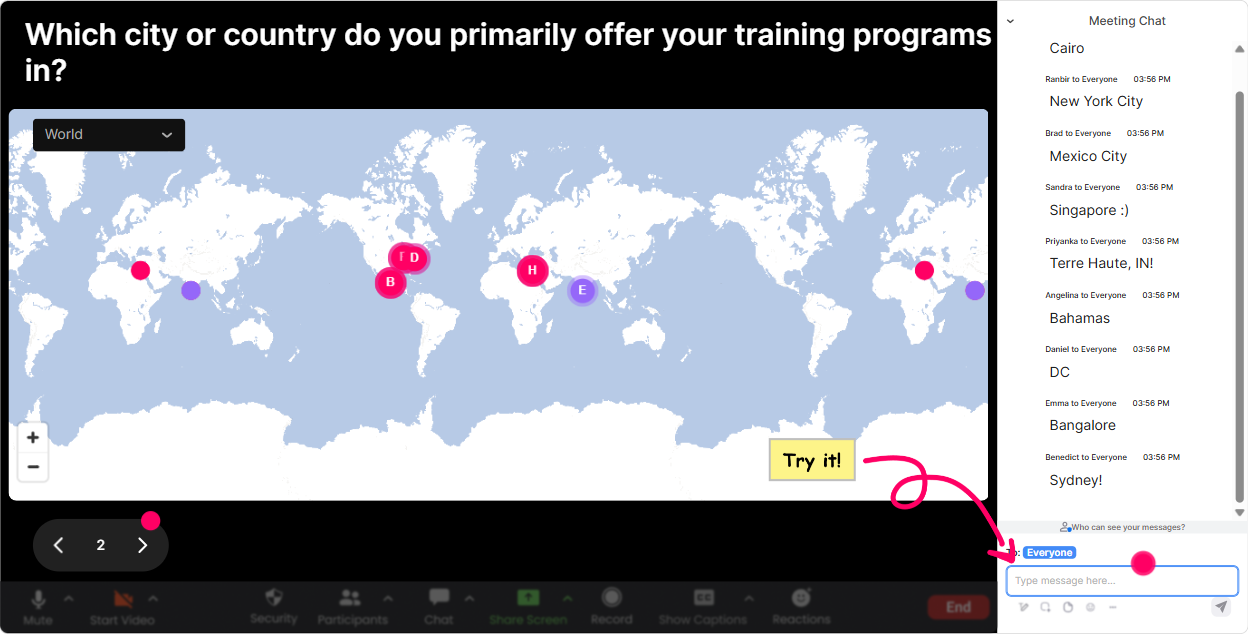
1) Magic Maps: Kick off Vibe Coding by putting your learners on the map
The fastest way to warm up a room is to get everyone typing something easy in chat-and where are you joining from? is the classic for a reason. With Magic Maps, you ask one location-based question, and StreamAlive instantly plots everyones answers on a live world map. It feels like the session starts moving right away. How to use it in Vibe Coding training (Training Agency edition): - Icebreaker that actually ties to the topic: Where are you joining from-and what city has the most creative energy for you? (They enter a city; you get a map full of vibes.) - Set the context for AI + coding across regions: Which country are your learners mostly from? (Great if the agency trains globally.) - Dream client warm-up: If you could run Vibe Coding training for any citys corporate HQ, where would it be? Trainer tip: If you have a huge group, turn on the one location per attendee setting so the map stays clean. And if one region dominates, use cluster colors to highlight it and riff: Looks like weve got a strong Toronto cluster-tell me, what tools are you all using right now?
2) Rating Polls: Get a quick pulse on skill + confidence before you teach
Before you start building anything, you want to know what youre working with. Rating Polls let you do that in seconds-no awkward raise your hand if and no guessing. Perfect rating poll prompts for Vibe Coding ILT: - Confidence check: On a scale of 110, how confident are you with Vibe Coding concepts right now? - Tool comfort: Rate your comfort with prompting an AI to generate code (1 = never tried, 10 = do it weekly). - Readiness for live practice: How ready are you to do a live build together today? 110. How it helps your delivery: If the average is low, you slow down and do more guided examples. If its high, you spend less time explaining basics and more time on real agency scenarios like client asks for a custom LMS widget by Friday.

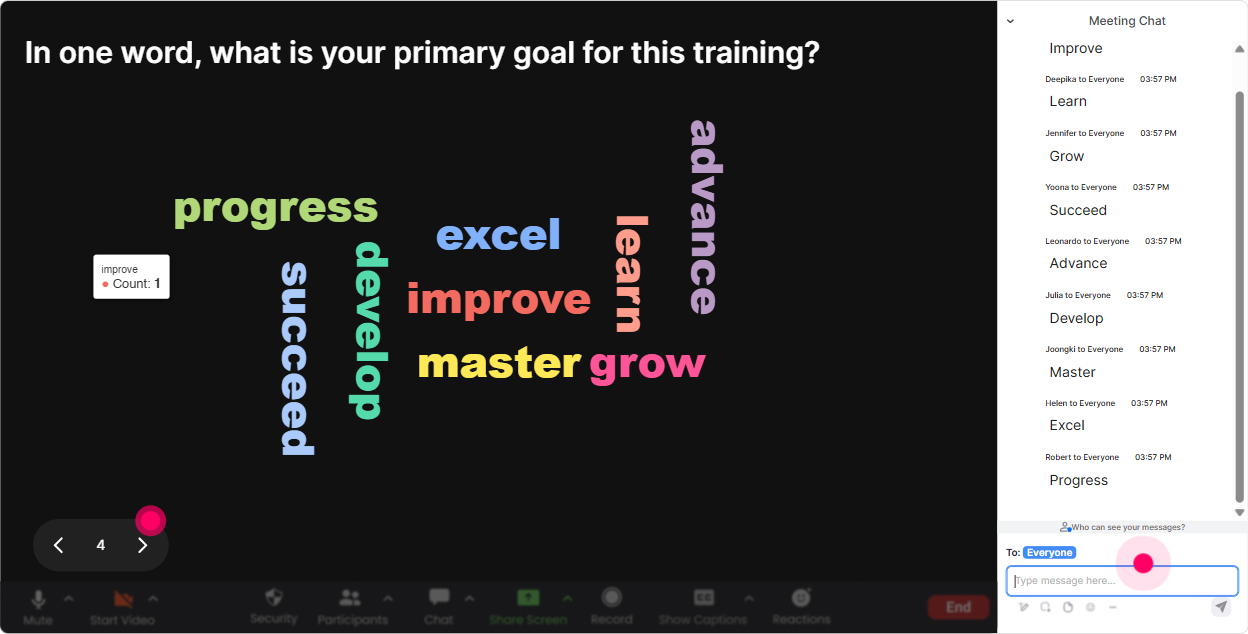
3) Wonder Words (Word Cloud): Get the rooms honest feelings about Vibe Coding-fast
Vibe Coding comes with emotions: excitement, skepticism, curiosity, even fear (especially if people think it means they have to become developers overnight). Wonder Words is perfect because it turns those feelings into something visible immediately. Word cloud questions that work really well: - When you hear Vibe Coding, whats the first word that pops into your head? - What do you want more of from Vibe Coding: speed, creativity, accuracy, or confidence? (Answer with 1 word) - Whats the biggest blocker in your agency right now? (One or two words) Examples youll see: time, SME reviews, customization, tool overload Trainer tip: Use Combine Similar Answers so you dont end up with automation and Automations split. Then respond to the biggest words like youre coaching: Okay, accuracy is huge here. Lets bake in a simple verification workflow so nobodys shipping risky code.
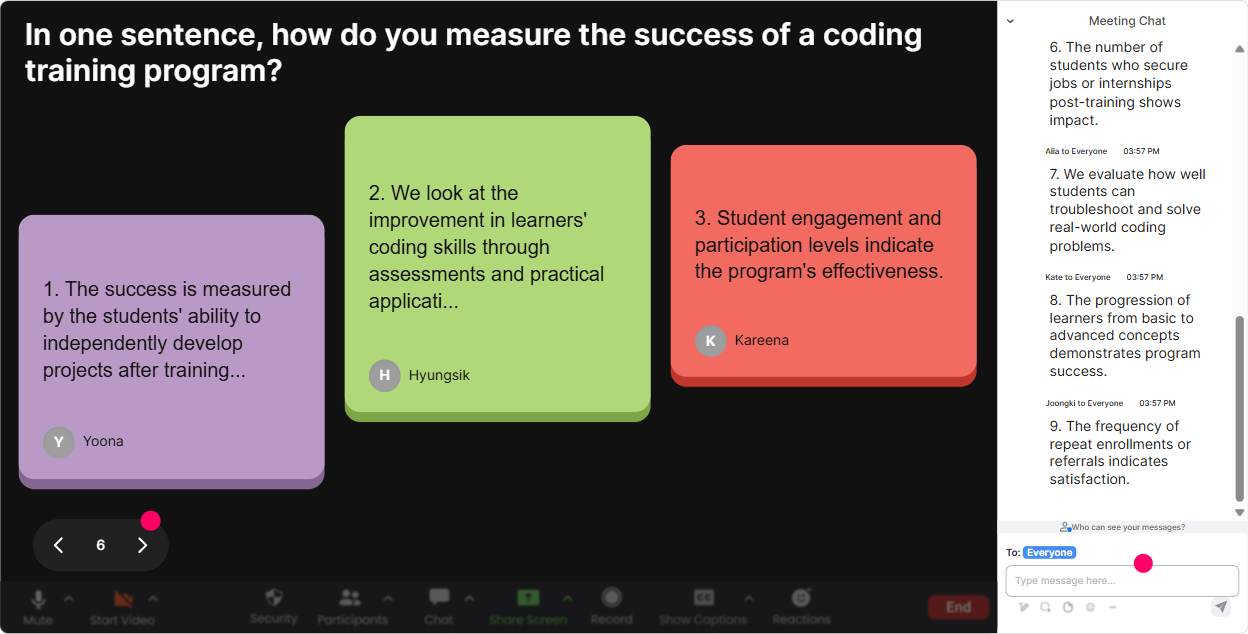
4) Talking Tiles: Turn longer answers into a group brainstorm that feels alive
When you need more than a one-word response-like real use cases, concerns, or examples-Talking Tiles is gold. People type in chat, and their messages drop onto the screen like tiles. It creates this fun were building this together energy, and it makes quieter folks more likely to share. Try these prompts during Vibe Coding training for Training Agencies: - Role impact: In 12 sentences: how could Vibe Coding change your day-to-day work in a training agency? - Real use cases: Whats one training deliverable youd love to produce faster using Vibe Coding? (eLearning interactions, quizzes, simulations, scenario scripts, microlearning pages, onboarding portals) - Risk + guardrails: Whats your biggest concern with using AI-generated code in client work? Trainer tip: After 1015 responses, pause and pattern spot live: Im seeing three themes: speed, QA anxiety, and stakeholder buy-in. Lets handle these one by one. That right there is engagement-and facilitation-instead of lecturing.
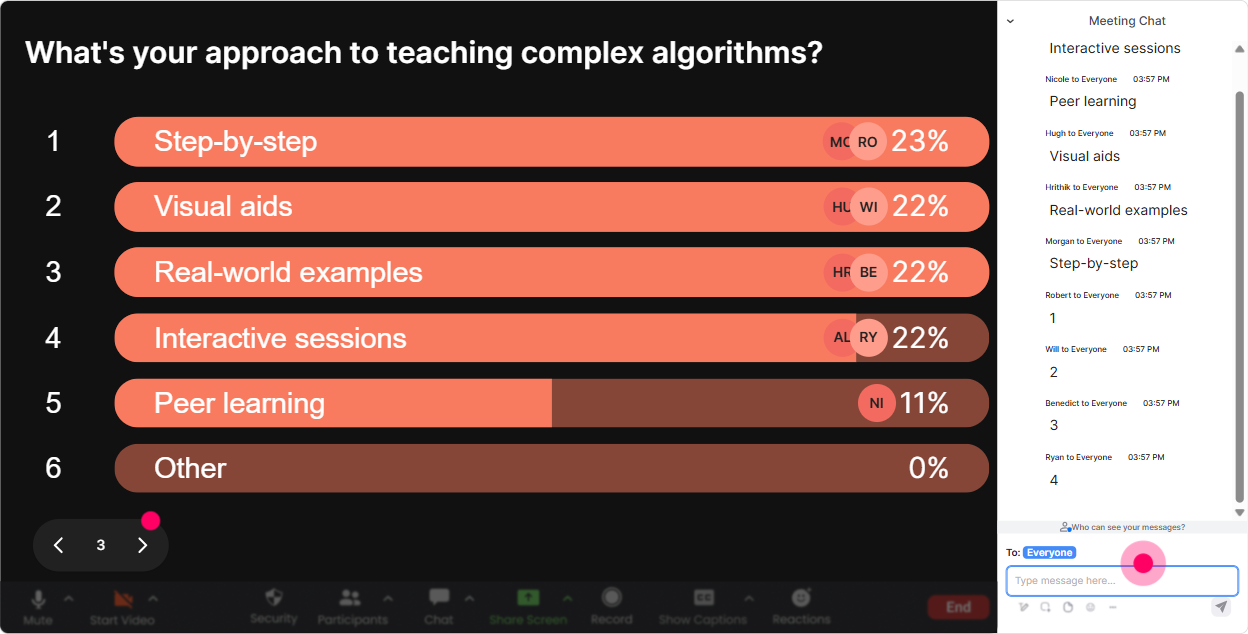
5) Power Polls: Let the audience choose the path of your Vibe Coding session
You know what keeps adults engaged? Choice. Power Polls make it stupid-easy to let the group vote on what to cover next-and when they see results live, they feel like the session is happening with them, not to them. Poll questions that fit Vibe Coding ILT: - What do you want to build today? 1) A simple web app prototype 2) A quiz/assessment generator 3) A training landing page template 4) A workflow to turn SME notes into structured content - Which part of Vibe Coding should we focus on most? 1) Prompt patterns 2) Debugging AI-generated code 3) Turning code into reusable templates 4) QA + review checklists for client delivery - What tool stack is your agency closest to? (Then you adapt examples: LMS, LXP, SCORM, Rise-style content, custom web) Trainer tip: Do one poll early (agenda shaping), then another mid-session (choose the next demo). It keeps attention high because people are watching to see what wins.
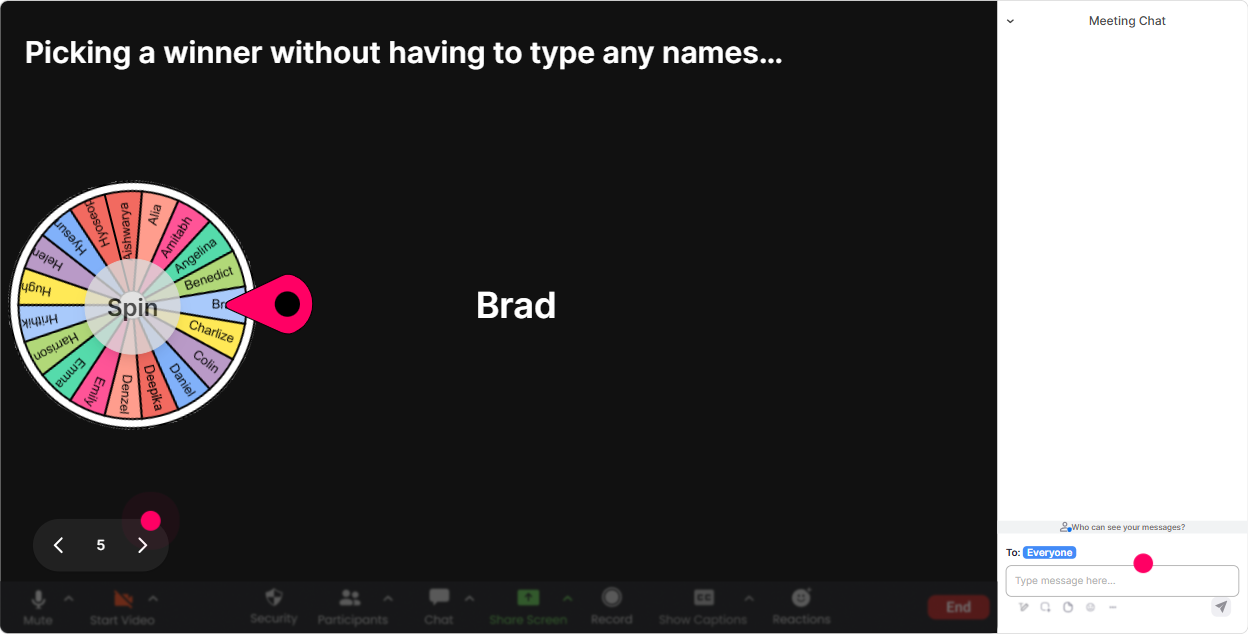
6) Winner Wheel: Get participation without the awkward any volunteers? silence
Sometimes you need someone to unmute, share a use case, or answer a question-but asking for volunteers can turn into crickets. Winner Wheel fixes that by making it playful and fair. You can spin from people who participated in a specific interaction (so it rewards engagement), or based on chat activity. Ways to use it in Vibe Coding training: - Pick a prompt reviewer: Im going to spin the wheel-winner reads this prompt out loud and tells me what theyd improve. - Choose a use-case spotlight: Wheel time. Winner shares their agencys most common client request in 15 seconds. - Reward participation: Anyone who answered the word cloud is eligible-winner gets my Vibe Coding prompt cheat sheet. Trainer tip: Make the stakes small but fun (template, checklist, shout-out). The real goal is: more chat activity, more attention, more energy.
7) Quiz: Do quick knowledge checks that dont feel like school
In Vibe Coding training, you want to check understanding constantly-especially around terminology, safe workflows, and how to debug. StreamAlives Quiz interaction lets you ask a multiple-choice question, tally votes live, and then reveal the correct answer when youre ready. Quiz questions you can steal: - Which prompt is most likely to produce reliable code? A) Make it better B) Build an app C) Create a login page using HTML/CSS, include validation rules X/Y/Z, output code only (Correct) D) Do magic - Whats the best first step when AI-generated code fails? A) Ship it anyway B) Ask the AI to try again with no details C) Copy the error message + minimal context and iterate (Correct) D) Start over from scratch every time - In client-facing work, what should ALWAYS be included in a Vibe Coding workflow? A) A QA checklist / review step (Correct) B) More emojis in prompts C) No documentation D) Only one person allowed to test Trainer tip: Run a quiz right after each mini-demo. It keeps people alert because they know theyll use the info immediately.

2) Rating Polls: Get a quick pulse on skill + confidence before you teach
Before you start building anything, you want to know what youre working with. Rating Polls let you do that in seconds-no awkward raise your hand if and no guessing. Perfect rating poll prompts for Vibe Coding ILT: - Confidence check: On a scale of 110, how confident are you with Vibe Coding concepts right now? - Tool comfort: Rate your comfort with prompting an AI to generate code (1 = never tried, 10 = do it weekly). - Readiness for live practice: How ready are you to do a live build together today? 110. How it helps your delivery: If the average is low, you slow down and do more guided examples. If its high, you spend less time explaining basics and more time on real agency scenarios like client asks for a custom LMS widget by Friday.
8) Q&A (Quick Questions): Capture every question without drowning in chat
In any live training, chat can get messy-especially when people are asking questions while others are answering polls. StreamAlives Q&A feature pulls questions out of the chat and displays them neatly, so youre not scrolling like a maniac trying to find that one good question from 10 minutes ago. How to use it in Vibe Coding sessions: - Tell them the rule: If its a question, start with Q: so StreamAlive can grab it. - Park questions without losing them: I see three great questions queued-lets finish this build, then well knock them out. - Use it for client-scenario troubleshooting: Drop your toughest client constraint as a question (budget, compliance, timeline, tools). Well tackle the top ones. Trainer tip: Do a dedicated Q&A block twice: once mid-session (to remove confusion) and once at the end (to wrap cleanly). People stay engaged because they trust their questions wont be missed.

9) Analytics: After the session, know what actually worked (and who was most engaged)
This is the part most trainers skip-and its the part that makes you better fast. StreamAlive Analytics shows you engagement minute-by-minute, interaction performance, chat replay, and who your most engaged participants were. How Training Agencies can use this after Vibe Coding ILT: - Improve your run-of-show: Spot exactly where engagement dipped (maybe the demo ran too long) and where it spiked (maybe the quiz + debate section). - Prove value to stakeholders: Export/share interaction results and engagement trends via email-super helpful when an agency needs to justify training impact to internal teams or clients. - Identify champions: Find your Fantastic Fans (most engaged learners). These are your future cohort mentors, pilot users, or internal advocates for rolling out Vibe Coding. - Replay and refine: Use chat replay + interaction reports to tighten prompts, update examples, and build a stronger version of the workshop for the next client. Trainer tip: Look at analytics right after the session while its fresh. Make 23 quick edits to your flow (timing, questions, demos). Do that consistently and your engagement jumps session after session-without you working harder.

Use StreamAlive in all your training sessions
StreamAlive isn’t just for
Vibe Coding
training,
it can also be used for any instructor-led training session directly inside your PowerPoint presentation.
Explore similar traingin ideas: unlocking the potential of StreamAlive
See how StreamAlive transforms live training with engaging events and interactive sessions across industries, directly inside your PowerPoint presentation.

Interactions in action
(it's free)

.svg.png)


