Install StreamAlive for your PowerPoint slides
Learn more

Career Fluidity Training for Corporate Trainers
StreamAlive helps 9x the audience engagement in your Virtual Instructor-led Trainings (VILT) directly inside your powerpoint presentation.
Make your instructor-led Career Fluidity training more fun with polls, word clouds, spinner wheels and more
Works inside your existing PowerPoint presentation
Install the StreamAlive app for PowerPoint and see your slides come to life as people participate in your interactions
AI generates audience interactions for you
Let our AI scan your presentation and automatically come up with relevant questions based on the content. Or spend two hours coming up with your own questions, your choice!
Built to work with MS Teams and Zoom
Native apps for Teams and Zoom so you never have to leave your existing workflows
No QR Codes
Chat-powered interactions means your audience doesn’t need to scan QR codes or look at another screen to participate. They just type in the chat!

Quickly approved by your IT team
StreamAlive’s apps for Teams and Zoom means that they have been through rigorous quality assurance and client safety reviews. You’ll find everything an IT team needs to approve the app within the organization within your StreamAlive account.

Youve been asked to run a Career Fluidity instructor-led training for corporate trainers, and you dont want it to turn into a slide-and-sigh session. Good news: with the right activities (and StreamAlive layered in), you can keep people talking, thinking, and actually participating the whole way through.
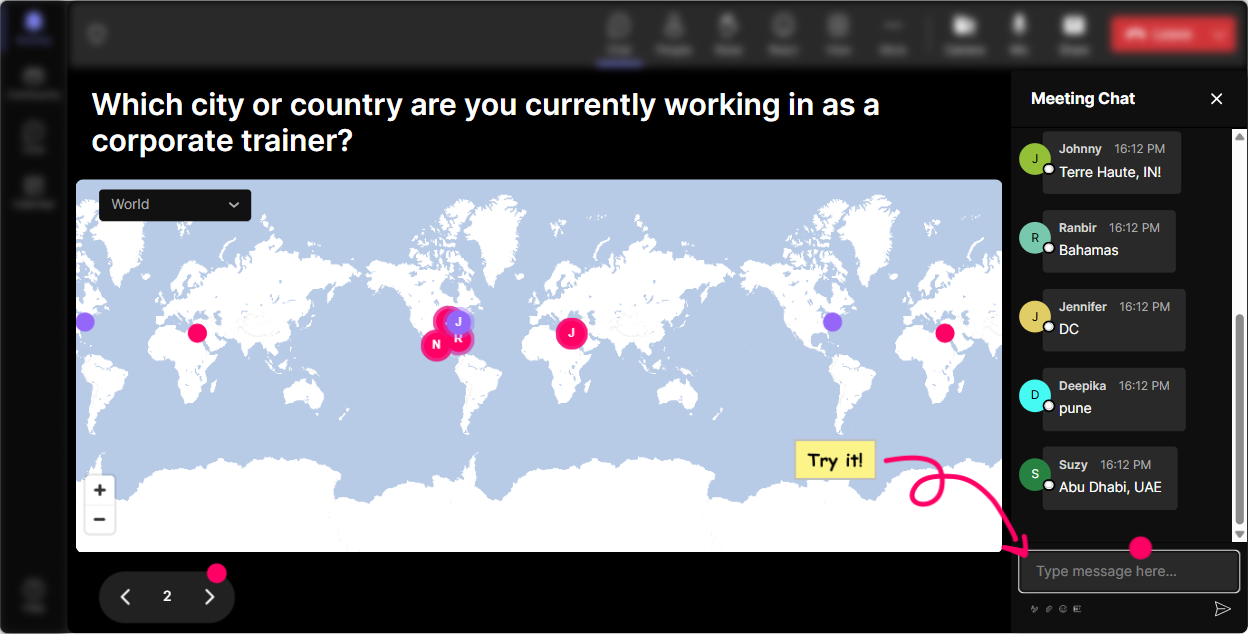
1) Magic Maps: Kick off Career Fluidity by literally putting everyone on the map
Career fluidity is all about movement-across roles, skills, and even industries-so starting with a visual movement moment works perfectly. How to use it in your session: - Break the ice fast: Where are you joining from today? (Classic, works every time.) - Make it Career Fluidity-themed: Where did your career journey *start* (first job city)? - Future-focused: If your career could teleport you anywhere next, what city would it be? Trainer tip: After the map fills up, call out patterns you see: Lots of folks from Toronto-curious, are you seeing more internal mobility there lately? That one comment can kickstart a real discussion. Extra idea: If you have a global cohort, ask: Which location has the most career opportunities in your org right now? and let them drop the city. Youll instantly see clusters-and youll get an organic conversation about mobility hotspots.
2) Rating Polls: Get a quick read on confidence, buy-in, and readiness
Before you teach anything, get a baseline. Rating Polls are perfect for this because theyre quick, low effort for participants, and you instantly see the mood of the room. Use Rating Polls at key moments like: - Start of session: On a scale of 110, how clear is Career Fluidity in your organization today? - After defining the concept: Rate your confidence explaining Career Fluidity to a manager (110). - Midway pulse check: How relevant is this to your role as a trainer? (110) - End of session: How ready do you feel to design learning that supports career fluidity? (110) Trainer tip: When you see a split (some 3s and some 9s), thats gold. Say: Okay, Im seeing both ends-if you rated 810, whats making it easier in your world? If you rated 14, whats the blocker? Now youve got peer learning happening live.

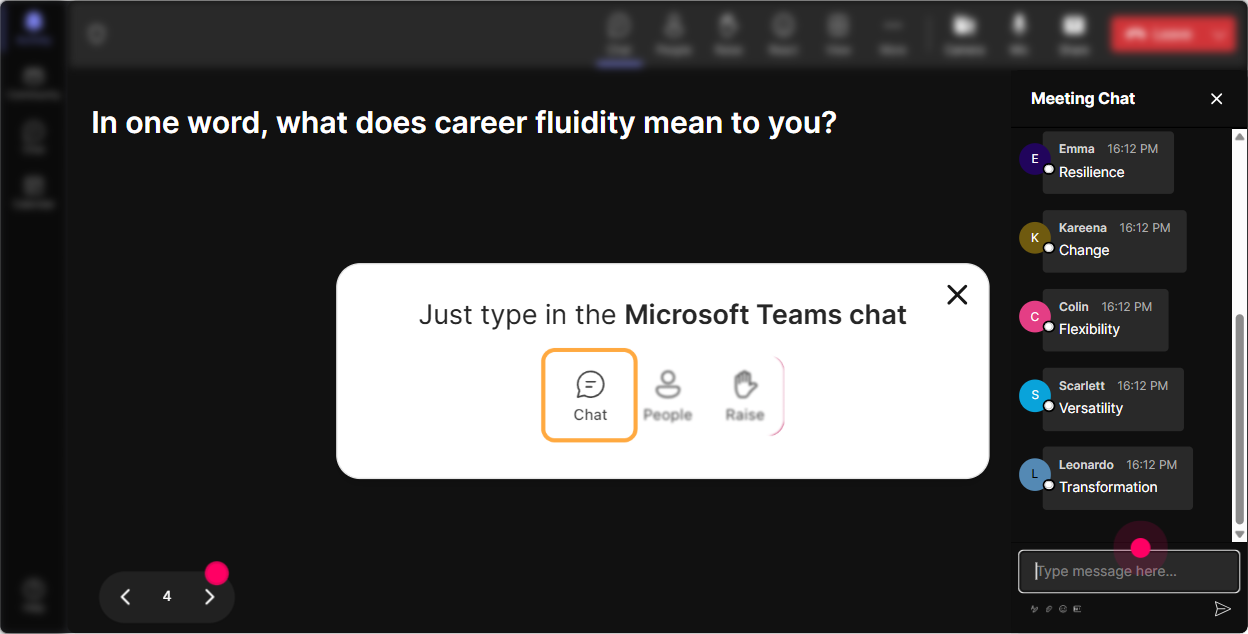
3) Wonder Words (Word Cloud): Let the room tell you what Career Fluidity *feels* like
Career topics can bring up all sorts of emotions-excitement, fear, skepticism, curiosity. Word Cloud is your easiest way to surface that instantly without putting anyone on the spot. Great prompts for Career Fluidity training: - Career fluidity in one word-what comes to mind? - Whats the biggest emotion people feel when roles change around them? - What skill matters most for career fluidity? One or two words. What youll see: - If uncertainty or overwhelming gets big, you know you need to slow down and reassure. - If opportunity or growth gets big, you can lean into stories and action planning. Trainer tip: Use the word cloud as your agenda cheat code. Literally say: Im seeing unclear pop up big-cool, were going to spend extra time on what career fluidity is (and what it isnt). People feel seen immediately-and engagement jumps.
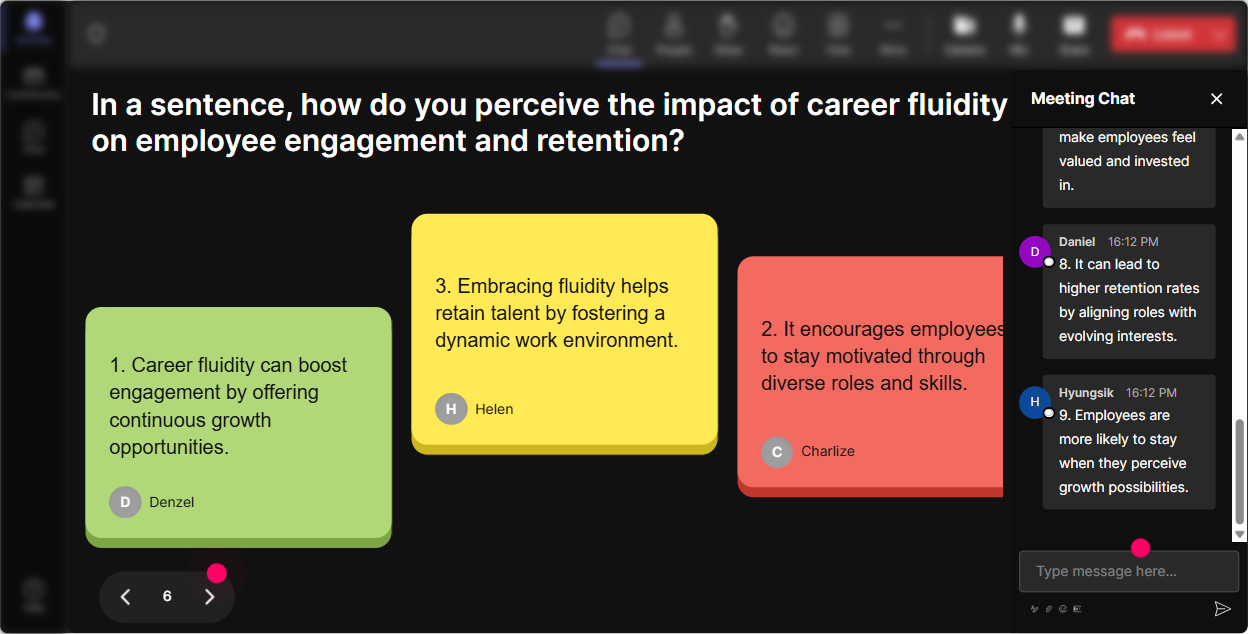
4) Talking Tiles: Turn Career Fluidity into real stories (not theory)
Career Fluidity gets real when people connect it to their day-to-day: internal moves, lateral shifts, project-based work, skill pivots, and the messy middle in between. Talking Tiles is perfect when you want more than one-word answers. Try prompts like: - Whats one moment you felt your career shift-even slightly? - Where do learners in your org get stuck when trying to move roles? - Whats one way training can support internal mobility right now? - Describe a career fluidity win youve seen (or want to see) at work. Why it works: - Youll get a wall of real experiences, not polite silence. - People read each others tiles and think: Oh wow, its not just me. Trainer tip: Pick 23 tiles to react to live: This one says managers hoard talent-thats real. Lets talk about how trainers can influence that. You just turned chat into a facilitation tool.
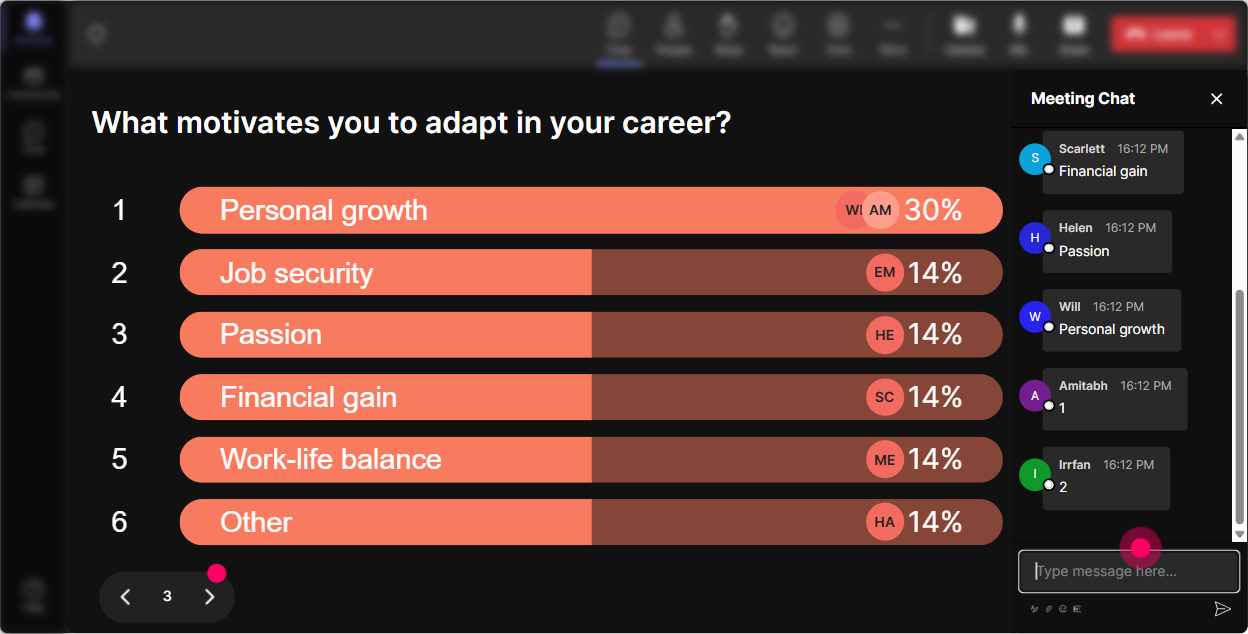
5) Power Polls: Let participants choose the direction of the session
Polls are your best friend when you want people to feel like the session is happening *with* them, not *to* them. Use Power Polls to let them steer what you go deeper on. Poll ideas for Career Fluidity ILT: - What do you want more of today? 1) How to explain Career Fluidity simply 2) Designing learning paths for internal mobility 3) Coaching managers to support moves 4) Measuring impact + proving ROI - Which barrier shows up most in your organization? 1) No visible career paths 2) Managers resist internal moves 3) Skills arent clearly mapped 4) Employees dont know where to start Trainer tip: After the poll, narrate what youre doing: Looks like skills mapping is the big one. Im going to spend an extra 10 minutes there and Ill drop a template you can use. Thats how you keep attention-people stay because they feel its tailored.
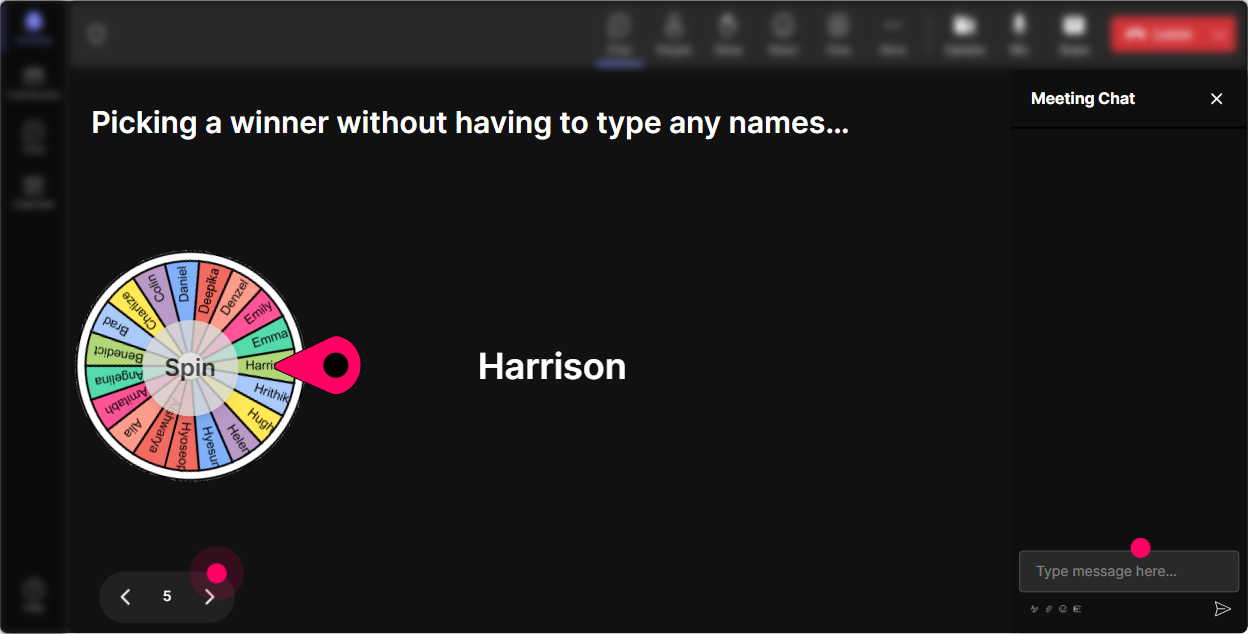
6) Winner Wheel (Spinner Wheel): Call on people without making it awkward
You know that moment when you ask, Who wants to share? and suddenly everyone becomes a statue? Spinner Wheel fixes that-because it feels fair, playful, and not like youre singling someone out. Fun ways to use it in Career Fluidity training: - Drop one internal role youre curious about in chat. Im going to spin and ask one person to share why they picked it. - Type ready if youre willing to unmute for 30 seconds. Ill spin to pick our brave volunteer. - Share one career myth you hear a lot (you have to move up to grow, etc.). Well spin and unpack one myth together. Trainer tip: Keep it light and safe: If you get picked and youd rather pass, totally fine-just say pass and well spin again. That keeps trust high while still boosting participation.
7) Quiz: Do quick knowledge checks that dont feel like school
Career fluidity has a bunch of concepts that people *think* they understand-until you test it. Quizzes let you do a fast check and correct misconceptions without lecturing. Quiz questions you can run: - Which is the best example of Career Fluidity? 1) Only promotions 2) Lateral moves, projects, and skill shifts 3) Staying in one role for stability 4) External hiring only Correct answer: 2 - Whats a leading indicator that career fluidity is improving? 1) More org charts 2) Increased internal transfers and project staffing 3) Fewer training hours 4) More job titles Correct answer: 2 Trainer tip: Use the wrong answers as discussion fuel: If you chose promotions only-honestly, thats super common. Lets break down why lateral moves are often the fastest growth.

2) Rating Polls: Get a quick read on confidence, buy-in, and readiness
Before you teach anything, get a baseline. Rating Polls are perfect for this because theyre quick, low effort for participants, and you instantly see the mood of the room. Use Rating Polls at key moments like: - Start of session: On a scale of 110, how clear is Career Fluidity in your organization today? - After defining the concept: Rate your confidence explaining Career Fluidity to a manager (110). - Midway pulse check: How relevant is this to your role as a trainer? (110) - End of session: How ready do you feel to design learning that supports career fluidity? (110) Trainer tip: When you see a split (some 3s and some 9s), thats gold. Say: Okay, Im seeing both ends-if you rated 810, whats making it easier in your world? If you rated 14, whats the blocker? Now youve got peer learning happening live.
8) Q&A (Quick Questions): Capture questions without losing the thread
In Career Fluidity sessions, questions pop up constantly-about fairness, visibility, manager behavior, and what does this mean for my team? StreamAlives Q&A pulls questions straight from the chat so youre not hunting through a messy scroll. How to make it work smoothly: - Set a question parking lot: Drop your questions anytime-Ill pause every 15 minutes and well hit the top ones. - Use it during sensitive topics: If career moves feel political in your org, ask it. Chances are others are thinking it too. - End with a fast-fire round: Weve got 7 questions queued-lets go rapid mode. Trainer tip: Read questions out loud and validate them: This is a great one-How do we stop managers from blocking moves? Lets talk tactics. People feel heard, and your session feels alive.

9) Analytics: Prove engagement, improve the next session, and find your super-participants
After your Career Fluidity training, StreamAlive Analytics helps you answer the stuff trainers actually care about: - When were they most engaged? (Minute-by-minute breakdown) - Which activity got the best participation? (Interaction reports) - Who were my most engaged learners? (Fantastic Fans) How you can use it for Career Fluidity ILT: - Improve your run of show: If engagement spikes during the Talking Tiles story-share, you know to add more real scenarios next time. - Share impact with stakeholders: Export insights and say, Heres where participation peaked, here are the top barriers learners reported, and heres what they want next. - Identify champions: Those highly engaged participants? Theyre perfect people to invite into a follow-up pilot, a focus group, or even to co-lead a peer learning circle. Trainer tip: Use analytics as your continuous improvement loop: run the session, review what worked, tweak your questions, and youll feel the engagement lift session after session.

Use StreamAlive in all your training sessions
StreamAlive isn’t just for
Career Fluidity
training,
it can also be used for any instructor-led training session directly inside your PowerPoint presentation.
Explore similar traingin ideas: unlocking the potential of StreamAlive
See how StreamAlive transforms live training with engaging events and interactive sessions across industries, directly inside your PowerPoint presentation.

Interactions in action
(it's free)

.svg.png)


