Install StreamAlive for your PowerPoint slides
Learn more

Foresight Training for Training Agencies
StreamAlive helps 9x the audience engagement in your Virtual Instructor-led Trainings (VILT) directly inside your powerpoint presentation.
Make your instructor-led Foresight training more fun with polls, word clouds, spinner wheels and more
Works inside your existing PowerPoint presentation
Install the StreamAlive app for PowerPoint and see your slides come to life as people participate in your interactions
AI generates audience interactions for you
Let our AI scan your presentation and automatically come up with relevant questions based on the content. Or spend two hours coming up with your own questions, your choice!
Built to work with MS Teams and Zoom
Native apps for Teams and Zoom so you never have to leave your existing workflows
No QR Codes
Chat-powered interactions means your audience doesn’t need to scan QR codes or look at another screen to participate. They just type in the chat!

Quickly approved by your IT team
StreamAlive’s apps for Teams and Zoom means that they have been through rigorous quality assurance and client safety reviews. You’ll find everything an IT team needs to approve the app within the organization within your StreamAlive account.

Youve been asked to run a Foresight instructor-led training for a Training Agency-and you want it to feel alive, not like another slide marathon. The trick is simple: get people doing something every few minutes. Here are practical ways to teach Foresight while using StreamAlive to keep the room engaged (and yes, noticeably more interactive).
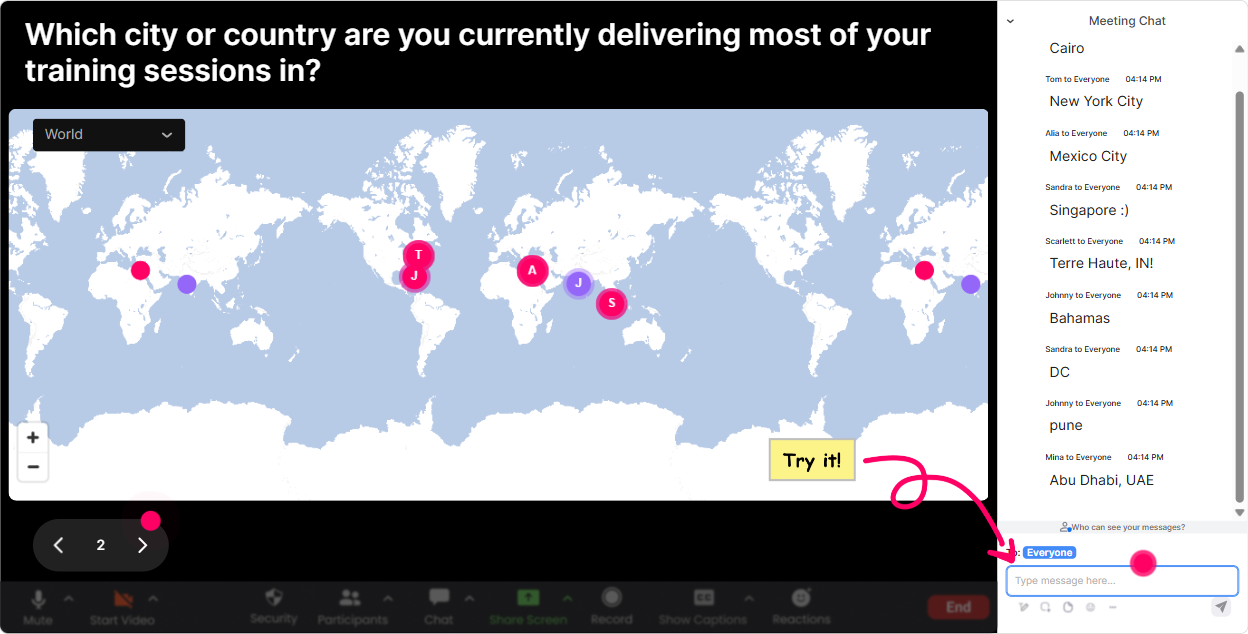
Magic Maps: Kick off your Foresight session by putting everyone on the map
Foresight is about scanning whats happening out there, so starting with a global view just feels right. Use **Magic Maps** as your opening move: people type a location in chat, and StreamAlive plots it live. Try prompts like: - Where are you joining from today? (classic, fast, friendly) - Pick a city you think will be a *future innovation hotspot* in 10 years. - Name a place where you think disruption will hit your industry hardest. - If you could teleport to one country to study the future up close-where would you go? Trainer move: once the clusters show up, tie it straight to content: Awesome-look at how spread out we are. Foresight gets stronger when you collect signals from different regions, not just your own backyard.
Rating Polls: Get a quick read on your groups Foresight confidence
Before you go deep into tools like STEEP, scenarios, or horizon scanning, you want to know what youre working with. **Rating Polls** give you that quick pulse check without awkward cold-calling. Use a scale question like: - On a scale of 110, how confident are you explaining Foresight to a client? - Rate your current ability to spot trends early (1 = not yet, 10 = Im basically a radar). - How much does your agency *currently* use Foresight in program design? (110) Trainer move: react in real time to the bar chart. Okay, weve got a bunch of 46s. Perfect. By the end, I want you feeling like a solid 78-and with a method you can repeat.

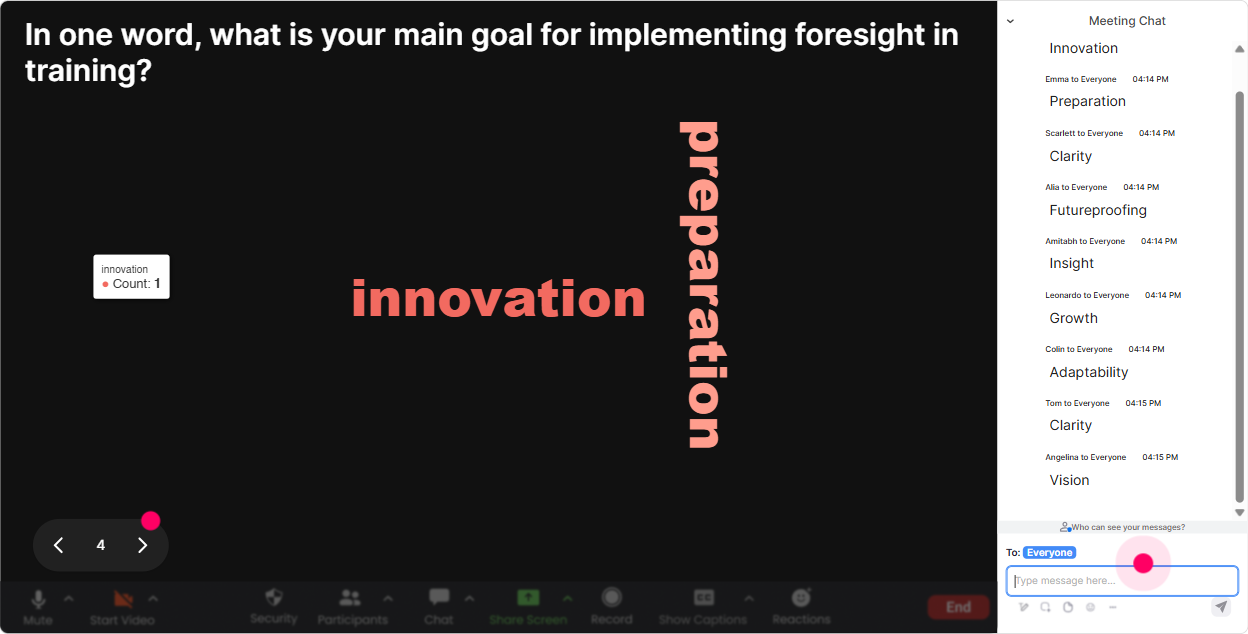
Wonder Words: Turn feelings + assumptions about Foresight into a word cloud
Foresight can sound exciting to some peopleand fluffy to others. So make that visible early. With **Wonder Words**, ask for 12 word reactions and let the rooms vibe appear instantly. Good prompts: - Foresight in one word: what comes to mind? - When you hear future trends, whats your first reaction? - Whats the biggest challenge with teaching Foresight to clients? (12 words) - One word: what do you want from todays session? Trainer move: call out the big words. Im seeing overwhelming and unclear-great, well fix that. Also seeing exciting-well keep that energy.
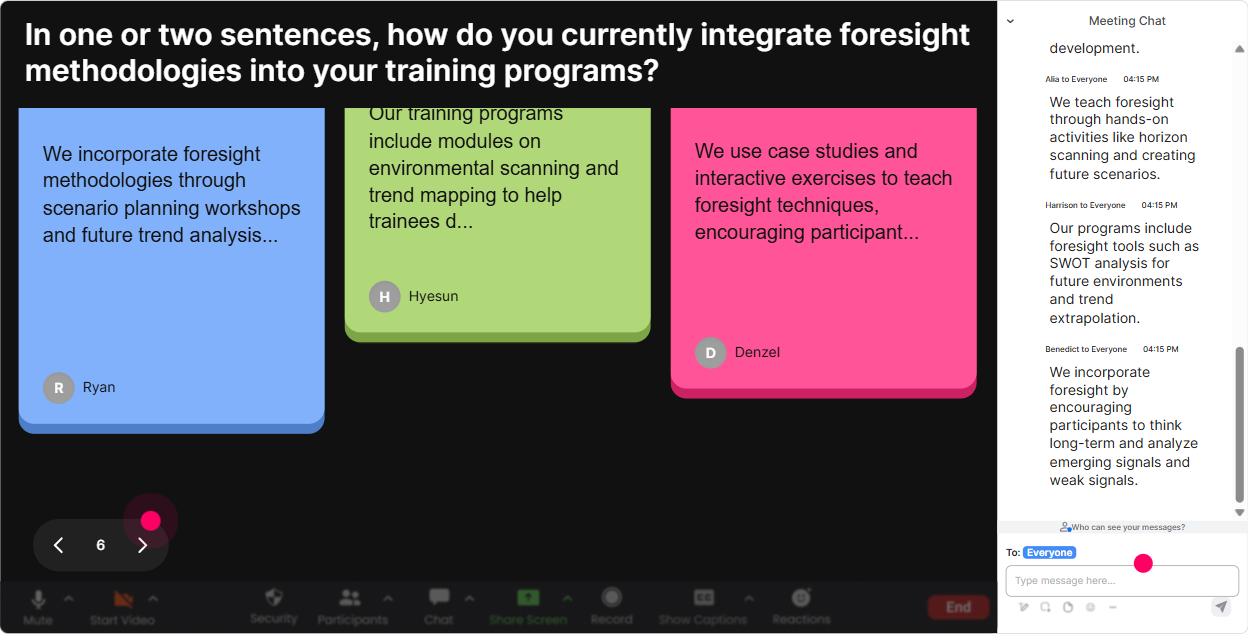
Talking Tiles: Get real stories on how Foresight impacts their day-to-day work
This is where you move from theory to real life. **Talking Tiles** is perfect when you want fuller answers (not just one word). People type into chat, and responses become these fun, visible tiles on screen-so it feels like the whole room is contributing. Prompts that work really well in a Foresight class: - Where would Foresight help you most in your role right now-sales, program design, facilitation, leadership conversations? - Tell me about a time you *didnt* see a change coming. What happened? - Whats one decision your agency is making this quarter that would benefit from a future lens? - If clients asked for future-ready training, what would that mean in practice? Trainer move: pick 23 tiles and connect them to your framework. This is exactly why we scan signals-so these surprises become less surprising.
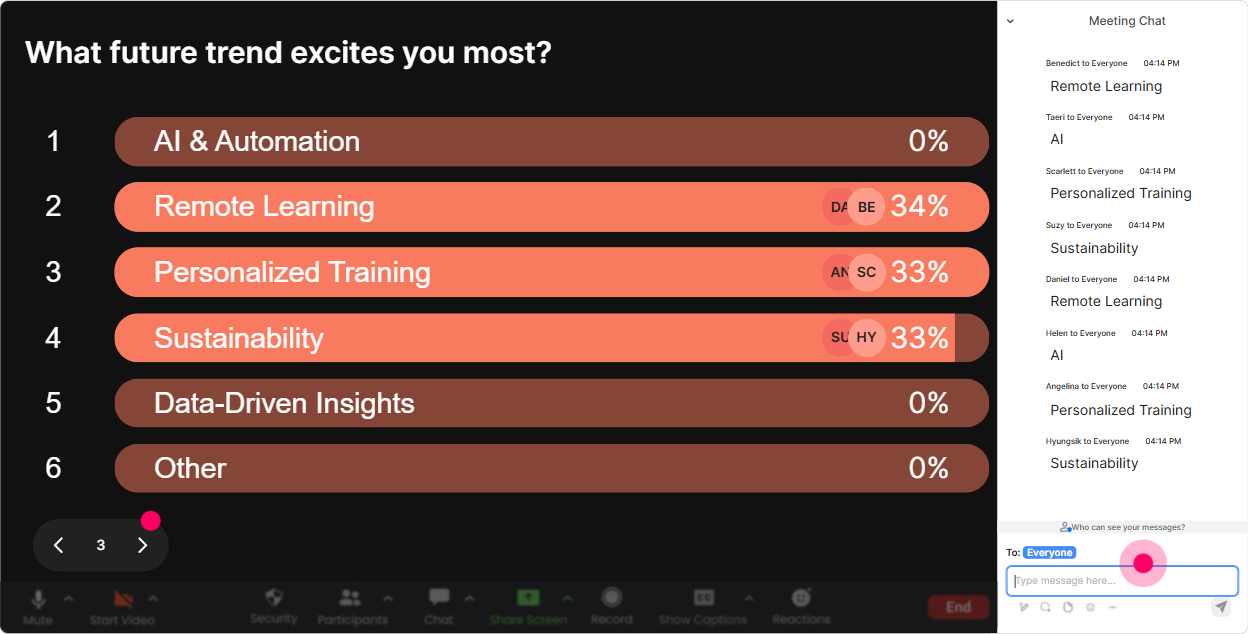
Power Polls: Let the audience choose what part of Foresight to go deeper on
Instead of guessing what they need, let them tell you. **Power Polls** makes it super easy-people vote in chat, results show live, and you can steer the session based on what wins. Poll ideas for Training Agencies: - What do you want more of today? 1) Trend spotting & scanning signals 2) Scenario planning 3) Turning insights into training programs 4) Selling Foresight to clients - Which horizon do your clients struggle with most? 1) Next 6 months 2) 12 years 3) 35 years 4) 10+ years Trainer move: Looks like turning insights into programs is the winner. Great-then Ill show you how to convert a trend into learning objectives and activities.
Winner Wheel (Spinner Wheel): Make participation fun-and fair
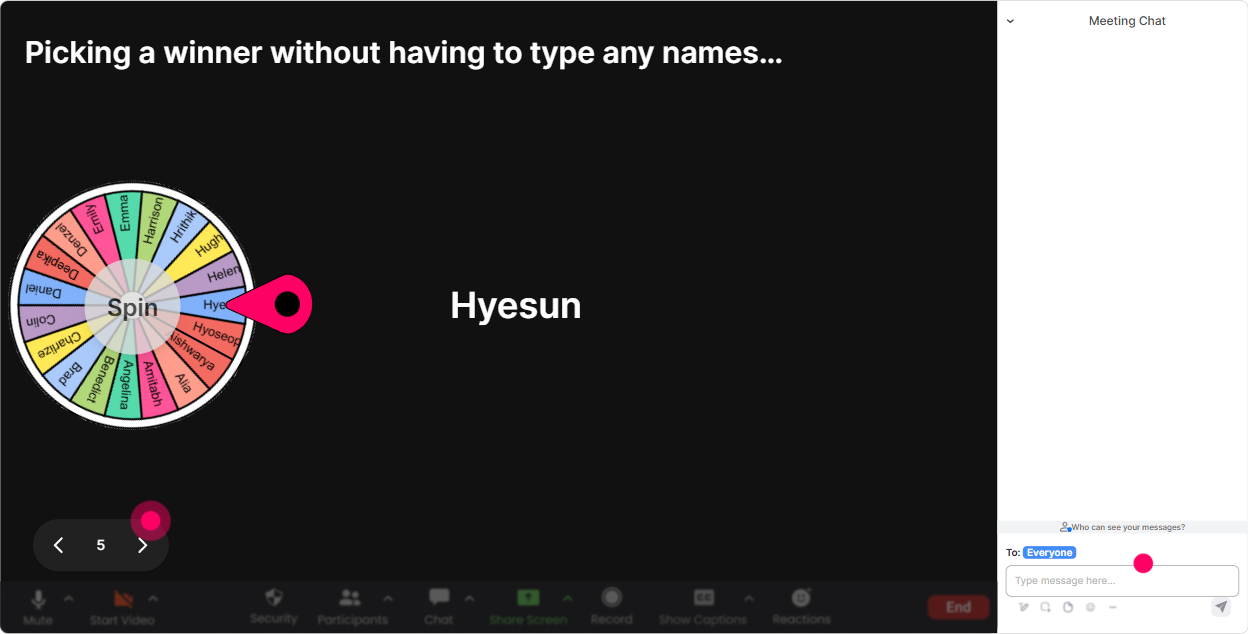
You know the moment: you ask a question and the same two people answerwhile everyone else hides. **Winner Wheel** helps you mix it up without making it weird. People participate in chat, and then the wheel picks someone randomly. Ways to use it in Foresight training: - Drop one trend youre noticing in your industry in the chat-then well spin and hear one example out loud. - Type Scenario A or Scenario B in chat-wheel decides who explains their choice. - Share one weak signal youve noticed (something small but interesting). Well spin and unpack one together. Trainer move: keep it light. Blame the wheel, not me. If it lands on you, just give us 20 seconds-no pressure. You can also reward participation: pick a winner from commenters for a small perk (template, resource, shoutout).
Quiz: Do quick knowledge checks without killing the momentum
Foresight has key concepts people mix up (trend vs. fad, signal vs. noise, forecast vs. scenario). A quick **Quiz** keeps people sharp-and its more fun than asking, Any questions? into silence. Example quiz questions: - Whats the best example of a *weak signal*? 1) A long-running industry report everyone already cites 2) A small but weird behavior change showing up in niche communities 3) Last years KPI dashboard 4) A competitors press release - Scenario planning is mainly used to 1) Predict one correct future 2) Explore multiple plausible futures to make better decisions 3) Replace strategy with brainstorming 4) Confirm what we already believe Trainer move: after revealing the correct answer, ask: If your client confuses these two ideas, whats a simple way youd explain it? Instant application.

Rating Polls: Get a quick read on your groups Foresight confidence
Before you go deep into tools like STEEP, scenarios, or horizon scanning, you want to know what youre working with. **Rating Polls** give you that quick pulse check without awkward cold-calling. Use a scale question like: - On a scale of 110, how confident are you explaining Foresight to a client? - Rate your current ability to spot trends early (1 = not yet, 10 = Im basically a radar). - How much does your agency *currently* use Foresight in program design? (110) Trainer move: react in real time to the bar chart. Okay, weve got a bunch of 46s. Perfect. By the end, I want you feeling like a solid 78-and with a method you can repeat.
Q&A (Quick Questions): Catch every question without hunting through chat
In live trainings, questions get buried fast-especially when chat is active. StreamAlive **Q&A / Quick Questions** pulls questions out and displays them neatly so you can actually manage them. How to use it during Foresight training: - Run a signal scanning segment and say: Drop questions as they come-StreamAlive will capture them. - Do a mid-session checkpoint: Whats unclear about scenarios, horizons, or trends? Ask now. - Save a focused block: Okay, were doing a 7-minute Q&A sprint-lets go. Trainer move: youll look more in control because you wont miss questions-and participants feel seen because their question doesnt vanish in the scroll.

Analytics: See what actually engaged your audience (so you can improve every run)
After the session, dont just guess what worked-check. StreamAlive **Analytics** shows you engagement minute-by-minute, chat activity, and which interactions landed best. Ways Training Agencies can use this: - Spot the exact moment engagement dipped (maybe that slide-heavy section) and tighten it next time. - Identify what sparked the most chat (often your best discussion prompts = keep those). - Find your Fantastic Fans (your most engaged participants) - great people to follow up with for deeper programs, pilots, or referrals. - Export/share results internally: Heres what participants voted for, asked, and responded to. Trainer move: after a few sessions, youll have real proof of what drives participation-and youll naturally design trainings that keep people active, not passive.

Use StreamAlive in all your training sessions
StreamAlive isn’t just for
Foresight
training,
it can also be used for any instructor-led training session directly inside your PowerPoint presentation.
Explore similar traingin ideas: unlocking the potential of StreamAlive
See how StreamAlive transforms live training with engaging events and interactive sessions across industries, directly inside your PowerPoint presentation.

Interactions in action
(it's free)

.svg.png)


