Install StreamAlive for your PowerPoint slides
Learn more

Learning in the flow of work Training for Training Agencies
StreamAlive helps 9x the audience engagement in your Virtual Instructor-led Trainings (VILT) directly inside your powerpoint presentation.
Make your instructor-led Learning in the flow of work training more fun with polls, word clouds, spinner wheels and more
Works inside your existing PowerPoint presentation
Install the StreamAlive app for PowerPoint and see your slides come to life as people participate in your interactions
AI generates audience interactions for you
Let our AI scan your presentation and automatically come up with relevant questions based on the content. Or spend two hours coming up with your own questions, your choice!
Built to work with MS Teams and Zoom
Native apps for Teams and Zoom so you never have to leave your existing workflows
No QR Codes
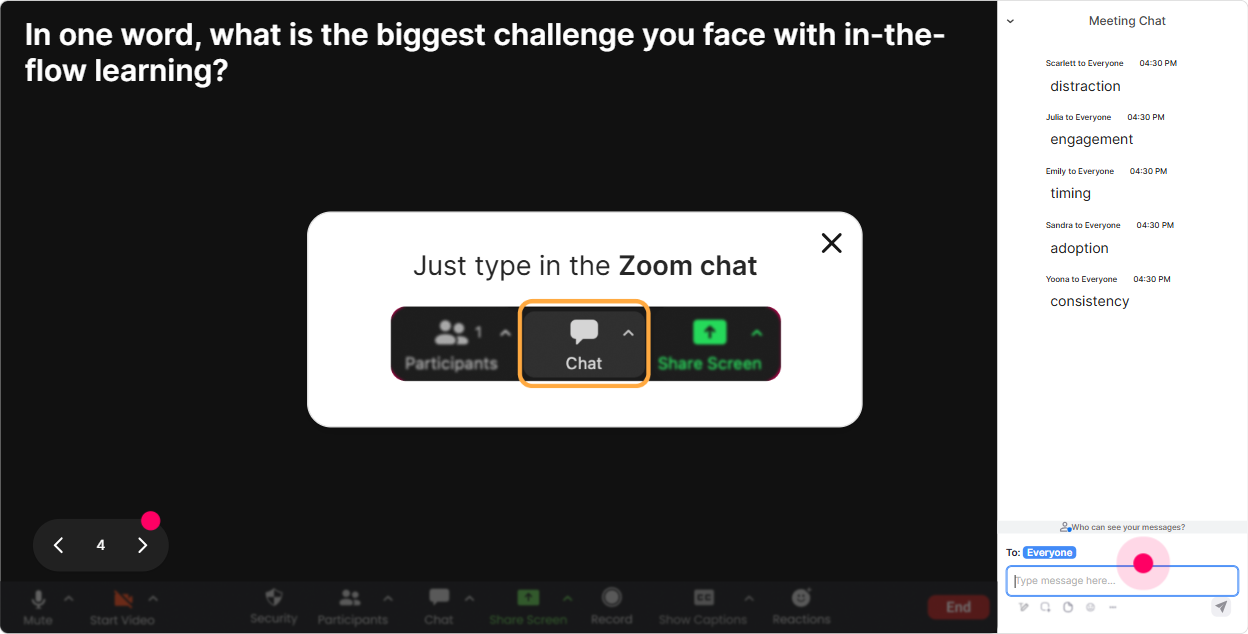
Chat-powered interactions means your audience doesn’t need to scan QR codes or look at another screen to participate. They just type in the chat!

Quickly approved by your IT team
StreamAlive’s apps for Teams and Zoom means that they have been through rigorous quality assurance and client safety reviews. You’ll find everything an IT team needs to approve the app within the organization within your StreamAlive account.

Youve been asked to run a Learning in the Flow of Work instructor-led session for a training agency-and you want people to actually stay with you (not multitask in silence). The good news: with a few simple StreamAlive interactions, you can turn a typical webinar into something that feels alive, social, and useful in real time. Here are practical ideas you can use right away.
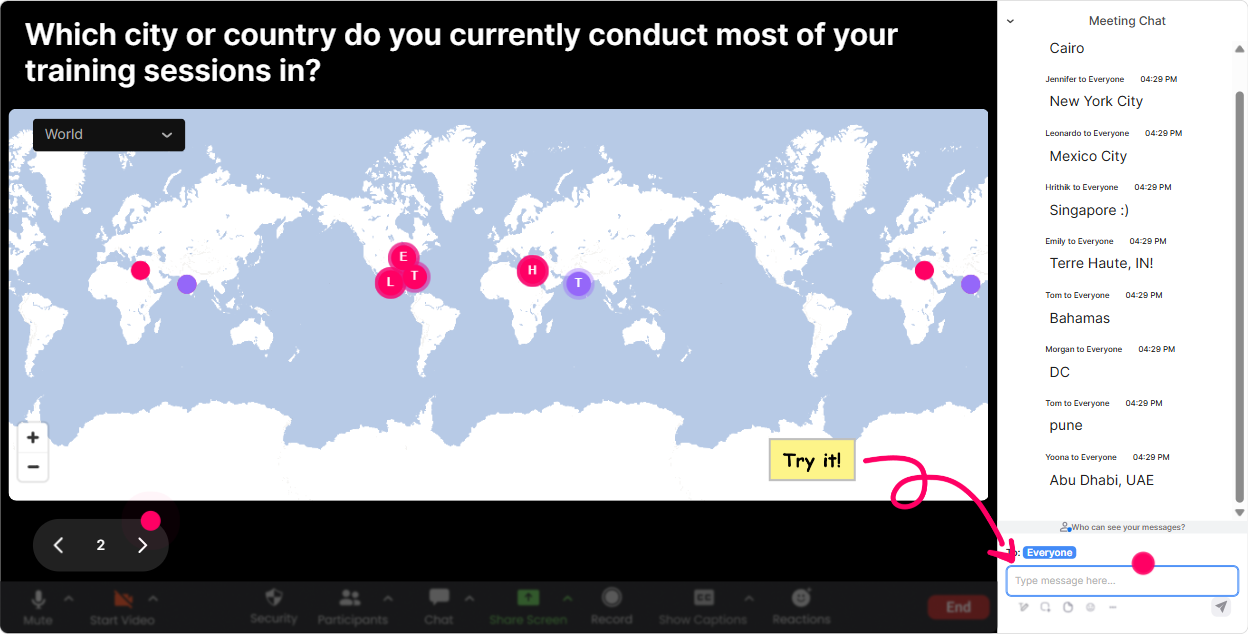
1) Magic Maps: Start with flow of work by literally putting your learners on the map
The fastest way to get people typing early is the classic: Where are you joining from? But with Learning in the Flow of Work, you can make it more relevant than a generic check-in. How to use it in this training (ideas you can copy/paste): - Where are you joining from today? (City + Country) (easy warm-up) - Where is your client base mostly located right now? (great for training agencies) - If you could shadow any workplace on earth to study learning in the flow of work, where would you go? - Which city best represents your day-to-day work pace: calm, busy, or chaos? (and ask them to pick a city that matches) Trainer move that boosts engagement: when clusters show up (like 10 people from one region), call it out and ask a follow-up: What tools are teams in that region using for in-the-moment learning-Teams? WhatsApp? Slack? Something else? Now your session instantly feels tailored, not generic.
2) Rating Polls: Get an instant read on their real confidence (and adjust on the fly)
Before you teach anything, figure out where everyones starting from-without making them explain it in paragraphs. Rating Polls are perfect for that quick pulse check. Simple rating questions that work great for Learning in the Flow of Work: - On a scale of 110, how confident are you explaining Learning in the Flow of Work to a client? - Rate your current L&D programs: how in the flow are they today? (1 = totally separate, 10 = embedded in daily work) - How ready is your agency to SELL a flow-of-work learning solution this quarter? (110) What you do with the results (this is the key): - If scores are low: Perfect-today well keep it practical and steal-ready. - If scores are high: Awesome-then Im going to push you into advanced design and measurement. People feel seen, and you look like a trainer who adapts in real time (because you are).

3) Wonder Words (Word Cloud): Make their mindset visible in 30 seconds
Learning in the flow of work can trigger mixed reactions-some people love it, some think its a buzzword, some worry itll replace proper training. A word cloud lets you SEE the rooms vibe instantly. Ask for 12 word answers like: - When you hear Learning in the Flow of Work, whats your first reaction? - Whats the biggest barrier to flow-of-work learning in your clients organizations? - Whats one tool/platform your learners live in all day? - What do you want more of in workplace learning: speed, relevance, support, practice, or measurement? Trainer move: when a big word pops (like time, tools, buy-in, overload), dont just nod-turn it into your agenda. Cool. Time is huge in the cloud-lets design for 2-minute learning moments instead of 2-hour workshops. Thats how you keep attention locked in.
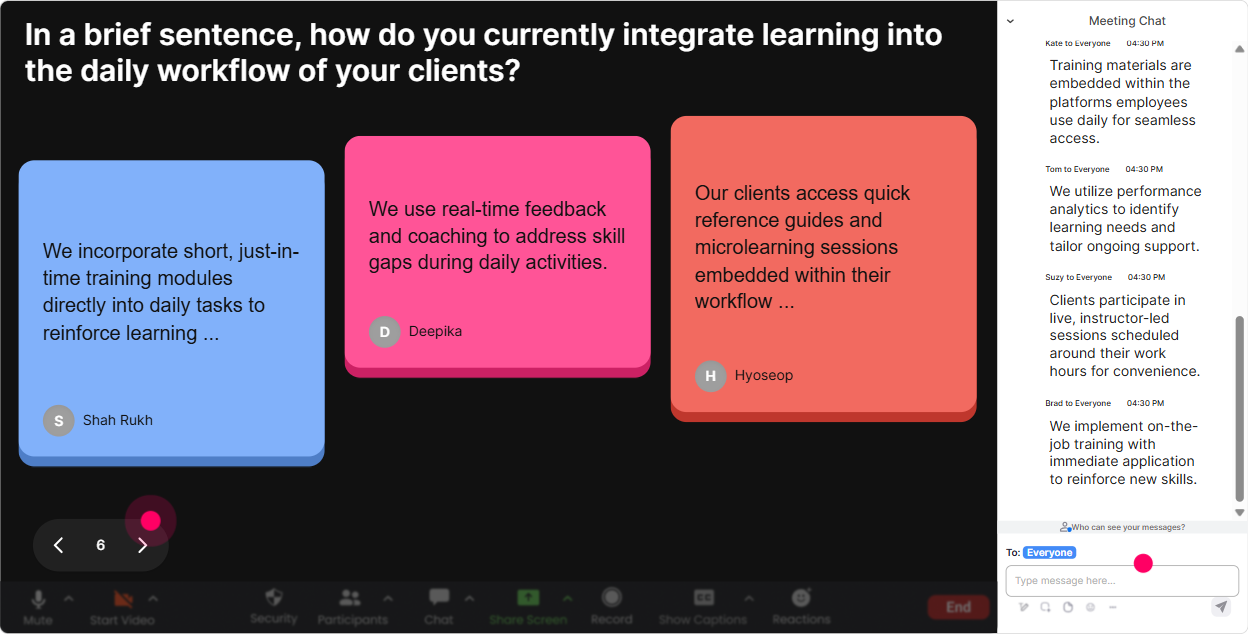
4) Talking Tiles: Turn real workplace stories into your best content
This topic is all about real work, real friction, real moments-so let people describe what actually happens on the job. Talking Tiles is great because responses can be longer, and seeing everyones messages drop in feels fun and high-energy. Prompts that work brilliantly for training agencies: - Tell me one moment in a typical workday when people NEED help immediately (not later). Whats happening? - Whats the most common I forgot how to do this task your learners face? - Where does learning currently break down-handoffs, customer calls, systems, compliance, leadership? - Describe a client scenario where flow-of-work learning would save time or reduce errors. Trainer move: pick 23 tiles and label them live: - This is a performance support moment. - This is a workflow integration moment. - This is a manager-as-coach moment. Now youre teaching the framework using THEIR words-not a slide definition.
5) Power Polls: Let them choose the direction (so they feel ownership)
Flow-of-work learning has multiple angles-performance support, tech stack, design, measurement, change management. Instead of guessing what they care about, let them vote and then go deeper where the room wants. Poll ideas (with options): - Where do you want to focus today? 1) Designing learning moments inside tools (Teams/Slack/CRM) 2) Converting ILT into flow-of-work support 3) Measuring impact beyond completion rates 4) Getting client buy-in + change management - Whats your current approach mostly? 1) Workshops first 2) eLearning first 3) Performance support first 4) Blended but not integrated Trainer move: after the poll, say: Alright, the room voted for measurement. So Im going to spend the next 10 minutes on what to track and how to report it to clients. Thats how you keep them from drifting.

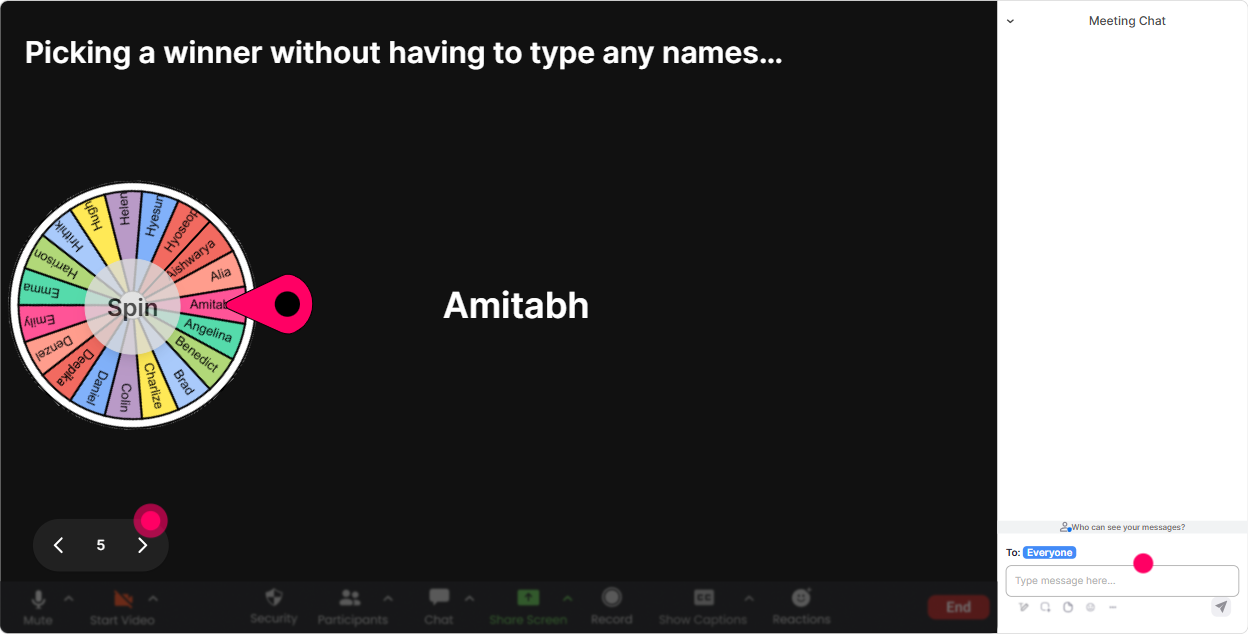
6) Winner Wheel: Get participation without awkward anyone want to share? silence
Weve all done it: Any volunteers? And then nothing. Winner Wheel fixes that in a fun way. People comment because they know they might get picked-and it stays light, not stressful. Ways to use it in this session: - After a brainstorm: Im going to spin the wheel and ask one person to share their best example of learning in the flow of work. - For mini-coaching: Spin to pick someone-tell me your client industry and Ill suggest one flow-of-work learning idea you can pitch. - For energy boosts: Well spin one winner for a small prize (or bragging rights) from everyone who answered the poll. Trainer move: set expectations kindly: No pressure-if you get picked and dont want to speak, just type pass and well spin again. People feel safe, so more people play along.
7) Quiz: Do quick knowledge checks that feel like a game (not an exam)
Learning in the flow of work has a few concepts people easily mix up (training vs performance support, push vs pull, content vs workflow). A quick quiz keeps them sharp and gives you proof theyre tracking. Quiz questions you can use: - Which is the best example of learning in the flow of work? A) A 60-minute webinar next Friday B) A searchable checklist inside the CRM during a live customer call (Correct) C) A PDF in an email folder D) A once-a-year certification - Whats the main goal of flow-of-work learning? A) Increase course completions B) Reduce time-to-competency and support performance in the moment (Correct) C) Make training longer D) Replace trainers Trainer move: after revealing the correct answer, ask: What made B the best choice? Let the audience explain it-now youve got retrieval practice and engagement at the same time.

2) Rating Polls: Get an instant read on their real confidence (and adjust on the fly)
Before you teach anything, figure out where everyones starting from-without making them explain it in paragraphs. Rating Polls are perfect for that quick pulse check. Simple rating questions that work great for Learning in the Flow of Work: - On a scale of 110, how confident are you explaining Learning in the Flow of Work to a client? - Rate your current L&D programs: how in the flow are they today? (1 = totally separate, 10 = embedded in daily work) - How ready is your agency to SELL a flow-of-work learning solution this quarter? (110) What you do with the results (this is the key): - If scores are low: Perfect-today well keep it practical and steal-ready. - If scores are high: Awesome-then Im going to push you into advanced design and measurement. People feel seen, and you look like a trainer who adapts in real time (because you are).
8) Q&A: Capture questions cleanly-without losing them in chat chaos
When youre teaching and chat is moving, great questions get buried. StreamAlives Q&A pulls audience questions out and displays them neatly so you can actually manage them. How to use it in this training: - Kick off with: As questions pop up, drop them in chat-StreamAlive will catch them for me. - Midway checkpoint: Lets do a 3-minute Q&A sprint-top questions on measurement and stakeholder buy-in. - End with: Ill answer the top 5 questions we captured-and Ill share the rest with the agency team after. Trainer move: tag questions live: This is a DESIGN question this one is a SALES-to-client question this one is a TOOLING question. It reassures people youre organized and makes the content easier to follow.

9) Analytics: Use engagement data to improve your next delivery (and prove value to clients)
After the session, dont rely on gut feel. StreamAlive Analytics shows you exactly when engagement spiked, which interactions performed best, and who your most engaged participants were. How training agencies can use this immediately: - Minute-by-minute engagement: find where attention dropped (maybe your theory section) and tighten it next time. - Interaction reports: see which questions got the most responses-those become your best discussion prompts for future cohorts. - Top fans / most engaged attendees: these are your champions-invite them into a pilot group, a case study, or follow-up workshop. - Email reports: share results internally on Teams/email to show stakeholders: Engagement increased when we used live workflow scenarios + polls. Trainer move: treat analytics like continuous improvement. Next session, keep what worked, cut what didnt, and youll feel the up to 9x engagement effect over time because youre designing based on real audience behavior-not guesses.

Use StreamAlive in all your training sessions
StreamAlive isn’t just for
Learning in the flow of work
training,
it can also be used for any instructor-led training session directly inside your PowerPoint presentation.
Explore similar traingin ideas: unlocking the potential of StreamAlive
See how StreamAlive transforms live training with engaging events and interactive sessions across industries, directly inside your PowerPoint presentation.

Interactions in action
(it's free)

.svg.png)


