Install StreamAlive for your PowerPoint slides
Learn more

Learning Organizations Training for Training Agencies
StreamAlive helps 9x the audience engagement in your Virtual Instructor-led Trainings (VILT) directly inside your powerpoint presentation.
Make your instructor-led Learning Organizations training more fun with polls, word clouds, spinner wheels and more
Works inside your existing PowerPoint presentation
Install the StreamAlive app for PowerPoint and see your slides come to life as people participate in your interactions
AI generates audience interactions for you
Let our AI scan your presentation and automatically come up with relevant questions based on the content. Or spend two hours coming up with your own questions, your choice!
Built to work with MS Teams and Zoom
Native apps for Teams and Zoom so you never have to leave your existing workflows
No QR Codes
Chat-powered interactions means your audience doesn’t need to scan QR codes or look at another screen to participate. They just type in the chat!

Quickly approved by your IT team
StreamAlive’s apps for Teams and Zoom means that they have been through rigorous quality assurance and client safety reviews. You’ll find everything an IT team needs to approve the app within the organization within your StreamAlive account.

Youve been asked to run a session on Learning Organizations for a group of Training Agencies-and you want people to actually stay with you (not multitask in silence). The easiest win? Build in tiny, high-energy moments where everyone participates. Here are simple ideas using StreamAlive interactions to keep your room engaged (like, noticeably more engaged).
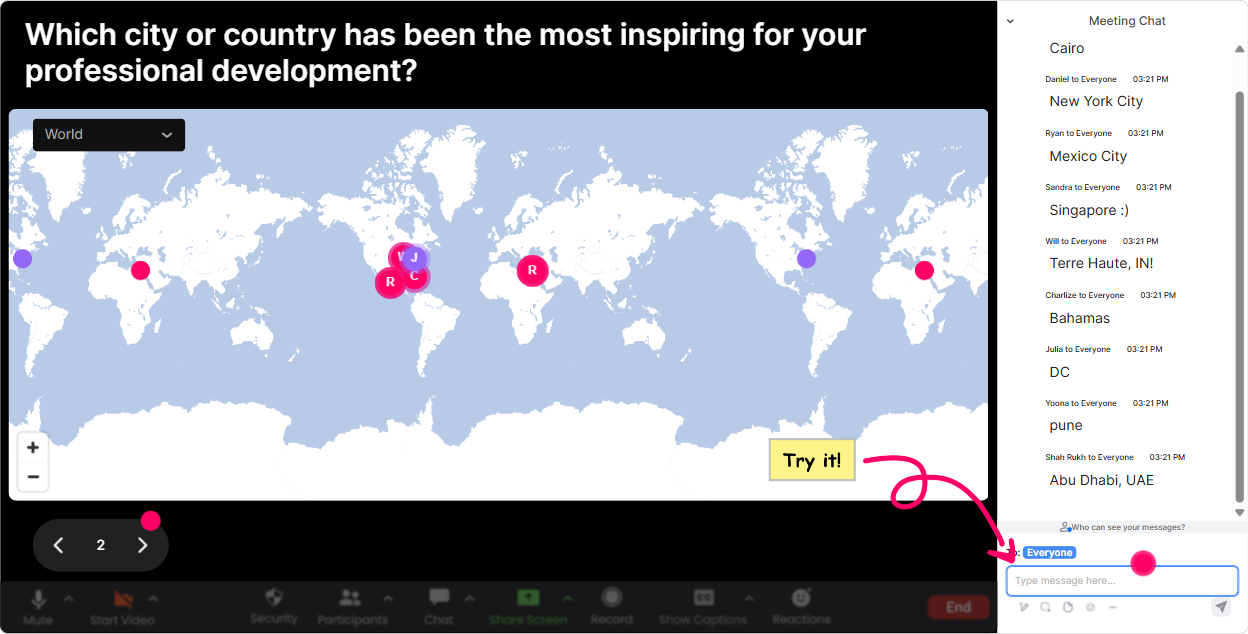
1) Magic Maps: turn Where are you joining from? into an instant community moment
If youre training agencies, odds are your group is spread across cities, regions-sometimes countries. Magic Maps makes that visible in seconds and instantly warms up the room. How to use it in Learning Organizations training: - Kickoff icebreaker: Where in the world are you joining from today? (classic, but now its visual and fun) - Make it topic-relevant: Where is your training team based? (HQ vs satellite offices becomes a conversation) - Dream-state opener: If you could visit any organization in the world known for learning culture, where would you go? - Case study setup: Type the city where your toughest learning adoption challenge happens most-HQ, plant, field? Trainer tip: If youve got a big cluster in one area, call it out: Looks like weve got a strong group from Mumbai-tell me, whats one learning challenge youre seeing there? That quick spotlight pulls more people into chat immediately.
2) Rating Polls: get a fast pulse-check without awkward silence
Rating Polls are perfect when you want the rooms temperature-fast. And for Learning Organizations, the gaps in confidence/clarity are super common, so this helps you pace your session. How to use it: - Start-of-session baseline: On a scale of 110, how confident are you that you could explain Learning Organization to a client? - Reality check: Rate your current organizations learning culture today (1 = reactive, 10 = continuous). - After a model/framework: How clear is this framework so far? (110) - End-of-module: How practical is this for the agencies you work with? (110) Trainer tip: When you see a split (some 3s, some 9s), say it out loud: Okay this is interesting-half the room is confident, half is not. Lets fix that before we move on. People feel seen, and they re-engage.

3) Wonder Words (Word Cloud): reveal what people really think in one screen
Learning Organizations can sound inspiring or like corporate fluff depending on whos in the room. A word cloud lets you surface that mood instantly without putting anyone on the spot. Great prompts (keep answers 12 words): - When you hear Learning Organization, whats the first word that comes to mind? - Whats the biggest blocker to building a learning culture in your client organizations? (e.g., time, managers, budget, mindset) - One word to describe L&D in most organizations today. - What do you want more of: coaching, systems, tools, leadership buy-in, measurement? Trainer tip: Use it to transition: Im seeing time and buy-in huge on the screen. Perfect-those are exactly the two levers well work on next. Now your content feels personalized, not pre-recorded.

4) Talking Tiles: make deeper responses feel fun (and visible)
When you want longer answers-mini stories, examples, opinions-Talking Tiles makes the chat feel alive. Instead of responses disappearing in the scroll, they show up as tiles on-screen and keep attention locked in. Use it for: - Impact reflection: Whats one way a strong learning culture would change outcomes for your agency or your clients? - Real talk: Whats currently stopping learning from sticking after training? - Best practices: Share one method youve used to drive learning transfer (nudges, manager support, cohorts, projects, etc.). - Application moment: If you had to pitch Learning Organization work to a client, whats your one-liner? Trainer tip: Pick 23 tiles live and riff on them: This one says managers dont reinforce-yes. Lets talk manager enablement for 2 minutes. People then try harder to write useful answers because they might get featured.

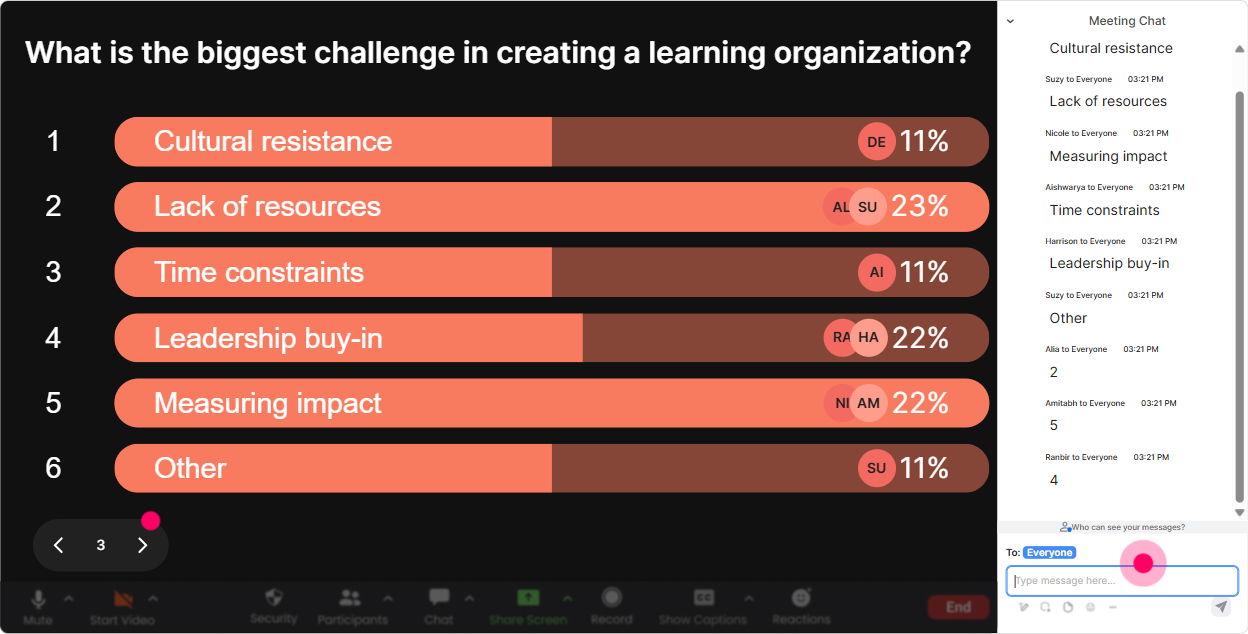
5) Power Polls: let the audience choose the direction (so they stay invested)
Power Polls are your best friend for choose what we focus on next. Its simple, its quick, and it makes your session feel co-created. Poll ideas for Learning Organizations (Training Agencies edition): - Which pillar do you want to go deeper on today? 1) Leadership & culture 2) Systems & process 3) Knowledge sharing 4) Measurement & impact - Where do your clients struggle most? 1) Learning isnt prioritized 2) Training doesnt transfer 3) No time to learn 4) No clear metrics - Whats your primary role here? 1) Trainer/facilitator 2) Instructional designer 3) L&D leader 4) Consultant/agency owner Trainer tip: Run a poll right before a break. Then come back with: Alright, you voted-transfer is the pain point. Lets tackle that first. Instant attention reset.
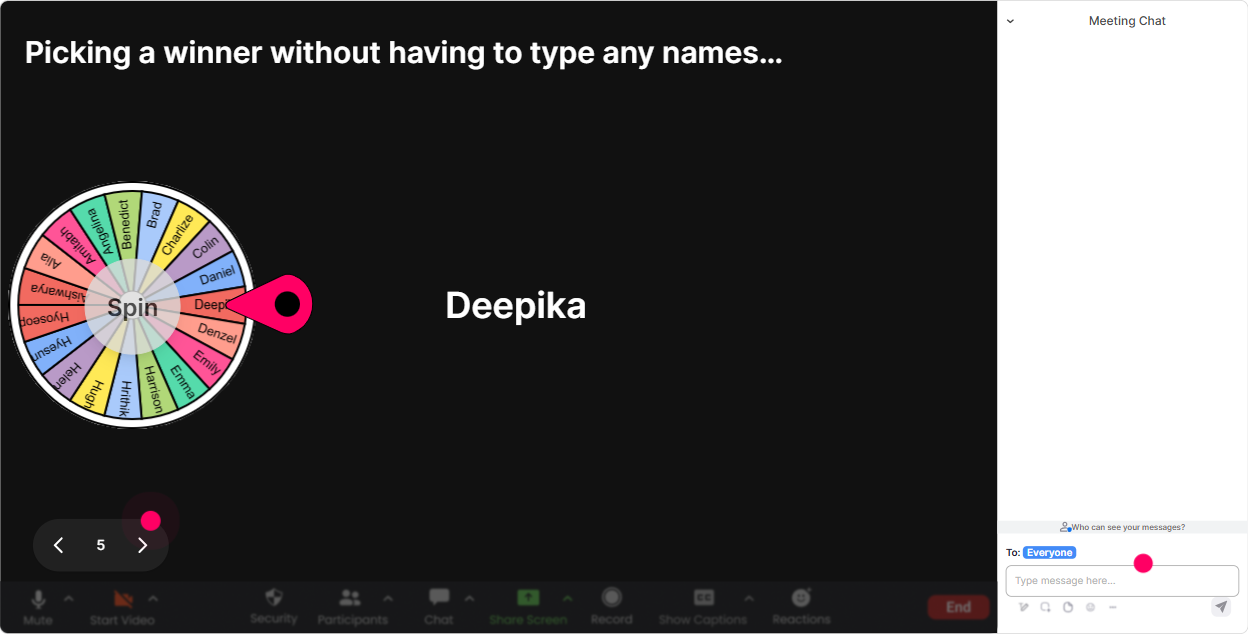
6) Winner Wheel: get participation without begging for volunteers
Weve all done the Any volunteers? thing and its crickets. Winner Wheel fixes that by making participation playful and fair-especially when you pull from people who have already commented. Ways to use it in your Learning Organizations session: - Drop one challenge you face when building learning culture. Ill spin the wheel and ask one person to expand for 30 seconds. - Type ready when youve done the activity. Ill spin and pick someone to share their takeaway. - Well do a quick knowledge check-everyone answers in chat. Then well spin and celebrate one participant with a shoutout. Trainer tip: Frame it as low-pressure: If you get picked, just share one sentence-no long speech. People stay relaxed, but they stay present because they might be chosen.
7) Quiz: quick knowledge checks that dont feel like an exam
A Quiz interaction is perfect for those teach check adjust moments. You ask a multiple-choice question, people respond in chat, and you get instant clarity on whether the concept landed. Quiz ideas for Learning Organizations: - Which is MOST associated with a learning organization? 1) Training calendar completion 2) Continuous improvement + knowledge sharing 3) More LMS courses 4) Annual performance reviews (Correct: 2) - Which practice best supports learning transfer? 1) One-time workshop 2) Post-training projects + manager reinforcement 3) Longer slide decks 4) More quizzes (Correct: 2) - Which metric is the strongest signal of learning impact? 1) Attendance 2) Smilesheets 3) Behavior change on the job 4) Number of modules completed (Correct: 3) Trainer tip: If the wrong answer wins, dont panic-celebrate it: Love this-this tells me exactly what to clarify. That keeps it safe to be wrong, which boosts participation.

2) Rating Polls: get a fast pulse-check without awkward silence
Rating Polls are perfect when you want the rooms temperature-fast. And for Learning Organizations, the gaps in confidence/clarity are super common, so this helps you pace your session. How to use it: - Start-of-session baseline: On a scale of 110, how confident are you that you could explain Learning Organization to a client? - Reality check: Rate your current organizations learning culture today (1 = reactive, 10 = continuous). - After a model/framework: How clear is this framework so far? (110) - End-of-module: How practical is this for the agencies you work with? (110) Trainer tip: When you see a split (some 3s, some 9s), say it out loud: Okay this is interesting-half the room is confident, half is not. Lets fix that before we move on. People feel seen, and they re-engage.
8) Q&A: capture real questions without losing them in chat chaos
In live training, the best questions often get buried in the chat scroll-especially if people are actively responding to activities. StreamAlive Q&A pulls questions out and organizes them so you dont miss the good stuff. How to use it for Learning Organizations training: - Mid-session: As we go, drop your questions in chat-StreamAlive will collect them. Ill do a Q&A pit stop every 15 minutes. - Objection handling: Whats one pushback you hear from clients when you talk about learning culture? (those become your Q&A talking points) - Closing: Whats the one thing you want help applying next week? Trainer tip: Tell people exactly when youll answer questions. When learners know their question wont be ignored, they ask more-and they listen longer.

9) Analytics: improve every future session (and prove engagement to your team/client)
If youre a training agency, youre not just delivering-youre constantly improving and often reporting outcomes. StreamAlive Analytics helps you see what actually engaged people, minute by minute. What you can do with it: - Spot your engagement peaks: Oh, engagement jumped during the transfer activity-do more of that next time. - Chat replay: Revisit the exact moments learners responded most (great for improving your facilitation script). - Identify top participants (Fantastic Fans): Useful when you want to invite strong contributors into follow-up sessions, panels, or pilot groups. - Interaction reports: See which polls/quizzes worked best, then reuse the winners in your next cohort. - Email/share results: Handy when you need to send a recap to your internal team or a client sponsor. Trainer tip: After the session, pull one insight and act on it immediately: Next run, Im moving the rating poll earlier or Im adding a second word cloud after the framework. Small tweaks compound fast-and your engagement climbs session after session.

Use StreamAlive in all your training sessions
StreamAlive isn’t just for
Learning Organizations
training,
it can also be used for any instructor-led training session directly inside your PowerPoint presentation.
Explore similar traingin ideas: unlocking the potential of StreamAlive
See how StreamAlive transforms live training with engaging events and interactive sessions across industries, directly inside your PowerPoint presentation.

Interactions in action
(it's free)

.svg.png)


