Install StreamAlive for your PowerPoint slides
Learn more

Lifelong Employment Training for L&D Leaders
StreamAlive helps 9x the audience engagement in your Virtual Instructor-led Trainings (VILT) directly inside your powerpoint presentation.
Make your instructor-led Lifelong Employment training more fun with polls, word clouds, spinner wheels and more
Works inside your existing PowerPoint presentation
Install the StreamAlive app for PowerPoint and see your slides come to life as people participate in your interactions
AI generates audience interactions for you
Let our AI scan your presentation and automatically come up with relevant questions based on the content. Or spend two hours coming up with your own questions, your choice!
Built to work with MS Teams and Zoom
Native apps for Teams and Zoom so you never have to leave your existing workflows
No QR Codes
Chat-powered interactions means your audience doesn’t need to scan QR codes or look at another screen to participate. They just type in the chat!

Quickly approved by your IT team
StreamAlive’s apps for Teams and Zoom means that they have been through rigorous quality assurance and client safety reviews. You’ll find everything an IT team needs to approve the app within the organization within your StreamAlive account.

Youve been asked to run Ideas for Lifelong Employment training for L&D leaders, and you already know the risk: smart people, busy calendars, and cameras off. So lets make it feel alive (and get way more voices in the room) using StreamAlive interactions you can run straight from the chat.
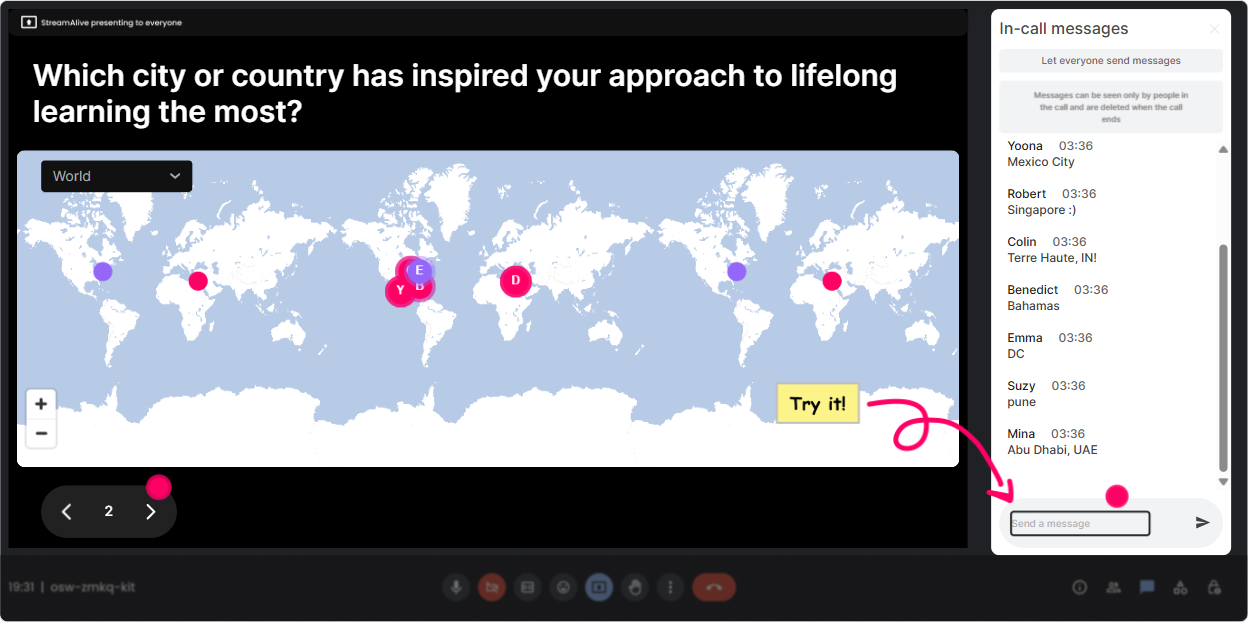
1) Magic Maps: start with whos in the room? (and make it instantly feel social)
This is your easiest win in the first 2 minutes. Instead of the usual awkward Where are you joining from? and hoping people type something StreamAlive plots everyone on a live map as they answer in chat. Suddenly, it feels like a real event. How to use it in Lifelong Employment training: - Icebreaker that actually ties to the topic: Where are you joining from-and whats one city you think has the strongest future of work vibe? - Context check: Drop the location of your HQ (or your biggest employee population). Now you can speak to regional realities (hiring, retention, skill shortages). - Warm-up with relevance: If you could teleport your workforce to learn from any place on earth, where would you send them? (great lead-in to learning culture + mobility) Trainer tip: If you want clean data, set it to one location per person. If you want conversation, let it be open and riff on clusters (Looks like weve got a Toronto takeover-what are you seeing in the talent market there?).
2) Rating Polls: do a quick confidence check (without putting anyone on the spot)
L&D leaders usually have opinions-but not everyone wants to speak first. Rating Polls let you get the rooms temperature in 10 seconds, and you can show the results live. Use it to steer your facilitation in real time: - Kickoff pulse check: On a scale of 110, how confident are you that your org is building lifelong employability (not just training hours)? - Mid-session reality check: Rate your current ability to redeploy talent internally vs. hiring externally. - Before a tough discussion: How aligned is leadership on who owns employability-employees, managers, or L&D? What this unlocks for you: If the average score is a 4, you slow down and build the case. If its an 8, you move faster and go deeper into strategy and measurement.

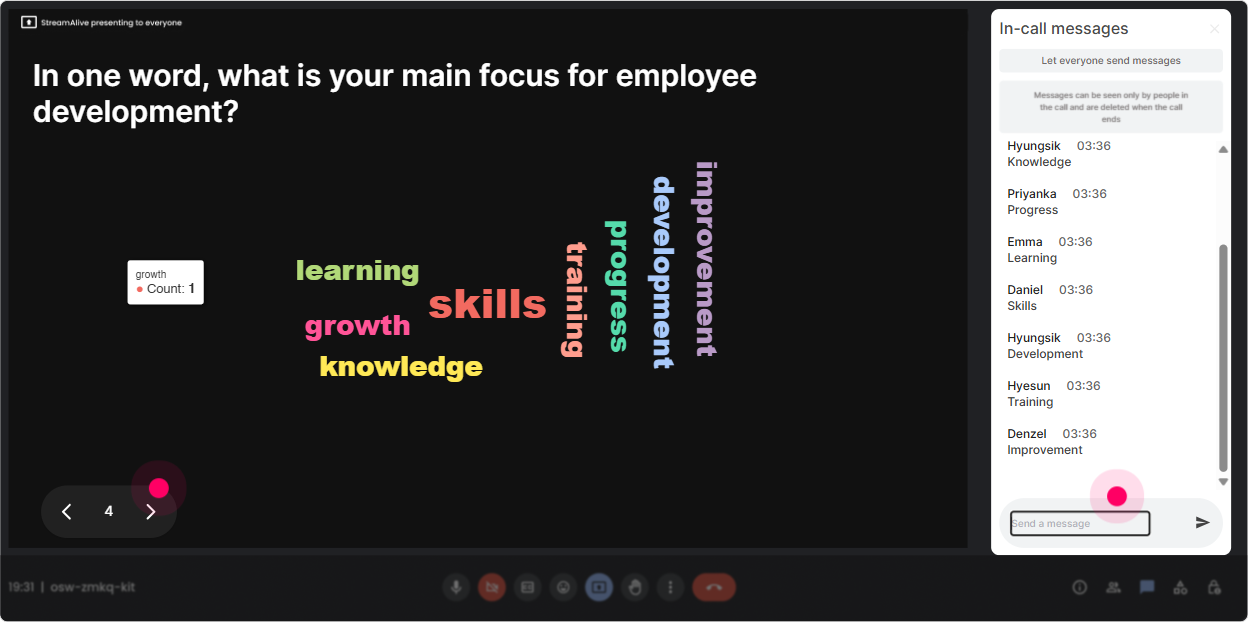
3) Wonder Words: get the honest vibe in one question
Word clouds are perfect for the emotional side of this topic. Lifelong employment can trigger excitement or skepticism or straight-up fear. Wonder Words turns those gut reactions into something you can address together. Use it like this (keep answers to 12 words): - When you hear lifelong employability, whats the first word that pops up? - Whats the biggest barrier in your org? (One word) Expect stuff like: time, managers, budget, culture, buy-in. - What should L&D protect at all costs in the age of AI? Youll get values like: trust, equity, curiosity, human skills. Trainer move: Read back the biggest words out loud and validate them. It tells people, Yep, I see you, and it gives you a perfect bridge into your content.
4) Talking Tiles: turn reflection into a visible conversation (even with quiet groups)
Sometimes you need more than one-word answers-especially with senior L&D folks who want nuance. Talking Tiles lets longer responses fall onto the screen like tiles, so the group can literally see the conversation building. Great prompts for this session: - Where is lifelong employability already showing up in your org-formally or informally? - Whats one policy or practice that accidentally discourages internal mobility? - Finish this: If we want employees to stay employable, managers must Why it works: People dont feel like theyre writing into a void. Their thought appears on screen, others react, and suddenly youve got peer learning happening-without forcing anyone to unmute.

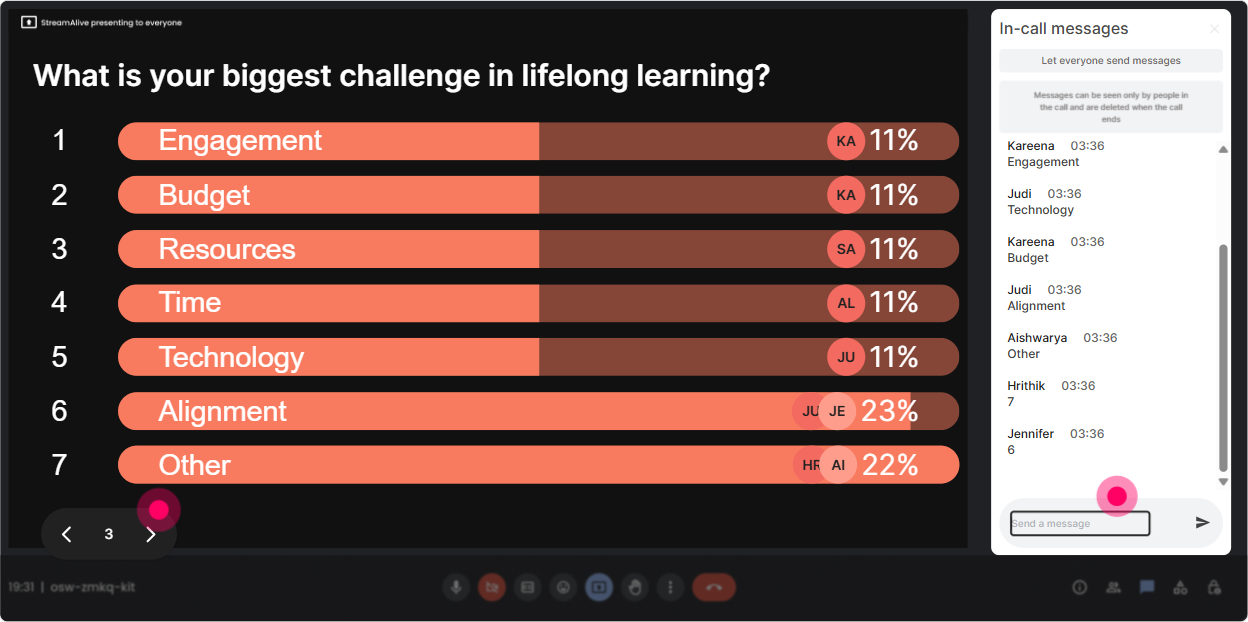
5) Power Polls: let the audience vote on what you teach next
This is the easiest way to stop guessing what they want and start building the session with them. Power Polls are great when you want people to choose from clear options-and you can show results instantly. Try these inside Lifelong Employment training: - Which area do you want to go deeper on today? 1) Internal mobility + talent marketplaces 2) Skills taxonomy + validation 3) Manager enablement 4) Learning in the flow of work 5) Measurement (beyond completions) - Whats your current strategy emphasis? 1) Upskill 2) Reskill 3) Redeploy 4) Hire - Biggest risk if we *dont* do this well? 1) Attrition 2) Skill obsolescence 3) Higher hiring costs 4) Low engagement Trainer tip: Make the poll decide your breakout topic or which case study you share. When people see their vote shape the agenda, engagement jumps.
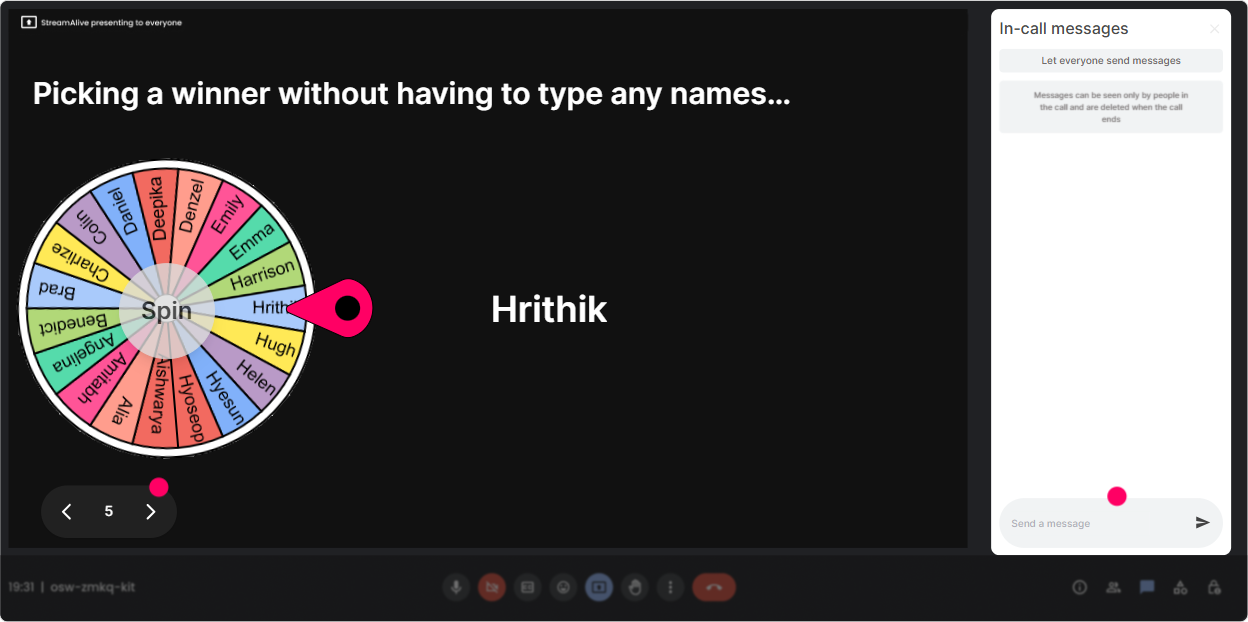
6) Winner Wheel: get volunteers without the awkward silence
You know that moment: you ask a question, you get crickets, and youre like Anyone want to share? Winner Wheel fixes that dynamic. Here are a few fun, trainer-friendly ways to use it: - After a Talking Tiles prompt: Im going to spin the wheel and invite one person to expand on what they wrote-no pressure, just 30 seconds. - For peer examples: Who has an internal mobility win (or fail) story? Drop ME in chat. Spin from the people who commented. - To encourage participation all session: Let the wheel pick a winner from people who participated in 3+ interactions. Offer a small prize: choice of next topic, a template, a resource pack, or bragging rights. Important: Frame it as an invite, not a trap. You can always say, If nows not a good time, Ill spin again. Keeps it safe and still energizing.
7) Quiz: quick knowledge checks that dont feel like school
L&D leaders actually enjoy a good, sharp question-especially when it surfaces assumptions. StreamAlive Quiz lets people answer in chat, you reveal the correct option, and you get instant discussion. Sample quiz questions for Lifelong Employment: - Which metric best reflects lifelong employability? A) Course completions B) Time in seat C) Internal moves + skill progression (Correct) D) Training spend per employee - What most commonly breaks internal mobility? A) No content library B) Manager talent-hoarding (Correct) C) Too many learners D) Too many roles - Which approach scales reskilling fastest? A) Only expert-led workshops B) Role-based pathways + practice projects (Correct) C) One-off MOOCs D) Optional lunchtime learning Trainer tip: Dont rush past wrong answers-use them. Interesting-lots of us chose A. Lets unpack why completions are tempting but misleading.

2) Rating Polls: do a quick confidence check (without putting anyone on the spot)
L&D leaders usually have opinions-but not everyone wants to speak first. Rating Polls let you get the rooms temperature in 10 seconds, and you can show the results live. Use it to steer your facilitation in real time: - Kickoff pulse check: On a scale of 110, how confident are you that your org is building lifelong employability (not just training hours)? - Mid-session reality check: Rate your current ability to redeploy talent internally vs. hiring externally. - Before a tough discussion: How aligned is leadership on who owns employability-employees, managers, or L&D? What this unlocks for you: If the average score is a 4, you slow down and build the case. If its an 8, you move faster and go deeper into strategy and measurement.
8) Q&A: capture every question (without you hunting through chat)
When chat is active, questions get buried fast. StreamAlives Q&A pulls audience questions into a clean list so you can actually manage them live-no separate Q&A box needed. How to run it smoothly in this session: - Set expectations early: Drop questions anytime-StreamAlive will collect them, and well hit a Q&A block every 15 minutes. - Use it for sensitive topics: Lifelong employment can bring up layoffs, AI anxiety, and fairness. People are more likely to ask in chat than on mic. - End with a rapid-fire round: Lets do lightning Q&A-short questions, short answers. Bonus move: If you see multiple questions about the same thing (like skills frameworks), pause and do a quick mini-clarifier instead of waiting until the end.

9) Analytics: prove engagement, improve the next delivery, and spot your champions
After the session, StreamAlive analytics shows you what actually happened-minute by minute. This is gold for L&D leaders because you can treat your training like a product: iterate based on evidence. What to look for after your Lifelong Employment session: - Engagement spikes: Which topic triggered the most chat? (Example: internal mobility vs. skills taxonomy) - Interaction performance: Did Rating Polls get more participation than open discussion? That tells you how to design the next session. - Top engaged participants (your Fantastic Fans): These are your champions-perfect people to invite into pilots, communities of practice, or follow-up sessions. - Easy reporting: Send the interaction results and engagement summaries to email or share with your team on Teams. Trainer mindset shift: Dont just ask, Did they like it? Ask, Where did they lean in? Analytics gives you that answer.

Use StreamAlive in all your training sessions
StreamAlive isn’t just for
Lifelong Employment
training,
it can also be used for any instructor-led training session directly inside your PowerPoint presentation.
Explore similar traingin ideas: unlocking the potential of StreamAlive
See how StreamAlive transforms live training with engaging events and interactive sessions across industries, directly inside your PowerPoint presentation.

Interactions in action
(it's free)

.svg.png)


