Install StreamAlive for your PowerPoint slides
Learn more

Multigenerational Workplaces Training for Training Agencies
StreamAlive helps 9x the audience engagement in your Virtual Instructor-led Trainings (VILT) directly inside your powerpoint presentation.
Make your instructor-led Multigenerational Workplaces training more fun with polls, word clouds, spinner wheels and more
Works inside your existing PowerPoint presentation
Install the StreamAlive app for PowerPoint and see your slides come to life as people participate in your interactions
AI generates audience interactions for you
Let our AI scan your presentation and automatically come up with relevant questions based on the content. Or spend two hours coming up with your own questions, your choice!
Built to work with MS Teams and Zoom
Native apps for Teams and Zoom so you never have to leave your existing workflows
No QR Codes
Chat-powered interactions means your audience doesn’t need to scan QR codes or look at another screen to participate. They just type in the chat!

Quickly approved by your IT team
StreamAlive’s apps for Teams and Zoom means that they have been through rigorous quality assurance and client safety reviews. You’ll find everything an IT team needs to approve the app within the organization within your StreamAlive account.

Youve been asked to run an instructor-led session on Multigenerational Workplaces for a Training Agency-and you want it to feel lively, not like a lecture. The good news: with the right activities (and the right on-screen interactions), you can get everyone participating without begging for it. Here are practical ways to make it happen using StreamAlive.
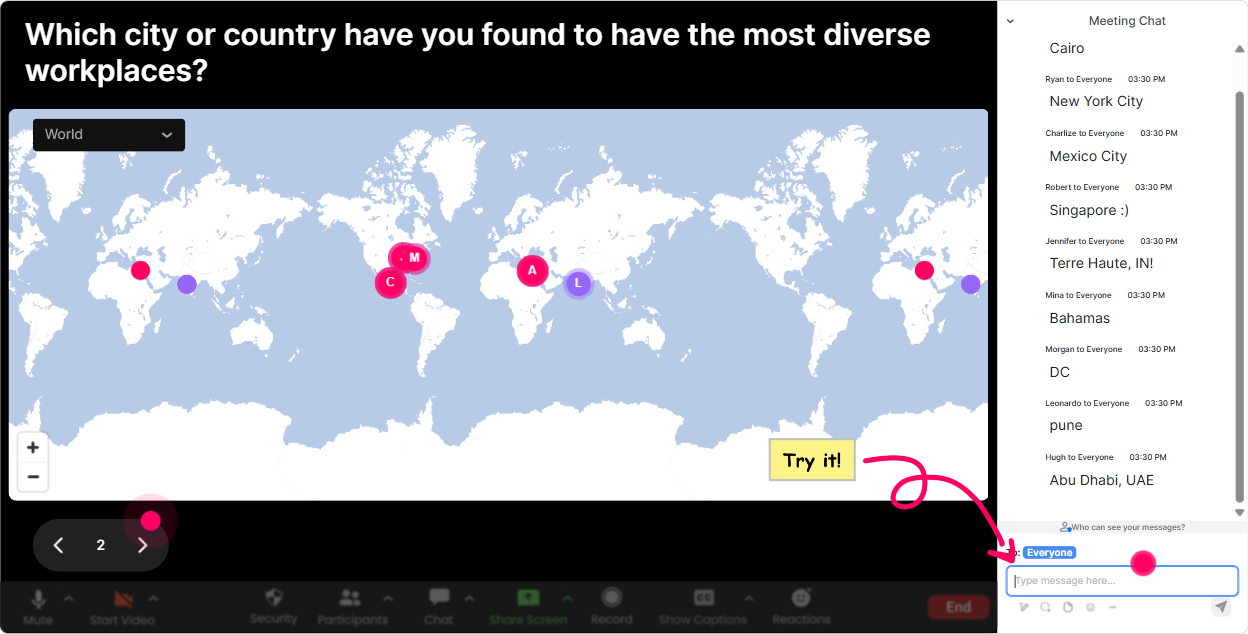
Magic Maps: Kick off your multigenerational session by putting everyone on the map
The fastest way to warm up a mixed-age audience is to start with something everyone can answer instantly-where theyre joining from. With **StreamAlives Magic Maps**, they type a location in chat and boom youve got a real-time map filling up. Try it like this in a Multigenerational Workplaces class: - **Where are you joining us from today?** (classic, always works) - **Where did you start your career?** (city/town) great lead-in to how work has changed across generations - **If you could work remotely from anywhere on earth for a month, where would it be?** easy engagement, fun energy Trainer tip: if youre running this for a Training Agency with multiple client groups, call out clusters: Looks like weve got a Toronto crew today-nice! It instantly creates that were in this together vibe.
Rating Polls: Get a quick read on generational confidence and comfort levels
In multigenerational training, people come in with very different levels of confidence (and sometimes strong opinions). **Rating Polls** let you take a quick pulse without putting anyone on the spot. Use it at the start: - **Rate your confidence in working across generations (110).** - **How challenging is generational communication on your team right now? (110)** Use it mid-session (this is where engagement jumps): - After teaching a model (like feedback styles, communication norms, or conflict triggers), ask: **How useful is this framework for your real workplace? (110)** Now you can adjust live. If the average is low, you slow down and give examples. If its high, you move faster and go deeper.

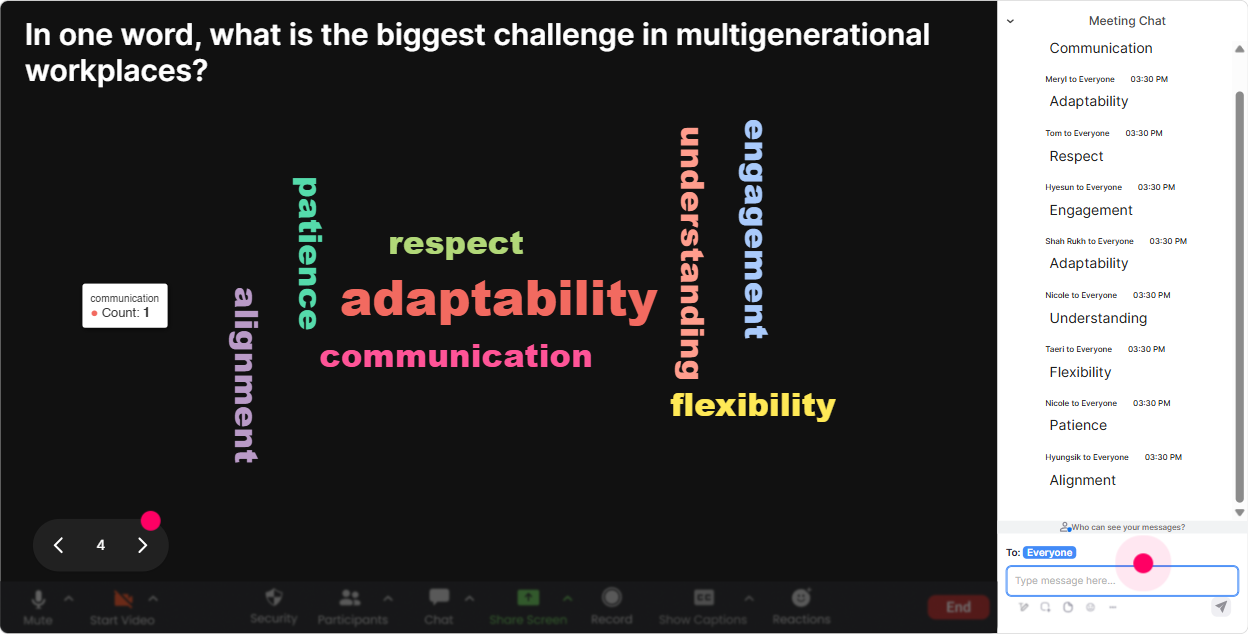
Wonder Words (Word Cloud): Make beliefs and emotions visible-fast
Want instant participation from everyone-from the super chatty folks to the quiet observers? **Wonder Words** is perfect because its low effort: one or two words in chat, and you get a real-time word cloud. Great prompts for Multigenerational Workplaces training: - **One word: whats the hardest part of working across generations?** (youll see things like communication, assumptions, respect, tone) - **Whats one strength older/younger teammates bring?** (this helps flip the session from frustration to appreciation) - **When you hear Gen Z / Millennials / Gen X / Boomers what word shows up in your head?** (powerful-then you can talk about stereotypes without lecturing) Trainer tip: use the cloud as your agenda. Literally say: Alright, the biggest word is communication-lets tackle that first. People feel heard immediately.
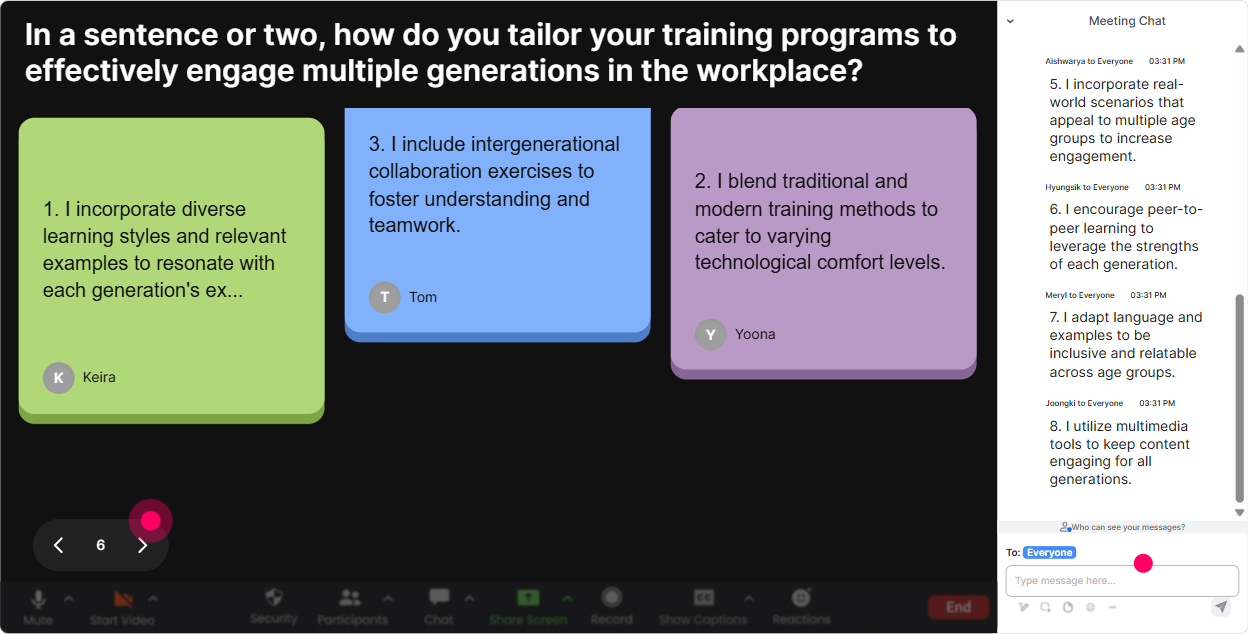
Talking Tiles: Turn real workplace stories into an on-screen conversation
Multigenerational training gets real when people share real moments-misunderstandings, awkward feedback, Slack vs. email drama, you name it. **Talking Tiles** is your go-to when you want more than one-word answers. Prompts that work well: - **Describe a moment when a generational difference showed up at work-what happened?** - **Whats one work rule you follow that others dont seem to care about?** (meeting etiquette, response time, camera on/off) - **Whats something you wish other generations understood about how you work best?** Because the messages appear as dynamic tiles on screen, the room feels alive. And you can pick a few tiles to discuss without scrolling through chat like a maniac.
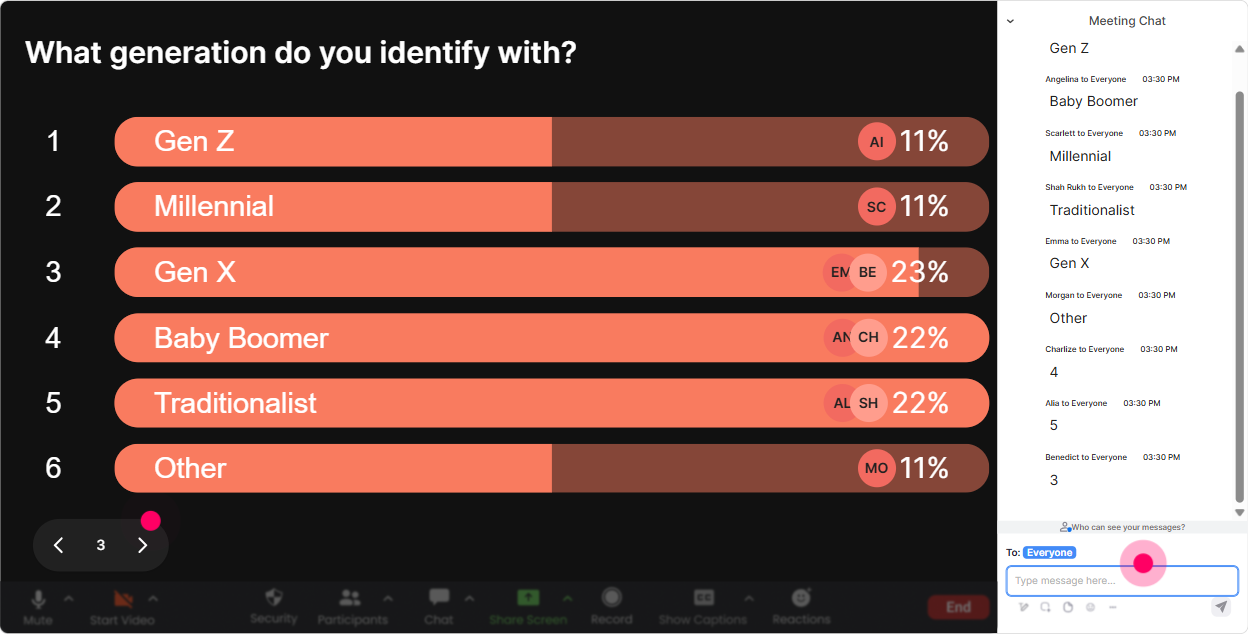
Power Polls: Let the group choose what to focus on (and boost buy-in instantly)
If youre training a mixed group, attention drops when people feel the content isnt relevant to them. **Power Polls** solves that by letting the audience vote on what they want next. Try this early: - **What do you want to get better at today?** 1) Giving feedback across generations 2) Reducing miscommunication 3) Managing expectations (flexibility, deadlines, availability) 4) Building trust on mixed-age teams Or use it for scenarios: - **Which situation should we role-play first?** 1) OK boomer / lazy young people comments 2) Camera-on conflict in virtual meetings 3) Different standards for professionalism 4) Promotion or recognition disagreements Trainer move: once results show live, say: Cool, the group picked #2-lets go there. That feeling of control keeps people engaged way longer.
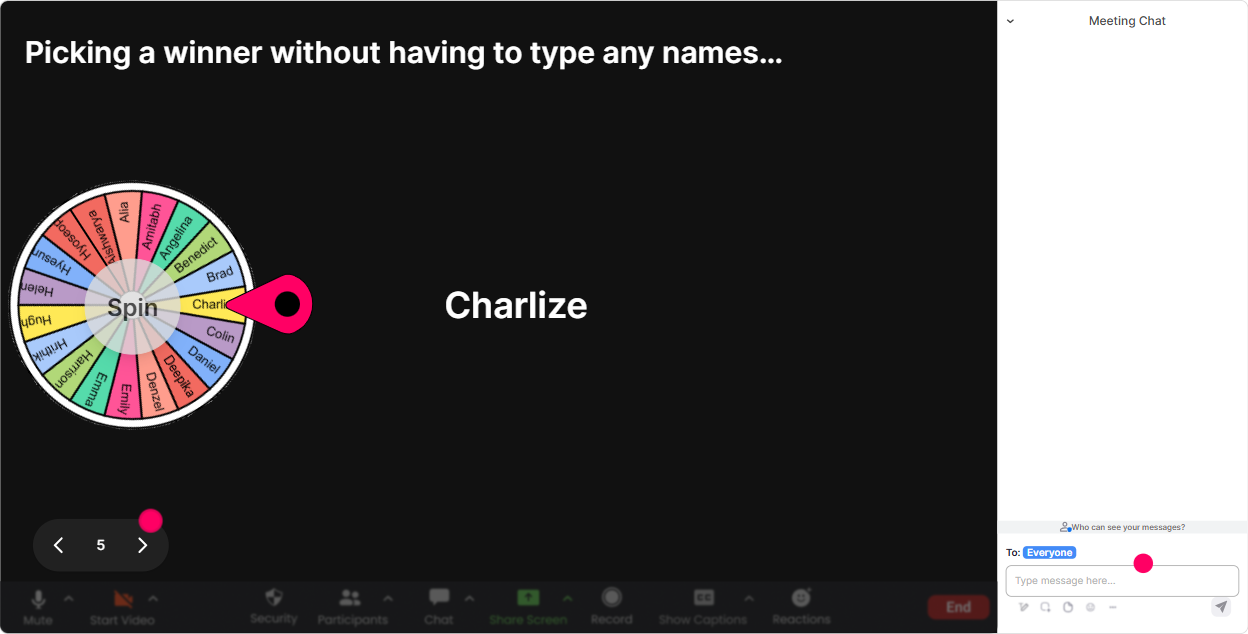
Winner Wheel (Spinner Wheel): Call on people without making it awkward
You know that moment when you ask, Who wants to share? and the silence hits? **Winner Wheel** helps you keep it playful instead of painful. People comment in chat, and the wheel picks someone at random. Ways to use it in Multigenerational Workplaces ILT: - Ask in chat: **Type ONE tip for working well with a different generation.** Then spin to choose someone to expand on their tip. - After a case study: **Vote in chat: what should the manager do next?** Spin to pick someone to explain why. - For energizers: **Drop a workplace myth youve heard about another generation.** Spin to pick one to unpack. This keeps it fair (not always the loudest voices), and because it feels like a game, people stay ready to participate.
Quiz: Do quick knowledge checks without killing the vibe
A quiz doesnt have to feel like school. In live training, its more like: Lets see where were at. **StreamAlive Quiz** lets people answer in chat, you show results instantly, and you can reveal the correct answer when youre ready. Quiz ideas for Multigenerational Workplaces: - **Question:** Which is the BEST first step when you notice generational tension on a team? A) Ignore it B) Call it out publicly in a team meeting C) Get curious and ask for specific examples in 1:1s D) Set stricter rules for everyone - **Question:** Whats the biggest risk of relying on generational stereotypes? A) It speeds up decision-making B) It replaces curiosity with assumptions C) It improves fairness D) It reduces conflict Trainer tip: after results, dont just say C is correct. Ask: If you picked B, what were you hoping would happen? Thats where the learning gets sticky.

Rating Polls: Get a quick read on generational confidence and comfort levels
In multigenerational training, people come in with very different levels of confidence (and sometimes strong opinions). **Rating Polls** let you take a quick pulse without putting anyone on the spot. Use it at the start: - **Rate your confidence in working across generations (110).** - **How challenging is generational communication on your team right now? (110)** Use it mid-session (this is where engagement jumps): - After teaching a model (like feedback styles, communication norms, or conflict triggers), ask: **How useful is this framework for your real workplace? (110)** Now you can adjust live. If the average is low, you slow down and give examples. If its high, you move faster and go deeper.
Q&A (Quick Questions): Capture every question without losing the chat
Multigenerational topics spark questions-sometimes sensitive ones. The problem is: they get buried in chat. **StreamAlive Q&A (Quick Questions)** automatically detects and collects questions so you can actually manage them. How to use it in this training: - Tell the group: **Drop questions anytime-StreamAlive will catch them.** (this alone increases participation) - Do a planned Q&A break after each section: - Communication styles - Feedback and conflict - Managing performance and expectations Common questions youll see (and can handle smoothly): - Is it okay to talk about generations at work, or does it create division? - How do I give feedback to someone older/younger than me without sounding disrespectful? - What if someone uses stereotypes constantly? Because questions are organized on screen, you look more in control-and your audience feels safer asking what they actually think.

Analytics: Prove engagement, improve your next delivery, and show value to the Training Agency
If youre delivering training for a Training Agency, engagement isnt just a nice-to-have-its something you want to *show*. **StreamAlive Analytics** helps you see what worked, when people leaned in, and which interactions got the most responses. Heres how trainers actually use it: - **Minute-by-minute engagement:** Spot the exact moments attention spiked (maybe the stereotype word cloud) or dipped (maybe a lecture-heavy segment) so you can tighten the next run. - **Interaction reports:** Review poll results, word clouds, and quiz performance-super useful when the agency asks, What did participants struggle with? - **Top fans / most engaged participants:** Identify who participated the most (helpful for follow-ups, champions, or even internal facilitation pipelines). - **Email reports + share-outs:** Send a clean summary to your team or the Training Agency contact to demonstrate impact. Bottom line: youre not guessing anymore. Youre running multigenerational training like a pro-interactive, measurable, and way more memorable (the kind of session people actually talk about afterward).

Use StreamAlive in all your training sessions
StreamAlive isn’t just for
Multigenerational Workplaces
training,
it can also be used for any instructor-led training session directly inside your PowerPoint presentation.
Explore similar traingin ideas: unlocking the potential of StreamAlive
See how StreamAlive transforms live training with engaging events and interactive sessions across industries, directly inside your PowerPoint presentation.

Interactions in action
(it's free)

.svg.png)


