Install StreamAlive for your PowerPoint slides
Learn more

Rapid Teaming Training for Training Agencies
StreamAlive helps 9x the audience engagement in your Virtual Instructor-led Trainings (VILT) directly inside your powerpoint presentation.
Make your instructor-led Rapid Teaming training more fun with polls, word clouds, spinner wheels and more
Works inside your existing PowerPoint presentation
Install the StreamAlive app for PowerPoint and see your slides come to life as people participate in your interactions
AI generates audience interactions for you
Let our AI scan your presentation and automatically come up with relevant questions based on the content. Or spend two hours coming up with your own questions, your choice!
Built to work with MS Teams and Zoom
Native apps for Teams and Zoom so you never have to leave your existing workflows
No QR Codes
Chat-powered interactions means your audience doesn’t need to scan QR codes or look at another screen to participate. They just type in the chat!

Quickly approved by your IT team
StreamAlive’s apps for Teams and Zoom means that they have been through rigorous quality assurance and client safety reviews. You’ll find everything an IT team needs to approve the app within the organization within your StreamAlive account.

Youve been asked to run a Rapid Teaming instructor-led training for a Training Agency, and you want people to actually participate (not just nod on mute). Rapid Teaming is all about quickly building trust and clarity-so your session should feel like that too. Here are practical ways to do it using StreamAlive so engagement stays high the whole time.
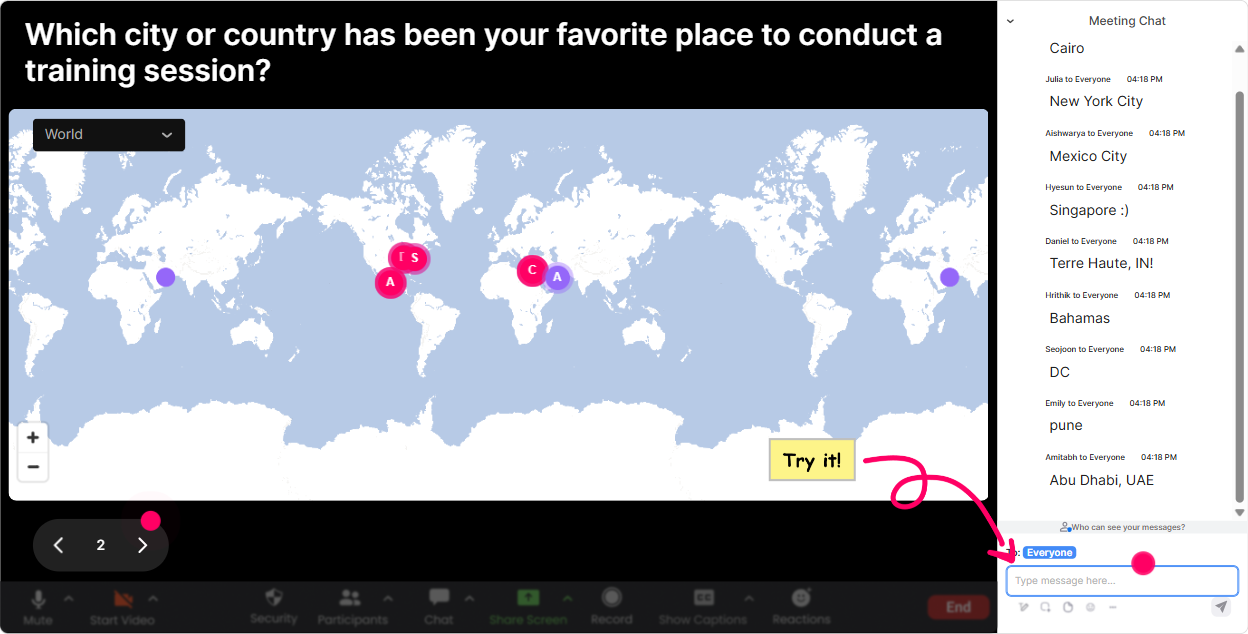
Magic Maps: kick off Rapid Teaming by showing whos in the room instantly
Rapid Teaming starts with fast connection, so dont waste your first 5 minutes on awkward introductions. Use Magic Maps and make the group feel real, immediately. How to use it in your Rapid Teaming session: - Icebreaker that sets the tone: Where are you joining from today? (Simple, but it gets everyone typing.) - Make it relevant to Training Agencies: Which city do you deliver training in most often? or Where are your learners usually based? - Rapid Teaming angle: If you could drop into any client site tomorrow, where would it be? Trainer move: Once the map populates, call out clusters like, Weve got a mini hub in Toronto-love it. Okay Toronto folks, what kind of teams do you usually have to form fast? Its an easy bridge into the topic without forcing cold intros.
Rating Polls: get a quick reality check on how familiar they are with Rapid Teaming
Before you go deep, find out where everyones starting from-because in Training Agencies youll often have a mix of facilitators, ops folks, and account/client managers in the same room. Use a Rating Poll like: - On a scale of 110, how confident are you at getting a new group to collaborate fast? - Rate your current Rapid Teaming skill level (1 = new to it, 10 = I teach this in my sleep). - After an activity: How clear are the team goals right now? (110) Trainer move: If the average is low, you can say, Perfect-today will be super practical. If its high, you can switch to advanced scenarios like tricky client teams, matrix organizations, or fast-moving project launches.

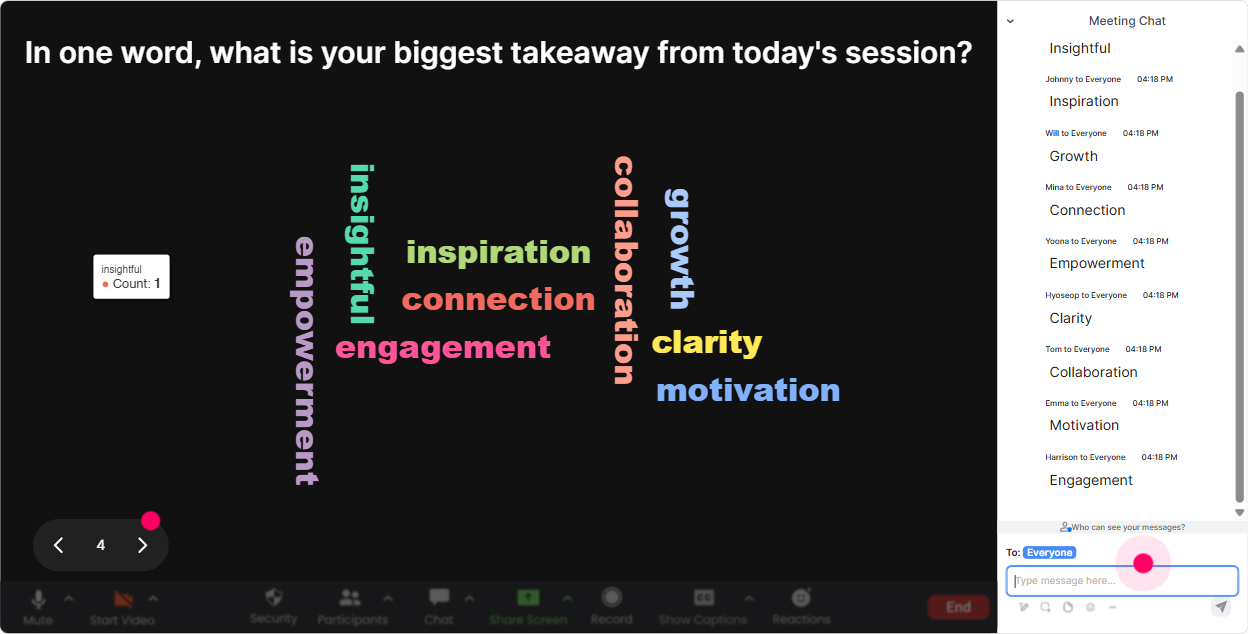
Wonder Words (Word Cloud): make the rooms feelings visible in 30 seconds
Rapid Teaming can trigger strong reactions-some people love it, others hear teaming and think more meetings. A Word Cloud lets you surface that vibe fast, without putting anyone on the spot. Try prompts like: - One word: whats the hardest part of Rapid Teaming for you? - One word: what do you want your teams to feel in the first 10 minutes together? - When a new client project starts, the team dynamic is usually Trainer move: Use the biggest words as your agenda. If confusion, roles, or trust shows up huge, say: Cool, the group just wrote our learning objectives for us-lets tackle those first.
Talking Tiles: turn their real work challenges into your training content
Talking Tiles is perfect when you want responses longer than a word-like real examples, real stories, real situations. And Rapid Teaming is best taught through scenarios, not theory. Use it for: - Think of a time you had to form a team fast-what made it succeed or fail? - In your role at a Training Agency, where do fast-forming teams show up most? (delivery, sales handoffs, client onboarding, SMEs, vendors?) Explain. - Whats one team problem you wish you could solve instantly? Trainer move: Let the tiles fall in, then pick 23 and say, Lets Rapid Team THIS. Youve now customized the session live, and people instantly feel like its not generic.

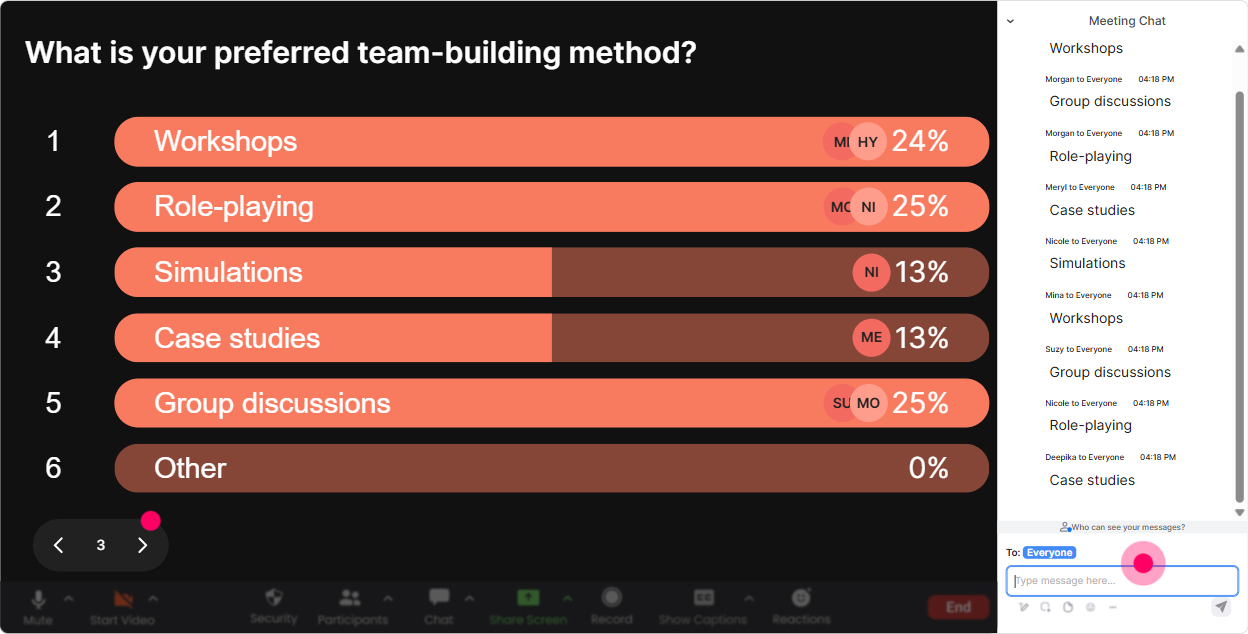
Power Polls: let the group choose what to focus on (so buy-in is automatic)
Training agencies are busy, and participants want relevance fast. A Power Poll helps you stop guessing and let them vote on what matters most. Poll ideas for Rapid Teaming ILT: - What do you want more of today? 1) Role clarity 2) Trust-building 3) Decision speed 4) Handling conflict fast - Where does teaming break down most in your world? 1) Client changes 2) SME availability 3) Internal handoffs 4) Remote delivery logistics - Which Rapid Teaming moment is hardest? 1) First meeting 2) First conflict 3) First deadline crunch 4) First client escalation Trainer move: Teach the top-voted item first. People pay more attention when they feel like they helped design the session.
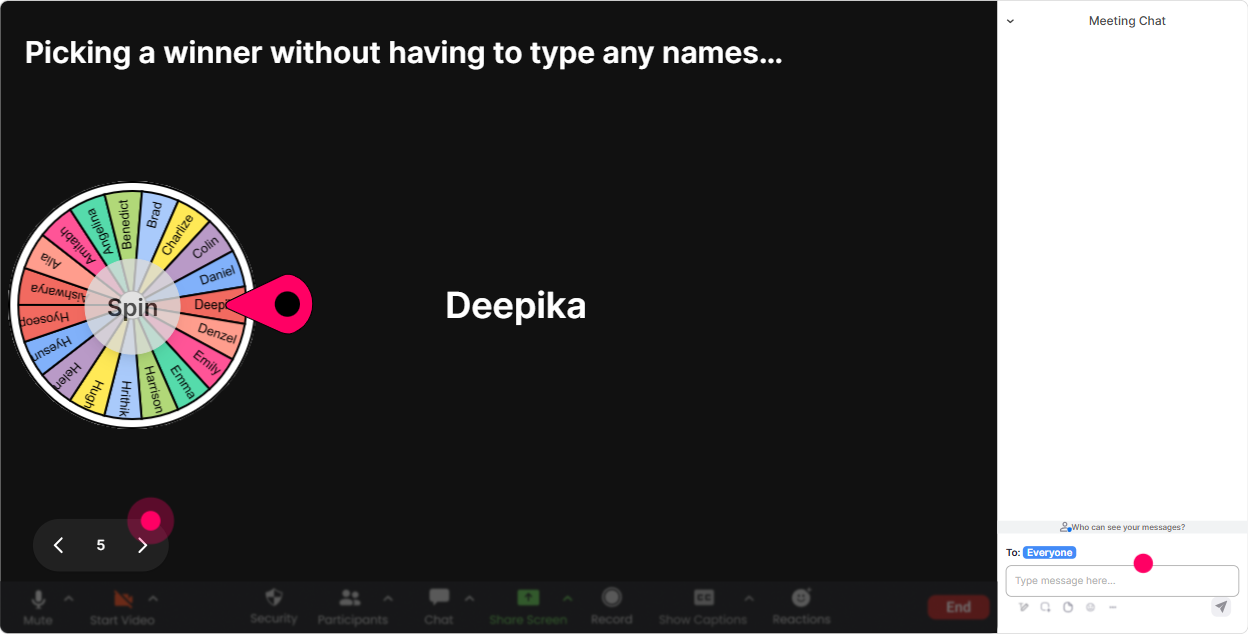
Winner Wheel: get volunteers without the awkward silence
You know that moment: you ask a question, and suddenly everyone becomes intensely interested in their mute button. Winner Wheel fixes that by making participation feel fun and fair. Ways to use it in Rapid Teaming training: - Drop in the chat: whats one behavior that builds trust quickly? Then spin to pick someone to explain their answer. - Type ready when you have your team charter draft. Spin to choose someone to share theirs. - Use it for mini-rewards: pick a random commenter to win a small perk (template, resource, shoutout, first choice of breakout role). Trainer move: Position it like, Im not picking favorites-the wheel is. It lowers pressure, raises participation, and keeps chat active.
Quiz: do quick knowledge checks that feel like a game, not a test
Rapid Teaming has key principles that people think they know until you quiz it. A quick Quiz keeps attention sharp and tells you what to reinforce. Quiz questions you can use: - Which is the BEST first step in Rapid Teaming? 1) Assign tasks 2) Clarify purpose and outcomes 3) Pick tools 4) Start brainstorming (correct: clarify purpose/outcomes) - What increases trust fastest in a new team? 1) More meetings 2) Clear expectations + follow-through 3) Longer documents 4) Waiting to see who performs - In the first 15 minutes, what should be most explicit? 1) Vacation plans 2) Roles/decision rights 3) Everyones full resume 4) Org chart history Trainer move: After revealing the correct answer, ask: Okay-why do you think people still skip this in real life? Thats where the real learning kicks in.

Rating Polls: get a quick reality check on how familiar they are with Rapid Teaming
Before you go deep, find out where everyones starting from-because in Training Agencies youll often have a mix of facilitators, ops folks, and account/client managers in the same room. Use a Rating Poll like: - On a scale of 110, how confident are you at getting a new group to collaborate fast? - Rate your current Rapid Teaming skill level (1 = new to it, 10 = I teach this in my sleep). - After an activity: How clear are the team goals right now? (110) Trainer move: If the average is low, you can say, Perfect-today will be super practical. If its high, you can switch to advanced scenarios like tricky client teams, matrix organizations, or fast-moving project launches.
Q&A: capture questions cleanly without losing your place in the chat
When youre teaching and the chat is moving, its easy to miss great questions-especially in Training Agency sessions where people ask super practical, messy, real-world stuff. StreamAlive Q&A pulls questions from chat and displays them clearly so you can handle them smoothly. How to use it in Rapid Teaming ILT: - Set a rule early: If its a question, start with Q: so it gets captured. - Mid-session: Drop your toughest Rapid Teaming scenario as a question-client conflict, unclear sponsor, remote team anything. - End: Run a focused Rapid Teaming clinic where you answer the top questions that came in. Trainer move: It makes you look organized and present-because youre not scrolling frantically while trying to teach.

Analytics: figure out what actually worked (and prove engagement to stakeholders)
If youre a trainer (or a Training Agency), you often have to answer: Did they engage? StreamAlive Analytics gives you the receipts-minute-by-minute engagement, chat activity, and who participated most. How it helps your Rapid Teaming program: - Spot the moments where engagement spiked (maybe your trust exercise crushed it) and double down next time. - Identify which interactions performed best (Word Cloud vs Poll vs Tiles) so your future sessions get tighter. - Find your most engaged participants (hello, future champions, co-facilitators, or internal promoters). - Share results easily with your team or client stakeholders via email reports. Trainer move: After the session, look at the engagement dips and ask, What was I doing right here-talking too long, slide heavy, not enough practice? Thats how you keep improving and legitimately push engagement way up over time.

Use StreamAlive in all your training sessions
StreamAlive isn’t just for
Rapid Teaming
training,
it can also be used for any instructor-led training session directly inside your PowerPoint presentation.
Explore similar traingin ideas: unlocking the potential of StreamAlive
See how StreamAlive transforms live training with engaging events and interactive sessions across industries, directly inside your PowerPoint presentation.

Interactions in action
(it's free)

.svg.png)


