Install StreamAlive for your PowerPoint slides
Learn more

Systemic Thinking Training for Corporate Trainers
StreamAlive helps 9x the audience engagement in your Virtual Instructor-led Trainings (VILT) directly inside your powerpoint presentation.
Make your instructor-led Systemic Thinking training more fun with polls, word clouds, spinner wheels and more
Works inside your existing PowerPoint presentation
Install the StreamAlive app for PowerPoint and see your slides come to life as people participate in your interactions
AI generates audience interactions for you
Let our AI scan your presentation and automatically come up with relevant questions based on the content. Or spend two hours coming up with your own questions, your choice!
Built to work with MS Teams and Zoom
Native apps for Teams and Zoom so you never have to leave your existing workflows
No QR Codes
Chat-powered interactions means your audience doesn’t need to scan QR codes or look at another screen to participate. They just type in the chat!

Quickly approved by your IT team
StreamAlive’s apps for Teams and Zoom means that they have been through rigorous quality assurance and client safety reviews. You’ll find everything an IT team needs to approve the app within the organization within your StreamAlive account.

Youve been asked to run a Systemic Thinking instructor-led session for corporate trainers-and you want it to feel lively, not like a lecture. The trick is to get people participating early and often. Here are simple, trainer-friendly ideas using StreamAlive to keep the room buzzing.
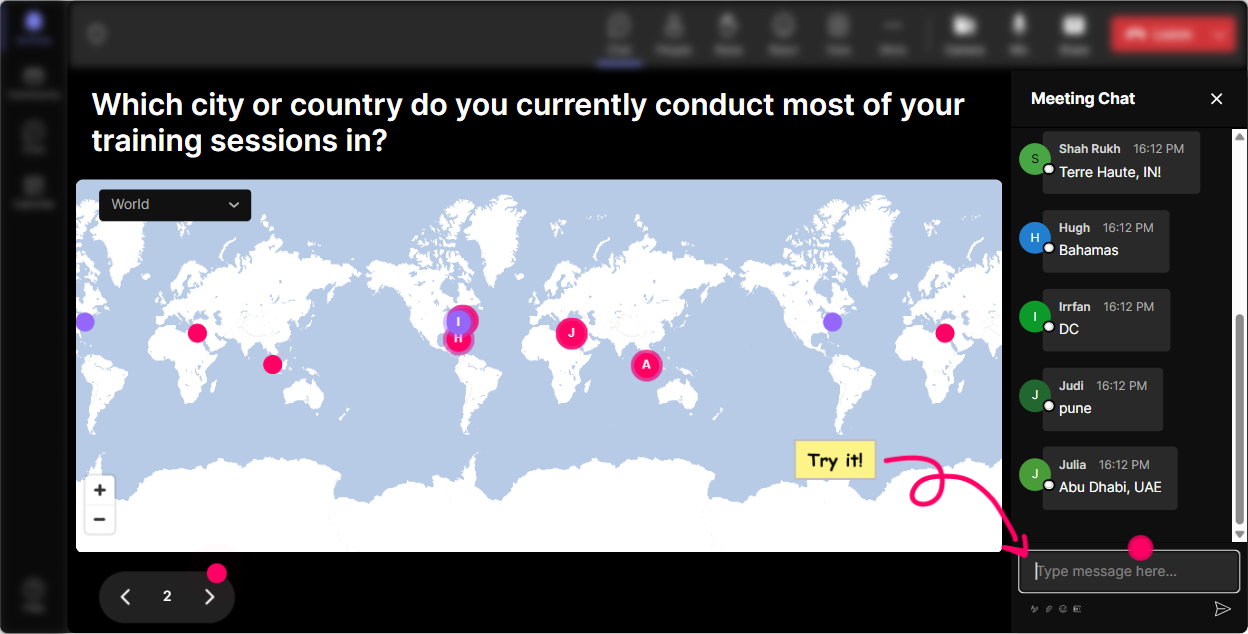
Magic Maps: Put your trainers on the map (and get them talking fast)
If you want participation in the first 60 seconds, Magic Maps is your best friend. Ask one location-style question, let people type in chat, and boom-your group shows up live on a world map. How to use it in Systemic Thinking training: - Warm-up question: Where are you joining from today? (Classic, but it works every time.) - Make it systemic: Name a city that taught you something about systems-maybe because traffic, public transport, or even weather forced people to adapt. - Trainer-specific angle: If your training function was a city, what city would it be? (Fun way to surface culture and complexity.) Trainer move: When you see clusters (like 10 people from one region), call it out: Okay, this cluster tells me weve got shared context. Lets compare how systems behave in different places. Thats Systems Thinking in disguise-patterns, clusters, context.
Rating Polls: Quick pulse check on Systems Thinking confidence
Before you start tossing around feedback loops and leverage points, get a read on where people actually are. Rating Polls make it easy-people just drop a number in chat and you instantly see the groups confidence level. How to use it in your session: - On a scale of 110, how confident are you teaching Systems Thinking concepts to others? - Rate this: In my organization, we usually fix root causes (1 = never, 10 = always). - Mid-session check: How clear is reinforcing vs balancing loops right now? 110. Trainer move: If the average is low, you can say: Perfect, that means Im going to slow down and use a simpler example. If its high: Nice-then well level up and apply it to a real corporate training ecosystem.

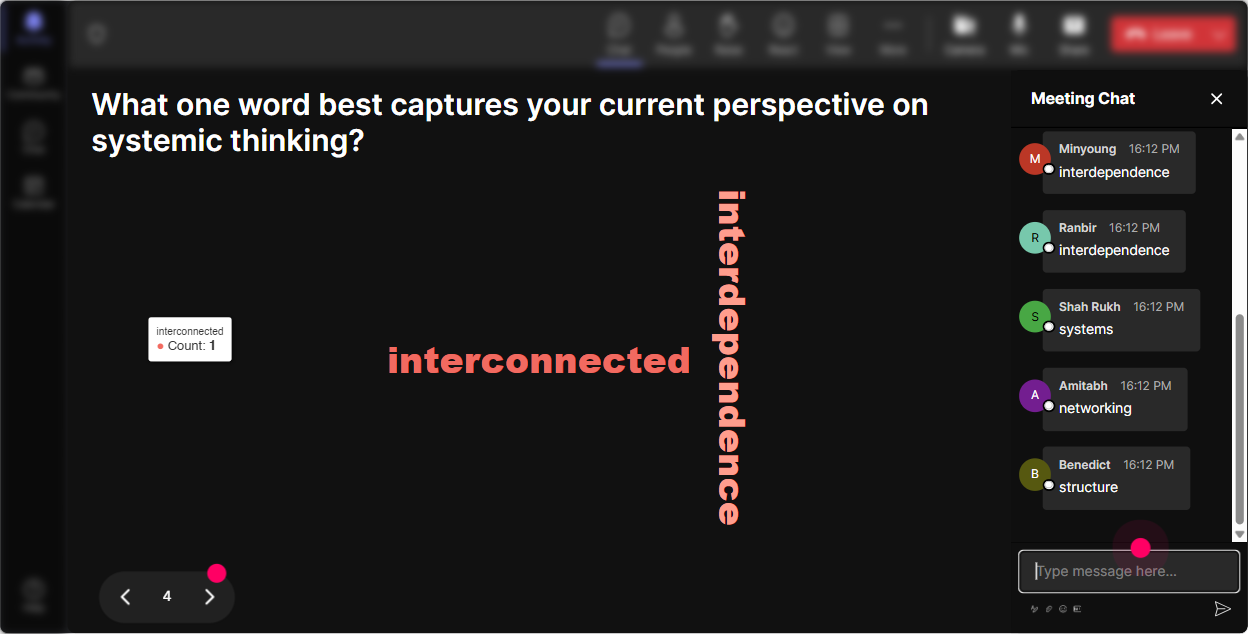
Wonder Words: Turn feelings + assumptions into something you can work with
Systems Thinking can intimidate people because it sounds academic. A Word Cloud lets you surface how theyre feeling (and what they believe) in a way thats fast, visual, and honestly kind of fun. Great prompts for this topic: - When you hear Systems Thinking, whats the first word that pops up? - Whats one word for how your stakeholders react to root cause analysis? - One word: what breaks most training programs after launch? (Youll get gems like follow-through, managers, time, culture.) Trainer move: Use the biggest words as your agenda. Okay, time and culture are huge on this cloud-lets treat these like system constraints and see what leverage points we actually control.
Talking Tiles: Let them describe their system in real-life language (not theory)
When you want richer responses-stories, examples, mini-rants-Talking Tiles makes it feel like the whole room is contributing at once. Their chat messages fall onto the screen as tiles, so it feels active and collective. Use it for Systems Thinking application: - Describe one training problem that keeps coming back no matter how many times you fix it. - Where does training break down in your organization-before, during, or after the session? Tell me what you see. - Whats one unintended consequence youve seen from a well-intentioned training initiative? Trainer move: As tiles come in, group them out loud: Im seeing patterns-handoffs, manager support, incentives, time pressure. Thats our system talking. Then youre teaching pattern recognition without even trying.

Power Polls: Vote on the systems topic your trainers actually want (or need)
In trainer audiences, people dont want everything. They want what solves their current headache. Power Polls help you quickly choose a direction-and participants get to see results live, which makes it feel collaborative. Poll ideas for your Systemic Thinking ILT: - What do you want to focus on today? 1) Feedback loops in performance + behavior change 2) Finding root causes vs treating symptoms 3) Stakeholder mapping (who influences training success) 4) Designing training as a system (before/during/after) - Whats the biggest constraint in your training ecosystem? 1) Time 2) Manager reinforcement 3) Tool/process friction 4) Culture/resistance Trainer move: Pick the winning option and say: Awesome, the system has spoken. Well prioritize this-and Ill still sprinkle in the other pieces where they connect. People love feeling like they shaped the session.

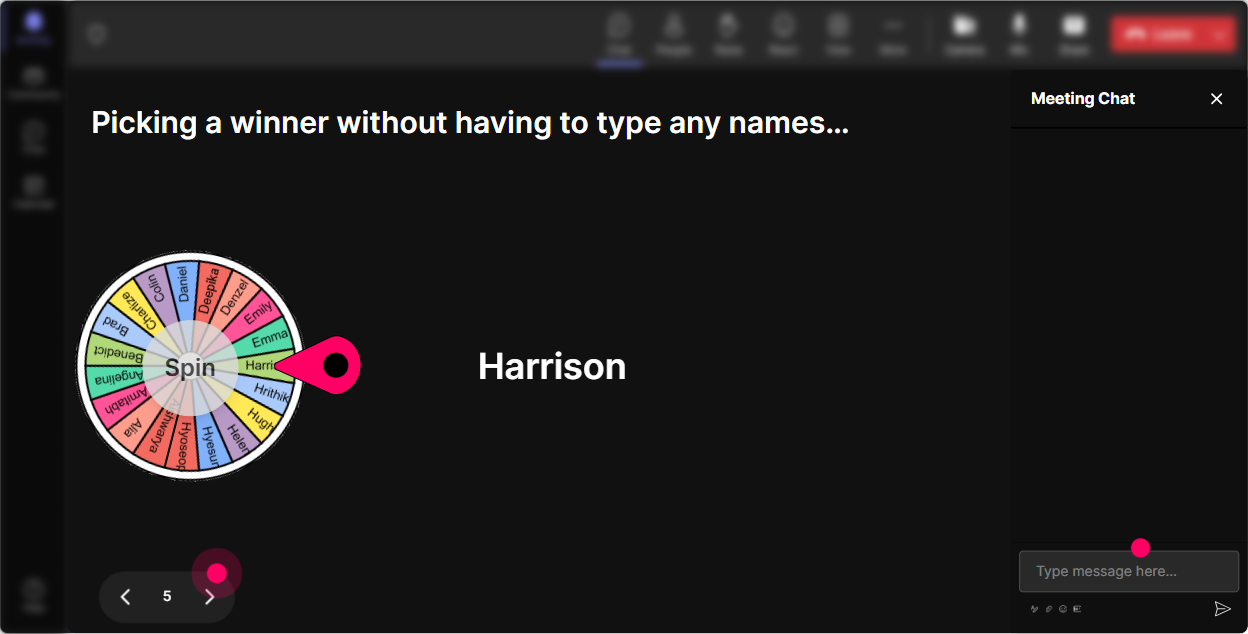
Winner Wheel: Get volunteers without the awkward silence
You know that moment when you ask, Who wants to share? and suddenly everyone becomes a statue? Winner Wheel fixes that. It randomly picks from people who participated, so it feels fair-and it nudges folks to comment because, hey, they might get picked. Ways to use it in Systems Thinking training: - After a case study: Drop ONE possible root cause in chat. Im spinning the wheel to choose someone to explain their reasoning. - During a systems map activity: Type your biggest leverage point idea. Wheel decides who well hear first. - For a reflection: Share one system trap youve seen (quick phrase). Ill spin for two people to unpack theirs. Trainer move: Keep it playful and low-pressure: If you get picked, just give us the quick version-no TED Talk required.
Quiz: Quick knowledge checks that dont feel like school
Systems Thinking has a few concepts people mix up (all the time). A Quiz interaction gives you a clean, multiple-choice check-and you can reveal the correct answer when youre ready. Quiz questions that work well: - Which is the best example of a reinforcing loop? A) Training reduces errors, errors reduce rework, rework time drops, training gets more time B) More workload causes burnout, burnout reduces productivity, work piles up (this is reinforcing) C) Thermostat maintaining room temperature (balancing) D) All of the above - When we fix symptoms, what usually happens in a system? A) Problem disappears forever B) Short-term improvement, long-term return C) Immediate collapse D) Nothing changes Trainer move: Dont rush to reveal the answer. Let people vote, then ask: Convince me why your option is right. The discussion is where the learning locks in.

Rating Polls: Quick pulse check on Systems Thinking confidence
Before you start tossing around feedback loops and leverage points, get a read on where people actually are. Rating Polls make it easy-people just drop a number in chat and you instantly see the groups confidence level. How to use it in your session: - On a scale of 110, how confident are you teaching Systems Thinking concepts to others? - Rate this: In my organization, we usually fix root causes (1 = never, 10 = always). - Mid-session check: How clear is reinforcing vs balancing loops right now? 110. Trainer move: If the average is low, you can say: Perfect, that means Im going to slow down and use a simpler example. If its high: Nice-then well level up and apply it to a real corporate training ecosystem.
Q&A (Quick Questions): Catch every question without losing your flow
In a busy chat, great questions get buried. StreamAlives Q&A automatically detects and collects questions from the chat so youre not scrolling like crazy while trying to teach. How to use it in your Systems Thinking session: - Tell them: If you have a question, just type it normally in chat-StreamAlive will grab it for me. - Park-and-address style: Im going to teach this next section, then well hit the top 5 questions. - Prompt better questions: Ask me anything about applying Systems Thinking to training rollouts, stakeholder resistance, or behavior change. Trainer move: If you see repeating questions, thats a signal: This shows a pattern-lets slow down and map this concept together.

Analytics: Find out what actually engaged your group (so you can get 9x better over time)
After your session, StreamAlive Analytics shows you what hit and what didnt-minute-by-minute engagement, chat replay, which interactions got the most responses, and who your most engaged participants were. How corporate trainers can use this for Systems Thinking ILT: - Spot engagement peaks: People lit up during the unintended consequences activity-next time Ill give that more time. - Improve your run-of-show: If engagement dipped during theory, youll know exactly where to add a poll, a quiz, or a quick chat prompt. - Identify your champions: Use Top Fans to find the most engaged trainers-these are your future co-facilitators, pilot testers, or internal advocates. - Share results: Email reports to your team or stakeholders to prove participation and capture what the group cared about. Trainer move: Treat analytics like a systems feedback loop for your facilitation. The data tells you where to adjust the system (your session design) to get better outcomes next run.

Use StreamAlive in all your training sessions
StreamAlive isn’t just for
Systemic Thinking
training,
it can also be used for any instructor-led training session directly inside your PowerPoint presentation.
Explore similar traingin ideas: unlocking the potential of StreamAlive
See how StreamAlive transforms live training with engaging events and interactive sessions across industries, directly inside your PowerPoint presentation.

Interactions in action
(it's free)

.svg.png)


