Install StreamAlive for your PowerPoint slides
Learn more

Microlearning Training for Corporate Trainers
StreamAlive helps 9x the audience engagement in your Virtual Instructor-led Trainings (VILT) directly inside your powerpoint presentation.
Make your instructor-led Microlearning training more fun with polls, word clouds, spinner wheels and more
Works inside your existing PowerPoint presentation
Install the StreamAlive app for PowerPoint and see your slides come to life as people participate in your interactions
AI generates audience interactions for you
Let our AI scan your presentation and automatically come up with relevant questions based on the content. Or spend two hours coming up with your own questions, your choice!
Built to work with MS Teams and Zoom
Native apps for Teams and Zoom so you never have to leave your existing workflows
No QR Codes
Chat-powered interactions means your audience doesn’t need to scan QR codes or look at another screen to participate. They just type in the chat!

Quickly approved by your IT team
StreamAlive’s apps for Teams and Zoom means that they have been through rigorous quality assurance and client safety reviews. You’ll find everything an IT team needs to approve the app within the organization within your StreamAlive account.

Youve been asked to run a Microlearning instructor-led session for corporate trainers, and you want it to feel snappy, practical, and (most importantly) not boring. Microlearning is perfect for live training as long as people actually participate. Here are simple ways to do that using StreamAlive so your session stays interactive from minute one.
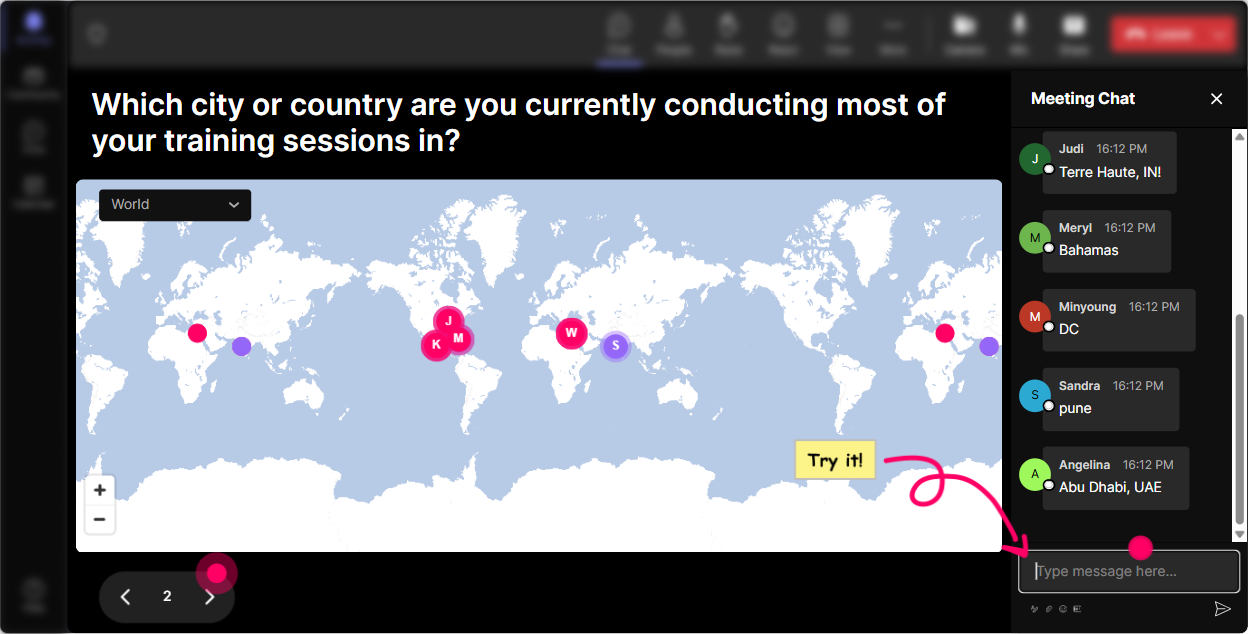
1) Magic Maps: Break the ice and instantly make it feel like a real room
Microlearning sessions move fast, so you dont want a long awkward intro. Magic Maps gives you an instant were in this together moment-everyone types a location in chat, and you literally see your group come alive on a world map in real time. How to use it in a Microlearning ILT for corporate trainers: - Kick-off question (classic, always works): Where are you joining from today? - Make it microlearning-specific: Name a city where youve delivered training that went amazingly well. - Tie it to your topic: If you could teleport your learners anywhere for a 5-minute lesson, where would it be? Trainer tip: If youre doing multiple micro-modules (like 57 minutes each), reset the map later and ask something different like: Where would you steal ONE great training idea from-any country, any city? It keeps energy up without eating time.
2) Rating Polls: Quick pulse checks without slowing the session down
Rating Polls are perfect for microlearning because theyre fast. People just drop a number in chat, and you immediately see the groups overall confidence or sentiment. Ways to use Rating Polls in your trainer session: - Baseline at the start: On a scale of 110, how confident are you at designing microlearning? - After a concept: Rate this idea: One lesson = one behavior change. (110) - After an activity: How usable was that framework for your next training? (110) Trainer tip: If ratings are low, dont panic-celebrate it. Say: Awesome, that means were in the right room. Lets bump that number up by the end. Instant buy-in.

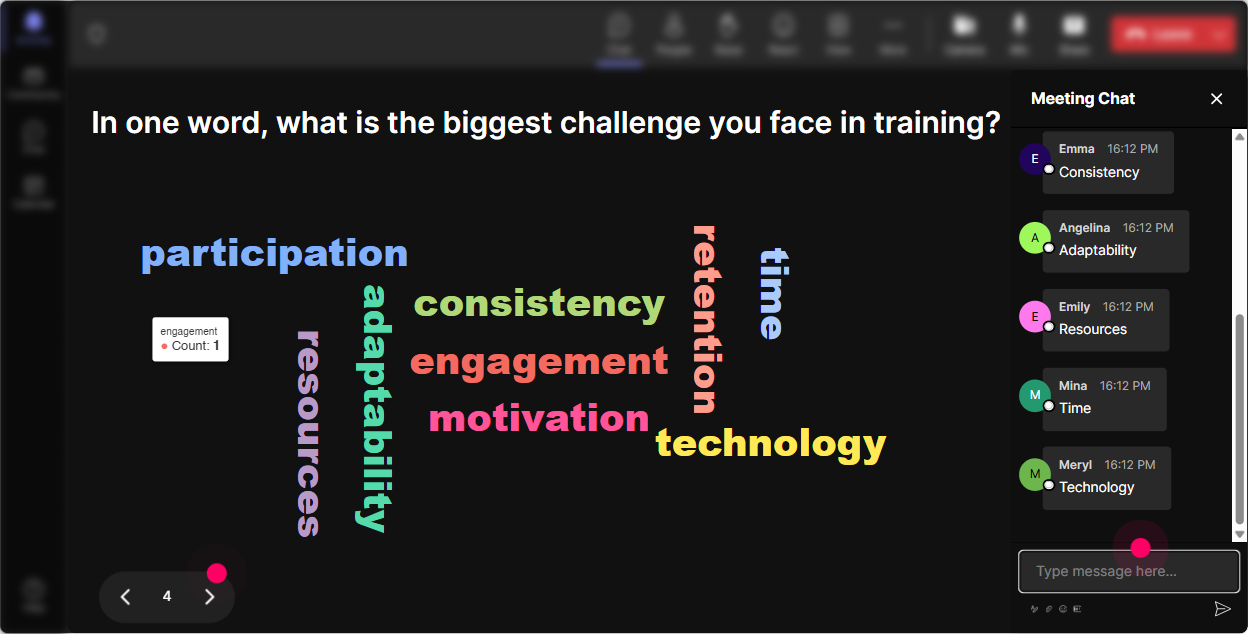
3) Wonder Words (Word Cloud): Get feelings, beliefs, and barriers on the screen
Want to know what people really think about microlearning? Ask for 12 word answers and let Wonder Words turn it into a live word cloud. Its like reading the room but you can actually see it. Microlearning-friendly prompts: - Microlearning feels like (12 words) (youll get: fast, effective, hard, overhyped-all useful) - Biggest microlearning challenge? (ex: time, buy-in, SMEs, tracking, attention) - One word: what do your learners need more of? (ex: practice, clarity, feedback) Trainer tip: Use the biggest word in the cloud as your next mini-module. Say: Okay, looks like buy-in is huge-lets do a 6-minute micro-solution for that. People feel seen immediately.
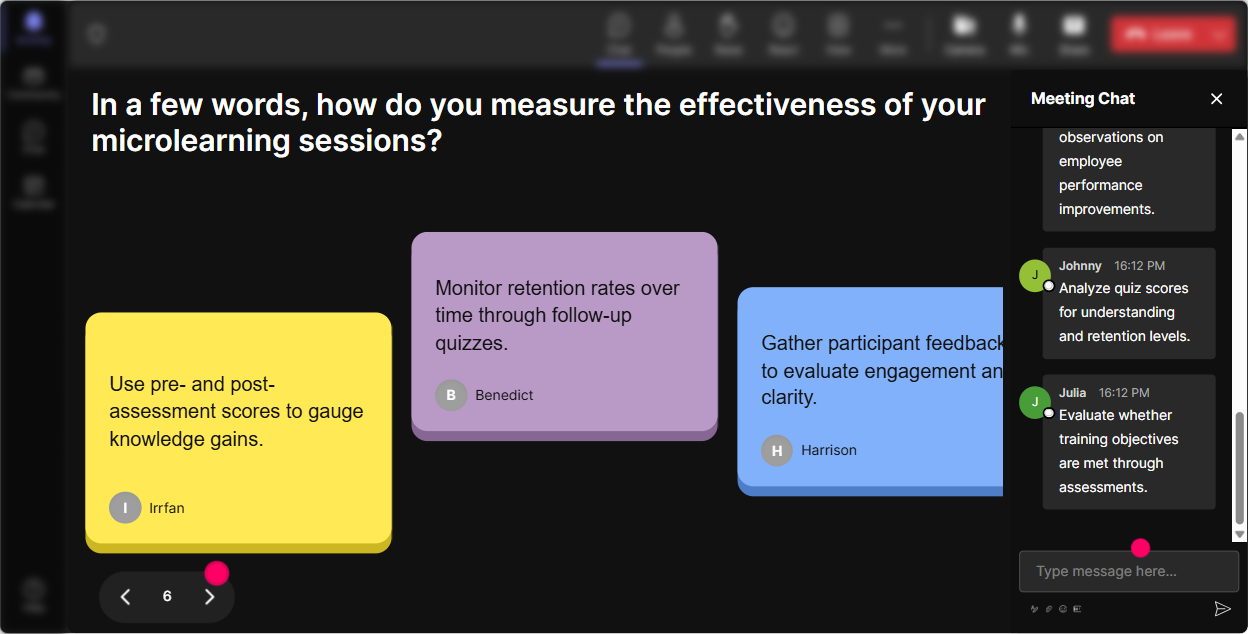
4) Talking Tiles: Turn trainer experiences into instant peer learning
Talking Tiles are great when you want answers longer than a couple words-like real examples, stories, or mini case studies. Responses drop onto the screen like tiles, so it feels lively (and yes, people pay attention because its visually fun). Prompts that work beautifully for corporate trainer microlearning sessions: - In one sentence: where could microlearning make your job easier this month? - Whats one topic you *wish* could be taught in 5 minutes instead of 60? - Share one microlearning idea youve tried (or want to try) with your learners. Trainer tip: Pick 23 tiles to react to live. Youre basically crowdsourcing your content examples in real time, which makes your session feel tailored instead of pre-recorded.
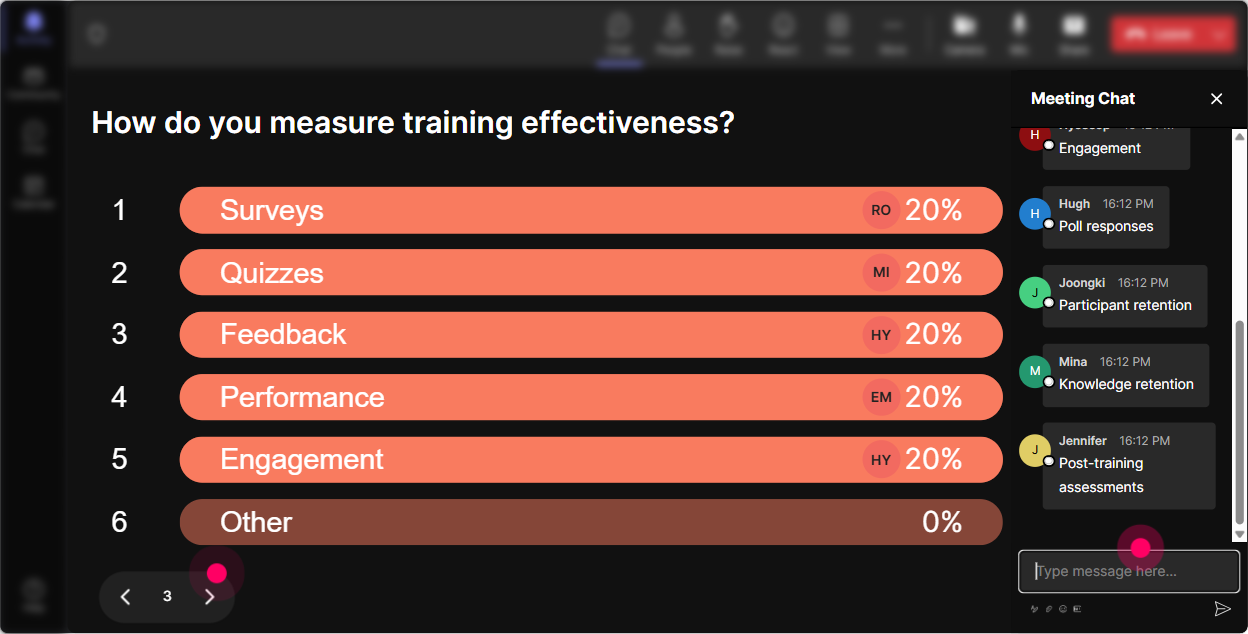
5) Power Polls: Let the group choose the direction (and theyll stay locked in)
Power Polls are your choose what we do next button. In microlearning ILT, thats gold-because the fastest way to keep attention is letting people influence what happens. Poll ideas for corporate trainer microlearning: - What do you want most from today? 1) Design a 5-minute lesson 2) Turn long content into micro 3) Microlearning activities that arent cringe 4) Measurement + follow-through - Where does microlearning fit best in your world? 1) Onboarding 2) Product/process updates 3) Sales enablement 4) Compliance refreshers Trainer tip: Run a poll at the end of each micro-module: Do we need one more example, or are we good to move on? People love that youre not dragging it out.
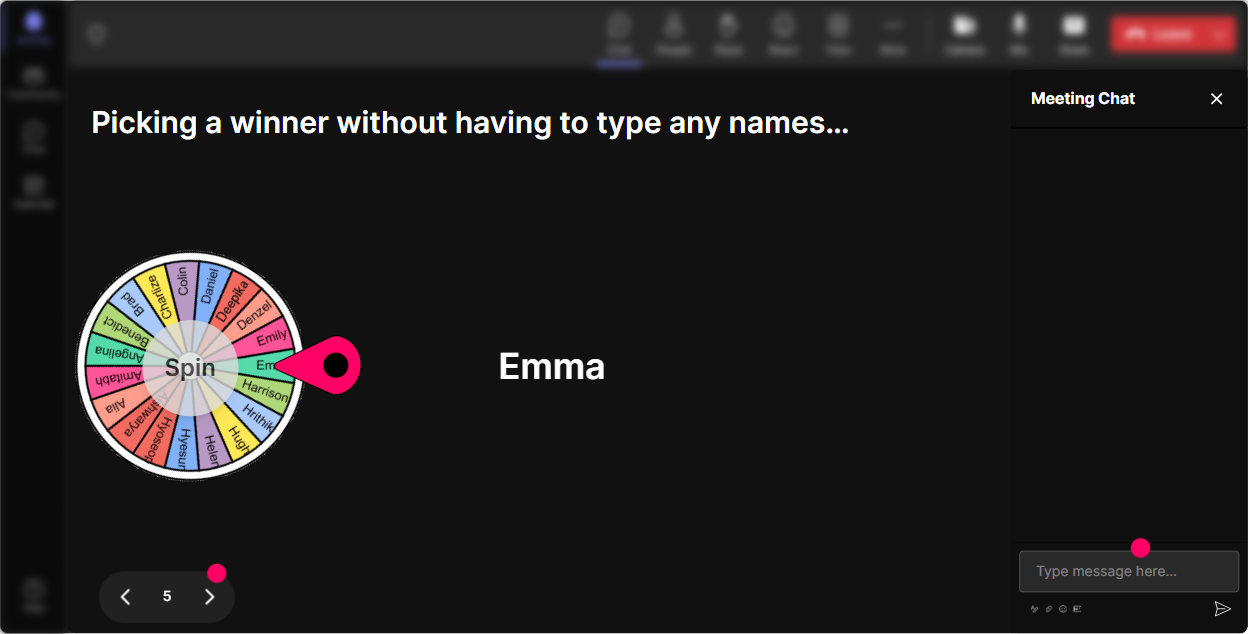
6) Winner Wheel (Spinner Wheel): Get volunteers without the awkward silence
You know the moment: you ask, Who wants to share? and suddenly everyone becomes a statue. Winner Wheel fixes that in a playful way-people participate in chat knowing they might be chosen, and it feels fair because its random. Fun ways to use it during your microlearning trainer session: - Drop ONE microlearning topic youre working on. Ill spin and well workshop the winner for 3 minutes. - Type ME if youre open to unmuting for a 20-second share. Lets spin. - Everyone vote on an option in the poll-then well spin to pick someone to explain why they chose it. Trainer tip: Keep it low-pressure. Say: If you get picked and youd rather pass, totally fine-Ill just spin again. That one sentence makes people way more willing to play.
7) Quiz: Quick knowledge checks that feel like a game, not a test
Quiz interactions are perfect for microlearning because theyre fast, focused, and you can reveal the correct answer when youre ready. Great for teach check discuss in under 3 minutes. Microlearning quiz questions you can use with corporate trainers: - Which is the BEST example of microlearning? A) A 60-min webinar broken into 6 videos B) A 35 minute lesson focused on one action + practice C) A long PDF with headings D) A recorded lecture with a quiz at the end - Whats the biggest microlearning mistake? A) Making it short B) Skipping context completely C) Trying to cram 8 objectives into 5 minutes D) Using video Trainer tip: After revealing the answer, dont just move on. Ask: If your stakeholders push for option C, what would you say back? Now it becomes real-world trainer practice.

2) Rating Polls: Quick pulse checks without slowing the session down
Rating Polls are perfect for microlearning because theyre fast. People just drop a number in chat, and you immediately see the groups overall confidence or sentiment. Ways to use Rating Polls in your trainer session: - Baseline at the start: On a scale of 110, how confident are you at designing microlearning? - After a concept: Rate this idea: One lesson = one behavior change. (110) - After an activity: How usable was that framework for your next training? (110) Trainer tip: If ratings are low, dont panic-celebrate it. Say: Awesome, that means were in the right room. Lets bump that number up by the end. Instant buy-in.
8) Q&A (Quick Questions): Capture questions without losing your flow
In fast microlearning sessions, questions can get buried in chat. StreamAlives Q&A picks up questions automatically and displays them neatly, so youre not constantly scrolling and missing things. How to use it in a corporate trainer microlearning session: - Tell them up front: Ask questions anytime-just drop them in chat. Ill grab them in our Q&A queue. - Do micro Q&A breaks: every 10 minutes, answer the top 2 questions. - End with: Whats one thing you still feel unsure about? (and let StreamAlive collect them) Trainer tip: If you see repeat questions, thats your signal for a bonus micro-module. Say: Im seeing a theme-lets do a 4-minute reset on that.

9) Analytics: Prove engagement, spot drop-offs, and improve your next session
After the session, StreamAlive Analytics shows you what actually happened-not just what you *felt* happened. You can see engagement minute-by-minute, replay chat moments, review interaction performance, and even identify your most engaged participants. How corporate trainers can use Analytics for microlearning ILT: - Find your strongest segments: When did chat spike? Which activity got the most replies? Do more of that next time. - Spot attention dips: If engagement drops during one explanation, thats a sign to shorten it or add an interaction right there. - Identify your Fantastic Fans: These are your future champions-great people to follow up with for pilot groups, testimonials, or internal momentum. - Share results easily: Send reports to your email or share insights with your L&D team on Teams. Trainer tip: If youre trying to convince stakeholders that live microlearning is worth it, analytics is your proof. Youre not guessing engagement-youre showing it.

Use StreamAlive in all your training sessions
StreamAlive isn’t just for
Microlearning
training,
it can also be used for any instructor-led training session directly inside your PowerPoint presentation.
Explore similar traingin ideas: unlocking the potential of StreamAlive
See how StreamAlive transforms live training with engaging events and interactive sessions across industries, directly inside your PowerPoint presentation.

Interactions in action
(it's free)

.svg.png)


