Install StreamAlive for your PowerPoint slides
Learn more

Neuroscience Training for Corporate Trainers
StreamAlive helps 9x the audience engagement in your Virtual Instructor-led Trainings (VILT) directly inside your powerpoint presentation.
Make your instructor-led Neuroscience training more fun with polls, word clouds, spinner wheels and more
Works inside your existing PowerPoint presentation
Install the StreamAlive app for PowerPoint and see your slides come to life as people participate in your interactions
AI generates audience interactions for you
Let our AI scan your presentation and automatically come up with relevant questions based on the content. Or spend two hours coming up with your own questions, your choice!
Built to work with MS Teams and Zoom
Native apps for Teams and Zoom so you never have to leave your existing workflows
No QR Codes
Chat-powered interactions means your audience doesn’t need to scan QR codes or look at another screen to participate. They just type in the chat!

Quickly approved by your IT team
StreamAlive’s apps for Teams and Zoom means that they have been through rigorous quality assurance and client safety reviews. You’ll find everything an IT team needs to approve the app within the organization within your StreamAlive account.

Youve been asked to run a Neuroscience instructor-led training for corporate trainers-and you want it to feel alive, not like a lecture with a few awkward any questions? moments. The good news: a few simple interactions can make your room talk. Here are practical ways to do it (and how StreamAlive helps you keep engagement up to 9x higher).
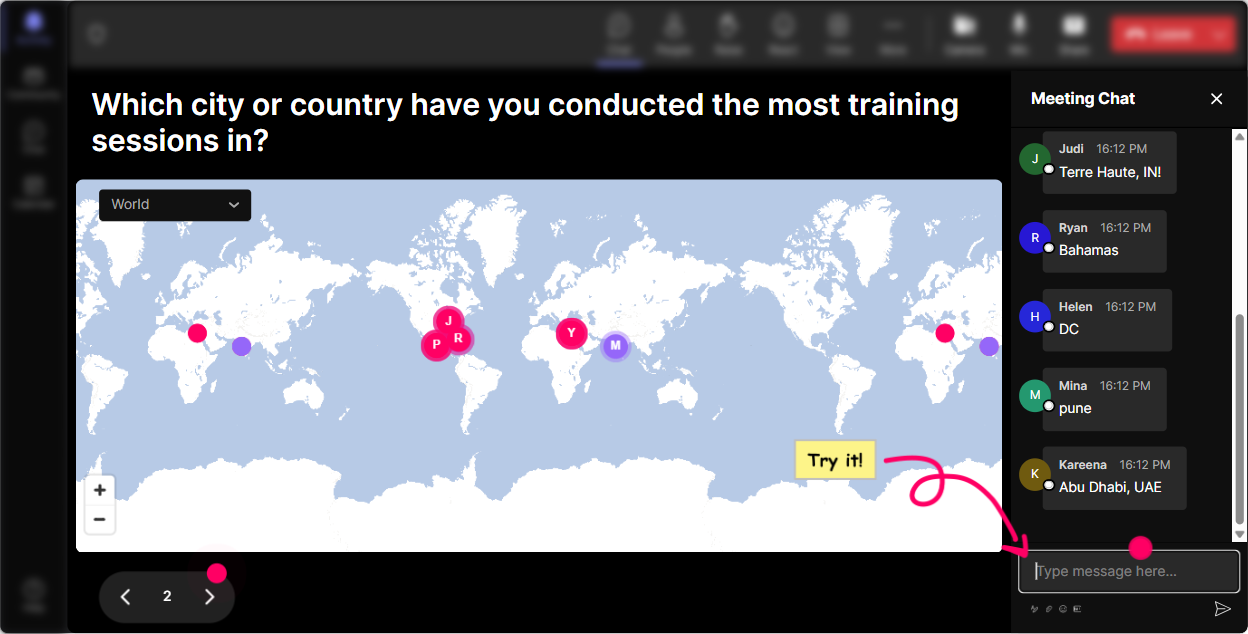
Magic Maps: Put your trainers on the map (and start with instant connection)
The fastest way to warm up a room is to make it about them first. Use StreamAlives **Magic Maps** to kick off with a location question and watch everyone pop onto a real-time world map as they answer in chat. **How to use it in Neuroscience training (for corporate trainers):** - **Icebreaker that ties to the topic:** Where are you joining from-and whats one thing that instantly helps you focus when youre training? (They type the *location*; you can discuss the focus tip verbally.) - **Brain-friendly travel prompt:** Type a city on earth youd love to teach from someday. Great segue into novelty, dopamine, and attention. - **Memory hook:** Which city holds your strongest training memory? Then connect it to how emotion + context strengthens recall. **Trainer tip:** If youre running a global session, those clusters on the map become a perfect moment to say, Look at this-our brains love belonging. This right here is social proof in action.
Rating Polls: Get a quick baseline-without putting anyone on the spot
Before you go deep into neurons, neurotransmitters, or cognitive load, you want to know where the room is at. StreamAlives **Rating Polls** make this super easy because everyone just drops a number in chat and you instantly see the groups sentiment. **How to use it in Neuroscience training:** - **Confidence check:** On a scale of 110, how confident do you feel explaining how the brain learns to a client? - **Relevance check:** Rate this: How useful is neuroscience for your day-to-day training work? (1 = not at all, 10 = I use it constantly) - **Energy pulse:** Halfway through: Quick pulse check-energy right now, 110? (Then adjust: break, activity, or story.) **Why it works:** You get real-time feedback without making anyone overthink or write paragraphs. And participants feel seen because you actually respond to what the group is telling you.

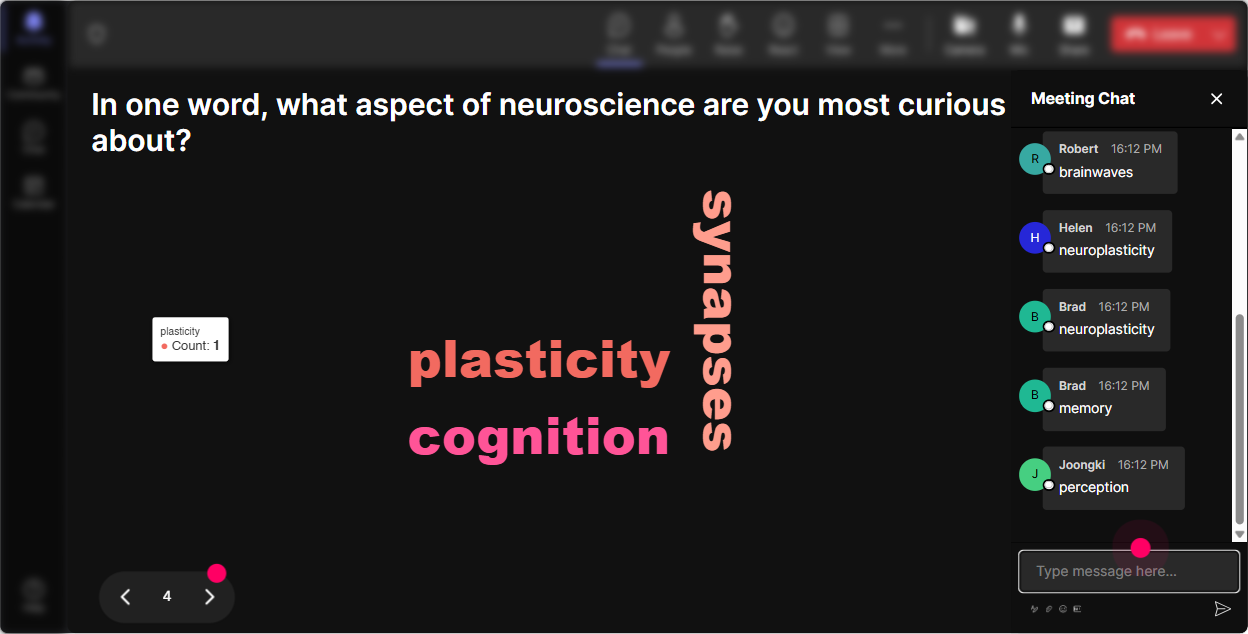
Wonder Words: Reveal what people *really* think about neuroscience in seconds
Neuroscience can feel exciting to some trainersand intimidating to others. With **Wonder Words (Word Cloud)**, you ask for a 12 word response and StreamAlive builds a live word cloud where the most common answers grow bigger. **Great prompts for this session:** - Neuroscience in training feels (12 words) youll see things like *exciting, confusing, science-y, overdue, intimidating, practical*. - One word: what makes learners lose focus? *notifications, boredom, stress, multitasking, fatigue*. - What do you want more of in your sessions? *participation, clarity, energy, retention, discussion*. **Trainer tip:** This is a perfect lead-in to core brain principles: attention, emotion, safety, novelty, and repetition. You can literally point at the biggest word and say, Cool-lets solve this today.
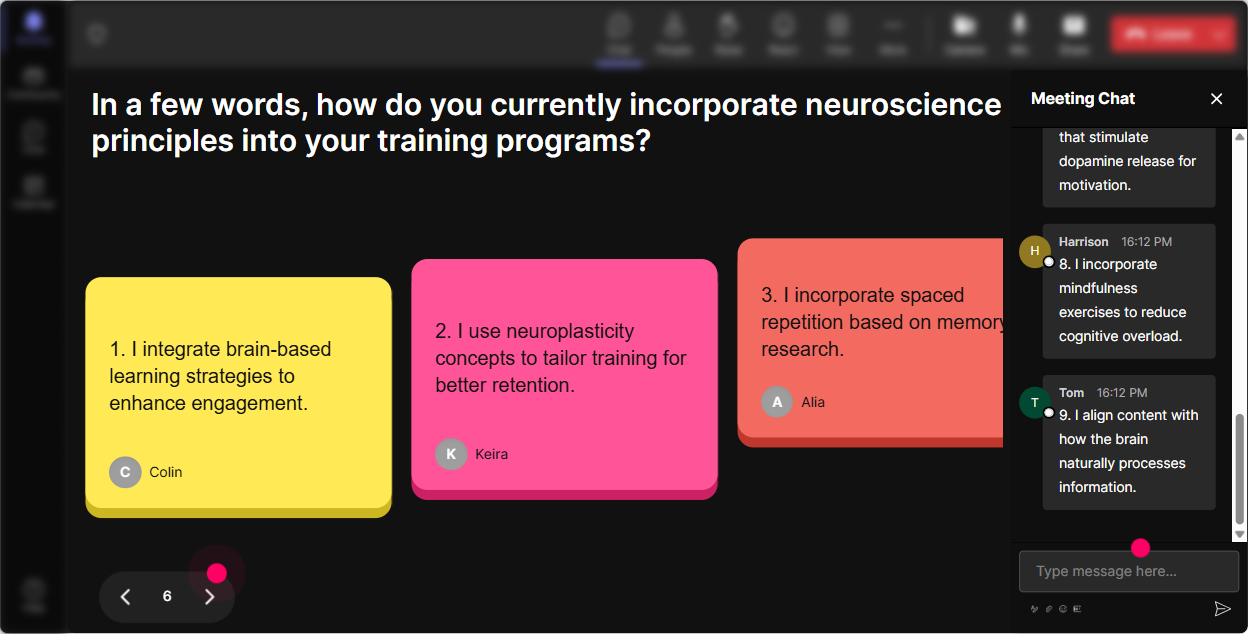
Talking Tiles: Turn real trainer stories into the content (without the awkward silence)
When you want more than one-word answers-like real examples, struggles, and stories-use **Talking Tiles**. As people respond in chat, their messages show up as dynamic tiles on screen. Its like your audience is building the session with you. **How to use it in Neuroscience training:** - Whats a moment in training where you can *see* learners mentally check out? - Describe a time you changed an activity mid-session to get attention back-what did you do? - Where does cognitive overload show up in your trainings (slides, activities, instructions, timing)? - Whats one brain-friendly change you want to make to your next session? **Why this hits:** Trainers learn best from other trainers. Talking Tiles lets you surface patterns fast-then you can label them with neuroscience (attention limits, working memory load, stress response, etc.).
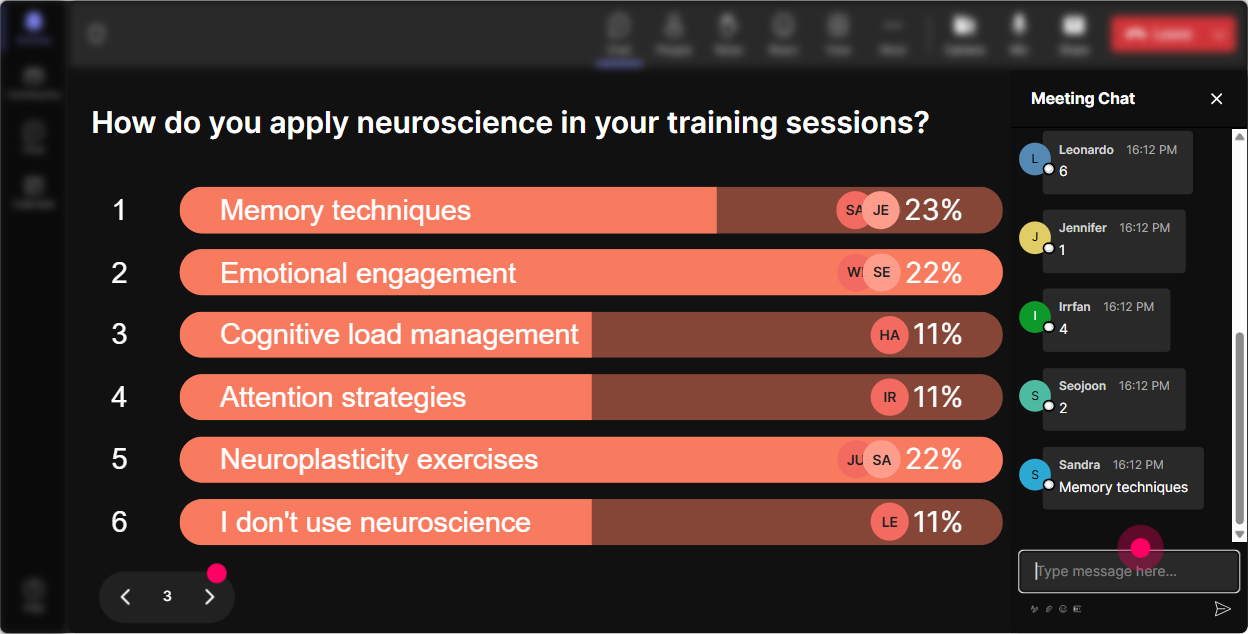
Power Polls: Let the group choose the direction (and make it feel customized)
You know that moment when youre thinking, I could go deep on dopamine, or memory, or attention? Dont guess. Use **Power Polls** to let the audience vote in chat and show the results live. **Poll ideas for Neuroscience ILT (for trainers):** - Which topic would help your next training session most? 1) Attention & distraction 2) Memory & retention 3) Motivation & behavior change 4) Cognitive load & simplicity - Biggest challenge you face with learners? 1) Low participation 2) Multitasking 3) Forgetting content after the session 4) Lack of buy-in **How this boosts engagement:** People pay more attention when they feel ownership. Plus, it gives you a clean transition: Alright, you picked memory-lets build a brain-friendly retention plan.
Winner Wheel: Get volunteers without begging (and make participation fun)
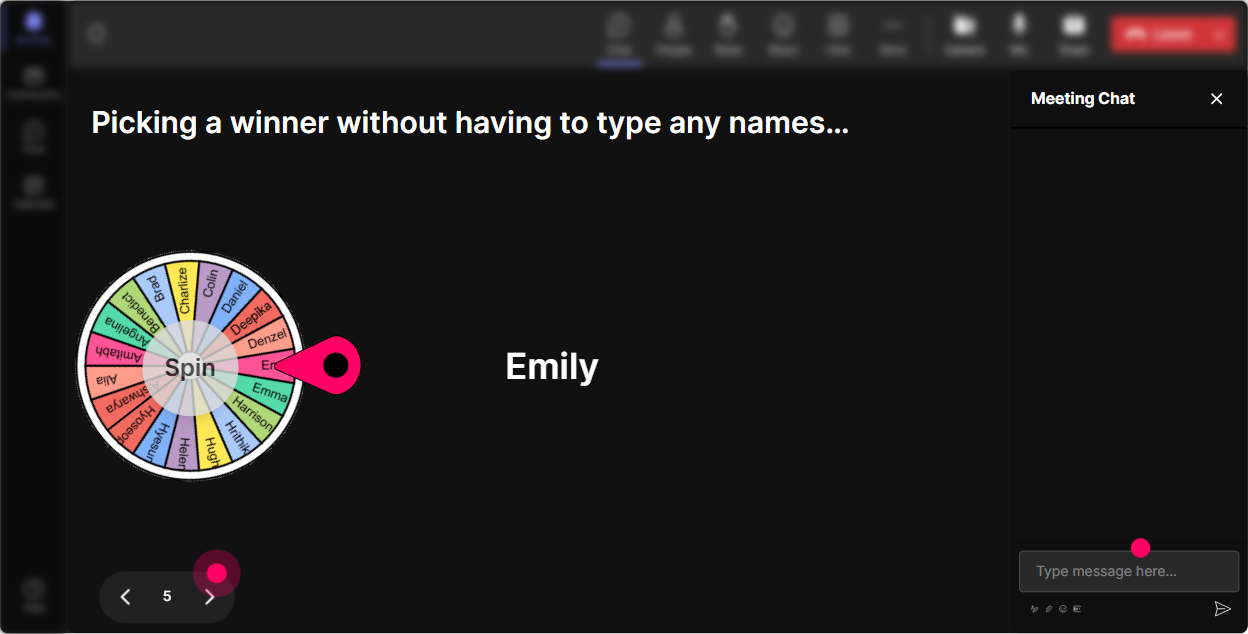
Weve all done it: Any volunteers? and suddenly everyone becomes a statue. StreamAlives **Winner Wheel** fixes that by randomly selecting someone from participants who commented (or based on engagement). **Ways to use it in Neuroscience training:** - Lets do a quick teach-back. Im going to spin the wheel and youll explain *one brain principle* in your own words-no pressure, just 20 seconds. - Who wants to share a tactic they use to keep attention? Ill spin from everyone who dropped an idea in chat. - Mini-coaching moment: Ill spin and ask you what kind of audience you train-then well apply one neuroscience strategy to your case. **Trainer tip:** Set the tone: This is a friendly spin. People participate more when the social risk feels low.
Quiz: Quick knowledge checks that dont kill the vibe
Neuroscience is full of myths, half-truths, and sounds right ideas. Use StreamAlives **Quiz** to run quick multiple-choice questions where learners vote in chat, then you reveal the correct answer. **Quiz questions trainers love:** - Multitasking is 1) A skill you can train with practice 2) Usually task-switching that reduces performance 3) Best for learning new material - Working memory can typically hold 1) 35 chunks (ish) 2) 20+ items 3) Unlimited info if motivated - What improves long-term retention the most? 1) Re-reading slides 2) Retrieval practice 3) Highlighting notes **Why it works:** It creates that tiny burst of curiosity + competition, and it shows you instantly what to clarify.

Rating Polls: Get a quick baseline-without putting anyone on the spot
Before you go deep into neurons, neurotransmitters, or cognitive load, you want to know where the room is at. StreamAlives **Rating Polls** make this super easy because everyone just drops a number in chat and you instantly see the groups sentiment. **How to use it in Neuroscience training:** - **Confidence check:** On a scale of 110, how confident do you feel explaining how the brain learns to a client? - **Relevance check:** Rate this: How useful is neuroscience for your day-to-day training work? (1 = not at all, 10 = I use it constantly) - **Energy pulse:** Halfway through: Quick pulse check-energy right now, 110? (Then adjust: break, activity, or story.) **Why it works:** You get real-time feedback without making anyone overthink or write paragraphs. And participants feel seen because you actually respond to what the group is telling you.
Q&A (Quick Questions): Catch every question-without scanning the chat like a maniac
In a lively session, chat moves fast. StreamAlives **Q&A (Quick Questions)** pulls audience questions from the chat and displays them neatly, so youre not missing the good stuff. **How to use it in Neuroscience training:** - Run a parking lot while you teach: Drop your questions any time-StreamAlive will collect them and Ill hit them in the Q&A block. - Prompt better questions: - Whats one neuroscience concept youve struggled to explain to clients? - Where do you think neuroscience gets oversold in L&D? - End with: Upvote with +1 in chat if you want me to answer a question you see. (Even without formal upvoting, it helps you prioritize.) **Result:** You look organized, participants feel heard, and the session stays smooth.

Analytics: Learn what actually worked (and make your next session even stronger)
After your neuroscience training ends, the real trainer magic is reviewing what landed. StreamAlives **Analytics** show you engagement minute-by-minute, chat activity, interaction results, and your most engaged participants. **How corporate trainers can use this right away:** - **Spot your attention spikes:** Did engagement jump during the quiz? The story? The poll? Do more of that next time. - **Improve your run-of-show:** If engagement drops right after a dense slide section, thats your cue to add an interaction or a quick reset. - **Find your champions:** Identify your top fans (most engaged participants). These are great people to invite into follow-up sessions, pilots, or internal facilitator communities. - **Share outcomes:** Export or email the interaction reports to your team on Teams/Email-super useful if you need to show training impact. **Bottom line:** Youre not just delivering content. Youre running an experience-and analytics help you keep improving it session after session.

Use StreamAlive in all your training sessions
StreamAlive isn’t just for
Neuroscience
training,
it can also be used for any instructor-led training session directly inside your PowerPoint presentation.
Explore similar traingin ideas: unlocking the potential of StreamAlive
See how StreamAlive transforms live training with engaging events and interactive sessions across industries, directly inside your PowerPoint presentation.

Interactions in action
(it's free)

.svg.png)


