Install StreamAlive for your PowerPoint slides
Learn more

Work-Life Balance Training for Training Agencies
StreamAlive helps 9x the audience engagement in your Virtual Instructor-led Trainings (VILT) directly inside your powerpoint presentation.
Make your instructor-led Work-Life Balance training more fun with polls, word clouds, spinner wheels and more
Works inside your existing PowerPoint presentation
Install the StreamAlive app for PowerPoint and see your slides come to life as people participate in your interactions
AI generates audience interactions for you
Let our AI scan your presentation and automatically come up with relevant questions based on the content. Or spend two hours coming up with your own questions, your choice!
Built to work with MS Teams and Zoom
Native apps for Teams and Zoom so you never have to leave your existing workflows
No QR Codes
Chat-powered interactions means your audience doesn’t need to scan QR codes or look at another screen to participate. They just type in the chat!

Quickly approved by your IT team
StreamAlive’s apps for Teams and Zoom means that they have been through rigorous quality assurance and client safety reviews. You’ll find everything an IT team needs to approve the app within the organization within your StreamAlive account.

Youve been asked to run a Work-Life Balance instructor-led training for a training agency-and you dont want it to turn into a nice slides, everyones muted kind of session. The goal is real talk, real reflection, and real participation. Here are practical ways to make it interactive (without feeling gimmicky) using StreamAlive.
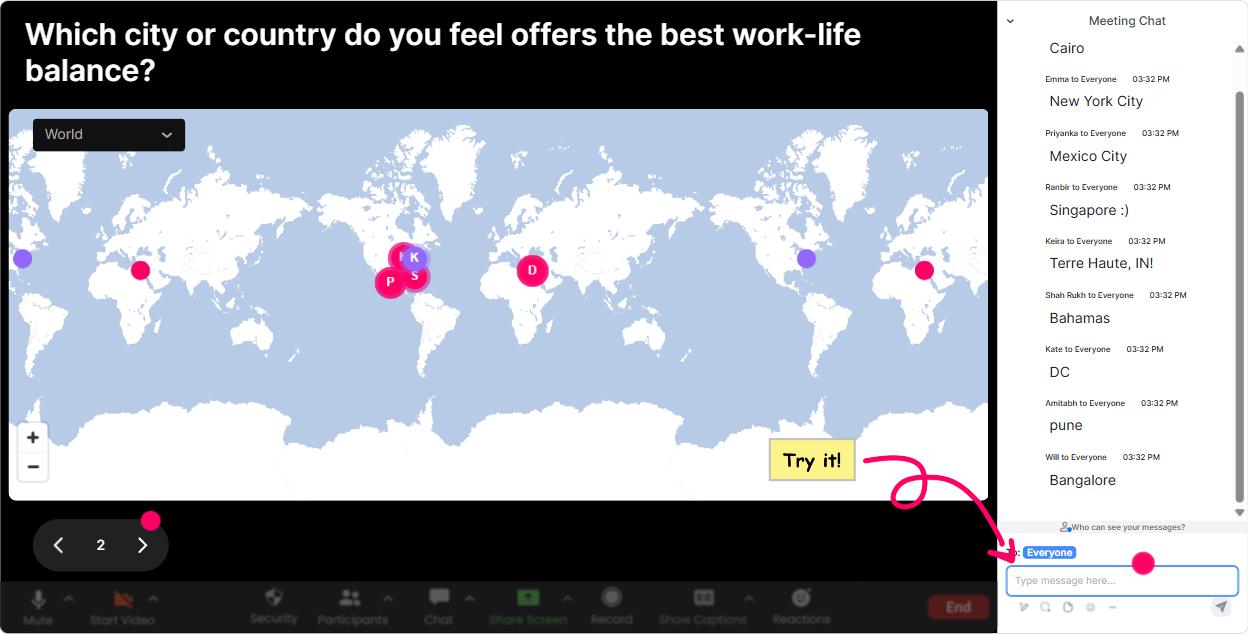
Magic Maps: Kick off Work-Life Balance by putting everyone on the map
This is the easiest, most natural icebreaker ever-because you were going to ask it anyway: Where are you joining from? With StreamAlives Magic Maps, those locations instantly show up on a live world map, and suddenly your room feels like a community, not a collection of silent squares. Try questions that connect to work-life balance right away: - Where are you joining us from today? (classic, fast warm-up) - If you could log off and teleport anywhere on earth after this session, where would you go? (stress + recovery tie-in) - Name a city that helps you feel calm-where is it? (anchors the theme) - Where were you when you last felt properly rested? (great lead into the cost of burnout) Trainer tip: If youre doing this for a training agency with multiple regions, you can quickly call out clusters (Looks like weve got a big London crew today!). It instantly boosts chat activity and gets people comfortable typing early.
Rating Polls: Get an instant pulse-check on energy, overload, and boundaries
Work-life balance can get personal, so before you dive into frameworks, get a quick temperature check. Rating Polls are perfect because people dont have to overthink-just drop a number in chat and you get a live visual of where the group is at. Use it at multiple moments: - Opener: On a scale of 110, how balanced does your week usually feel? - Before boundaries: Rate your ability to say no at work (1 = impossible, 10 = easy). - Mid-session check-in: Energy right now? 1 = fading, 10 = fully with you. - End of session: How confident are you to try one new habit this week? (110) Trainer tip: When you see the average, react to it out loud like you would in a room: Okay wow, lots of 4s and 5s that tells me this is hitting a real need. That moment alone makes people feel seen.

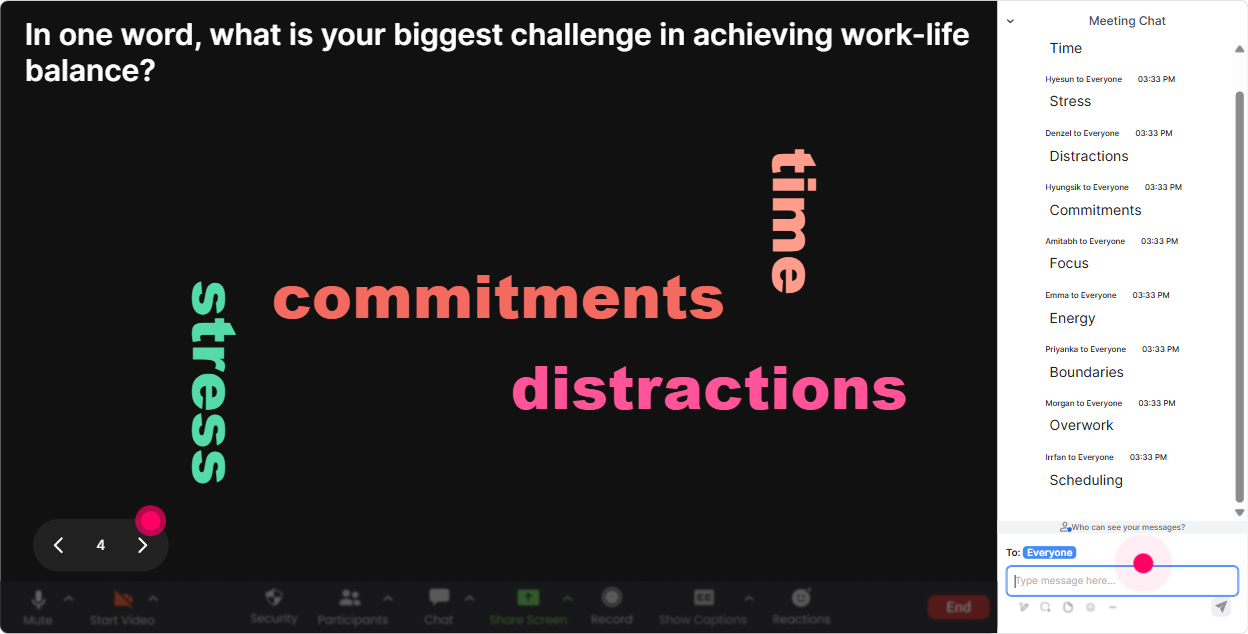
Wonder Words (Word Cloud): Let the room tell you what Work-Life Balance really means to them
This is where you get honest group insight fast. Ask for 12 words, and StreamAlive turns the chat into a word cloud in real time-so you can literally see what the group is thinking. Great prompts for Work-Life Balance ILT: - In 12 words: what steals your work-life balance most often? (youll get: meetings, email, clients, kids, commute) - When you hear work-life balance whats your first reaction? (excited, skeptical, impossible, needed) - Name one boundary you wish you had. (no-after-hours, lunch-break, focus-time) - What helps you reset after a heavy day? (walk, music, gym, silence) Trainer tip: Pause and read out the biggest words. Then do a quick bridge: Alright-meetings is the monster today. Lets talk about what you can control vs what you cant. It makes your content feel tailored, not generic.
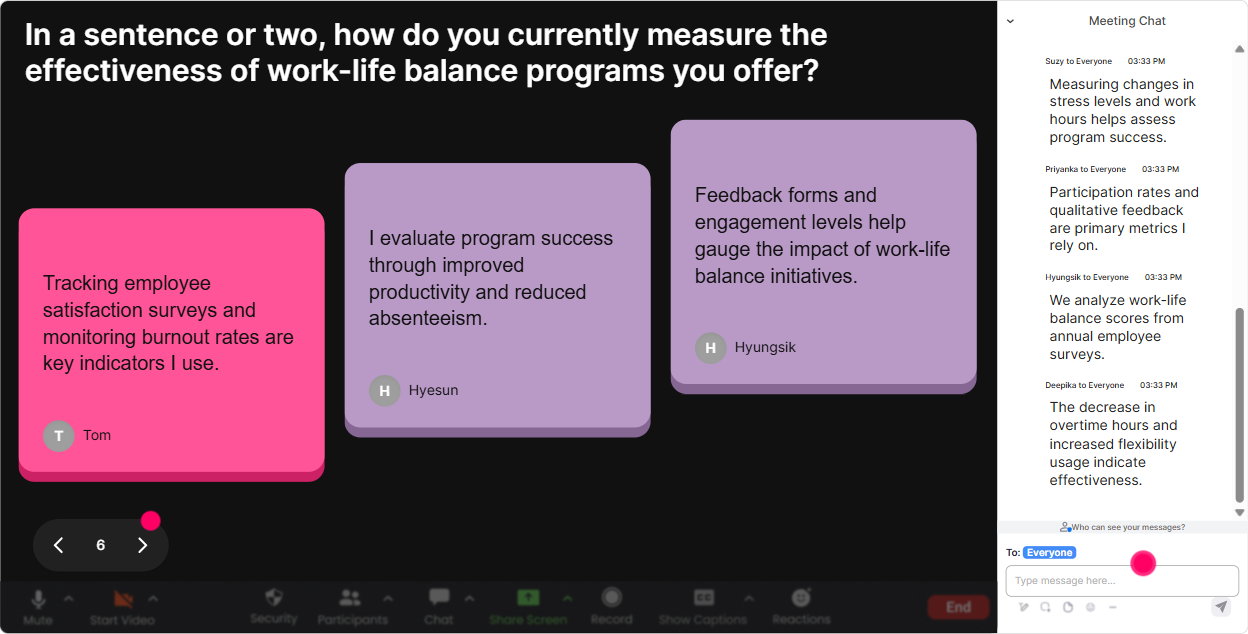
Talking Tiles: Turn real stories into a visual conversation (without calling people out)
Talking Tiles is your go-to when you want answers that are more than a word, but you still want it to feel fun and low-pressure. People type, their responses appear as dynamic tiles on screen, and suddenly everyones contributing without you begging for volunteers. Prompts that work really well for training agencies: - Whats one thing about your work that makes it hard to switch off? - Describe a boundary win youve had-even a small one. - Whats a work-life balance challenge thats unique to trainers/facilitators? (travel, prep time, client demands, irregular schedules) - If your calendar could talk, what would it complain about? (this one gets great honest answers) Trainer tip: Use this to normalize the struggle. When participants see others typing the same issues, it reduces the its just me feeling-and makes your next segment (habits, boundaries, workload design) land harder.
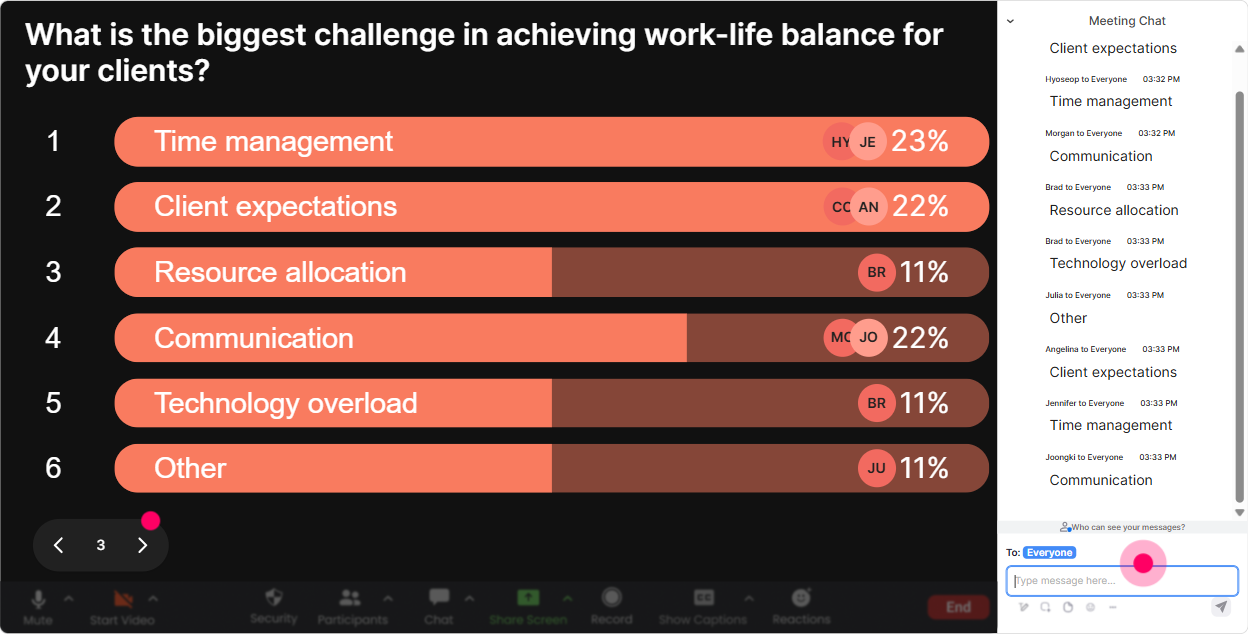
Power Polls: Let participants choose the direction of the session (and boost buy-in)
In work-life balance training, people care most about whats relevant to their real day. Power Polls help you quickly find out what the group actually wants-and then you can adjust your examples, activities, or time spent on each topic. Poll ideas you can run: - What do you need most right now? 1) Boundary setting 2) Time management 3) Stress recovery 4) Managing workload expectations - Whats your biggest work-life balance pressure point? 1) After-hours messages 2) Back-to-back calls 3) Family/caregiving load 4) Travel or irregular schedules - Which habit feels most realistic this week? 1) Block a real lunch break 2) 10-minute end-of-day shutdown routine 3) No work apps after a set time 4) One meeting-free focus block Trainer tip: Run a poll, show results live, then say: Cool-looks like boundaries is the winner. Im going to lean into practical scripts and real scenarios. People instantly feel like the session is for them, not at them.
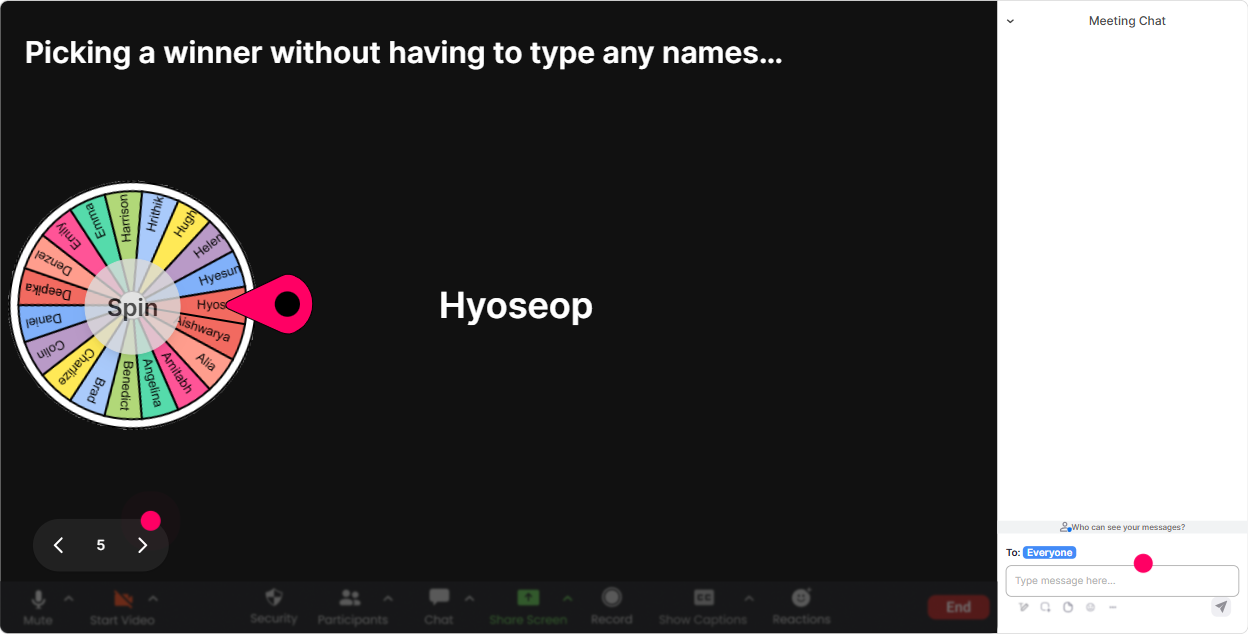
Winner Wheel: Get volunteers without the awkward silence (and reward participation)
You know that moment where you ask, Who wants to share? and the chat goes quiet? Winner Wheel fixes that vibe. You can tell the group: Type your answer in chat, and Ill spin the wheel to choose someone to expand on it. It keeps it playful and fair. Ways to use it in a Work-Life Balance ILT: - Drop one boundary you want to practice. Ill spin and ask someone to turn it into a sentence they could actually say. - Type ME if you want to role-play a saying no scenario-wheel decides who we practice with. - Everyone share one micro-habit. Ill spin to pick one person to explain how theyll make it stick. - End-of-session: Comment your biggest takeaway-wheel picks a winner for a small prize (gift card, shoutout, first pick of resources, whatever you use). Trainer tip: The magic here is participation momentum. Once people realize commenting counts, your chat stays alive the whole session.
Quiz: Make the learning stick with quick knowledge checks (that dont feel like school)
Quizzes are perfect for busting myths and reinforcing key concepts-especially in work-life balance, where people have a lot of assumptions. StreamAlive makes it simple: you set options, participants answer in chat, results show live, and you can reveal the correct answer. Quiz questions you can use: - Which is the best example of a healthy boundary? A) Saying yes and hoping its fine B) Replying instantly to prove reliability C) Setting a response-time expectation (Correct) D) Ignoring messages without warning - Whats the #1 purpose of a shutdown routine? A) Do more work faster B) Signal your brain that work is done (Correct) C) Clear your inbox to zero D) Avoid all stress forever - Which one is a real recovery activity? A) Scrolling work emails on the couch B) Doomscrolling news C) A walk with no inputs (Correct) D) Multitasking chores while answering Teams Trainer tip: After revealing the correct answer, ask one follow-up in chat: What makes this hard to do in real life? Thats where the real discussion starts.

Rating Polls: Get an instant pulse-check on energy, overload, and boundaries
Work-life balance can get personal, so before you dive into frameworks, get a quick temperature check. Rating Polls are perfect because people dont have to overthink-just drop a number in chat and you get a live visual of where the group is at. Use it at multiple moments: - Opener: On a scale of 110, how balanced does your week usually feel? - Before boundaries: Rate your ability to say no at work (1 = impossible, 10 = easy). - Mid-session check-in: Energy right now? 1 = fading, 10 = fully with you. - End of session: How confident are you to try one new habit this week? (110) Trainer tip: When you see the average, react to it out loud like you would in a room: Okay wow, lots of 4s and 5s that tells me this is hitting a real need. That moment alone makes people feel seen.
Q&A (Quick Questions): Catch every question without losing your flow
In a work-life balance session, questions pop up in the middle of someone realizing, Oh I do that. But chats move fast, and you shouldnt have to play detective. StreamAlives Q&A feature captures questions straight from chat and organizes them so you can handle them cleanly. How to use it during ILT: - Tell them: If you have a question, just type it in chat like normal-StreamAlive will grab it. - Park questions during exercises: Im going to save questions for the next pause so we dont break momentum. - Do a dedicated segment: Lets do 7 minutes of rapid-fire Q&A. Common work-life balance questions youll see (and can plan for): - What if my manager expects instant replies? - How do I set boundaries without sounding difficult? - What if Im in a client-facing/trainer role and my schedule isnt mine? Trainer tip: You can answer the question, then instantly toss it back to the group: Anyone found a script that works for this? That peer-to-peer exchange is engagement gold.

Analytics: Prove engagement, spot the best moments, and improve the next delivery
If you deliver training for agencies, you often need to show impact-beyond people attended. StreamAlives Analytics helps you see what actually happened during your session. What you can do with it: - See minute-by-minute engagement: find where attention spiked (and where it dipped) - Replay chat + interactions: figure out which questions sparked the best discussion - Identify your most engaged participants (your Fantastic Fans): great for follow-ups, champions, or testimonials - Pull interaction reports and email them to yourself or your team: helpful for debriefs, QA, and improving your run of show Trainer tip: After a Work-Life Balance session, use analytics to refine timing. If engagement spikes during boundary scripts but drops during a long explanation, youll know exactly where to tighten slides and add one more interaction next time.

Use StreamAlive in all your training sessions
StreamAlive isn’t just for
Work-Life Balance
training,
it can also be used for any instructor-led training session directly inside your PowerPoint presentation.
Explore similar traingin ideas: unlocking the potential of StreamAlive
See how StreamAlive transforms live training with engaging events and interactive sessions across industries, directly inside your PowerPoint presentation.

Interactions in action
(it's free)

.svg.png)


