Install StreamAlive for your PowerPoint slides
Learn more

Career Fluidity Training for Training Agencies
StreamAlive helps 9x the audience engagement in your Virtual Instructor-led Trainings (VILT) directly inside your powerpoint presentation.
Make your instructor-led Career Fluidity training more fun with polls, word clouds, spinner wheels and more
Works inside your existing PowerPoint presentation
Install the StreamAlive app for PowerPoint and see your slides come to life as people participate in your interactions
AI generates audience interactions for you
Let our AI scan your presentation and automatically come up with relevant questions based on the content. Or spend two hours coming up with your own questions, your choice!
Built to work with MS Teams and Zoom
Native apps for Teams and Zoom so you never have to leave your existing workflows
No QR Codes
Chat-powered interactions means your audience doesn’t need to scan QR codes or look at another screen to participate. They just type in the chat!

Quickly approved by your IT team
StreamAlive’s apps for Teams and Zoom means that they have been through rigorous quality assurance and client safety reviews. You’ll find everything an IT team needs to approve the app within the organization within your StreamAlive account.

Youve been asked to deliver a session on Career Fluidity for a Training Agency-and you want people to actually stay with you (not drift into emails). Good news: with a few smart activities and StreamAlive interactions, you can make it feel lively, practical, and super participatory.
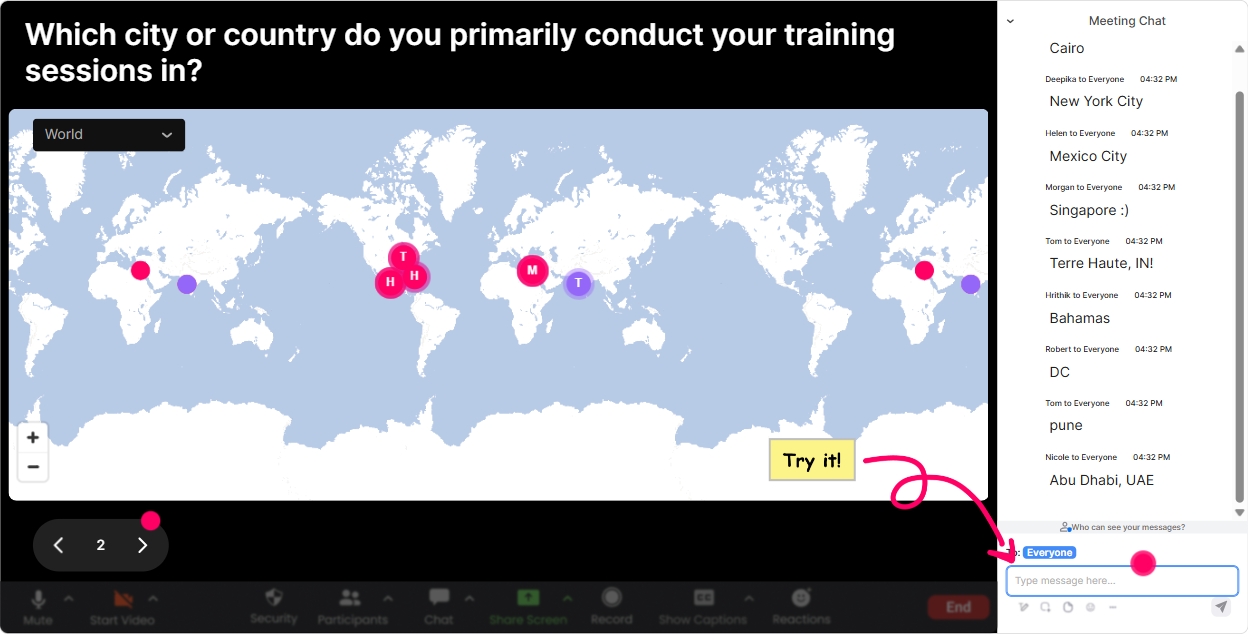
1) Magic Maps: Kick off Career Fluidity with where are you building your career from?
Career Fluidity can feel abstract until you remember: careers happen in real places, markets, and cultures. Start with Magic Maps to instantly humanize the room and get chat moving. Try prompts like: - Where are you joining from today (city + country)? - If you could teleport your career to any city for a 6-month project, where would you go? - Whats one place you lived/worked that changed how you think about your career? Trainer move: After the map populates, call out clusters (Weve got a whole mini-hub in Toronto!) and link it back to the topic: different locations often mean different opportunities, industries, and career pathways-aka, fluidity in action.
2) Rating Polls: Quick pulse-check-how fluid is your group right now?
Before you teach anything, find out where people stand. Rating Polls make this fast and visual, and it helps you calibrate your examples. Use a 110 rating like: - How confident are you explaining Career Fluidity to a client/learner? (1 = not at all, 10 = I could teach it) - How supported do you feel to make career moves in your current org? (110) - How clear is your own next career step right now? (110) Trainer move: If the average is low, you know to slow down and define terms. If its high, you can shift into advanced stuff faster-career experiments, portfolio careers, internal mobility programs, and coaching conversations.

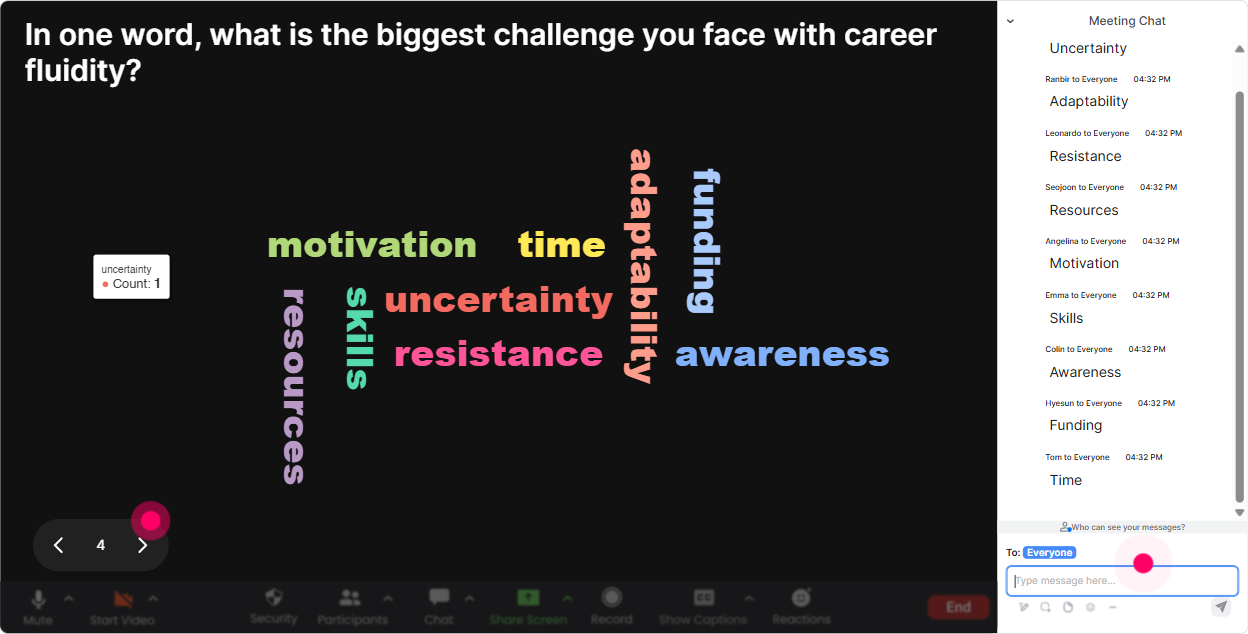
3) Wonder Words (Word Cloud): Turn feelings about Career Fluidity into a shared room mood
Career moves come with emotion-excitement, fear, resistance, hope. A word cloud lets people say it without overthinking it, and you instantly get a read on the room. Ask for 12 words: - When you hear Career Fluidity, whats the first word that pops up? - Whats the biggest barrier to career movement in your world? (12 words) - What skill matters most for staying employable right now? (12 words) Trainer move: Use the biggest words as your agenda. If uncertainty or time shows up huge, youve got your real training need right there-now the session feels tailored, not generic.
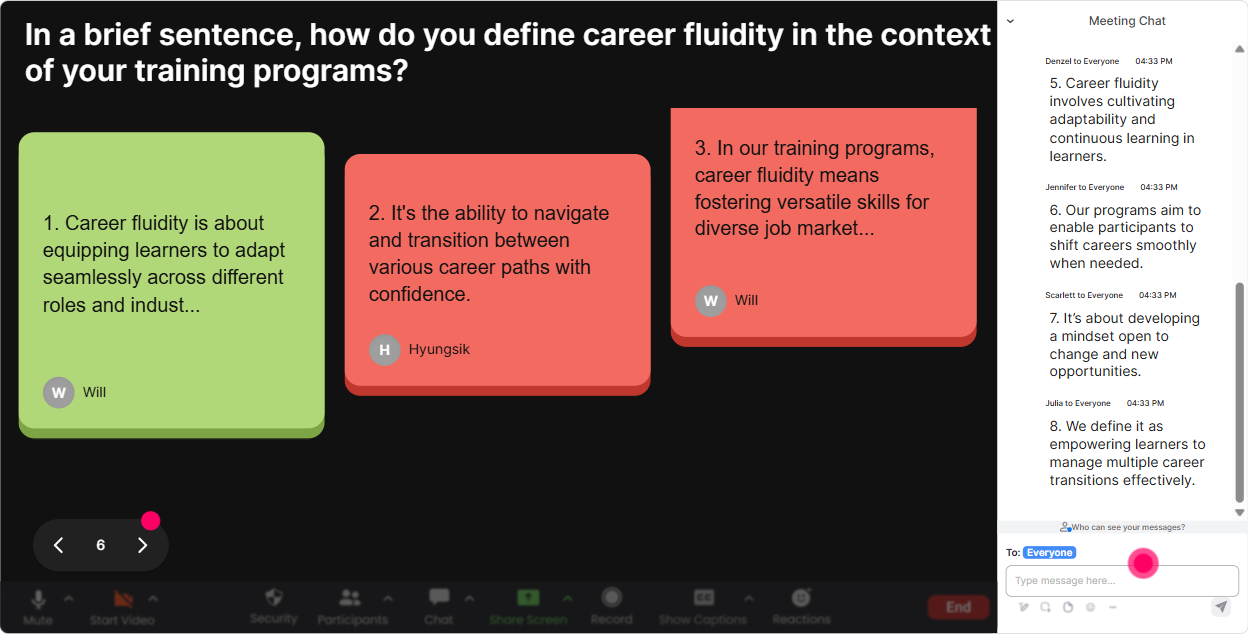
4) Talking Tiles: Get real stories-micro-moves, pivots, and experiments
This is where Career Fluidity becomes real. Talking Tiles are perfect for longer responses that feel like actual human experiences-without you reading a wall of chat. Prompts that work really well: - Whats one career micro-move youve made (or want to make) in the next 90 days? - Describe a time you pivoted-what triggered it and what helped? - In your org, whats one thing that makes internal mobility easier/harder? Trainer move: Pick 23 tiles to spotlight and connect them to frameworks (transferable skills, identity shifts, opportunity spotting, networking, learning loops). People love hearing their words become part of the teaching.
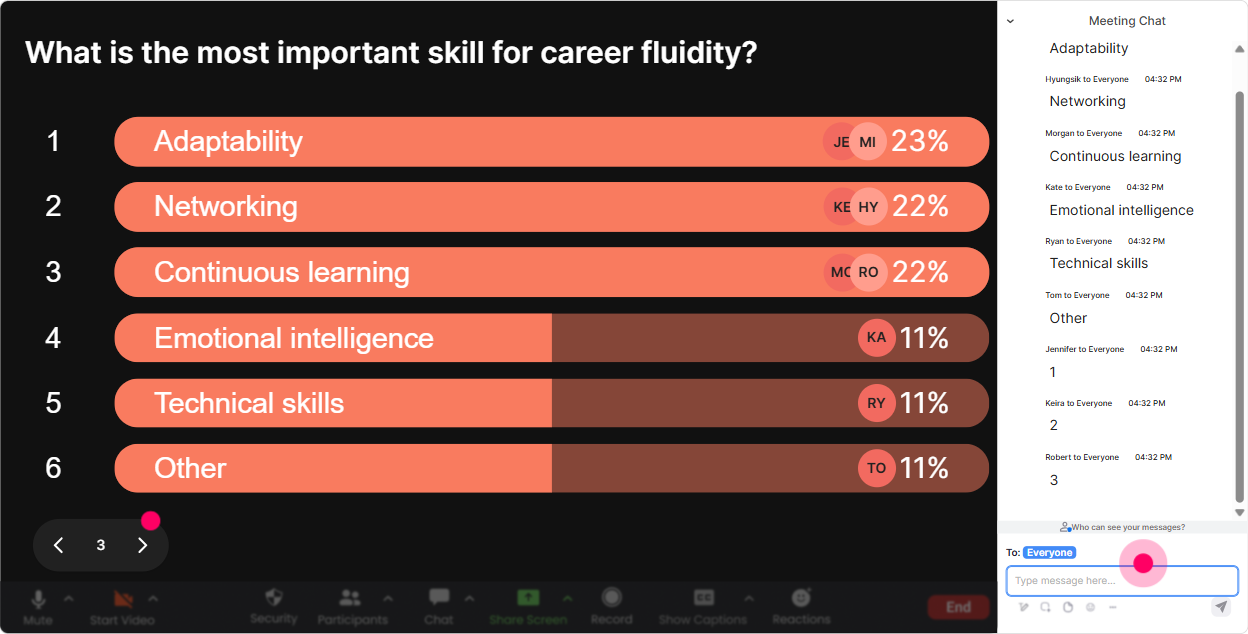
5) Power Polls: Let the audience choose what you go deeper on
In trainer land, we all know: if you let people co-create the direction, engagement jumps. Power Polls make it clean-no awkward type A/B/C chaos. Poll ideas for a Career Fluidity ILT: - What do you want most from today? 1) Tools to coach career moves 2) Activities to run with learners 3) Building a personal career map 4) Helping managers support mobility - Which topic should we tackle first? 1) Transferable skills 2) Career experiments 3) Personal brand & visibility 4) Navigating lateral moves Trainer move: Promise youll cover everything, but start with the winner. People feel heard immediately-and youve basically bought their attention for the next segment.
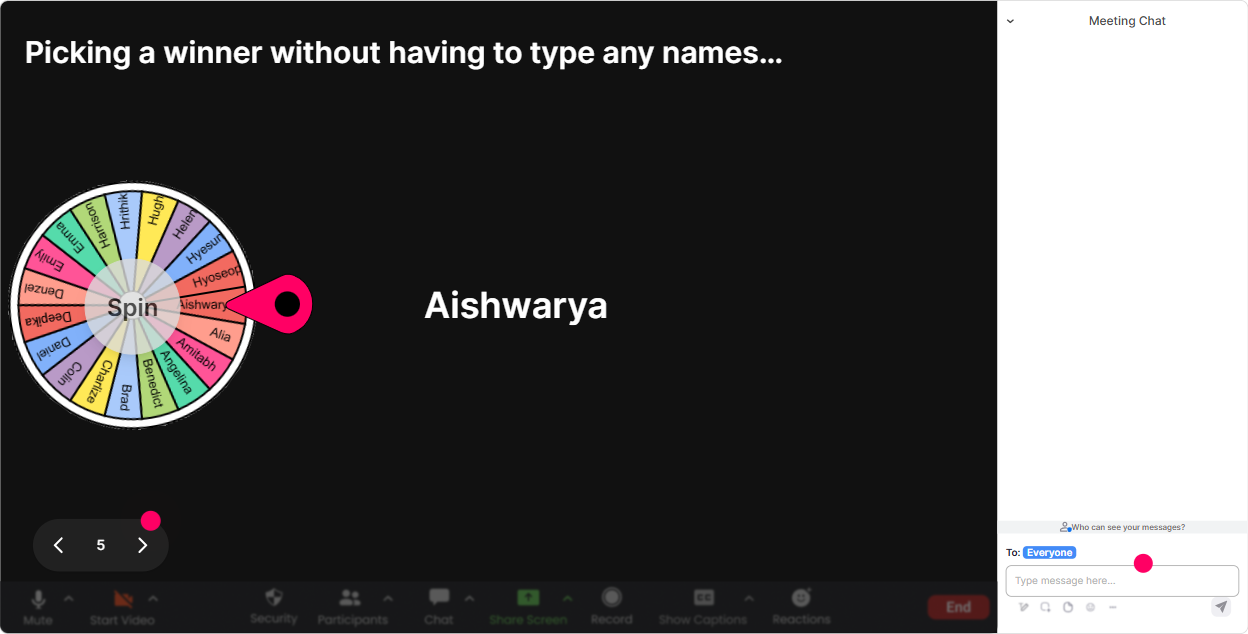
6) Winner Wheel: Choose a volunteer without the awkward silence
You know that moment: Who wants to share? and suddenly everyone becomes a statue. Winner Wheel fixes that-fun, fair, and it nudges people to participate in chat because they might get picked. How to use it in Career Fluidity training: - Drop one career skill youre building this year in chat-then well spin and Ill ask the winner to expand for 20 seconds. - Type your biggest mobility challenge-winner gets to choose the next example we workshop. - Everyone who answered the last poll is eligible-spin to pick who well coach live (lightly, not painfully). Trainer move: Make it feel safe: tell them they can pass. The wheel still keeps energy high, and most people actually play along when it feels low-pressure.
7) Quiz: Quick knowledge checks that dont feel like school
A Quiz interaction is perfect when you want to teach a concept and immediately lock it in. Career Fluidity has lots of myths-quiz questions make those misconceptions visible fast. Multiple-choice questions you can use: - Which is the best example of Career Fluidity? A) Staying in one role for 10 years to show loyalty B) Making small, strategic moves to build options over time (Correct) C) Job-hopping every 3 months D) Only moving up, never sideways - Whats the strongest first step when considering a pivot? A) Quit immediately B) Run a low-risk experiment (Correct) C) Wait for a manager to notice you D) Copy someone elses path exactly Trainer move: After you reveal the correct answer, ask: If you picked something else, what made that feel right? Thats where the best discussion lives.

2) Rating Polls: Quick pulse-check-how fluid is your group right now?
Before you teach anything, find out where people stand. Rating Polls make this fast and visual, and it helps you calibrate your examples. Use a 110 rating like: - How confident are you explaining Career Fluidity to a client/learner? (1 = not at all, 10 = I could teach it) - How supported do you feel to make career moves in your current org? (110) - How clear is your own next career step right now? (110) Trainer move: If the average is low, you know to slow down and define terms. If its high, you can shift into advanced stuff faster-career experiments, portfolio careers, internal mobility programs, and coaching conversations.
8) Q&A: Capture questions from chat without losing your place
Career conversations bring up a lot of yeah but what about questions-and they can get buried in a busy chat. StreamAlive Q&A pulls questions out and organizes them so you can actually address them. How to run it: - Tell learners: If its a question, just type it normally in chat-StreamAlive will catch it. - Park questions for a dedicated segment: Well do a Career Clinic Q&A at the 45-minute mark. Great prompts to invite: - Whats one career move youre considering but feel stuck on? - Whats the hardest part of supporting others mobility as a manager/trainer? Trainer move: Group similar questions live (Im seeing a theme around lateral moves and confidence)-it makes you look organized and makes the audience feel like theyre not alone.

9) Analytics: Prove engagement, improve your design, and show value to the agency/client
After your session, youll want to know what actually worked-not just people seemed into it. StreamAlive Analytics gives you the receipts. What to look at for Career Fluidity ILT: - Minute-by-minute engagement: See exactly where chat spiked (maybe during the word cloud or the career pivot stories) and where it dipped (maybe your definition slide needs tightening). - Interaction reports: Compare which activities got the most participation-use that to refine your next delivery. - Top fans / most engaged participants: Super useful if youre running multi-session cohorts or want to invite highly engaged folks to be table leads, peer coaches, or champions. - Shareable reports via email: Perfect for Training Agencies that need to show outcomes to a corporate client. Trainer move: Use the data to adjust your run-of-show: put your highest-engagement interaction right after breaks, and use a quick rating poll right before the close to measure confidence gain (and to show impact).

Use StreamAlive in all your training sessions
StreamAlive isn’t just for
Career Fluidity
training,
it can also be used for any instructor-led training session directly inside your PowerPoint presentation.
Explore similar traingin ideas: unlocking the potential of StreamAlive
See how StreamAlive transforms live training with engaging events and interactive sessions across industries, directly inside your PowerPoint presentation.

Interactions in action
(it's free)

.svg.png)


