Install StreamAlive for your PowerPoint slides
Learn more

Human-AI Synergy Training for Training Agencies
StreamAlive helps 9x the audience engagement in your Virtual Instructor-led Trainings (VILT) directly inside your powerpoint presentation.
Make your instructor-led Human-AI Synergy training more fun with polls, word clouds, spinner wheels and more
Works inside your existing PowerPoint presentation
Install the StreamAlive app for PowerPoint and see your slides come to life as people participate in your interactions
AI generates audience interactions for you
Let our AI scan your presentation and automatically come up with relevant questions based on the content. Or spend two hours coming up with your own questions, your choice!
Built to work with MS Teams and Zoom
Native apps for Teams and Zoom so you never have to leave your existing workflows
No QR Codes
Chat-powered interactions means your audience doesn’t need to scan QR codes or look at another screen to participate. They just type in the chat!

Quickly approved by your IT team
StreamAlive’s apps for Teams and Zoom means that they have been through rigorous quality assurance and client safety reviews. You’ll find everything an IT team needs to approve the app within the organization within your StreamAlive account.

Youve been asked to run a session on Human-AI Synergy for a training agency-and you want it to feel alive, not like another slide parade. The trick is simple: get people doing small, frequent interactions while you teach. Heres how to make StreamAlive do the heavy lifting so your session stays high-energy and genuinely engaging.
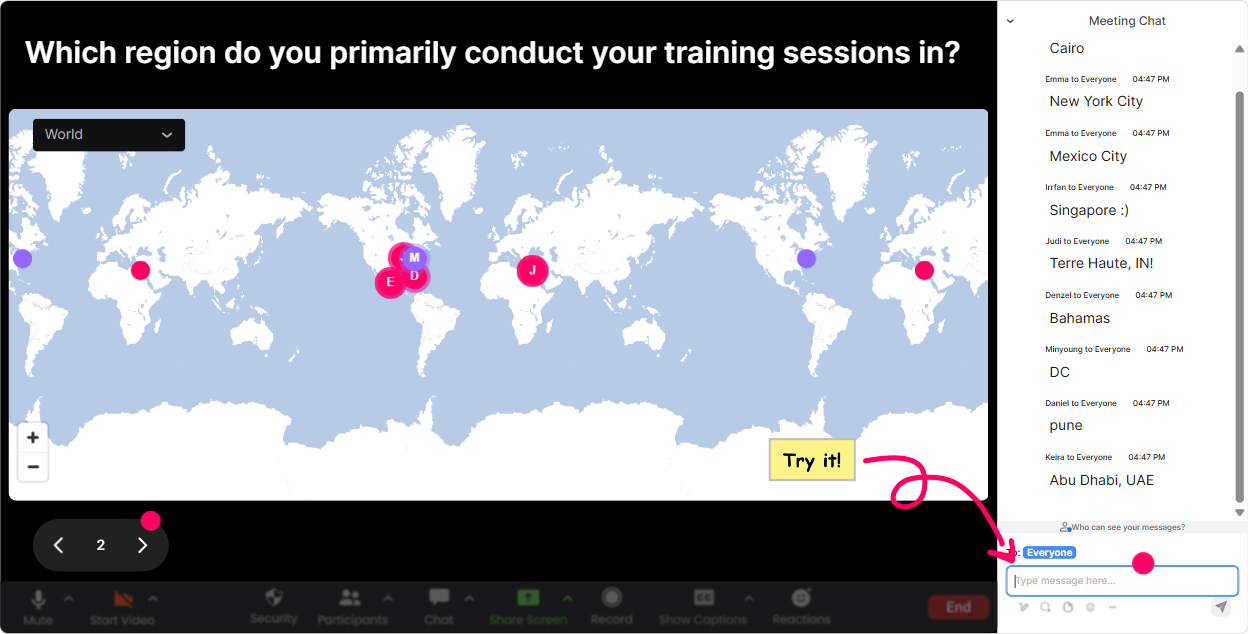
Magic Maps: Put your training agency audience on the map (literally)
This is the easiest win in the first 2 minutes of your session. Ask one location-based question, and StreamAlive plots everyones responses live on a world map-instant icebreaker, instant energy. How to use it for Human-AI Synergy training: - Kickoff question: Where are you joining from today? (classic, always works) - Make it relevant: If AI could instantly remove ONE annoying task from your day, where would you be working from instead-what city? - Another fun one: Which city best represents how you feel about AI at work-your hype city? (They still enter a real place, but it sparks conversation.) Trainer tip: If your agency trains multiple regions or clients, you can call out clusters like, Wow-big group from Toronto. Im going to use a Toronto-based example in the next activity. People feel seen fast, and that alone boosts chat participation for the rest of the session.
Rating Polls: Get a quick confidence check before you teach anything
Rating Polls are perfect for Human-AI Synergy because people come in with wildly different comfort levels-some are experimenting daily, some are quietly worried. Use it like a trainers dashboard: - Opener: On a scale of 110, how confident are you using AI tools in your training/workflow today? - Mid-session pulse check: Rate this statement 110: I can tell the difference between a good AI output and a risky one. - After a demo: How ready are you to try this process in your next client delivery? 110. Trainer tip: When the average is low, dont panic-celebrate it. Say: Perfect. That means were in the right room. When the average is high, raise the bar: Awesome-then were going straight into advanced prompts and guardrails. Either way, you look tuned-in and responsive.

Wonder Words (Word Cloud): Turn audience feelings into your teaching moment
Human-AI Synergy isnt just skills-its mindset. Wonder Words lets you pull that mindset out of the room in seconds, and you get this big visual word cloud that makes people go, Oh wow, were not alone. Great prompts (keep them 12 words): - When you hear AI at work, whats your first reaction? (Excited, skeptical, curious, overwhelmed) - Whats the #1 thing you want AI to help with? (Planning, writing, research, admin, analysis) - Whats your biggest concern with using AI? (Privacy, accuracy, bias, jobs, compliance) Trainer tip: Read the biggest 3 words out loud and build your agenda around them. Example: if accuracy and privacy pop, you can say: Cool-then well spend extra time on verification and safe-use rules today. Thats how the session starts feeling customized, not canned.

Talking Tiles: Collect real stories (without awkward silence)
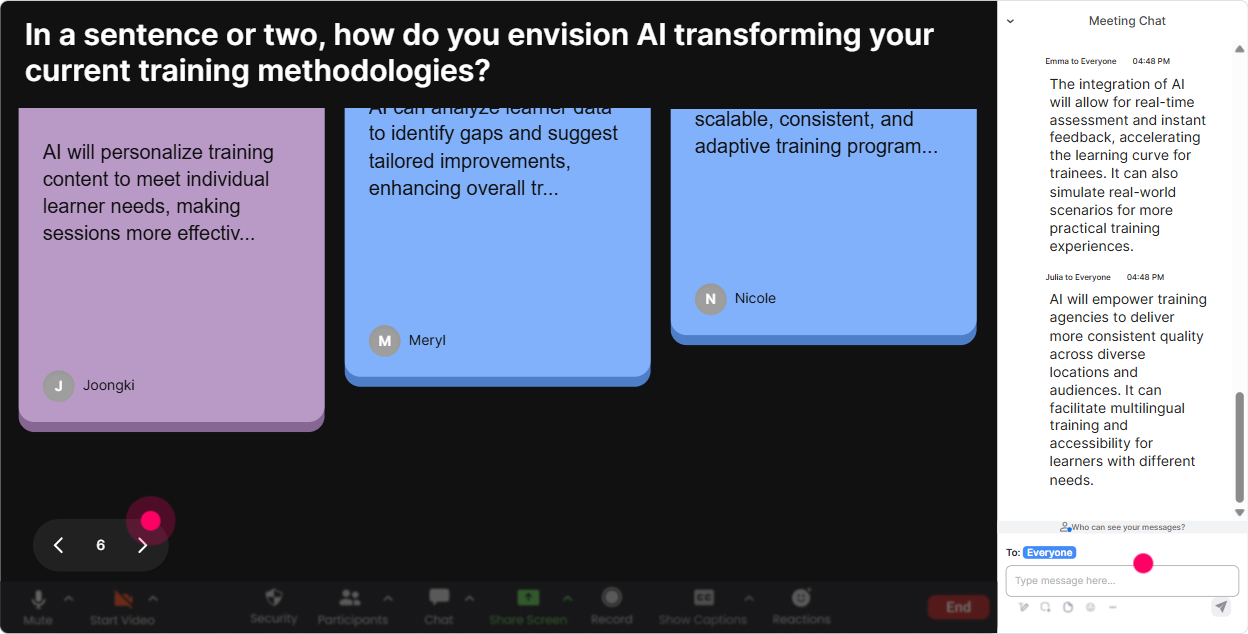
Talking Tiles is where you go beyond one-word answers. People type short paragraphs, and StreamAlive turns them into those falling tiles on-screen-so the room feels active and collaborative. Use it for real Human-AI Synergy moments: - Whats one task in your training delivery or design process that AI could speed up? - Where would AI save you the most time: content creation, learner comms, assessments, facilitation, reporting? (Ask them to explain why.) - Share a time AI gave you a surprisingly good (or bad) output-what happened? Trainer tip: Pick 23 tiles and respond like youre coaching: Thats a great use case-let me show you a prompt pattern for that. Suddenly your examples are coming from them, not your slides-and engagement jumps because people listen for their own message on screen.
Power Polls: Let the audience choose what you go deeper on
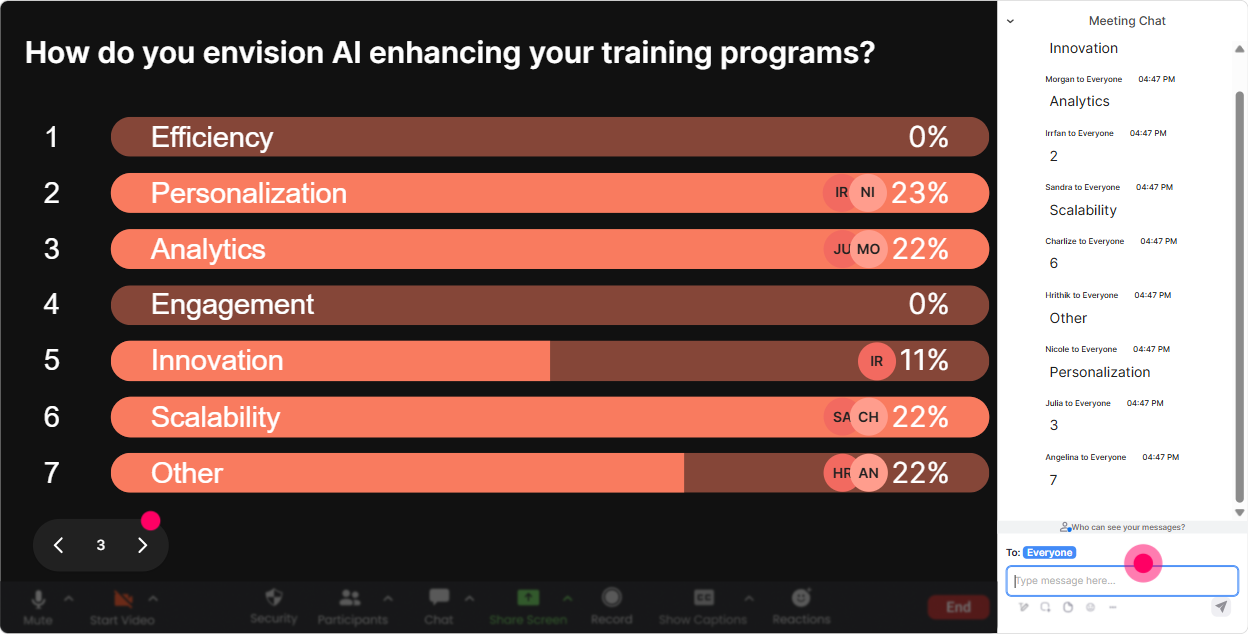
Power Polls are your choose our adventure tool. Instead of guessing what the agency audience needs, you let them vote-and then you teach what wins. Poll ideas for Human-AI Synergy training: - Which topic would help you most today? 1) Prompting basics 2) Human-in-the-loop quality control 3) Building AI into training design 4) Risk, privacy, and compliance - Where are you personally at with AI? 1) Just exploring 2) Using weekly 3) Using daily 4) Teaching others - Whats the biggest blocker in your org? 1) Policy 2) Skills 3) Buy-in 4) Tool access Trainer tip: Say this out loud before you launch it: Whatever wins, Ill adjust the next segment. People instantly feel like their chat message matters-and that keeps them participating all session long.
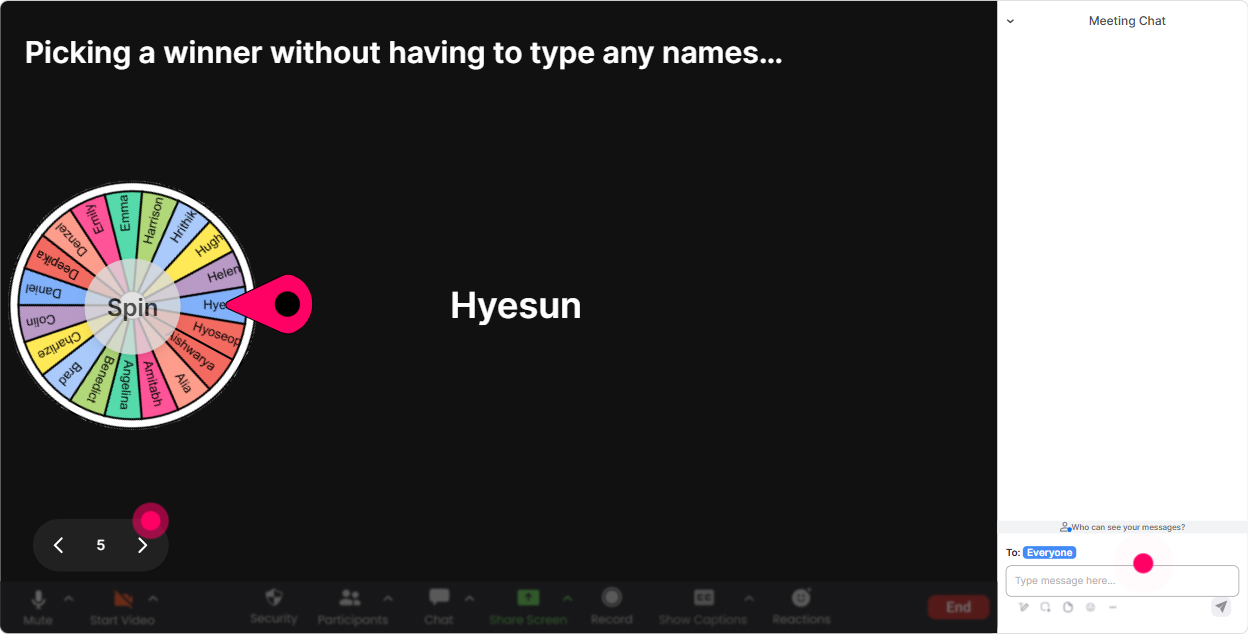
Winner Wheel (Spinner Wheel): Call on people without putting anyone on the spot
Every trainer knows this moment: you ask a question and crickets. The Spinner Wheel fixes that without being awkward. You tell people: Comment anything, and then the wheel randomly selects someone from those who participated. How to use it in Human-AI Synergy training: - Drop in the chat: whats ONE word you associate with AI. Im going to spin the wheel and ask someone to explain their word for 20 seconds. - Type demo if you want me to live-build a prompt for your use case. Wheel decides whose scenario we use. - Share one AI tool youve tried. Ill spin and ask the winner: what did you like or hate about it? Trainer tip: Make the ask lightweight. Youre not picking someone to give a speech-youre picking someone to share a quick thought. When people realize its safe, chat participation goes way up (and yes, youll have way fewer lurkers).
Quiz: Do fast knowledge checks that dont feel like an exam
A quick quiz wakes people up instantly-especially in instructor-led training where attention can drift. StreamAlive tallies answers live, and you can reveal the correct option when youre ready. Human-AI Synergy quiz questions you can steal: - Which is the best example of Human-in-the-Loop? A) AI writes the final client report with no review B) AI drafts, human verifies + edits before sharing C) Human ignores AI output completely D) AI chooses training outcomes automatically (Correct: B) - Whats the safest first step before pasting sensitive info into an AI tool? A) Use it anyway B) Remove identifiers + check policy C) Add more context to be safe D) Ask AI if its secure (Correct: B) Trainer tip: When you reveal results, dont just say right/wrong. Ask: Why do you think most people chose option A? Thats where the learning (and discussion) actually happens.

Rating Polls: Get a quick confidence check before you teach anything
Rating Polls are perfect for Human-AI Synergy because people come in with wildly different comfort levels-some are experimenting daily, some are quietly worried. Use it like a trainers dashboard: - Opener: On a scale of 110, how confident are you using AI tools in your training/workflow today? - Mid-session pulse check: Rate this statement 110: I can tell the difference between a good AI output and a risky one. - After a demo: How ready are you to try this process in your next client delivery? 110. Trainer tip: When the average is low, dont panic-celebrate it. Say: Perfect. That means were in the right room. When the average is high, raise the bar: Awesome-then were going straight into advanced prompts and guardrails. Either way, you look tuned-in and responsive.
Q&A: Capture questions cleanly from chat (so you dont miss the good ones)
In AI sessions, questions come fast-and they get buried in chat. StreamAlive automatically detects and collects questions so you can actually manage Q&A without constantly scrolling. Ways to use it during Human-AI Synergy training: - Park questions while you teach: Drop your questions anytime-StreamAlive will collect them and Ill do a Q&A break every 15 minutes. - Run an Ask Me Anything segment: Ask your messiest real-world question about using AI with clients, learners, or internal teams. - Handle sensitive topics better: If your question is about compliance or privacy, ask it-chances are others are thinking it too. Trainer tip: During delivery, call out: Im seeing three questions about policy and risk-lets handle those together. People love when you group questions because it feels organized and respectful of time.

Analytics: Use engagement data to improve your next cohort (and prove value)
This is the part trainers often skip-but training agencies can really benefit from it. StreamAlive analytics show you what actually landed: when chat spiked, which interactions got responses, and who your most engaged participants were. How it helps in Human-AI Synergy instructor-led training: - Spot the moments that worked: Engagement jumped during the prompt demo-next time, Ill do that earlier. - Improve your run-of-show: If engagement dips during a theory section, youll know exactly where to add a poll, a quiz, or a quick activity. - Identify your champions: Find your Fantastic Fans (your highly engaged participants). These are often your future internal advocates, pilot-group leaders, or even testimonials for your agency. - Share outcomes: Export or email reports to your team/client to show participation and interaction results-super helpful when you need to justify training impact. Trainer tip: After the session, look at the interaction replay results and pick ONE improvement for next time. Just one. Small tweaks stacked over a few cohorts is how you get that 9x engagement effect without reinventing your whole program.

Use StreamAlive in all your training sessions
StreamAlive isn’t just for
Human-AI Synergy
training,
it can also be used for any instructor-led training session directly inside your PowerPoint presentation.
Explore similar traingin ideas: unlocking the potential of StreamAlive
See how StreamAlive transforms live training with engaging events and interactive sessions across industries, directly inside your PowerPoint presentation.

Interactions in action
(it's free)

.svg.png)


