Install StreamAlive for your PowerPoint slides
Learn more

Transparency Training for Training Agencies
StreamAlive helps 9x the audience engagement in your Virtual Instructor-led Trainings (VILT) directly inside your powerpoint presentation.
Make your instructor-led Transparency training more fun with polls, word clouds, spinner wheels and more
Works inside your existing PowerPoint presentation
Install the StreamAlive app for PowerPoint and see your slides come to life as people participate in your interactions
AI generates audience interactions for you
Let our AI scan your presentation and automatically come up with relevant questions based on the content. Or spend two hours coming up with your own questions, your choice!
Built to work with MS Teams and Zoom
Native apps for Teams and Zoom so you never have to leave your existing workflows
No QR Codes
Chat-powered interactions means your audience doesn’t need to scan QR codes or look at another screen to participate. They just type in the chat!

Quickly approved by your IT team
StreamAlive’s apps for Teams and Zoom means that they have been through rigorous quality assurance and client safety reviews. You’ll find everything an IT team needs to approve the app within the organization within your StreamAlive account.

Youve been asked to run Transparency instructor-led training for a Training Agency-and you want it to feel real, not like another compliance lecture. The easiest win? Get people talking early and keep them interacting every few minutes. Here are practical ways to do that with StreamAlive so your session stays lively (and yes, way more engaging).
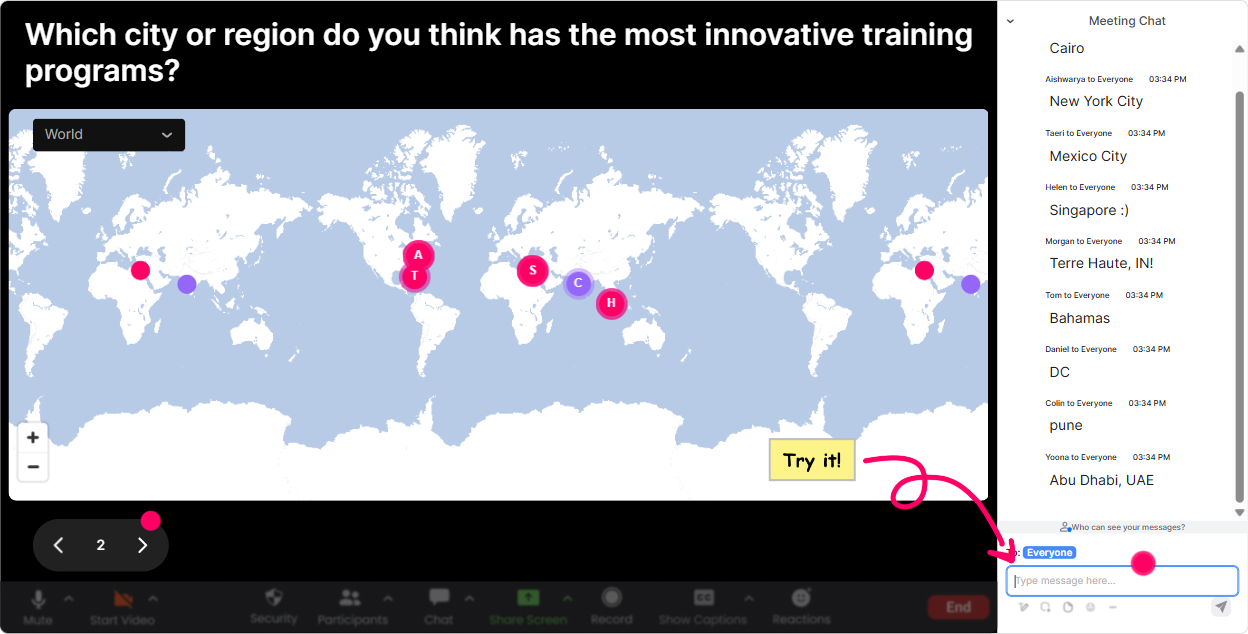
1) Magic Maps: Put your group on the map and make Transparency feel human
Transparency can feel like a policy topic-until you remind people there are real humans in the room with real work situations. Start with Magic Maps to break the ice and instantly create connection. How to use it in your Transparency ILT: - Kickoff question (classic): Where are you joining from today? (Everyone types a city/country, and you literally see your class come alive on the map.) - Make it relevant to the topic: Where do you think communication breaks down the most-HQ, branch office, client site, or remote? Drop the location you work from most. - Training Agency twist: Where are your learners usually based? (Helps you bridge into transparent communication across regions/time zones.) Trainer tip: If youve got a big cluster in one region, call it out: Wow, lots of folks from London-whats one thing you wish leaders were more transparent about there? Thats an easy segue into discussion without putting anyone on the spot.
2) Rating Polls: Get a quick honesty check (without making it awkward)
Transparency is one of those topics where people *think* theyre doing fine until you ask a simple question and the room gets real. Rating Polls let you do that fast. Ways to use Rating Polls during the session: - Opening pulse check: On a scale of 110, how transparent do you feel communication is in your team today? - Confidence check before a skill practice: Rate your confidence in giving a transparent update when the news is bad (110). - After teaching a model (like SBI, RADAR, etc.): How usable is this in real life? (110) Trainer tip: Dont just show the average and move on. Ask: I see a bunch of 46s-what would need to be true for that to become an 8? That one question usually unlocks the best stories.

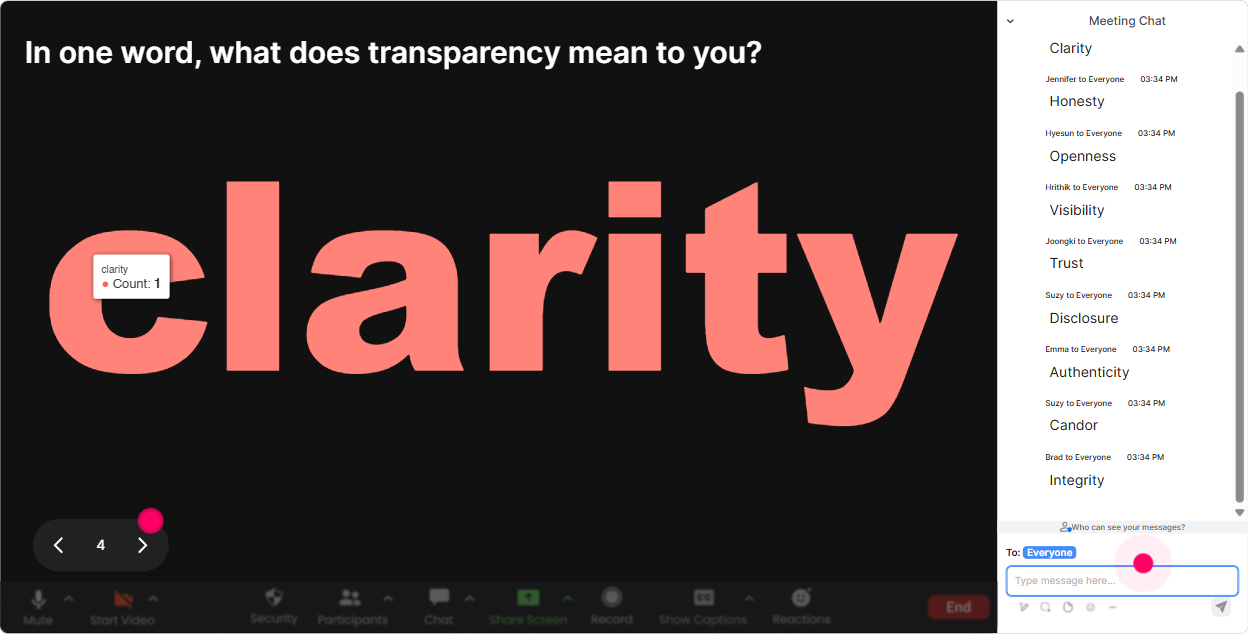
3) Wonder Words (Word Cloud): Turn Transparency into what people actually feel
If you say Transparency training, some people think trust some think risk some think great, more meetings. A Word Cloud helps you surface the rooms vibe in seconds. Great prompts for Transparency training: - In 12 words, what comes to mind when you hear transparency at work? - Whats the biggest blocker to transparency in your organization? (12 words) - One word: how do you *want* communication to feel in your team? Trainer tip: When a spicy word pops up (like fear or politics), dont ignore it. Say: Okay, fear is big on the screen-lets talk about that. Fear of what? You just found your real training need.
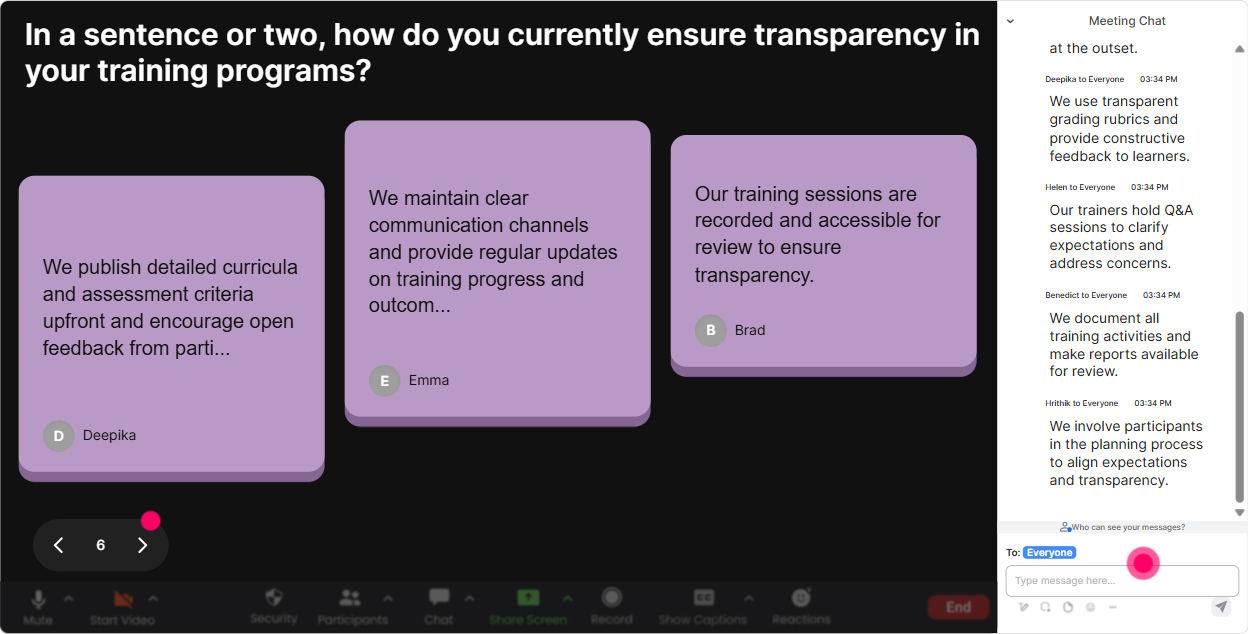
4) Talking Tiles: Get real examples without begging people to unmute
Talking Tiles are perfect when you want more than one-word answers-like real situations, examples, or mini-stories. People can type freely, and you get this energetic visual wall of responses. Use it for: - Reality check: Where does lack of transparency slow down your work the most? Give a quick example. - Role clarity: In your role, what information do you wish you got earlier? - Practice debrief: After a scenario, ask: If you were the manager here, what would you say to be transparent *and* professional? Trainer tip: Pick 23 tiles and read them out loud (anonymously). Then ask: Who else has seen something like this? Suddenly its a group conversation, not a trainer monologue.
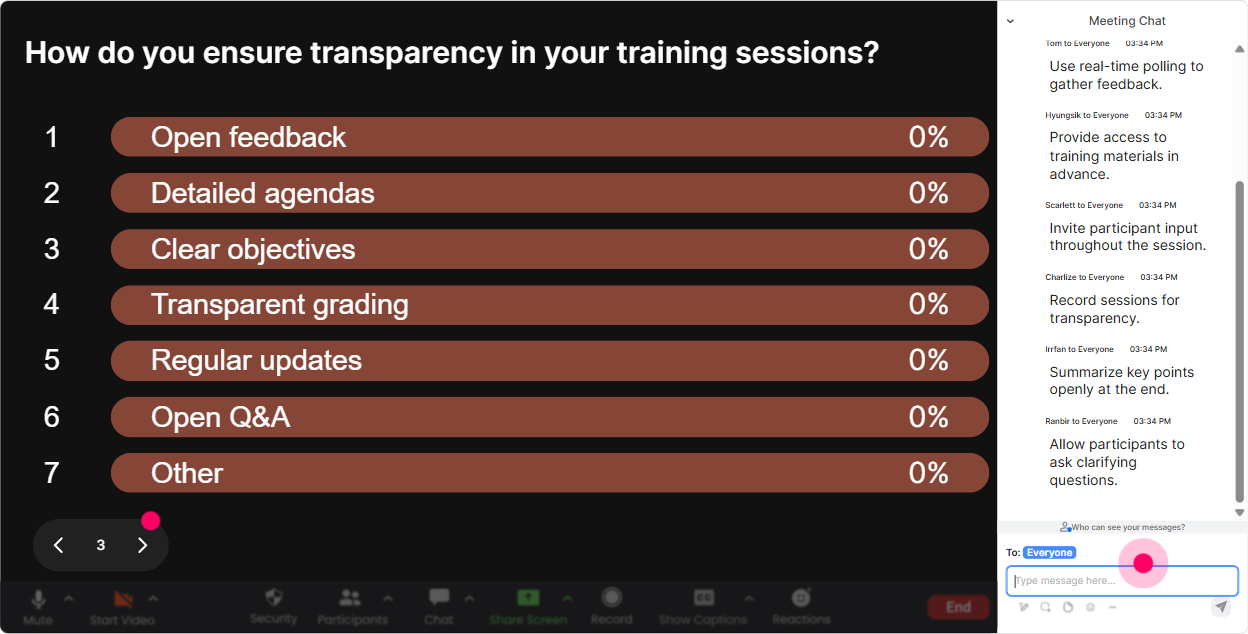
5) Power Polls: Let the group choose what to focus on (and earn instant buy-in)
Trainers dont always get to choose the perfect agenda-sometimes you inherit it. Power Polls help you hand control to the audience in a way that still keeps you on track. Poll ideas for Transparency ILT: - Which part of transparency is hardest in your workplace? 1) Sharing bad news 2) Setting expectations 3) Admitting mistakes 4) Decision-making clarity 5) Giving honest feedback - When leaders arent transparent, what do you think is usually happening? 1) They dont know 2) Theyre avoiding conflict 3) Theyre protecting someone 4) Theyre worried about reactions 5) They dont trust the team - For Training Agencies: Which learner group needs transparency skills most? 1) New managers 2) Client-facing teams 3) Ops/admin 4) Senior leaders 5) Everyone Trainer tip: After the poll, teach to the winner first. Tell them: Cool-lets start where you need it most. That one line changes the whole energy.
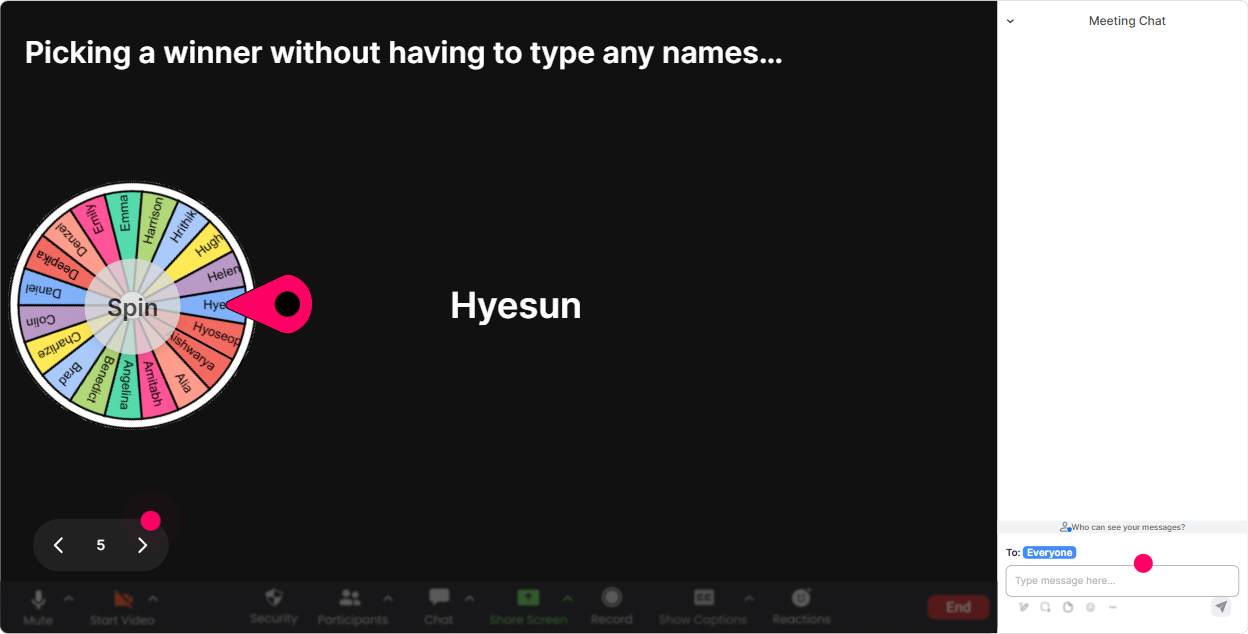
6) Winner Wheel (Spinner Wheel): Get participation without the awkward silence
You know the moment: you ask a question, everyone goes quiet, and you end up answering your own question. The Spinner Wheel fixes that-because now participation feels like a game, not pressure. How to use it in Transparency training: - Drop in chat: Whats one phrase that sounds transparent but actually isnt? Then spin to pick someone to explain their example. - Type me if youll role-play the manager in this scenario. Spin to select the role-play volunteer. - Share one transparency do or dont. Spin to pick a person to expand on their point. Trainer tip: Keep it friendly: If you get picked, you can pass once! People are way more willing when they feel safe.
7) Quiz: Do quick knowledge checks that feel like a game (not an exam)
Transparency has some clear right/wrong moments (especially around ethics, confidentiality, and expectations). Quiz is great for tight, multiple-choice checks where you reveal the correct answer and explain the why. Quiz questions you can use: - Which is the most transparent status update? A) Were working on it. B) Were behind schedule-heres why, heres what were doing, and heres the new ETA. C) Dont worry about it. D) Well try our best. (Correct: B) - When you cant share details, whats the best transparent response? A) Say nothing B) Share partial rumors C) Explain what you can share, what you cant, and when youll update D) Change the topic (Correct: C) Trainer tip: After you show the correct answer, ask: What would make this hard to do in your world? That bridges knowledge real behavior.

2) Rating Polls: Get a quick honesty check (without making it awkward)
Transparency is one of those topics where people *think* theyre doing fine until you ask a simple question and the room gets real. Rating Polls let you do that fast. Ways to use Rating Polls during the session: - Opening pulse check: On a scale of 110, how transparent do you feel communication is in your team today? - Confidence check before a skill practice: Rate your confidence in giving a transparent update when the news is bad (110). - After teaching a model (like SBI, RADAR, etc.): How usable is this in real life? (110) Trainer tip: Dont just show the average and move on. Ask: I see a bunch of 46s-what would need to be true for that to become an 8? That one question usually unlocks the best stories.
8) Q&A: Capture questions cleanly-even when chat is flying
In transparency sessions, people often have sensitive questions-and theyll type them fast when something hits home. StreamAlives Q&A picks up questions directly from chat and organizes them so youre not hunting through messages. How to use it well: - Mid-session: If youve got a tricky transparency situation, drop it as a question in chat. - End-of-module: Whats one question you wish leaders would answer more clearly at work? - For Training Agencies: Whats the hardest transparency question your learners ask you to help them handle? Trainer tip: Park questions during teaching, then do a dedicated Q&A sprint every 1520 minutes. People relax when they know you *will* come back to them.

9) Analytics: Figure out what actually worked (so your next session is even better)
After you deliver Transparency training, youll usually get the standard feedback form days later and its vague. StreamAlive Analytics gives you the real story immediately-minute by minute. What to look for: - Engagement spikes: Which moment got the most chat? (Thats your strongest story, example, or activity-reuse it.) - Drop-off moments: Where did participation dip? (Thats a signal to tighten slides or add an interaction right there.) - Top participants: Identify your Fantastic Fans and thank them-those are often your future champions, co-facilitators, or internal promoters. - Interaction reports: See which polls/questions landed best, then refine your question wording for the next cohort. Trainer tip: If youre a Training Agency, Analytics is gold for continuous improvement. You can literally say to a client: Heres where the group leaned in most-and heres what were adjusting for the next delivery.

Use StreamAlive in all your training sessions
StreamAlive isn’t just for
Transparency
training,
it can also be used for any instructor-led training session directly inside your PowerPoint presentation.
Explore similar traingin ideas: unlocking the potential of StreamAlive
See how StreamAlive transforms live training with engaging events and interactive sessions across industries, directly inside your PowerPoint presentation.

Interactions in action
(it's free)

.svg.png)


