Install StreamAlive for your PowerPoint slides
Learn more

Lifelong Learning Training for L&D Leaders
StreamAlive helps 9x the audience engagement in your Virtual Instructor-led Trainings (VILT) directly inside your powerpoint presentation.
Make your instructor-led Lifelong Learning training more fun with polls, word clouds, spinner wheels and more
Works inside your existing PowerPoint presentation
Install the StreamAlive app for PowerPoint and see your slides come to life as people participate in your interactions
AI generates audience interactions for you
Let our AI scan your presentation and automatically come up with relevant questions based on the content. Or spend two hours coming up with your own questions, your choice!
Built to work with MS Teams and Zoom
Native apps for Teams and Zoom so you never have to leave your existing workflows
No QR Codes
Chat-powered interactions means your audience doesn’t need to scan QR codes or look at another screen to participate. They just type in the chat!

Quickly approved by your IT team
StreamAlive’s apps for Teams and Zoom means that they have been through rigorous quality assurance and client safety reviews. You’ll find everything an IT team needs to approve the app within the organization within your StreamAlive account.

Youve been asked to run an instructor-led session on Lifelong Learning for L&D Leaders-and you want it to feel alive, not like another sit and get webinar. The good news: a few smart interactions can keep people talking, thinking, and participating throughout. Here are practical ideas (using StreamAlive) to help you drive up engagement-fast.
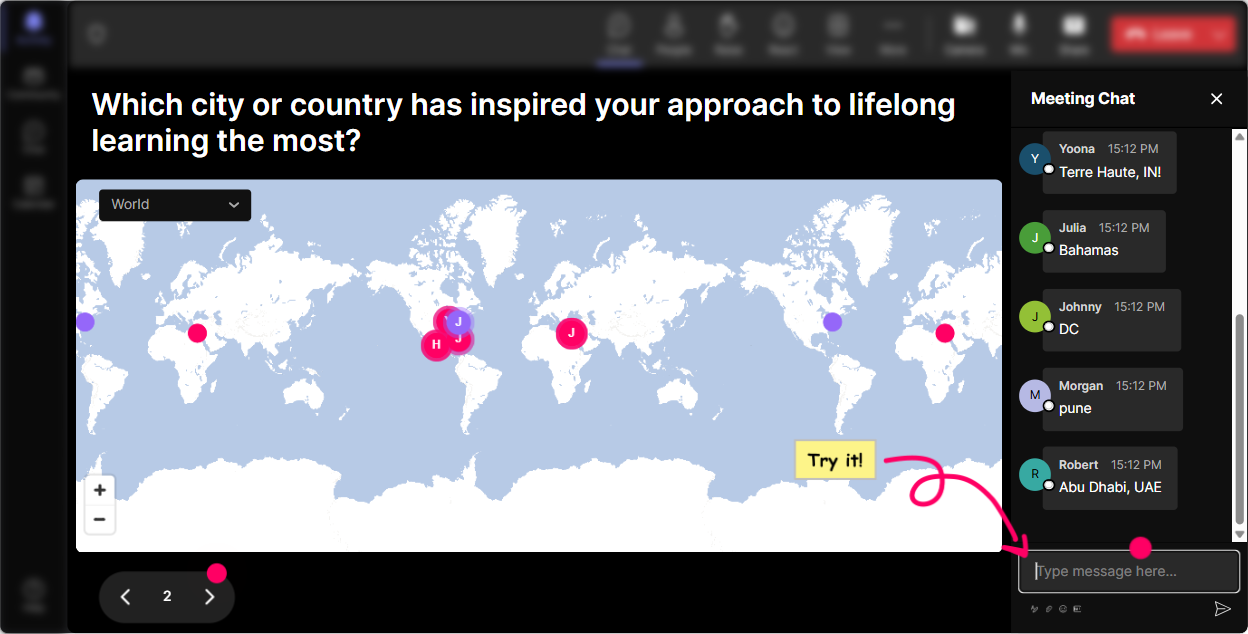
Magic Maps: Kick off Lifelong Learning by putting everyone on the map
Start with the classic opener-Where are you joining from?-but make it visual and fun. With StreamAlives Magic Maps, people type their location in chat and you instantly see the group spread across the world. Its an easy win for connection, and it sets the tone that this will be interactive. Try prompts like: - Where in the world are you joining from today? (City + country) - Where did you learn the most important skill in your career? (Name the city) - If you could go anywhere to learn something new-where would you go? Trainer tip: if your session is global, call out clusters (Weve got a big Toronto crew!). People love hearing their city name, and it nudges the quiet folks to join in early.
Rating Polls: Get a quick pulse on how strong (or shaky) lifelong learning feels right now
Before you teach anything, find out where theyre starting from. Rating Polls are perfect for quick confidence checks-people just drop a number in the chat, and you get an instant visual read. Use it at key moments: - Opener: On a scale of 110, how confident are you that your org truly supports lifelong learning? - After a framework: How practical does this feel for your company? 110 - Mid-session energy check: Hows your brain doing right now? 1 = overloaded, 10 = lets go Trainer tip: when you see the average score, react in real time. Interesting-lots of 6s and 7s. Lets talk about whats missing to make it an 8+. Thats where the real conversation starts.

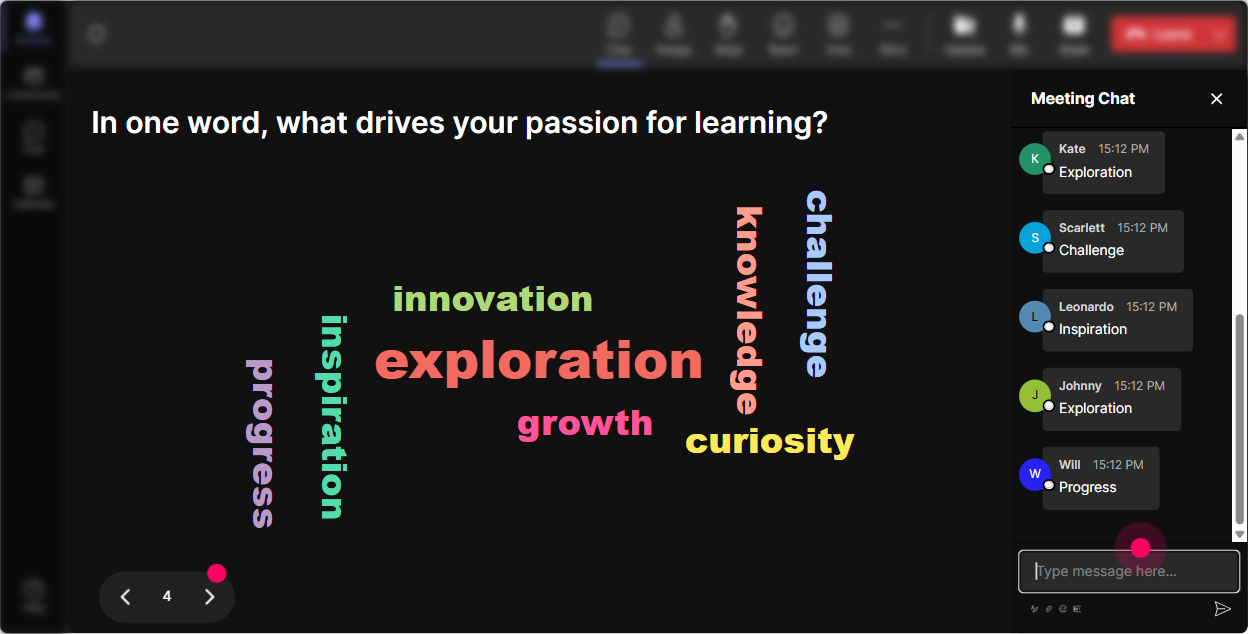
Wonder Words: Surface the real feelings people have about lifelong learning (fast)
Lifelong learning sounds inspiring until it turns into another thing to do. Use a Word Cloud to get honest sentiment without putting anyone on the spot. Ask for 12 word answers, and StreamAlive builds the cloud live-big words = popular answers. Great prompts: - When you hear lifelong learning at work, whats the first word that comes to mind? - Whats the biggest blocker to learning in your org? (12 words) - What do you want more of in learning programs? (12 words) Trainer tip: use the cloud as your agenda. If time or bandwidth shows up huge, say it out loud and adapt: Cool, were going to tackle time constraints head-on today. People feel seen-and they lean in.
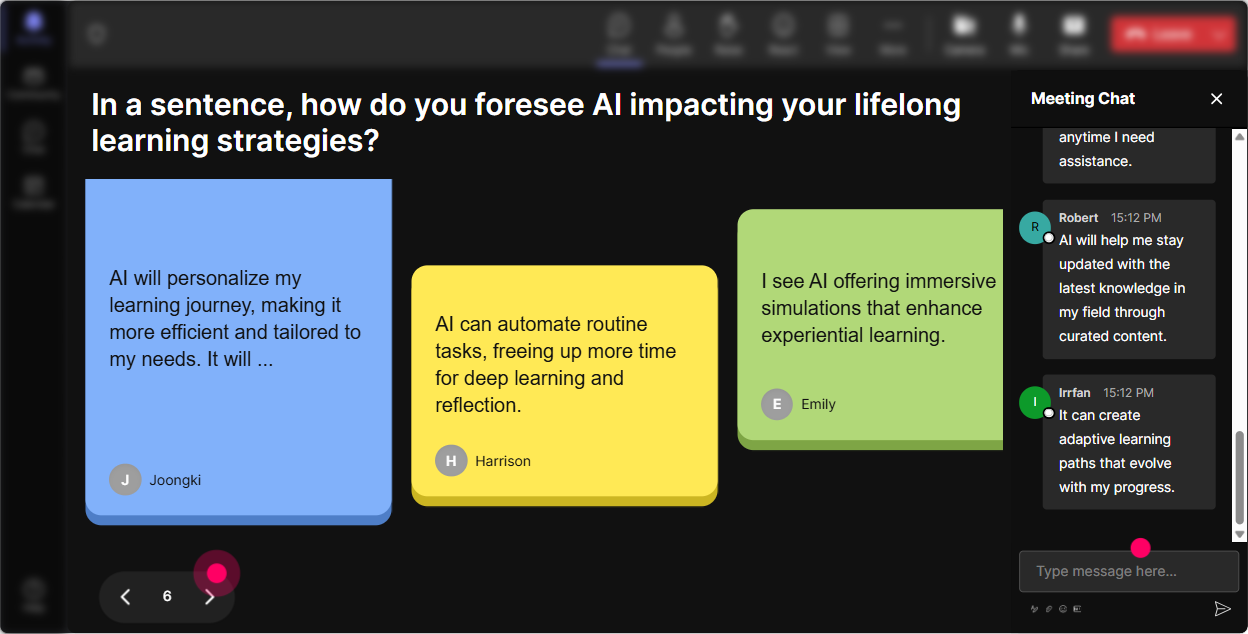
Talking Tiles: Turn your group into a brainstorming engine (without awkward silence)
When you want more than one-word answers-use Talking Tiles. People type in chat, and their responses drop onto the screen like tiles. It feels playful, and its awesome for stories, examples, and idea-sharing. Try questions like: - What impact would a stronger lifelong learning culture have on your role as an L&D leader? - Describe one learning habit you wish more leaders practiced. - Whats one thing youd stop doing in L&D to make room for continuous learning? Trainer tip: pick 34 tiles to read out and riff on. Youll get that were building this together vibe instead of you doing all the talking.
Power Polls: Let the group choose the direction (and boost buy-in instantly)
Power Polls help you stop guessing what people want. Give options, let them vote in chat, and show results live. Its also a slick way to tailor your examples to the room-especially when L&D leaders come from very different orgs. Poll ideas for Lifelong Learning ILT: - Whats your biggest lifelong learning challenge right now? 1) Time / workload 2) Manager buy-in 3) Measuring impact 4) Engagement 5) Budget - Where do you want to focus today? 1) Building a learning culture 2) Personalization & self-directed learning 3) Learning in the flow of work 4) Measurement & ROI Trainer tip: if one option wins big, commit to it out loud. Looks like measurement is the pain point-lets spend extra time there. Thats how you keep attention up, because the content feels chosen, not assigned.

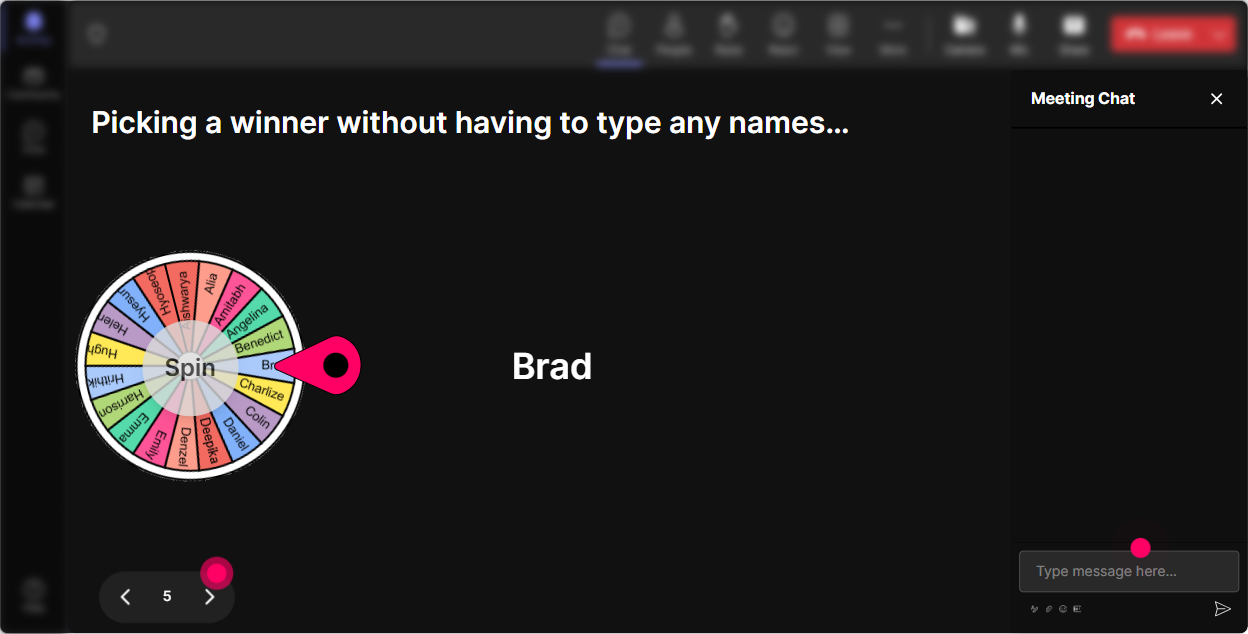
Winner Wheel: Make participation feel fun (and get more voices into the room)
You know the moment: you ask a question and crickets. The Winner Wheel fixes that in a friendly way. Tell people, Type your answer in chat-then Ill spin the wheel to pick someone to expand on it. Suddenly everyone has a reason to participate. Ways to use it in lifelong learning training: - Share one micro-learning idea youve tried. Ill spin and ask one person to explain theirs in 30 seconds. - Drop a leadership behavior that supports learning. Wheel decides who gives an example. - Type me if youre open to being a volunteer case study. Lets spin. Trainer tip: keep it light and low-pressure. If someone gets picked, you can say, No worries if youd rather pass-just tell me pass in chat. That keeps it safe while still boosting interaction.
Quiz: Do quick knowledge checks that dont feel like a test
Quizzes are perfect for busting myths and reinforcing key ideas. You ask a multiple-choice question, participants answer in chat, and StreamAlive tallies it live. Then you reveal the correct answer and explain the why. Quiz ideas for Lifelong Learning with L&D Leaders: - Which is the best example of learning in the flow of work? A) A 2-hour quarterly webinar B) A searchable 3-minute how-to video inside the tools people use daily (Correct) C) A once-a-year offsite D) A long PDF policy document - Whats the strongest predictor of sustained learning behavior? A) Bigger content library B) Manager reinforcement + time to apply (Correct) C) More quizzes D) Longer courses Trainer tip: after revealing the answer, ask a follow-up in chat: What made you pick your option? Thats where the learning sticks.

Rating Polls: Get a quick pulse on how strong (or shaky) lifelong learning feels right now
Before you teach anything, find out where theyre starting from. Rating Polls are perfect for quick confidence checks-people just drop a number in the chat, and you get an instant visual read. Use it at key moments: - Opener: On a scale of 110, how confident are you that your org truly supports lifelong learning? - After a framework: How practical does this feel for your company? 110 - Mid-session energy check: Hows your brain doing right now? 1 = overloaded, 10 = lets go Trainer tip: when you see the average score, react in real time. Interesting-lots of 6s and 7s. Lets talk about whats missing to make it an 8+. Thats where the real conversation starts.
Q&A: Capture questions from chat automatically-so you dont miss the good stuff
In lively sessions, great questions get buried in the chat. StreamAlives Q&A feature pulls audience questions into one clean view so you can actually manage them. No separate Q&A box, no frantic scrolling. How to use it smoothly: - Tell the group: Drop questions anytime. StreamAlive will capture them, and well hit a Q&A pit stop every 15 minutes. - Do theme breaks: Lets take 3 questions on measurement before we move on. - Run a final sprint: Last 5 minutes-hit me with your toughest lifelong learning challenge. Trainer tip: when you answer a question, say the persons name and paraphrase it. People feel acknowledged, and it encourages more questions (which keeps engagement high).

Analytics: Prove what worked, refine what didnt, and show L&D value clearly
After your session, StreamAlive Analytics helps you see what actually drove engagement-minute by minute. Youll know where chat spiked, which interactions landed, and who your most engaged participants were. How L&D leaders and trainers can use this: - Spot engagement dips: We lost momentum during the policy slide-next time, well add an interaction there. - Identify what content resonated: The biggest chat spike happened during learning in the flow of work-we should expand that module. - Find your champions: These were the most engaged participants-great people to invite into a pilot group or learning council. - Share results easily: send interaction reports via email, or recap outcomes with your team on Teams. Trainer tip: treat analytics like your facilitation coach. Your goal isnt perfect delivery-its better delivery every session. Analytics makes that improvement obvious and repeatable.

Use StreamAlive in all your training sessions
StreamAlive isn’t just for
Lifelong Learning
training,
it can also be used for any instructor-led training session directly inside your PowerPoint presentation.
Explore similar traingin ideas: unlocking the potential of StreamAlive
See how StreamAlive transforms live training with engaging events and interactive sessions across industries, directly inside your PowerPoint presentation.

Interactions in action
(it's free)

.svg.png)


